PDF Form Generator

Transform PDFs into interactive forms with AI-powered field detection

Automatic PDF->Template

mobile device detected, please open on computer for full functionality. Mobile site is for explanation and demo only

Docs & Privacy & Terms

Automatic PDF to Fillable Forms, Fill By Link or API, Database Map Fields and U.S. E-Sign Workflows

This software converts raw PDFs into fillable forms using CommonForms by jbarrow for field detections with writable areas at input fields. It supports text fields, checkbox groups, radio groups, dates, and signatures in the editor. Once your form is ready, you can upload a CSV, Excel, JSON, or TXT schema file, map PDF fields to database headers, and fill the PDF from matching database rows in Search & Fill; publish a DullyPDF Fill By Link web form for clients to answer so their responses can fill the PDF later; expose a template-scoped API Fill endpoint; or route eligible records into DullyPDF's supported U.S. e-sign workflow. Database rows stay in browser for Search & Fill.

Complete Workflow Process

1

PDF to Form with AI-Powered Field Detection

The detection pipeline analyzes your PDF and automatically identifies potential form fields with confidence scoring and field names pulled from nearby labels.

2

Interactive Visual Editing

Review and refine detected fields using the Form Field Editor. Resize, rename, reposition, and adjust field properties with precision tools for accurate, production-ready templates.

3

Publish Fill By Link, API Fill, or Connect Local Data

Save the template, then either publish a DullyPDF Fill By Link web form for clients to answer, expose a template-scoped API Fill endpoint, or upload a CSV/Excel/JSON/TXT schema file to map PDF fields to database headers for Search & Fill.

4

Search, Fill from Images, Generate, or Route Into U.S. E-Sign

Choose a matching database row, a stored respondent submission, or upload images and documents like IDs, invoices, pay stubs, or records. DullyPDF fills the template from those sources, generates the PDF only when you download it, or routes eligible records into DullyPDF's supported U.S. e-sign workflow.

Demo walkthrough

See the pipeline on mobile

Use the arrows to move through detection, template cleanup, intake options, extraction, final fill, and the immutable e-sign handoff.

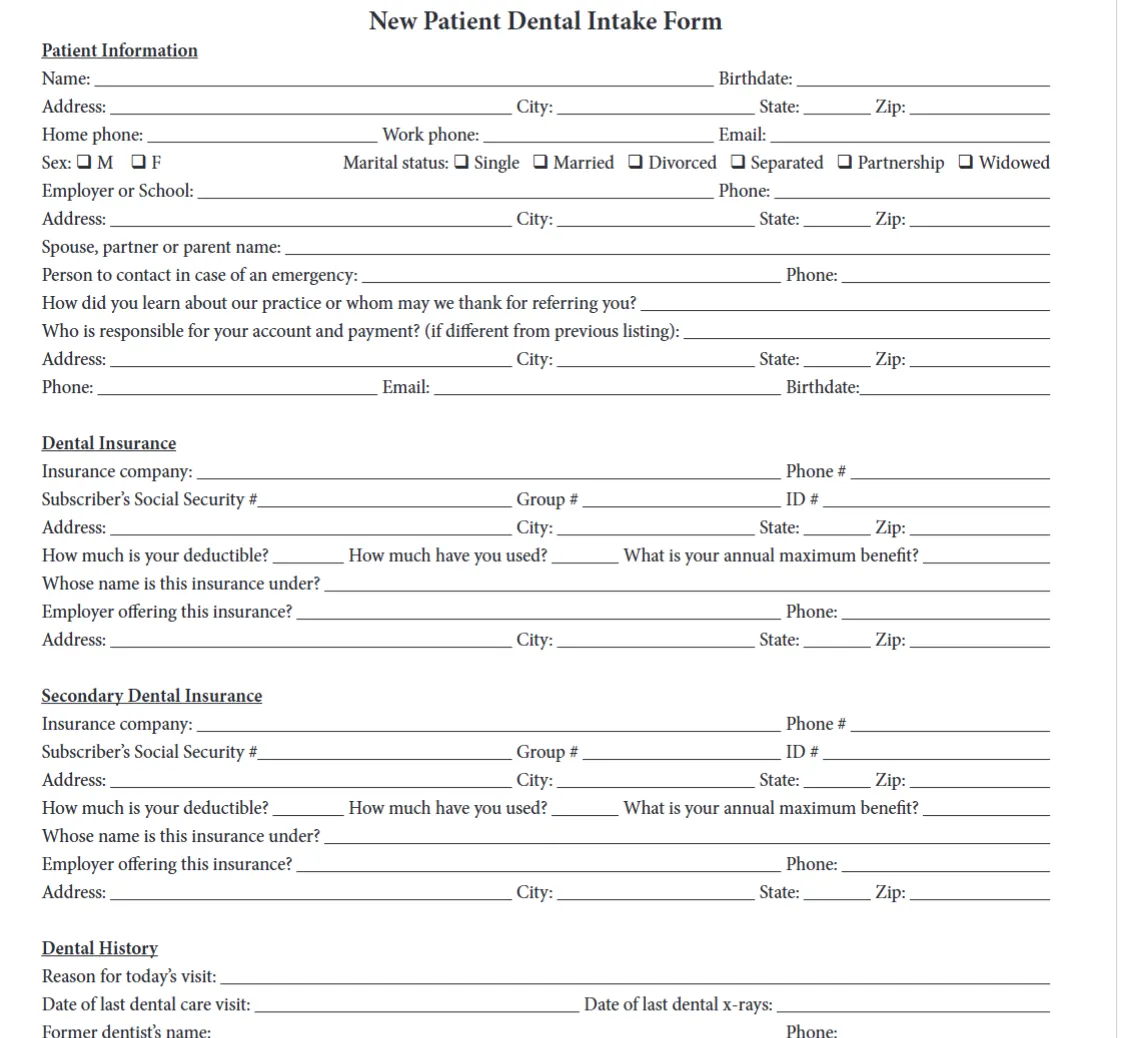
Raw PDF intake form with blank fields and section headers.
Step 1 of 11

Start with the raw intake PDF

Begin with the source form exactly as the clinic provides it. DullyPDF reads the layout before any edits.
1 / 11

Automatic PDF to Fillable Forms, Fill By Link or API,Database Map Fields and U.S. E-Sign Workflows

This software converts raw PDFs into fillable forms using CommonForms by jbarrow for field detections with writable areas at input fields. It supports text fields, checkbox groups, radio groups, dates, and signatures in the editor. Once your form is ready, you can upload a CSV, Excel, JSON, or TXT schema file, map PDF fields to database headers, and fill the PDF from matching database rows in Search & Fill; publish a DullyPDF Fill By Link web form for clients to answer so their responses can fill the PDF later; expose a template-scoped API Fill endpoint; or route eligible records into DullyPDF's supported U.S. e-sign workflow. Database rows stay in browser for Search & Fill.

Complete Workflow Process

1

PDF to Form with AI-Powered Field Detection

The detection pipeline analyzes your PDF and automatically identifies potential form fields with confidence scoring and field names pulled from nearby labels.

2

Interactive Visual Editing

Review and refine detected fields using the Form Field Editor. Resize, rename, reposition, and adjust field properties with precision tools for accurate, production-ready templates.

3

Publish Fill By Link, API Fill, or Connect Local Data

Save the template, then either publish a DullyPDF Fill By Link web form for clients to answer, expose a template-scoped API Fill endpoint, or upload a CSV/Excel/JSON/TXT schema file to map PDF fields to database headers for Search & Fill.

4

Search, Fill from Images, Generate, or Route Into U.S. E-Sign

Choose a matching database row, a stored respondent submission, or upload images and documents like IDs, invoices, pay stubs, or records. DullyPDF fills the template from those sources, generates the PDF only when you download it, or routes eligible records into DullyPDF's supported U.S. e-sign workflow.

Build, Share, Fill and Sign

Detect fields on any PDF with AI, then reuse the same template to bulk fill from CSV or Excel, publish a hosted Fill By Link web form, expose a JSON-to-PDF API, extract from photos of IDs and scanned documents, or route into a U.S. E-SIGN/UETA e-signature. Questions? .

Pre-Made Form Catalog has fillable templates from every major industry: healthcare, insurance and ACORD, HR onboarding, finance and loans, real estate and leases, legal, logistics, government and tax, education, and nonprofits. Optionally open in the DullyPDF UI for form workflows.