
DullyPDF vs Anvil for PDF Automation, API Fill, Web Form Fill, and Pricing
For most teams automating existing PDFs, DullyPDF is the better choice. Anvil is priced like a broader document platform long before many operations teams actually need that breadth, while DullyPDF gets you to automatic PDF to fillable form setup, saved templates, API Fill, web form fill, and repeat reuse at a much lower operational cost.
The real comparison starts with the document you already have
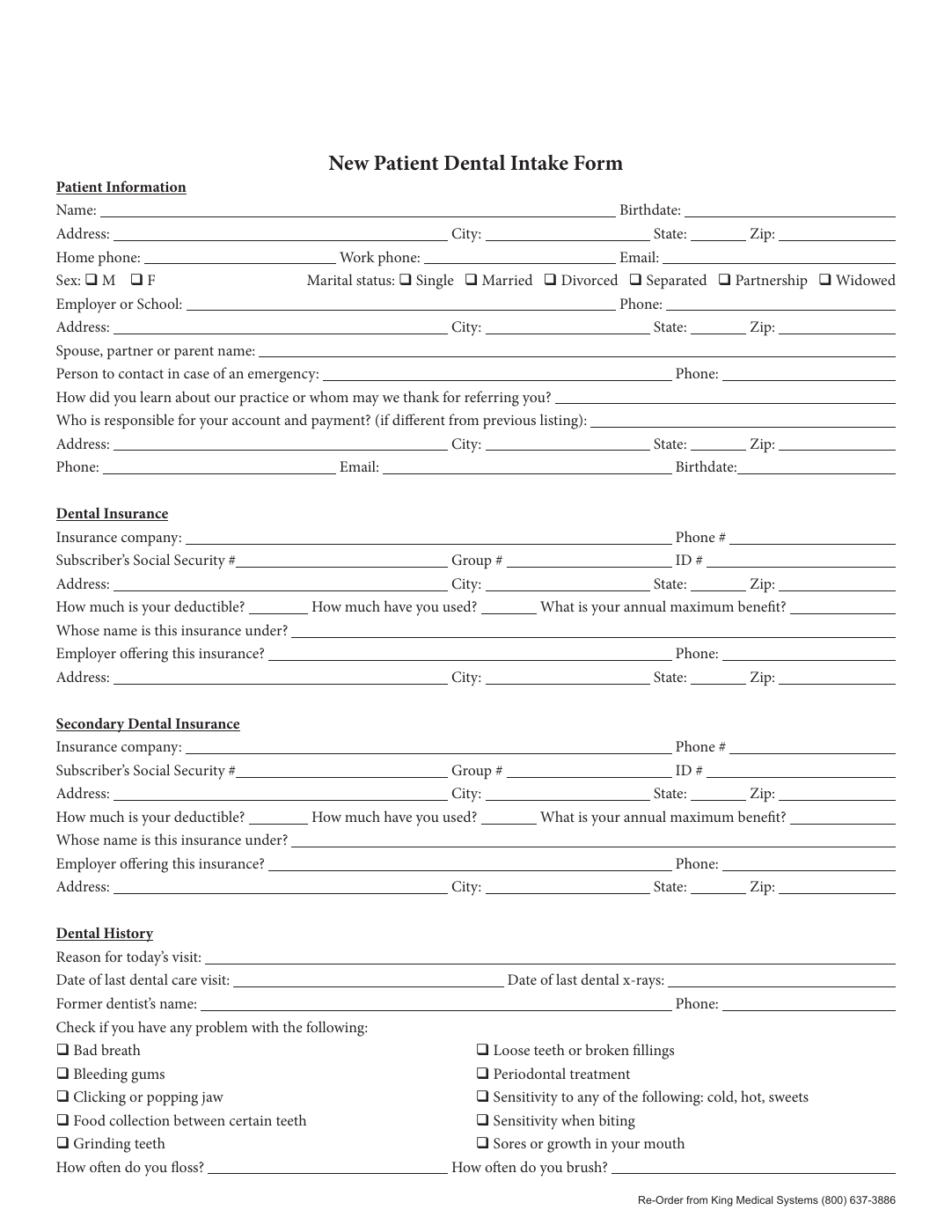
Anvil and DullyPDF overlap in just enough places to get compared, but they begin from very different assumptions. Anvil is built as a broader document workflow platform for product teams that may want embedded forms, embedded signing, and a larger configurable workflow layer. DullyPDF starts from the more common operations problem: the PDF already exists, the layout matters, and the team needs to automate that exact document without rebuilding the process around a much broader platform.
That distinction matters because Anvil can be the wrong purchase simply by being too much platform for the job. If the real pain is automatic PDF to fillable form conversion for recurring packets, then the important question is not which system has more platform surface area. The important question is which one gets an existing PDF into a dependable template faster, cheaper, and with less repeated setup work. For that job, DullyPDF has the cleaner answer.
DullyPDF is stronger when automatic PDF to fillable form is the first job
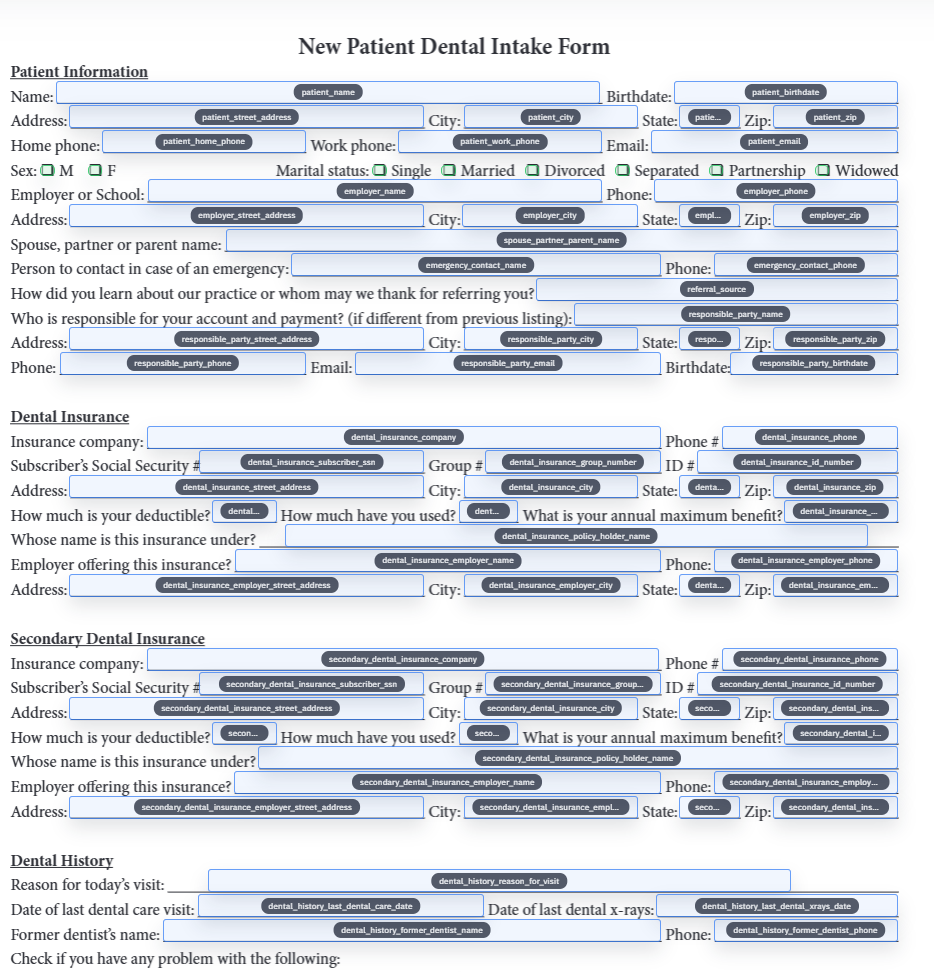
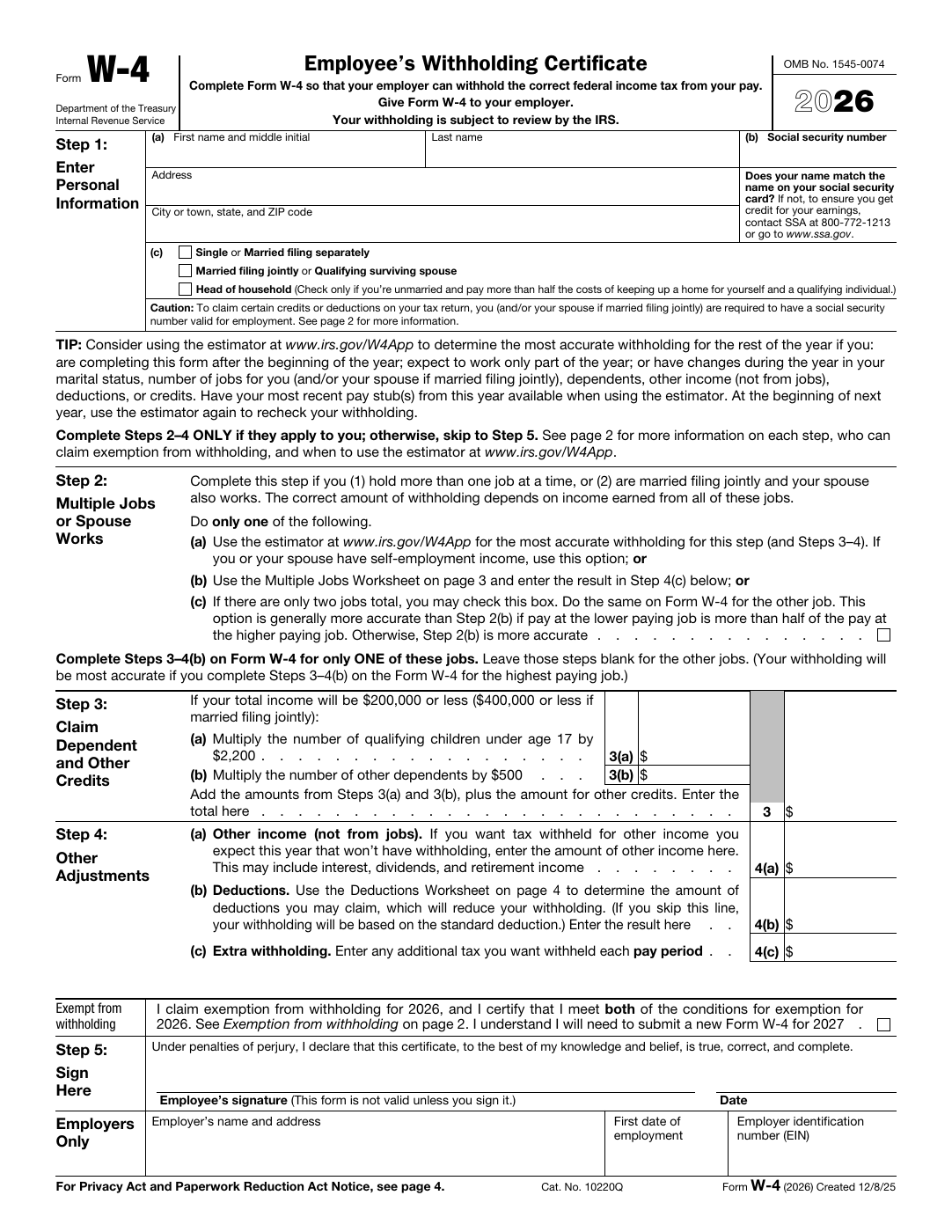
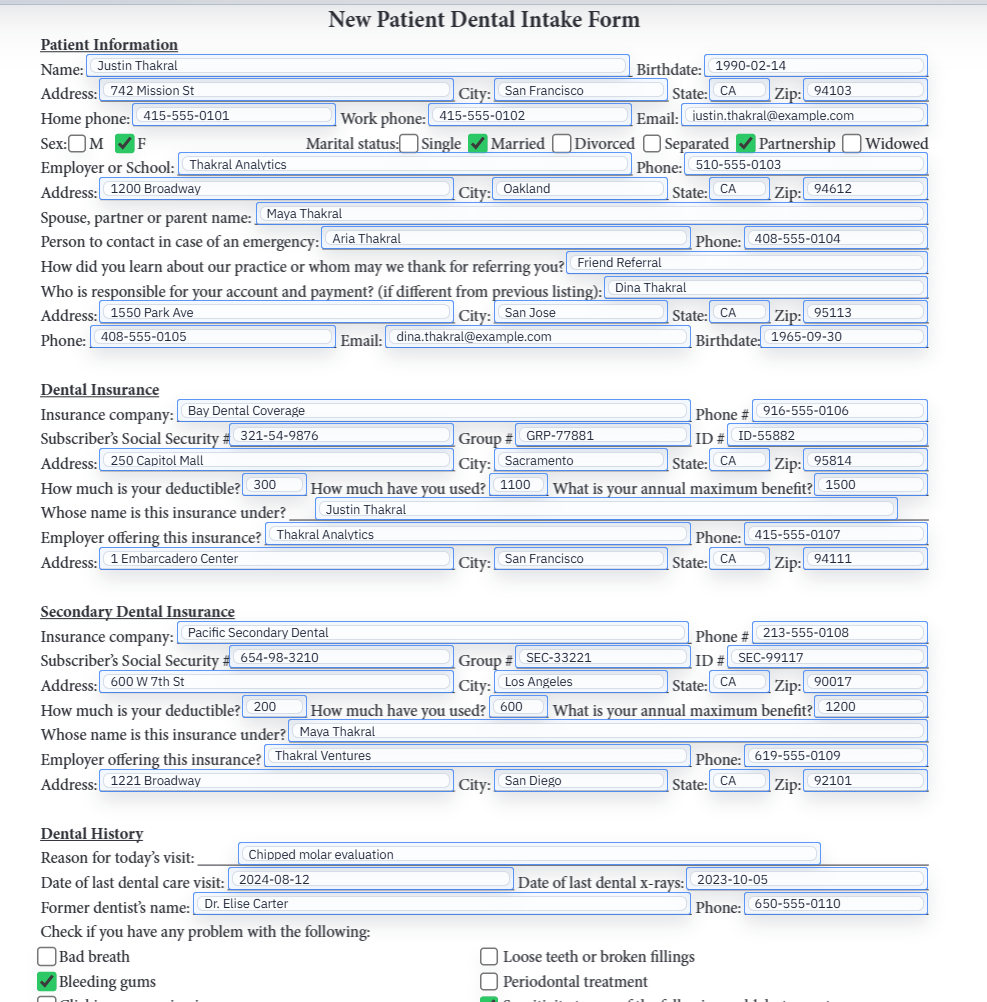
This is where DullyPDF pulls ahead. The platform is built around field detection, field cleanup, rename and mapping, saved templates, and later reuse through Search and Fill, API Fill, or web-form-driven intake. That means the workflow starts by turning a fixed document into something operational instead of asking the team to assemble a larger workflow stack before they have even solved the PDF itself.
Anvil does offer Document AI and PDF services, but its public pricing page splits that capability across plan gates and metered usage. DullyPDF is more opinionated here in the right way: it assumes the saved PDF template is the real asset. If your business runs on official forms, carrier packets, tax filings, HR paperwork, or recurring intake documents, that tighter model is not just different. It is usually better.
API Fill and web form fill are where the cost and workflow model diverge
If the team needs API fill, the economics change fast, and this is one of the clearest reasons to favor DullyPDF. As of April 11, 2026, Anvil lists a free plan at $0, but also notes that it is a UI-only plan and that API key access requires adding a card or moving into paid usage. The same pricing page lists PDF fill or generation over API at $0.10 per usage. That means Anvil free is not really a serious low-friction API fill evaluation path for teams that already know their future is automated PDF output.
DullyPDF’s model is materially better to enter because API Fill is part of the product surface even on the free tier. The current DullyPDF defaults in this repo include one active API Fill endpoint, 250 successful fills per month, and 50 pages per request on free. The same free tier also supports native web form fill through Fill By Link with no active-link cap and 25 accepted responses per month. In practice, that means DullyPDF gives many teams a real working automation system before Anvil reaches its first meaningful paid tier.
Pre-made templates matter more when your team already works from official forms
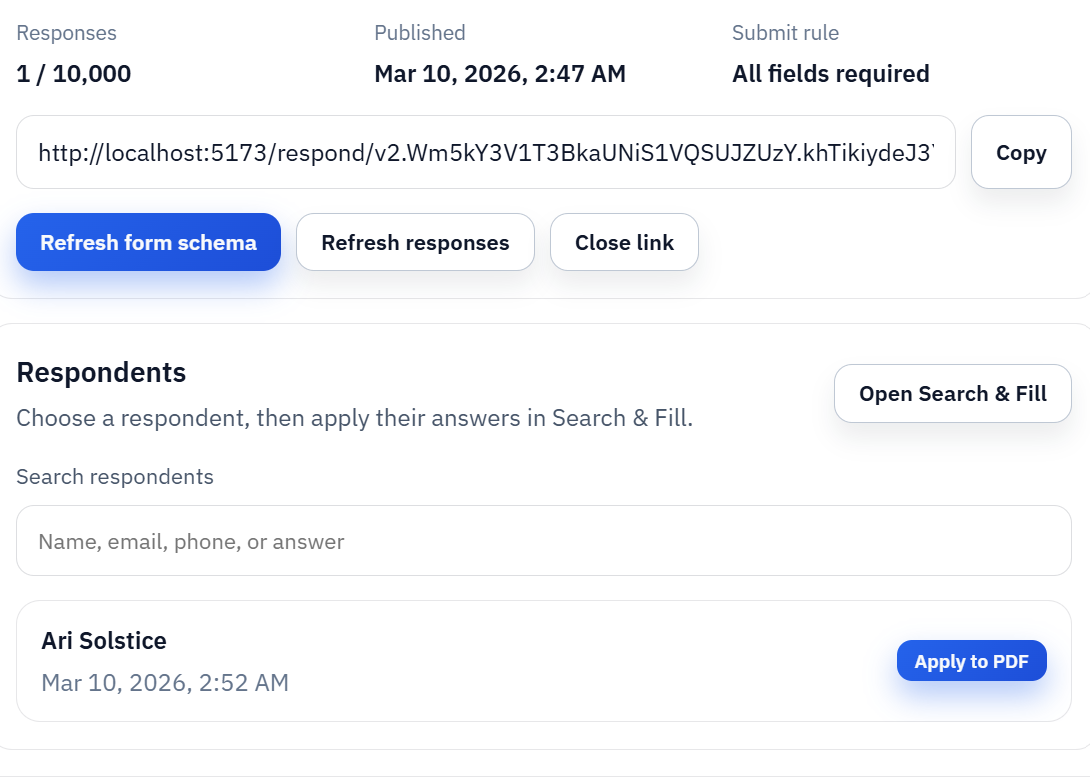
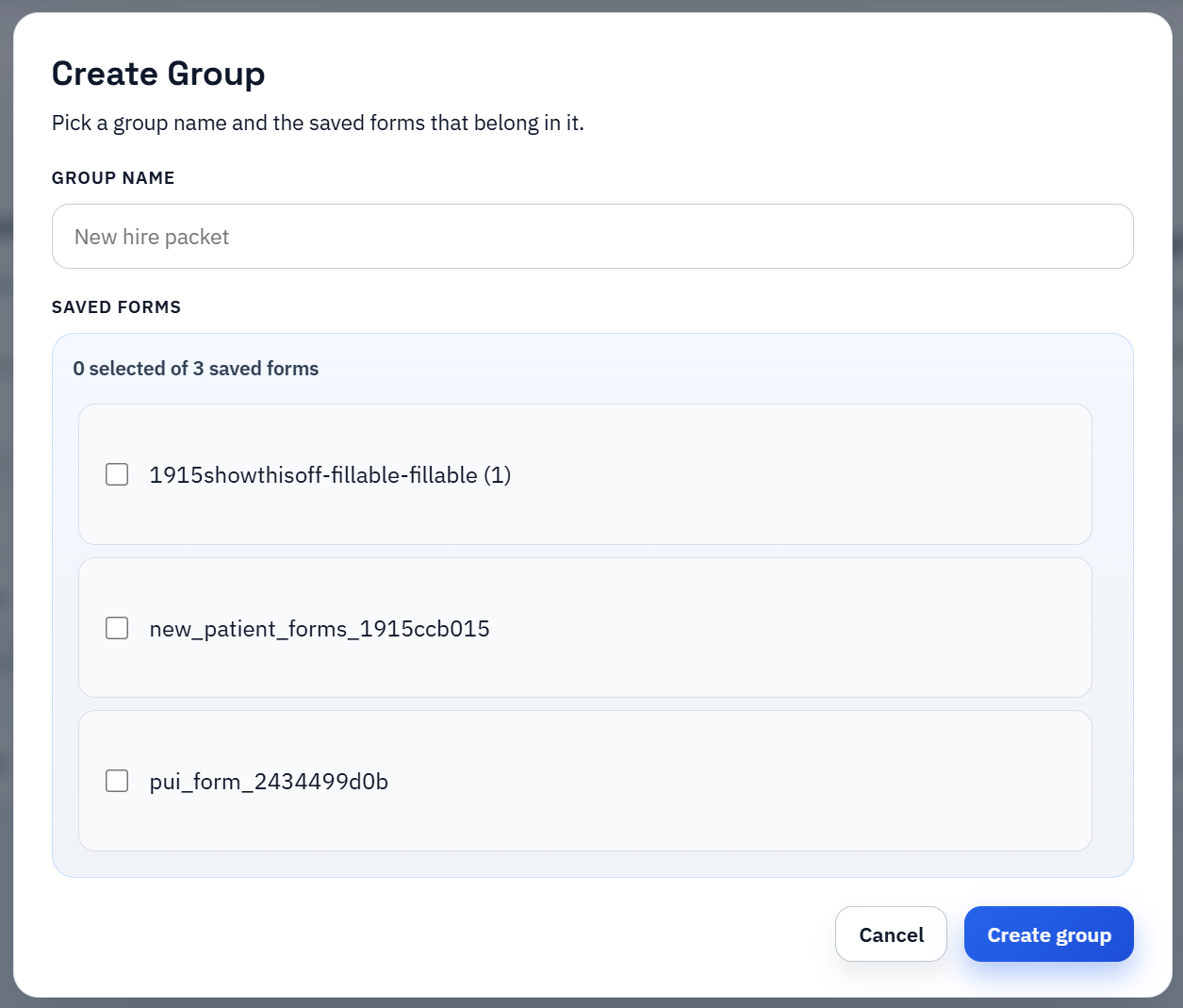
Anvil advertises a form library with pre-made form templates, which is useful, but DullyPDF now has the more relevant pre-made template story for teams that live inside official PDFs. The catalog is built around public-domain PDFs and direct editor deep links so teams can open the real document, turn it into a reusable saved template, and connect it to Search and Fill, API Fill, or web form fill without starting from a blank canvas.
This is one of the most practical differences in day-to-day work. A pre-made template is only valuable if it lands you inside the exact PDF workflow your team already owns. DullyPDF’s template model stays anchored to the real document and to the real automation path that follows. Anvil’s broader workflow tooling is more abstract, more configurable, and often more expensive than many fixed-PDF teams actually need.
Why DullyPDF usually wins for existing PDF operations
For fixed-document teams, DullyPDF has the more compelling product logic. It is cheaper to start, easier to evaluate on one painful recurring form, and more direct about the actual work: detect the fields, clean them up, save the template, fill it from data, collect responses when needed, and send the completed record into signature. That is the workflow many operations teams actually want.
Anvil asks a buyer to pay for a broader platform story sooner. Sometimes that is justified. Often it is not. If the team is not building an embedded document product with white labeling, integrated workflow submissions, and a larger product engineering surface, then Anvil can feel like paying platform pricing for fixed-PDF work that DullyPDF already handles more directly.
- DullyPDF is better when the PDF already exists and the main problem is making it reusable.
- DullyPDF gives teams a usable API fill and web form fill path earlier and at lower cost.
- DullyPDF keeps saved templates, Search and Fill, API Fill, web form fill, and signature handoff inside one document-centered operating model.
- Anvil is easier to overbuy if your real job is recurring PDF automation rather than embedded product workflow infrastructure.
Pricing comparison: why DullyPDF is the lower-cost option for this workflow
The cleanest pricing comparison is not just monthly sticker price. It is the cost to get from an existing PDF to a real production workflow with API fill, web form fill, and repeatable saved templates. On that measure, DullyPDF is not just somewhat cheaper. It is often dramatically cheaper because the free tier already includes hosted PDF automation features that Anvil either gates behind plan upgrades or bills on a per-usage basis.
As of April 11, 2026, Anvil’s public pricing page lists Free at $0, AI Pack at $99 per month, and Product Pack at $425 per month, then layers metered pricing on top for API PDF fill or generation, integrated workflow submissions, and integrated e-sign packets. For many fixed-PDF teams, that makes Anvil hard to justify early. DullyPDF’s published free and premium limits in this repo are simpler and more favorable: free already includes one API Fill endpoint, 250 successful fills per month, native web form fill capacity, and signing capacity, while premium mainly raises ceilings instead of forcing a different product tier just to get a practical workflow running.
- Anvil Free: $0, 2 users, unlimited templates, but the pricing page labels it a UI-only plan and says API key access requires a card or higher plan.
- Anvil AI Pack: $99 per month, 5 users, programmatic Document AI, AI schema mapping, and the same metered API PDF fill pricing starting at $0.10 per call.
- Anvil Product Pack: $425 per month, white labeling, interactive signing, and workflow features, with integrated workflow submissions listed at $1.00 each and integrated e-sign packets at $1.50 each.
- DullyPDF Free: 1 active API Fill endpoint, 250 successful API fills per month, 50 pages per request, no active Fill By Link cap, 25 accepted web form responses per month, and 25 sent signing requests per month.
- DullyPDF Premium: 20 active API Fill endpoints, 10,000 successful API fills per month, 500 pages per request, 10,000 accepted Fill By Link responses per month, and 10,000 sent signing requests per month plus monthly AI credits.
Anvil is broader in some areas, but broader is not the same as better for this use case
Anvil still deserves credit for being a broader embedded document platform. If the project needs white-labeled signing, embedded webforms, deeper workflow composition, and a heavier product-build mindset from day one, Anvil may be the broader platform. That is exactly why its pricing structure is higher and more layered.
But that breadth is also why DullyPDF is the better answer for many operations-heavy teams. If the actual need is automatic PDF to fillable form setup, API fill from structured data, web form fill tied to the same saved template, and a library of pre-made templates around official PDFs, then DullyPDF is the lower-cost, less bloated, and better-fit system. It spends less product surface on generalized workflow machinery and more on making the fixed PDF workflow actually usable.