
How to Turn a Saved PDF Template Into a JSON-to-PDF API
A browser workflow is enough until another system needs the PDF, not just a person. At that point the real question is whether your template is stable enough to publish as an API contract rather than whether you can technically send JSON to a backend.
API Fill only makes sense after a repeat browser workflow has already proven itself
Teams usually start in the browser for a good reason. An operator can inspect the field map, test real rows, and catch naming problems before the workflow is trusted. That is the safer place to learn what the template actually needs. The mistake is skipping that stage and trying to publish an endpoint before anyone has proved the document fills cleanly with representative data.
Once the workflow is stable, the calculus changes. If another system already has the record data and needs a PDF back without a human sitting in the loop, an API becomes the right product shape. But the value of the API is not the HTTP request by itself. The value is that the endpoint is backed by a reviewed saved template rather than by an unfinished workspace draft.
The template should be frozen and believable before it is published as a runtime contract
Publishing an API from a moving template is how production integrations drift into support tickets. If field names are still vague, checkbox rules are undecided, or the team has not validated one realistic output end to end, then the endpoint is really just exposing unresolved setup work to another system. That is not an integration. It is outsourced debugging.
The stronger sequence is review first, publication second. Clean the geometry, normalize the names, map the schema, fill a realistic record, and only then publish the endpoint snapshot. That way the caller is integrating with a known document behavior rather than with a template that might change silently after the first deployment.
For API Fill, the schema is part of the product, not just a setup detail
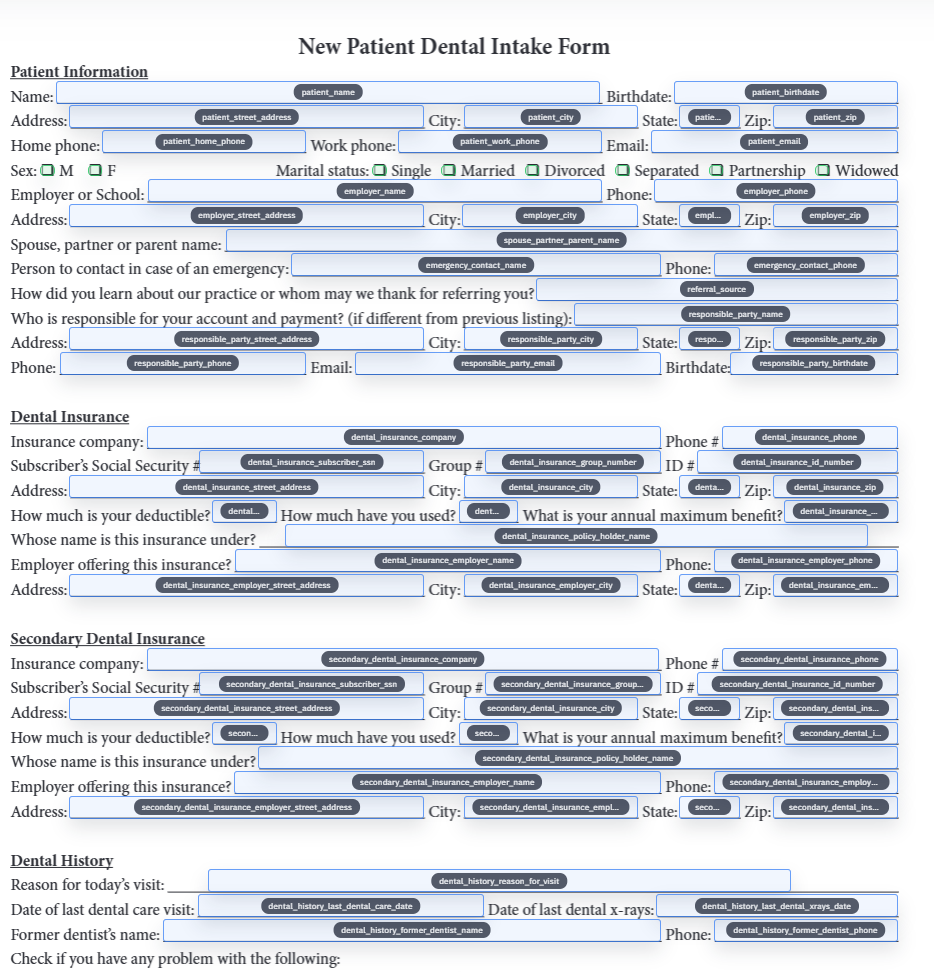
Human operators can compensate for a lot of ambiguity. API callers cannot. If a radio group expects one option key, if a checkbox follows a boolean rule, or if a date field needs a normalized format, that behavior has to be defined before production traffic arrives. Otherwise every integrator will invent their own assumptions and the template will appear unreliable even when the underlying fill engine is doing exactly what it was told.
That is why deterministic field behavior matters so much here. The published template needs clear names, predictable rules, and output expectations that do not depend on whoever last edited the form in the workspace. When the schema is treated as a first-class artifact, the caller can build against it with much more confidence.
Key rotation, request limits, and version discipline are part of the workflow, not optional extras
Once a PDF template becomes an endpoint, operational concerns show up immediately. Someone needs to know which key is active, which template snapshot is serving traffic, and what to do when a form revision forces a republish. Those are not edge cases. They are the normal cost of turning a reviewed document workflow into a service another team or system will rely on.
The practical answer is to treat publication like release management. Keep the endpoint scoped to one template snapshot, rotate keys intentionally, watch request history, and republish when the form actually changes. That discipline is boring in the best possible way because it prevents the integration from becoming a mystery box the first time something subtle changes in the PDF.
The best first API rollout is one stubborn recurring document, not the whole document stack
If a team already has several candidate templates, start with the one that has the clearest schema and the most obvious repeat volume. That gives the integration a fair chance to succeed without forcing every document type to become production-ready at once. A narrow first rollout also makes it much easier to tell whether the endpoint is saving real time or simply shifting uncertainty somewhere else.
This is where some teams should push back on themselves. If the document still needs frequent human review, Search and Fill is probably the better fit. API Fill is strongest when the template is already stable, the source data is already structured, and the business actually benefits from server-to-server PDF generation instead of from another browser step.