Industry workflow page

Logistics and Transportation PDF Form Automation

Automate bill of lading, safety inspection, and delivery receipt PDFs by mapping logistics form fields to structured shipment and operations data.

Workflow examples for Logistics PDF Automation

Shipment document and bill of lading used as a logistics workflow example.
Dispatch and back-office teams gain leverage when recurring shipment and receipt documents can be filled from route data instead of rebuilt by hand.
Signature workflow for reviewed final PDF records.
Where delivery receipts or signoffs matter, the signature step should happen after the final document is fixed and ready to keep as the operational record.

Featured customs and logistics PDFs from the DullyPDF catalog

These CBP forms are real logistics documents already mirrored in the DullyPDF catalog. Open one in the editor, map it once, and then reuse the same template for shipment records, fee reporting, intake links, API calls, or signature handoff.

CBP 19 fillable PDF — first page preview of Protest

Customs & Logistics

CBP 19 — Protest

This is a worthwhile template when the official blank PDF needs to stay intact while the underlying record changes from one submission to the next. It works well for trade and shipment teams that already track vessel, zone, duty, or broker data outside the PDF itself.

3 pages • Blank official PDF

10 specific forms to automate on this route

CBP 19 — Protest

This is a worthwhile template when the official blank PDF needs to stay intact while the underlying record changes from one submission to the next. It works well for trade and shipment teams that already track vessel, zone, duty, or broker data outside the PDF itself.

Customs & Logistics • 3 pagesOfficial source

CBP 28 — Request for Information

Request forms make good template candidates when staff should reuse the same subject, claimant, or supporting-party details without rekeying the packet by hand. It works well for trade and shipment teams that already track vessel, zone, duty, or broker data outside the PDF itself.

Customs & Logistics • 3 pagesOfficial source

How to open these PDFs in DullyPDF and automate them

Open a blank customs and logistics PDFs PDF in DullyPDF

Use any "Open in DullyPDF" button below to move from the public form page into the workspace with the blank official PDF already selected.

Open CBP 19 in DullyPDF

Map fields once for CSV, XLSX, JSON, or schema-only SQL imports

Rename weak field labels, align them to schema headers, and use SQL only when you need the schema without row data yet.

Rename + Mapping docs

Run Search & Fill from structured records

Load CSV, XLSX, or JSON rows, search for the right record, and fill the saved template without retyping the PDF.

Search & Fill docs

Publish API Fill for server-side JSON-to-PDF workflows

When another system should call the template directly, publish a template-scoped API Fill endpoint and send JSON instead of using the browser workflow.

API Fill docs

Collect answers through native DullyPDF web forms

Use Fill By Link when the row data does not exist yet and a respondent should submit web-form answers before the PDF is generated.

Fill By Link docs

Freeze the completed packet and route it into signature

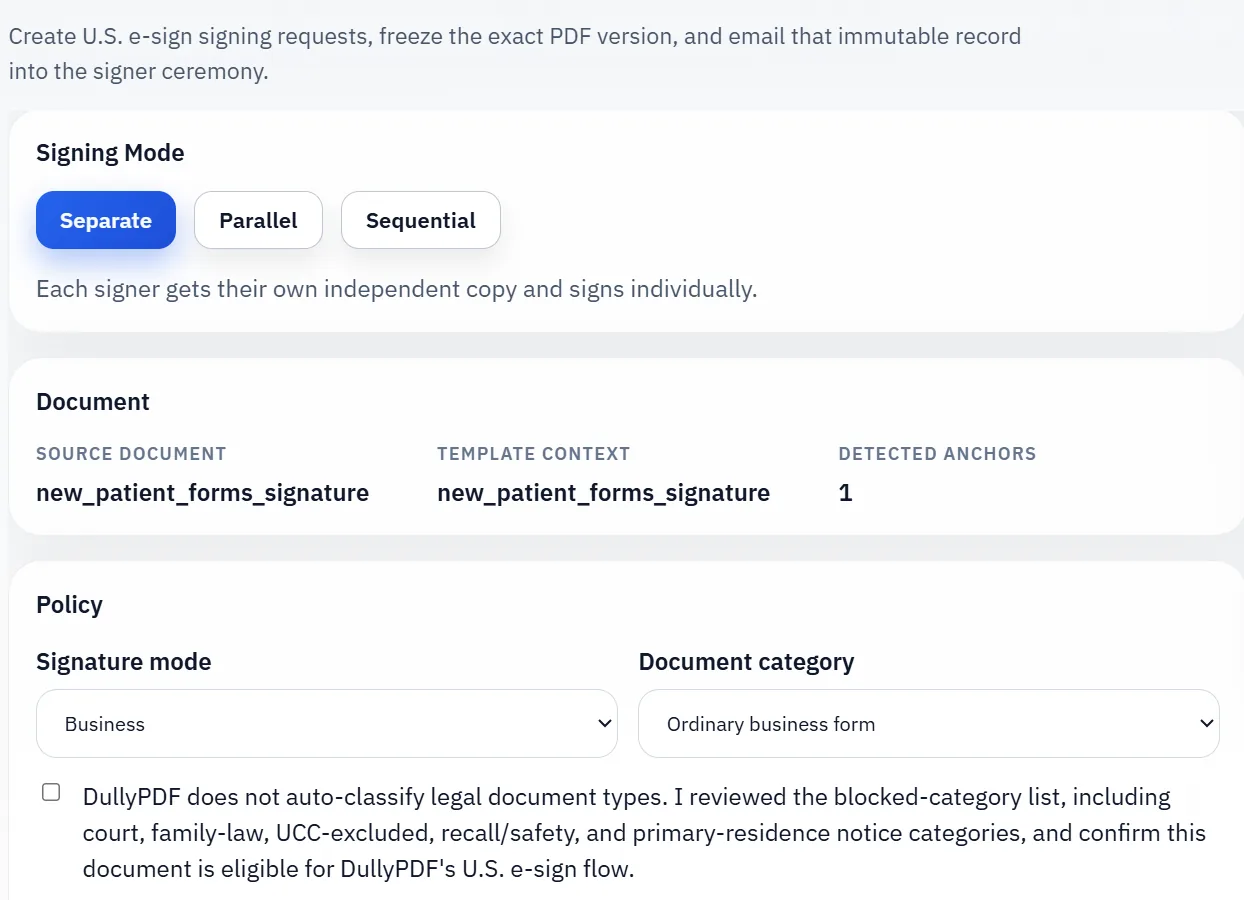
Once the final filled record is correct, move it into the signature workflow so the immutable PDF, signer ceremony, and audit artifacts all stay attached to one retained document.

Signature workflow docs

Why logistics operations still revolve around recurring paperwork

Logistics and transportation teams often have structured operational data but still finish the job through recurring paperwork. Bills of lading, delivery receipts, inspection forms, and shipment-related PDFs continue to move between dispatch, operations, and back-office teams even when the route and shipment data already exists in another system.

That makes logistics paperwork a strong fit for template automation. The data is often available. The friction comes from repeatedly placing it into fixed document layouts.

How shipment data maps into repeat document output

A mapped logistics template connects shipment, route, carrier, or delivery fields to the PDF once so the team can fill documents from structured records later. Instead of rebuilding the same paperwork by hand for each shipment, staff can select the right record and let the template drive the output.

This becomes especially useful in high-frequency operations where the same document type is prepared many times each day under tight turnaround expectations.

How to keep high-volume document templates stable

For high-volume logistics work, stability matters as much as speed. Teams should define one canonical template per recurring document type, validate the important fields with real shipment records, and update the template only when the form itself changes materially.

That discipline prevents a sprawl of lightly different versions that slows teams down when they need the process to be fast and predictable.

Recipient and driver signoff should happen after the document is populated, not before

Many logistics documents are not finished once the data is filled. Delivery receipts, inspection acknowledgments, and handoff records may still need a recipient or driver signoff. That step works best after the shipment data has already been applied and the final record is ready to review, not while the document is still drifting through manual edits.

Keeping fill first and signoff second makes the retained record much easier to trust later. The operations team knows which final document was completed, and the workflow stays much cleaner than an ad hoc print-sign-scan loop that breaks the data trail immediately.

Why teams use Logistics PDF Automation

  • Standardize recurring shipping, inspection, and delivery document templates.
  • Map shipment and carrier fields to structured operations data.
  • Reduce repetitive manual entry for dispatch and back-office teams.

Implementation signals for Logistics PDF Automation

  • Search & Fill supports rapid row selection for route or shipment records.
  • Field editor and inspector tools handle template quality checks.
  • Template reuse supports repeated daily form output operations.

Need deeper technical details about logistics pdf automation? Use the Rename + Mapping docs and Search & Fill docs to validate exact behavior.

Frequently asked questions about Logistics PDF Automation

Can DullyPDF automate bill of lading and delivery receipt PDFs?

Yes. Logistics teams can map those recurring forms and fill them from structured records.

Does this support transportation safety inspection forms?

Yes. Inspection forms can be standardized and reused as mapped templates.

Can operations teams maintain one template per document type?

Yes. Saved template workflows support canonical forms for recurring logistics tasks.

Docs for Logistics PDF Automation

Use these docs pages to verify the exact DullyPDF behavior behind logistics pdf automation before you ship it as a repeat workflow.

Related routes for Logistics PDF Automation

These adjacent routes cover neighboring document workflows and team use cases that usually get evaluated alongside logistics pdf automation.