
CBP Import Entry and Logistics PDF Packet Automation
Customs and logistics teams often repeat importer, consignee, broker, filer, entry, manifest, bond, foreign-trade-zone, ACH, and shipment details across CBP forms. DullyPDF can help map and fill recurring PDF packets while CBP systems, ACE, broker procedures, and trade compliance rules remain authoritative.
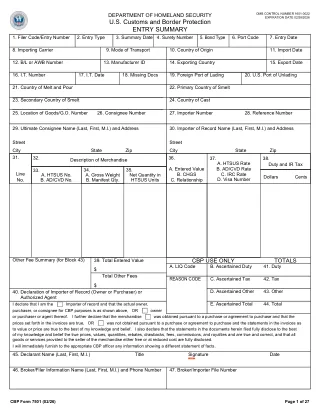
CBP packets repeat importer, broker, entry, shipment, and account data
A customs workflow may include CBP 3461 for entry or immediate delivery, CBP 7501 for entry summary, CBP 5106 for importer identity, CBP 7512 for transportation entry and manifest, CBP 214 or 216 for foreign-trade-zone workflows, CBP 400 for ACH debit, or CBP 6059B for traveler declaration contexts.
The forms serve different trade processes, but importer of record, consignee, broker, filer code, entry number, port, carrier, manifest, bond, account, and shipment details often repeat. DullyPDF can reduce retyping, but it should not decide classification, valuation, admissibility, duty, ACE filing, or compliance treatment.
Start with importer identity, entry, entry summary, transportation, FTZ, and ACH forms
A customs broker or logistics team should start with the CBP forms that recur in its specific operations. CBP 5106, 3461, and 7501 are strong anchors for importer identity and entry workflows. CBP 7512 and 7512A support transportation entry and continuation. CBP 214 and 216 support foreign-trade-zone workflows. CBP 400 supports ACH debit setup.
Because CBP forms can be updated frequently, templates should be checked against the current CBP forms page before reuse. A saved template should include a source date and a test record that exercises importer, consignee, carrier, port, and line-item edge cases.
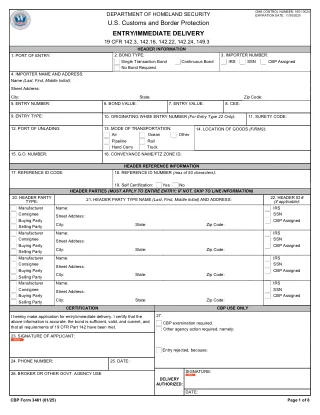
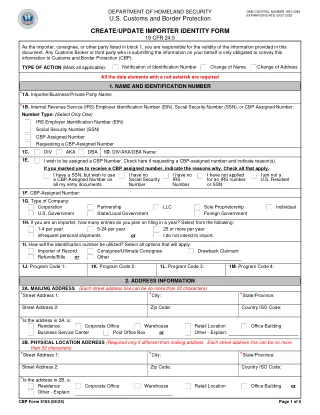
- CBP 3461 - Entry/Immediate Delivery for ACE, 8 pages in the current catalog entry.
- CBP 7501 - Entry Summary with Continuation Sheets, 27 pages in the current catalog entry.
- CBP 5106 - Create/Update Importer Identity Form, 5 pages in the current catalog entry.
- CBP 7512 - Transportation Entry and Manifest, 2 pages in the current catalog entry.
- CBP 7512A - Transportation Entry Continuation Sheet, 2 pages in the current catalog entry.
- CBP 214 - Foreign-Trade Zone Admission and Status Designation, 1 page in the current catalog entry.
- CBP 216 - Foreign-Trade Zone Activity Permit, 1 page in the current catalog entry.
- CBP 400 - ACH Debit Application, 5 pages in the current catalog entry.
Use a trade schema that separates importer identity, broker, entry, shipment, and line-item fields
Customs packets are a good fit for structured data because many teams already have shipment, broker, ERP, or TMS exports. The template schema should separate importer identity, consignee, filer, port, entry, carrier, bill of lading, manifest, FTZ status, ACH account, and line-item details.
Search and Fill is a good first review loop. API Fill can become useful later when a broker system or internal logistics app has a clean JSON record and needs a reviewed PDF output for a stable process.
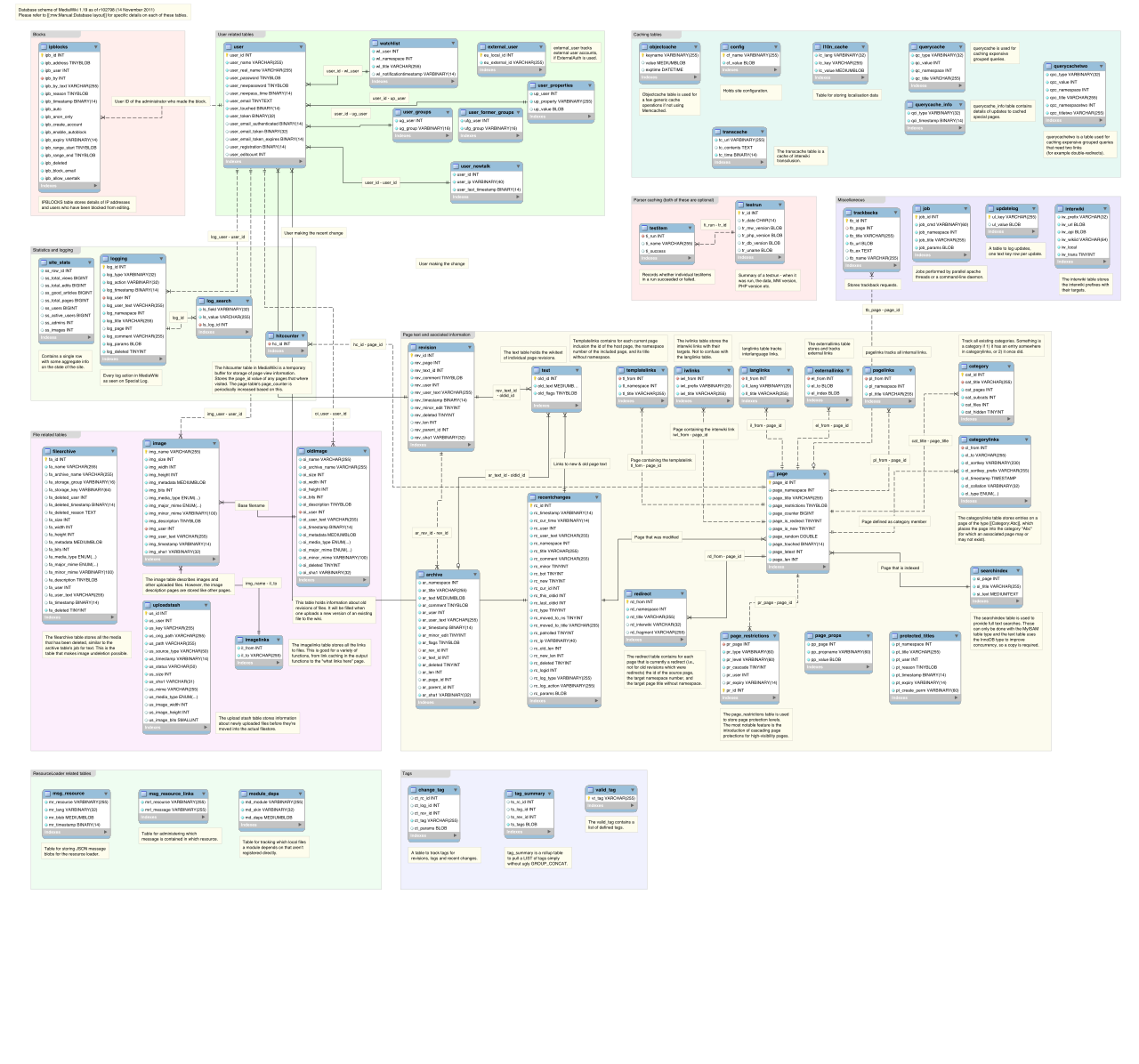
- Party fields: `importer_name`, `importer_number`, `consignee_name`, `broker_name`, `filer_code`, `surety_code`.
- Entry fields: `entry_number`, `entry_type`, `port_code`, `arrival_date`, `release_date`, `bond_type`.
- Shipment fields: `carrier_name`, `vessel_or_flight`, `bill_of_lading`, `container_number`, `country_of_origin`.
- Line fields: `hts_number`, `goods_description`, `entered_value`, `duty_rate`, `duty_amount`, `quantity`.
- Account fields: `ach_payer_name`, `routing_number`, `account_number`, `payment_contact`, `pms_activation_flag`.
CBP and ACE rules control submission, classification, valuation, and compliance
DullyPDF can prepare templates, map values, fill PDFs, and export review copies. It does not file through ACE, classify merchandise, calculate duty, decide admissibility, register importers, or provide customs broker advice.
Before using a completed packet, verify the current CBP forms page, ACE or broker-system requirements, form revision, instructions, signature rules, and trade compliance review process.