Commercial workflow page

Merge Fillable PDF Forms Safely

Use DullyPDF page tools to insert, reorder, rotate, or delete pages in an active PDF, then review fields before saving, filling, signing, or publishing the template.

Workflow examples for Merge Fillable PDF Forms

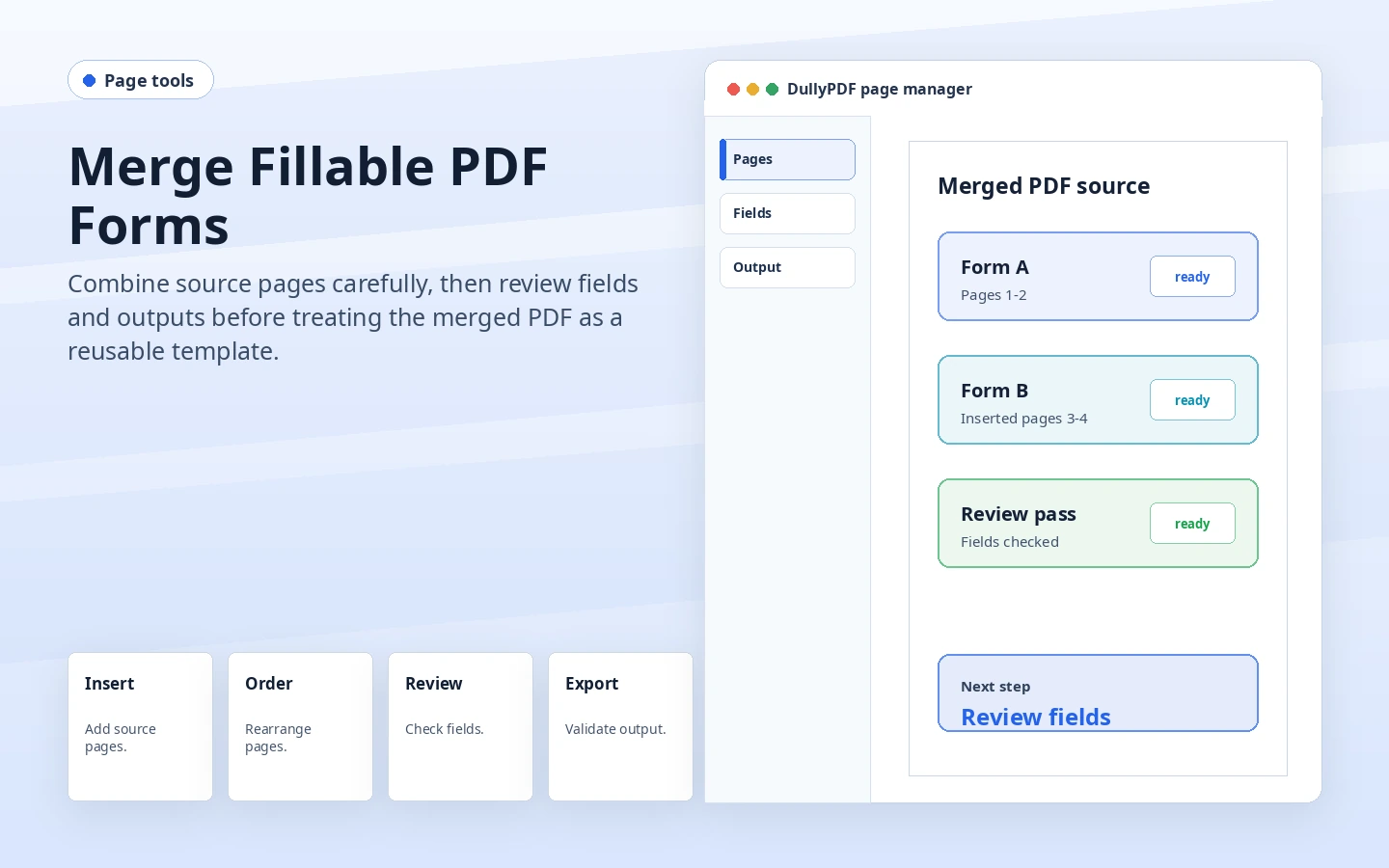
DullyPDF merge fillable PDF forms preview showing inserted source pages, review pass status, and output validation.
Before merging fillable forms, decide whether the documents should become one source PDF or remain separate saved templates in a group.
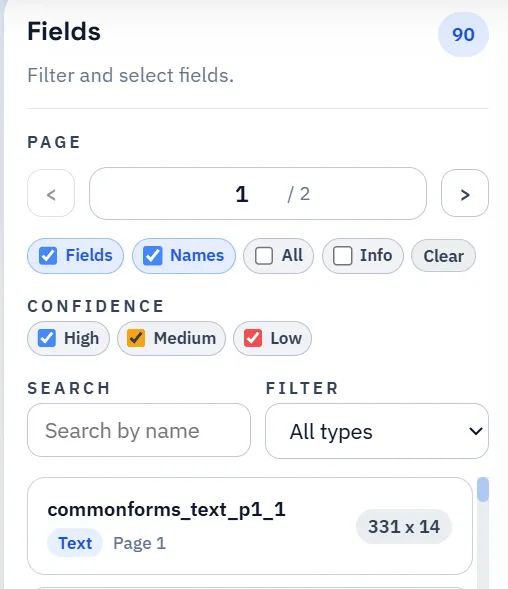
DullyPDF field list showing reviewed field metadata after a PDF template is prepared.
After page insertion, the field model still needs review because inserted pages do not automatically inherit DullyPDF field definitions.
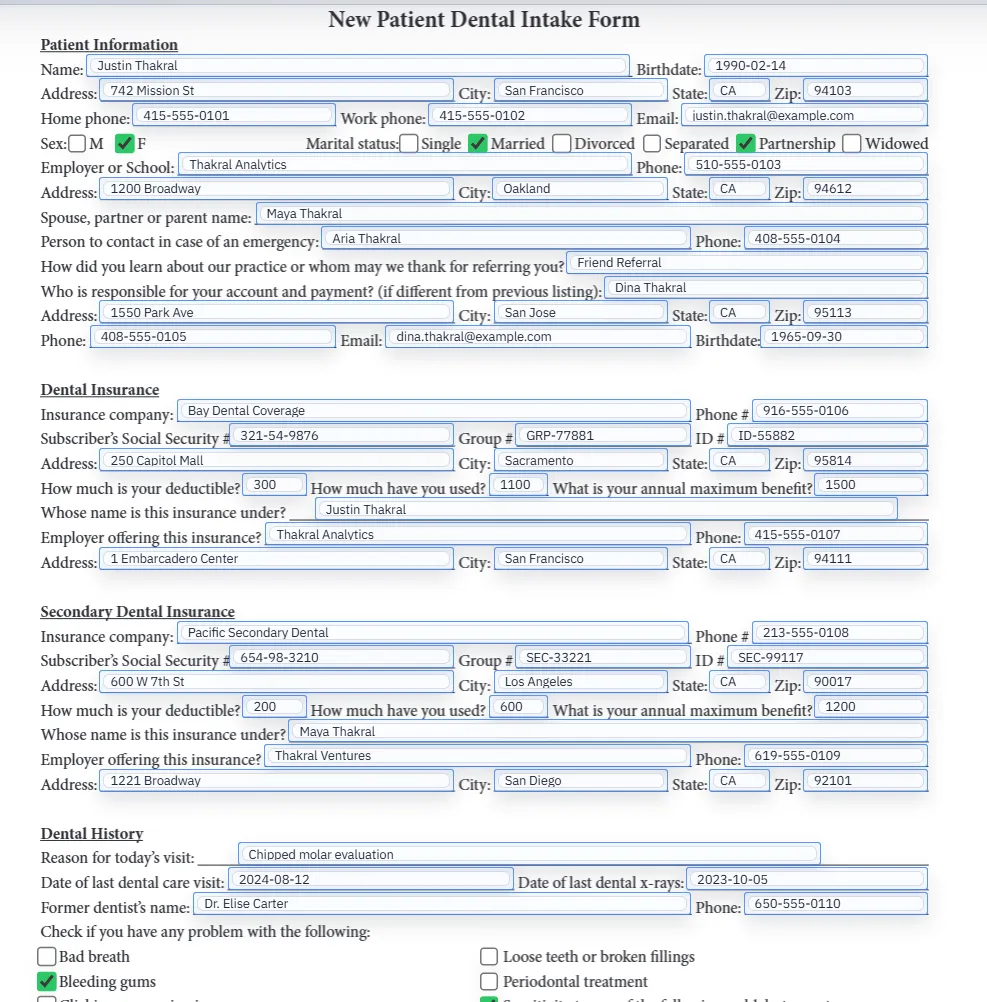
Filled PDF preview after a reviewed DullyPDF template has generated output.
The final proof is a generated PDF after page changes, field cleanup, and any Fill By Link, API Fill, or signature handoff.

Why generic PDF merging breaks down for form workflows

A generic merge tool can put pages in the same file, but most teams searching for a way to merge fillable PDF forms need more than page concatenation. They need the resulting document to remain usable as a template: fields should be findable, names should still make sense, mapped values should still land in the right places, and the final output should survive review before it is sent, signed, or archived.

That is the difference DullyPDF should make clear. The page operation is only one part of the workflow. The safer sequence is to manage pages, inspect the field model, run one representative fill, and only then treat the merged PDF as a reusable template.

  • Best fit: one final document must contain pages from multiple PDFs and still go through DullyPDF field review.
  • Poor fit: one-off page stitching where no template, mapping, Fill By Link, API Fill, or signing workflow will follow.

When to merge pages and when to keep PDFs as a group

Not every packet should become one large PDF. If the documents need separate templates, separate downloads, or group API output as a ZIP of member PDFs, a saved template group is usually cleaner. Groups keep each recurring PDF as its own reviewed template while still letting one record drive the packet.

Merging pages makes more sense when the business process expects one combined document: one source PDF, one final output, one signature handoff, or one archive record. The important decision is not whether combining pages is possible. It is whether combining pages improves the operational workflow or hides useful document boundaries.

  • Use Manage Pages when the final PDF should be one combined document.
  • Use Create Group when the packet should keep separate member templates that share data.
  • Avoid turning unrelated PDFs into one template just because they happen to be sent together.

How DullyPDF handles page insertion inside a template

Inside the editor, PDF Tools exposes Manage Pages. That dialog stages the page plan before the active source PDF is rewritten. Operators can delete pages, move pages up or down, rotate pages in 90-degree steps, and insert selected page ranges from another PDF.

That staged approach matters because page changes can affect the field model. Existing current-PDF pages can keep their reviewed fields through reorder, rotation, or deletion handling, but inserted pages are new source pages. After insertion, those pages need field creation or a broader template setup pass before they can participate in filling.

What happens to fields after page changes

A fillable PDF template is a combination of the source PDF bytes and DullyPDF metadata: field names, field types, geometry, mappings, appearance, fill rules, and other workflow settings. Page changes update the source document, but they do not remove the need to inspect that metadata.

The practical rule is simple: any page operation should be followed by field QA. Deleted pages should not leave stale fields behind. Reordered pages should still show fields in the right visual place. Rotated pages need geometry review. Inserted pages start without DullyPDF field metadata, so add fields manually or rerun the relevant template workflow if those pages need detection.

A safe merge checklist before publishing or signing

The highest-risk mistake is treating a merged file as finished immediately after the pages look right. The page order may be correct while field names, checkbox groups, signatures, or mapped values still need cleanup. A short QA checklist catches that before the template becomes a public link, API endpoint, or signing source.

After merging, review the field list, inspect each inserted page, run one Search & Fill record or manual fill, download the expected output mode, and compare the result against the source. If the merged document will be signed, freeze and send it only after the filled version has been reviewed.

  • Confirm the final page order and remove any placeholder pages.
  • Review field count, geometry, names, types, and required signature anchors.
  • Run one representative fill before saving, publishing, API enabling, or sending for signature.
  • Choose flat output for final records and editable output only when live fields must remain available.

Compression belongs after the merged template is stable

DullyPDF also exposes Compress / Optimize PDF from the PDF Tools menu. That action is intentionally lossless: it rewrites object streams and deflates streams without trying to reduce image quality, and it keeps the current PDF bytes if the optimized result would be larger.

Run that step after the page structure is stable, not while the template is still being rearranged. Compression should be a cleanup pass on a reviewed document, not a substitute for field QA or page-order review.

Why this page should not promise magic field preservation

Some searchers want to merge fillable PDFs and keep every original form field exactly as each outside PDF author created it. That is a risky promise for any workflow tool because source PDFs may carry inconsistent AcroForm names, duplicate widget identifiers, incompatible appearances, or fields that were never designed to coexist in one file.

DullyPDF should compete by being clearer, not by overclaiming. It can help teams combine pages into a reviewed template workflow, preserve the operator-visible review loop, and connect the final template to filling, links, API output, and signing. That is stronger than pretending page merging alone makes a reliable form workflow.

Why teams use Merge Fillable PDF Forms

  • Decide whether pages belong in one source PDF or in a saved template group.
  • Stage page insertion, deletion, rotation, and ordering before rewriting the active source PDF.
  • Review field metadata after page changes so the merged template stays dependable.

Implementation signals for Merge Fillable PDF Forms

  • The PDF Tools menu includes Manage Pages for staged delete, reorder, rotate, and insert-from-PDF edits.
  • Inserted pages start without DullyPDF field metadata, so field cleanup remains part of the merge workflow.
  • Saved template groups stay available when separate PDFs should remain separate but share one record context.
  • Compress / Optimize PDF can run after page structure is stable using lossless cleanup that keeps the current PDF bytes when the optimized result is larger.

Need deeper technical details about merge fillable pdf forms? Use the Rename + Mapping docs and Search & Fill docs to validate exact behavior.

Frequently asked questions about Merge Fillable PDF Forms

Can I merge fillable PDF forms in DullyPDF?

Yes. Use PDF Tools > Manage Pages to insert pages from another PDF into the active source PDF, then review or add fields before saving the merged template.

Will inserted pages keep their DullyPDF fields automatically?

No. Inserted pages start without DullyPDF field metadata. Add fields manually after insertion or rerun the broader template workflow if those pages need detector-generated fields.

Should I merge a packet or use a saved template group?

Merge pages when the final workflow needs one combined PDF. Use a saved template group when the packet should keep separate member templates that share one record context.

Can I compress the PDF after merging forms?

Yes. Compress / Optimize PDF runs lossless cleanup after the page structure is stable, and DullyPDF keeps the current PDF bytes if optimization would make the file larger.

Can a merged PDF go into Fill By Link, API Fill, or signing?

Yes, after the merged template is reviewed and saved. Run at least one representative fill before publishing a link, enabling an API endpoint, or freezing the document for signature.

Use the right DullyPDF workflow after merging

A merged PDF is safest when it flows into the same review paths as any other template: editor cleanup, saved template reuse, Search & Fill validation, and the correct final output mode.

Docs for Merge Fillable PDF Forms

Use these docs pages to verify the exact DullyPDF behavior behind merge fillable pdf forms before you ship it as a repeat workflow.

Related routes for Merge Fillable PDF Forms

These adjacent workflow pages cover nearby search intents teams compare while evaluating merge fillable pdf forms.