Commercial workflow page

Mobile-Friendly Fillable PDF Forms Without a PDF App

Collect respondent answers in a hosted, mobile-first web form, then materialize the filled PDF on the owner side instead of asking phones to render a fillable PDF in a viewer.

Workflow examples for Mobile-Friendly Fillable PDF

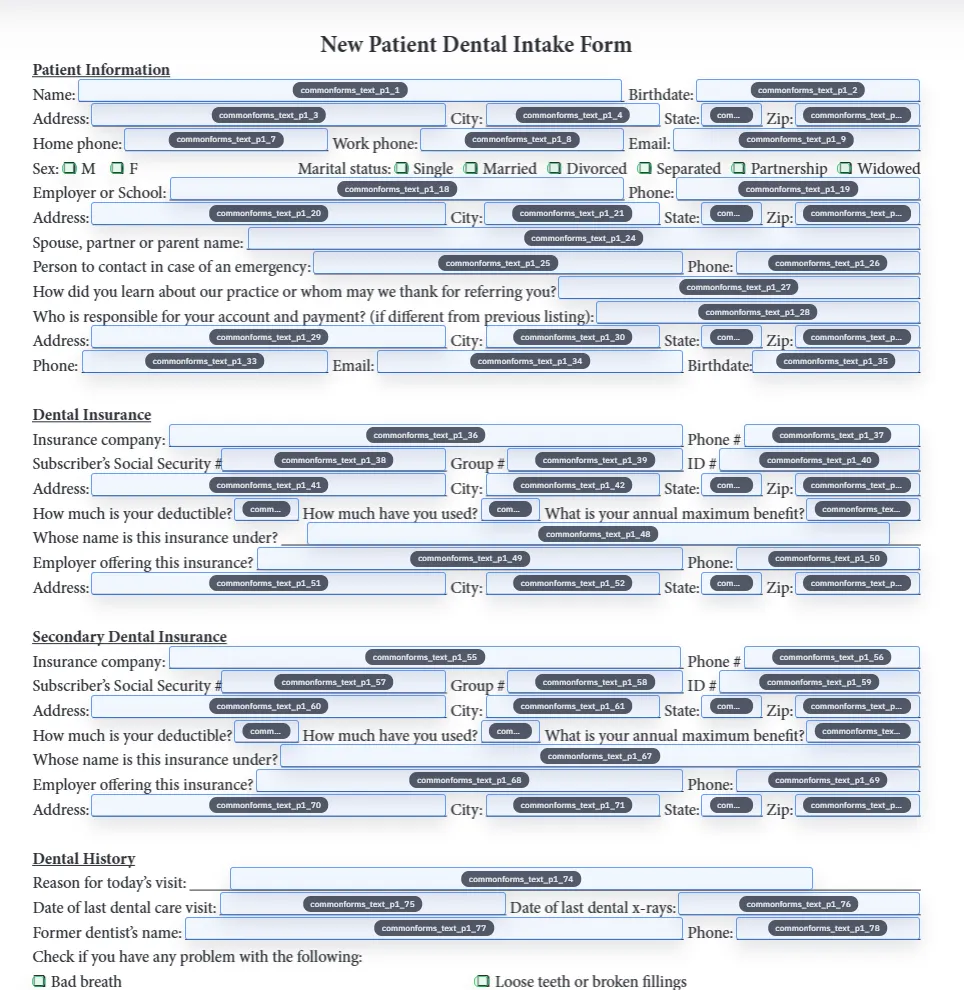
DullyPDF detection step on a mobile-sized viewport.
The workspace remains usable on phone-sized viewports for owners reviewing fields and templates between desktop sessions.
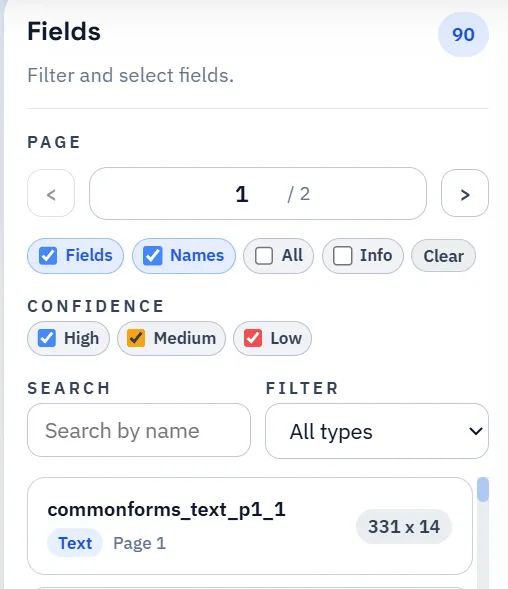
DullyPDF field list on a mobile-sized viewport.
Respondents complete a hosted form on their phone instead of editing a downloaded PDF in a mobile viewer.
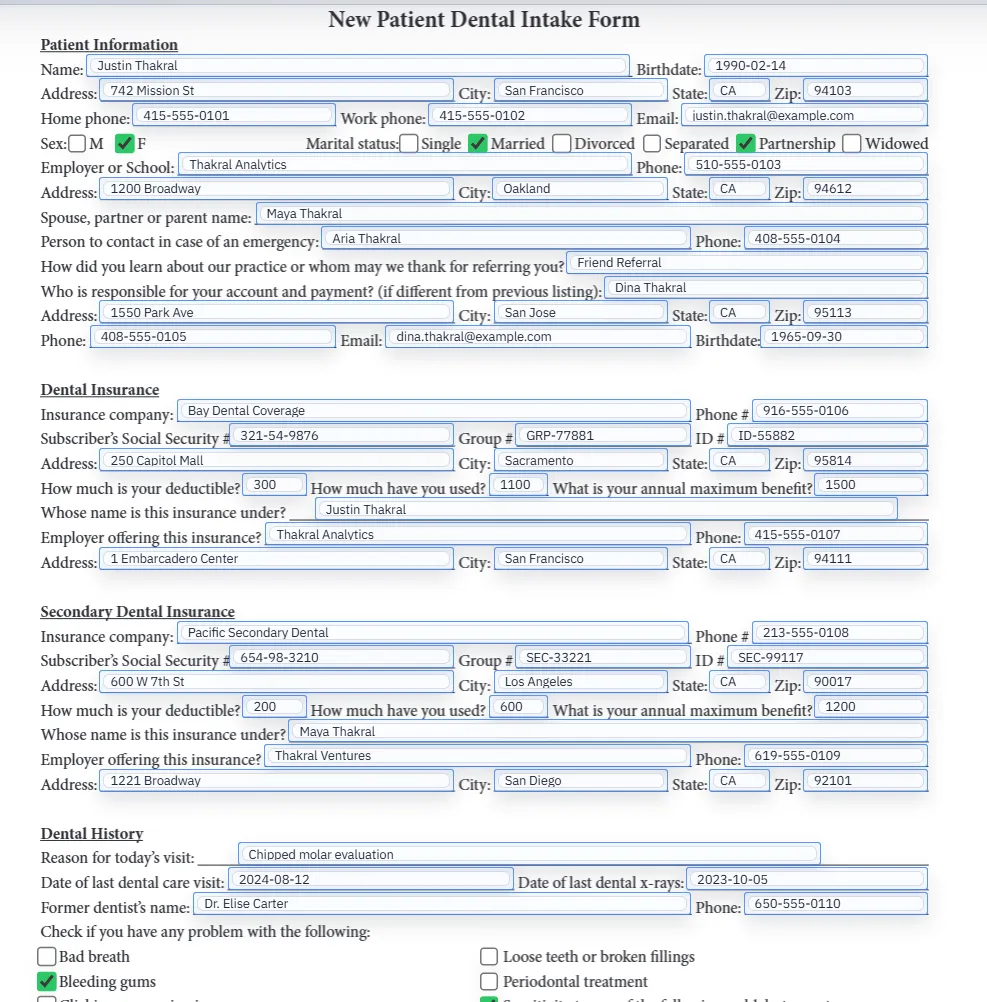
Filled PDF preview rendered after a mobile-collected response.
The filled PDF is generated on the owner side after collection, with flat output recommended for mobile delivery.

Mobile PDF viewers are not a reliable fill surface

A fillable PDF assumes a viewer that can render AcroForm widgets, accept keyboard input into them, save the document with values preserved, and let the respondent return the file. Many mobile PDF viewers do none of that consistently. Field appearances differ, scripts may not run, signature widgets behave inconsistently, and the saved file path is often unclear to the respondent.

That is why "mobile fillable PDF" is usually the wrong framing. The real job is collecting structured answers from a phone in a way the recipient can trust, then producing the PDF later from those answers.

  • Mobile viewers vary widely in how they render AcroForm widgets and signature fields.
  • Downloads, saves, and returns from a mobile viewer are easy to lose or mishandle.
  • A respondent often only needs to answer; they do not need to "use a PDF" at all.

Collect data in a hosted form, deliver the PDF afterward

DullyPDF Fill By Link publishes a hosted web form derived from the saved PDF template field schema. Respondents complete it in their mobile browser with native form controls, validation, and tap targets sized for phones.

The PDF is materialized later on the owner side from the stored response. That separates the respondent surface (mobile-friendly web form) from the output surface (the filled PDF the owner needs for downstream workflows).

  • Respondent experience: hosted mobile form, no PDF reader required.
  • Owner experience: structured response data and a generated PDF on demand.
  • Output choices: flat or editable PDF, single-link or grouped packet output.

Flat output is usually the right delivery mode for mobile

When the filled PDF is delivered to the same respondent or another mobile recipient, a flat PDF avoids the same viewer-compatibility problems all over again. Values are drawn into the page content instead of relying on live AcroForm widgets.

Editable output still has its place for internal review on desktop, but mobile delivery is generally safer with flat output. That is also why Fill By Link respondent downloads lean toward flat output for external viewer stability.

Mobile and packet workflows work the same way

Groups extend this model to multi-document packets. A merged group link can collect one response that fills several PDFs on the owner side, which is much easier on phones than trying to fill several separate fillable PDFs in a mobile viewer.

That combination — hosted mobile form, group-merged questions, owner-side PDF materialization — is usually the right pattern for any workflow where respondents are expected to answer from phones.

Why teams use Mobile-Friendly Fillable PDF

  • Skip the unreliable mobile PDF viewer experience by collecting answers in a hosted web form.
  • Keep the source PDF as the system of record while respondents answer on phones, tablets, or desktop.
  • Materialize the filled PDF on the owner side for download, signing, link delivery, or API output.

Implementation signals for Mobile-Friendly Fillable PDF

  • Fill By Link publishes a hosted web form derived from the saved template field schema.
  • Respondents answer in their phone browser instead of editing a downloaded PDF.
  • Owners can materialize the filled PDF later from the stored response, including flat output that renders consistently on mobile viewers.

Need deeper technical details about mobile-friendly fillable pdf? Use the Rename + Mapping docs and Search & Fill docs to validate exact behavior.

Frequently asked questions about Mobile-Friendly Fillable PDF

Can people fill a PDF form on a phone with DullyPDF?

Yes. Fill By Link publishes a hosted mobile-friendly web form, then DullyPDF materializes the filled PDF on the owner side from the stored response.

Do respondents need a PDF app installed?

No. The respondent only needs a browser. The PDF is generated on the owner side after the form is submitted.

Should mobile recipients receive editable or flat PDFs?

Flat output is usually safer for mobile delivery because values render consistently across mobile PDF viewers.

Can a group of PDFs share one mobile form?

Yes. An open group can publish one merged Fill By Link from the distinct respondent-facing fields across the group.

Docs for Mobile-Friendly Fillable PDF

Use these docs pages to verify the exact DullyPDF behavior behind mobile-friendly fillable pdf before you ship it as a repeat workflow.

Related routes for Mobile-Friendly Fillable PDF

These adjacent workflow pages cover nearby search intents teams compare while evaluating mobile-friendly fillable pdf.