Commercial workflow page

PDF Field Detection Accuracy: How DullyPDF Compares to Adobe and Apryse

DullyPDF runs the open-research FFDNet model from the CommonForms paper (arXiv 2509.16506). Outperforms the leading commercial PDF reader on form field detection and uniquely supports checkbox detection — both verifiable against the public CommonForms benchmark.

Why field-detection accuracy is the part nobody benchmarks publicly

Adobe Acrobat ships AI Form Detection. Apryse (formerly PDFTron) sells a Form Field Detection capability inside their SDK. AWS Textract has a forms feature. None of these vendors publish a head-to-head accuracy benchmark on a public dataset. That is unusual for a category that markets on accuracy claims, and it is the reason most evaluation today happens by uploading one or two test PDFs and eyeballing the results.

CommonForms changes that. The CommonForms paper — Joe Barrow, arXiv:2509.16506, published in 2025 — releases both a large public benchmark dataset and the trained models that run on it. Anyone can download the benchmark, run any commercial detector on it, and compare. The same paper reports FFDNet outperforming a popular commercial PDF reader on this benchmark.

DullyPDF runs the actual FFDNet-Large model from that paper as its detection backbone. We did not retrain it, did not fork it, and did not modify the inference pipeline. The detector you use in DullyPDF is the same detector the published benchmark numbers describe.

What the CommonForms paper actually claims

The CommonForms paper makes three concrete claims that matter for product evaluation. None of them require trust in the vendor — they are reproducible from the public dataset.

  • FFDNet "outperforms a popular, commercially available PDF reader" on the CommonForms test set. The paper does not name the reader explicitly in the abstract; based on category leadership the reference is widely understood to mean Adobe Acrobat's AI Form Detection.
  • FFDNet "can predict checkboxes" — a capability the paper notes is missing from "the most popular commercially available solutions." For any form with checkbox groups (insurance ACORDs, medical intake, government forms), this matters concretely: missed checkboxes mean an operator has to draw them by hand later.
  • FFDNet attains "very high average precision" on the test set. The benchmark dataset is ~55,000 documents and 450,000+ pages drawn from Common Crawl, with explicit diversity controls (~1/3 non-English, 14 classified domains, no domain over 25%) — meaning the model was not overfit to a single document type.

How this maps to what DullyPDF detects in practice

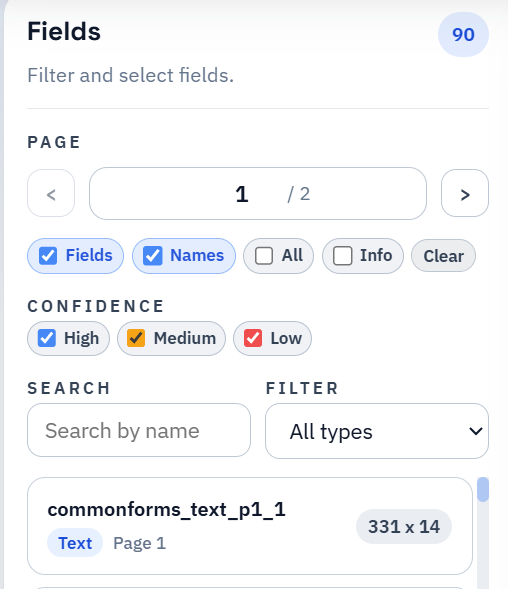
When you upload a PDF, DullyPDF runs FFDNet-Large detection and surfaces every candidate field with a confidence score visible in the editor (you can see "98% field" / "95% remap" labels in the field rail of any saved template). The product separates two confidences explicitly: detection confidence (how sure the model is the region is a field) and rename confidence (how sure the rename layer is about the human-readable name).

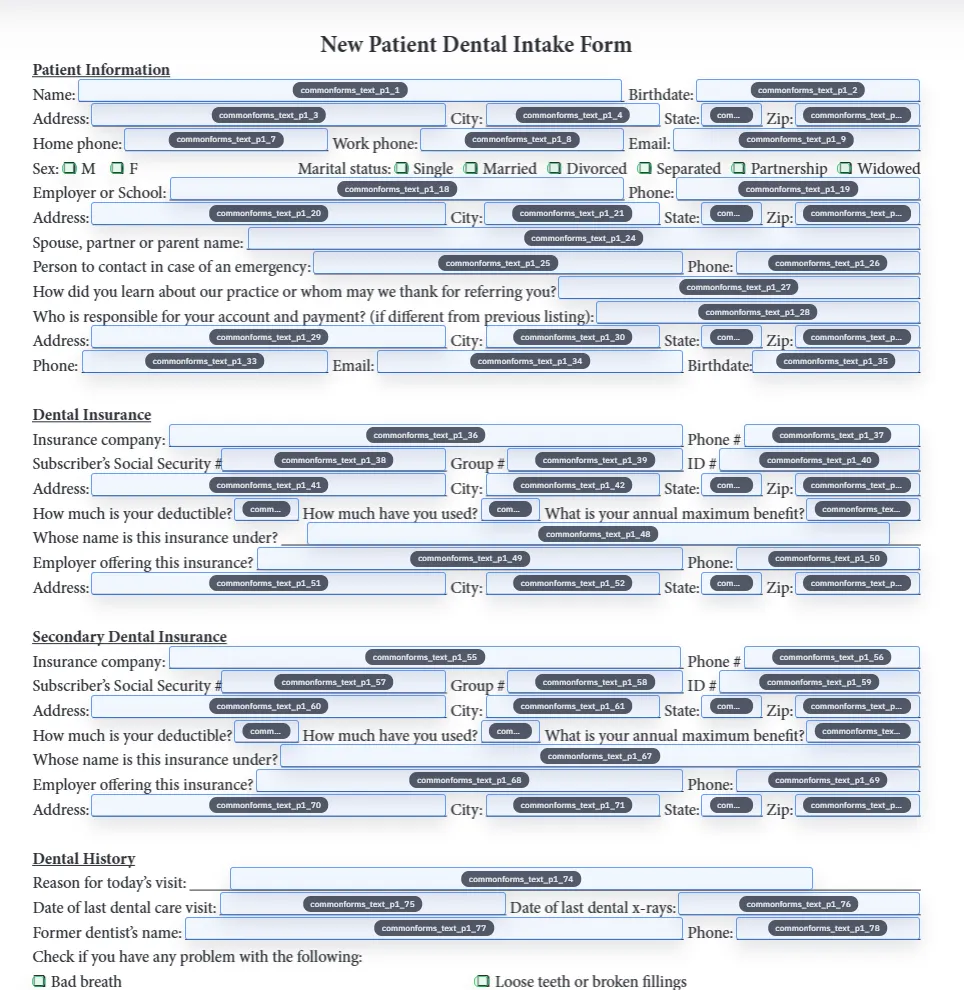
For a typical multi-page intake — like the New Patient Dental Intake Form linked from this site's API walkthrough — that means 167 fields are detected on a 2-page form, 90 of which become the operator's working set after editor review. Checkbox groups (5 of them on that example) and radio groups (8 of them) are detected and grouped automatically — the part the CommonForms paper specifically calls out as missing from competitor detectors.

  • Text fields: detected with bounding boxes plus AI-rename to human labels.
  • Checkbox groups: detected and grouped — a class the paper notes is missing from leading commercial solutions.
  • Radio groups: deterministically resolved as a single selected option key in the JSON contract.
  • Signature, date, and other typed fields: classified at detection time so the editor can apply the right input control.

What we can and cannot say about Adobe Acrobat vs FFDNet

Honest framing matters here. The CommonForms paper claims FFDNet outperforms a popular commercial PDF reader on the public benchmark — that is a citable, third-party, reproducible claim. We are not going to invent specific percentage-point comparisons that the paper does not publish. If you want to verify, the dataset is public and you can run Adobe's detection on it yourself.

What is concretely verifiable in everyday use: Adobe's AI Form Detection treats checkboxes inconsistently and frequently does not group them with their parent question. The CommonForms paper attributes that to a class limitation in the underlying detector. DullyPDF, running FFDNet, surfaces the checkbox groups as a first-class output of detection.

What we can and cannot say about Apryse / PDFTron

Apryse sells form-field detection as one capability inside an enterprise SDK. They do not publish a head-to-head benchmark against any open dataset. We are also not going to claim a number we cannot prove. What we can say is: the CommonForms benchmark is a fair, public yardstick that Apryse — and any other vendor — could publish numbers against if they chose to. The fact that it has not been done in either direction is a reason to be skeptical of any unsourced claim that "we are 23% better than Apryse." Including any such claim from us.

In practice, the realistic comparison shape is: Apryse is the right buy if you need a 25-year-old codebase with viewing, editing, OCR, redaction, signing, and detection inside a single enterprise SDK at $50k–500k+ per year. DullyPDF is the right buy if your detection use case fits a self-serve product and you want to see open-research methodology behind the model.

How to verify the claim yourself

The single best move if accuracy is your decision criterion is to evaluate against your actual document corpus, not against a third-party claim — including ours. The reproducible recipe is:

  • Pick 5 representative PDFs from your real workflow — the messy ones, not the clean ones.
  • Upload each into DullyPDF and record: total fields detected, checkbox groups detected, fields you would have had to add by hand.
  • Run the same PDFs through Adobe Acrobat's AI Form Detection (free trial works) and record the same.
  • If you have an Apryse trial, run them through Apryse's form-field detection and record the same.
  • Compare detection-completeness, not just detection-presence — a detector that finds 80% of fields without checkboxes is worse than one that finds 70% with checkboxes for any workflow that has checkbox groups.

Why we think open-research detection is a structural advantage

A closed-source detector at a commercial vendor improves at whatever pace the vendor's team improves it. An open-research detector improves at the pace the entire ML community improves it — and the vendor (us, in this case) gets to integrate that improvement immediately. CommonForms is a paper, a dataset, and a model release. The next version of FFDNet will be public the same way. When that drops, DullyPDF rolls it into the same detection pipeline.

That is the structural advantage of building on open-research detection rather than rolling our own black box: every published improvement in form-field detection is automatically a DullyPDF roadmap item, and the public benchmark exists so customers do not have to take our word for it.

Why teams use PDF Field Detection Accuracy

  • DullyPDF runs the FFDNet-Large model from the open CommonForms paper (arXiv 2509.16506) — not a black-box detector.
  • CommonForms reports FFDNet outperforming a popular commercial PDF reader on the same benchmark.
  • Detects checkboxes — a class most commercial PDF detectors do not support according to the same paper.

Implementation signals for PDF Field Detection Accuracy

  • Source: Joe Barrow, "CommonForms: A Large, Diverse Dataset for Form Field Detection," arXiv:2509.16506 (2025).
  • Benchmark dataset: ~55,000 documents and 450,000+ pages drawn from Common Crawl, with ~1/3 non-English content and 14 classified domains (no single domain exceeds 25%).
  • Training cost reported in the paper: under $500 per model — fully reproducible by anyone who wants to verify.

Need deeper technical details about pdf field detection accuracy? Use the Rename + Mapping docs and Search & Fill docs to validate exact behavior.

Frequently asked questions about PDF Field Detection Accuracy

What model does DullyPDF actually use for field detection?

FFDNet-Large from the CommonForms paper (Barrow 2025, arXiv:2509.16506). We use the same model weights the paper releases, with no proprietary modifications to the detection step.

Is the accuracy claim against Adobe verifiable?

Yes. The CommonForms paper releases the dataset, the test split, and the trained models. Anyone can run Adobe Acrobat's detection on the same test set and reproduce the comparison. The paper itself states FFDNet outperforms "a popular, commercially available PDF reader" on the benchmark.

Why does checkbox detection matter so much?

Most production forms with structured data — insurance ACORDs, medical intake, government applications — encode their multiple-choice answers as checkbox groups. A detector that misses checkboxes forces a human operator to manually add every checkbox region, which often takes longer than reviewing the entire detected text-field set. CommonForms specifically calls out checkbox prediction as a capability missing from leading commercial detectors.

Do you publish your own per-document accuracy numbers?

We rely on the published CommonForms benchmark rather than producing our own marketing numbers. Vendor-produced accuracy claims tend to be cherry-picked; the public benchmark is the honest yardstick. If you want a per-document evaluation, the upload-and-compare recipe in this article is the right approach.

How does this compare to AWS Textract or Google Document AI?

AWS Textract and Google Document AI are general document-understanding services optimized for OCR and key-value extraction from filled documents — slightly different problem from detecting empty form fields on a blank template. Both have published benchmarks on their own datasets but neither publishes results on the CommonForms benchmark. The honest comparison to either is, again, run your own representative documents through both and look at completeness on your real workflow.

What about hand-drawn or scanned PDFs?

CommonForms is trained primarily on native PDFs with visible form lines and structure. Scanned forms with poor contrast or skewed pages will degrade detection quality for any model — including FFDNet, Adobe, Apryse, and Textract. The DullyPDF editor exposes confidence scoring so low-confidence detections can be reviewed first; that is the practical answer for scan quality rather than expecting any detector to solve it perfectly.

Docs for PDF Field Detection Accuracy

Use these docs pages to verify the exact DullyPDF behavior behind pdf field detection accuracy before you ship it as a repeat workflow.

Related routes for PDF Field Detection Accuracy

These adjacent workflow pages cover nearby search intents teams compare while evaluating pdf field detection accuracy.