
Why teams use PDF Field Detection Tool
- Detect text, date, checkbox, and signature fields automatically.
- Review confidence scores to prioritize fields needing manual review.
- Refine detection results with visual editor tools.
Commercial workflow page
Upload any PDF and let AI detect text fields, checkboxes, date fields, and signature areas automatically. Review confidence scores and refine in the visual editor.
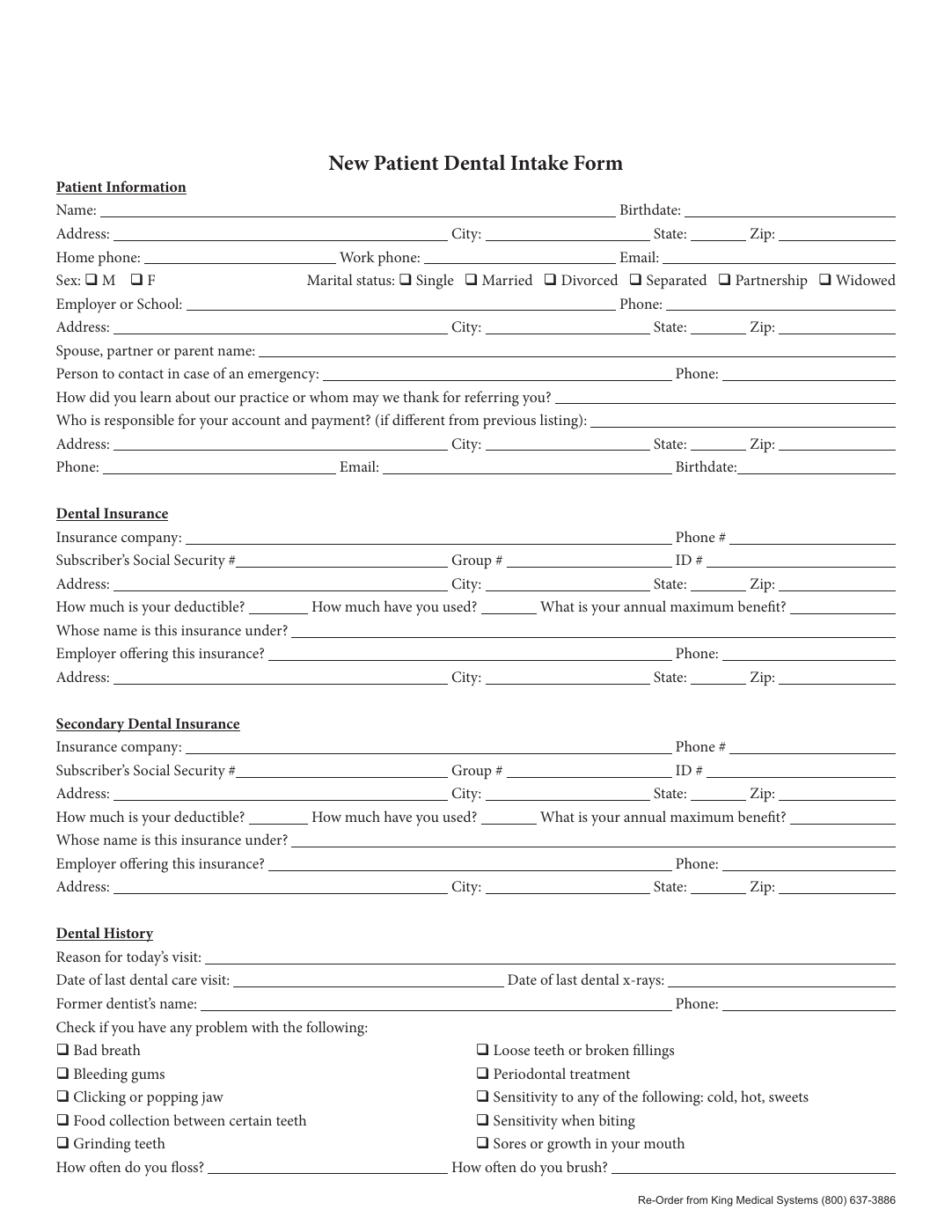
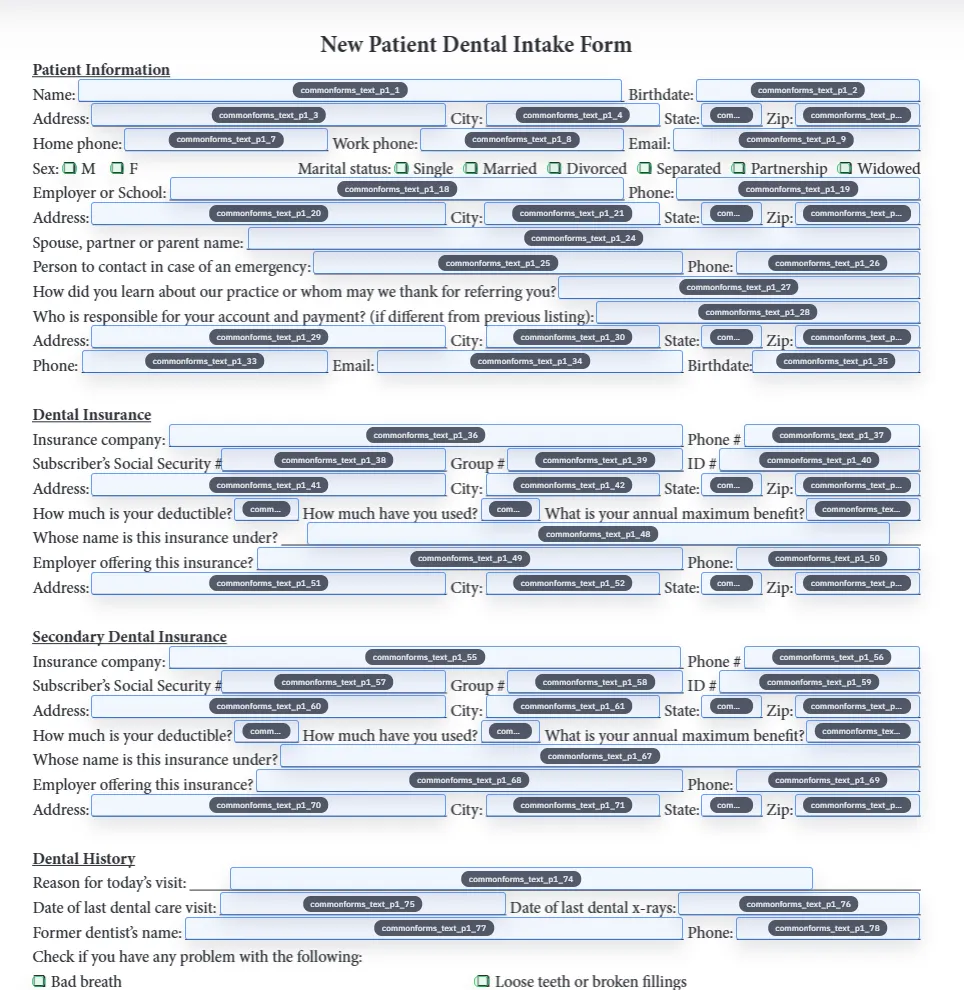
Most PDFs that teams want to automate are not born with clean embedded form metadata. They are flat documents with boxes, lines, labels, and visual cues that a person can interpret but a normal PDF workflow cannot fill directly. DullyPDF addresses that by rendering the page, analyzing the visual layout, and proposing likely fields such as text boxes, dates, checkboxes, and signature areas.
The output is a draft field set that still needs review, but it is much faster than creating every field manually from scratch. That is the real operational value of field detection.
Detection usually performs best on clean PDFs with clear contrast and form structure. It usually needs more review on noisy scans, dense tables, heavily decorated forms, or layouts where visual boxes are close together. Those cases are not failures so much as the normal edge cases of document automation.
The confidence score is there to help prioritize review. High-confidence detections often need minimal changes, while low-confidence items deserve attention first.
After detection, the most effective next step is cleanup rather than immediate filling. Review the suggested fields, fix geometry, remove false positives, add anything the detector missed, and only then move into rename and mapping if the document will be filled from structured data.
That workflow keeps the template clean and makes every later step more reliable. Detection creates the draft. The editor is where that draft becomes a usable template.
A useful pdf field detection tool test starts with one document your team already recognizes, not a perfect demo PDF. Open the existing file, review detection, rename ambiguous fields, confirm checkbox and radio behavior, and save the template only after the field list matches the way the document is used in practice.
Then fill one representative record end to end. Include long names, blank optional values, dates, yes/no choices, and any calculated or scannable fields the page depends on. That single controlled run exposes most template issues before they become repeated output problems.
Search & Fill is the right first path when an operator should pick a record and inspect the result before export. It works with row data from CSV, XLSX, JSON, or stored respondent records. SQL and TXT files should be treated as schema-only mapping inputs; database-backed production workflows should query the database elsewhere and send JSON through API Fill.
Output mode matters too. Editable PDFs are useful when someone will continue working in live fields. Flat PDFs are safer when the completed record goes to customers, employees, agencies, signers, or archive systems because the visible values are baked into the page instead of depending on the recipient PDF viewer.
The pdf field detection tool workflow is ready to reuse when a teammate can clear the document, rerun the same source record, and produce the same visible PDF without remembering hidden cleanup steps. If the result depends on one person knowing which field to fix manually, the template still needs review before it belongs in a repeat workflow.
Need deeper technical details about pdf field detection tool? Use the Rename + Mapping docs and Search & Fill docs to validate exact behavior.
Yes. The AI model analyzes rendered page images and works with both native and scanned PDFs.
Detection quality depends on PDF clarity. High-confidence detections (80%+) are typically accurate. Low-confidence items should be reviewed.
Yes. The editor lets you add text, date, checkbox, and signature fields manually for regions the detector did not identify.
These walkthroughs and comparison posts cover the same workflow cluster from an operator point of view, which helps you move from a route summary into a more specific implementation path.
Use these docs pages to verify the exact DullyPDF behavior behind pdf field detection tool before you ship it as a repeat workflow.
These adjacent workflow pages cover nearby search intents teams compare while evaluating pdf field detection tool.