Industry workflow page

Automate ACORD Insurance PDF Forms With Mapped Data

Handle ACORD workflows such as ACORD 25, 24, 27, 28, 126, and 140 by mapping form fields to structured data and reducing repetitive manual entry.

Workflow examples for ACORD Form Automation

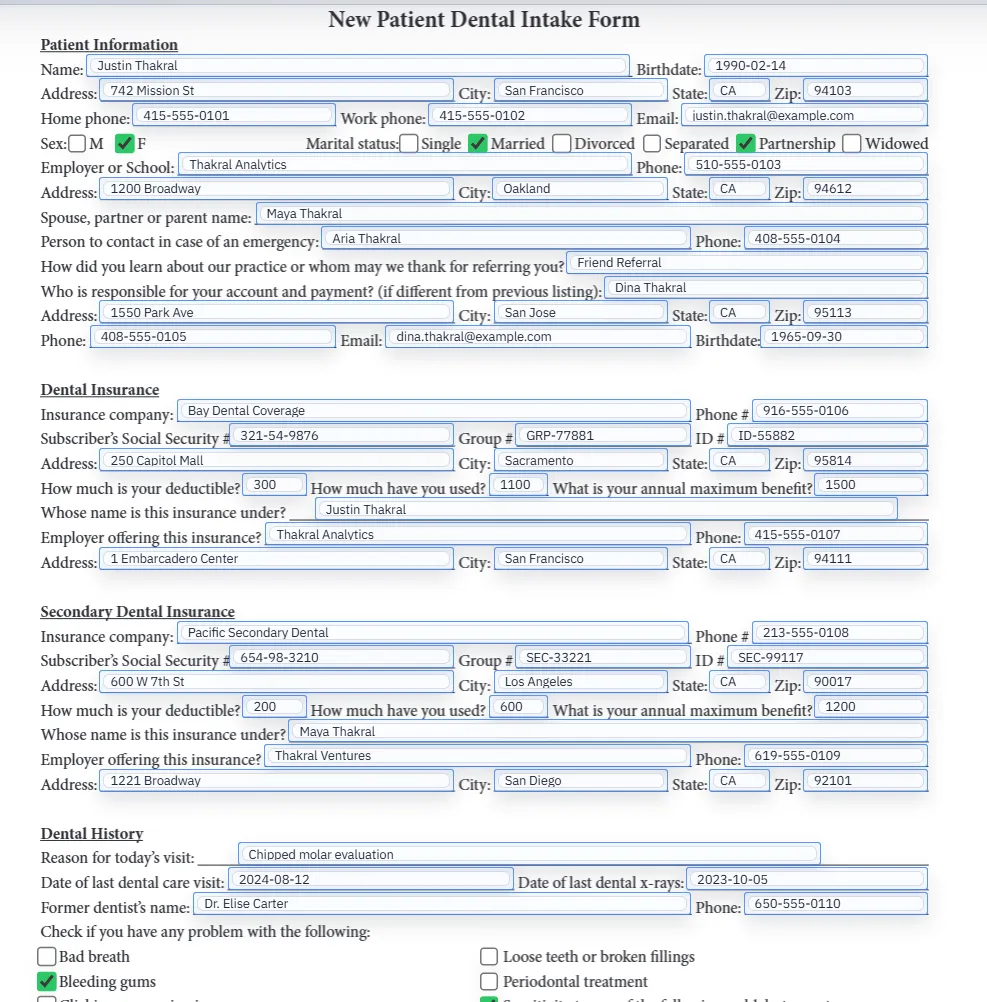
Insurance PDF form page with fixed-layout policy and applicant fields.
ACORD-style work is repetitive because the record data already exists while the final document still has to be prepared inside a fixed PDF layout.
Filled PDF preview representing a reviewed insurance form output.
The value appears after the template is mapped and the team can review a repeatable filled output instead of rebuilding the form under deadline pressure.

Why ACORD workflows stay stubbornly manual

Insurance operations teams usually do not struggle because they lack data. They struggle because the last mile is still a PDF. ACORD certificates, liability forms, and recurring carrier documents often arrive as fixed layouts that need the same insured, producer, policy, and coverage details inserted over and over again. That creates a high-volume rekeying problem even when the agency management system already contains the underlying information.

ACORD work is also unforgiving. A wrong policy number, effective date, limit, or certificate holder field can cause downstream servicing friction or worse. That makes reliable template setup more valuable than flashy automation claims. Teams want repeatable fills they can validate, not a black-box guess at the finished form.

How to build a reusable ACORD template in DullyPDF

The safest pattern is to start with a single recurring form such as ACORD 25, then expand outward. Upload the PDF, run field detection, clean geometry in the editor, normalize field names, and map the final field set to your AMS or broker export headers. Once that template is stable, Search & Fill can pull the correct insured record and populate the document in one pass.

That template-first approach scales better than trying to solve every ACORD variation at once. Each recurring form becomes a known workflow artifact with its own QA history, instead of a collection of one-off manual fixes performed under deadline pressure.

What to verify before using ACORD automation in production

For ACORD and certificate workflows, the highest-risk fields are usually the fields that appear simple: producer blocks, named insured details, effective and expiration dates, certificate holder information, and limit tables. Those are the places where a nearly-correct fill can still create real operational risk. Teams should validate those fields explicitly with representative records before treating a template as production-ready.

A good rollout is to test five to ten real records, compare the filled PDF against the source data, and only then standardize the workflow for the broader account or certificate team. That process is slower than a demo, but much faster than cleaning up avoidable servicing errors later.

  • Validate the insured, producer, and certificate holder blocks.
  • Check policy numbers, effective dates, expiration dates, and coverage limits.
  • Confirm checkbox or option-style fields on carrier supplements behave as expected.

Where DullyPDF fits relative to generic PDF tools

DullyPDF is not trying to replace every PDF workflow in an agency. It is most useful when the same ACORD or certificate form type needs to be filled repeatedly from structured data. That is a narrower but more valuable problem than general PDF editing. Agencies that still need annotation, ad hoc editing, or signing workflows can keep those tools and use DullyPDF for the repeat template-filling layer.

That division of labor usually makes the implementation easier. Teams do not need to change every document process at once. They only need to move the high-volume ACORD workflows into a mapped-template model where repeat fills become predictable and fast.

When to use the ACORD page versus the broader insurance automation page

This page is the best fit when the core job is ACORD-specific: ACORD 25 certificates, ACORD 24/27/28 liability forms, ACORD 126 commercial forms, and other standardized ACORD layouts that appear repeatedly across the agency. The broader insurance automation page is more useful when the team is balancing ACORD with carrier supplements, claims-intake forms, renewal packets, policy summaries, and other non-ACORD insurance PDFs.

Keeping those routes separated helps both search and operations. ACORD-heavy searches should land on the ACORD page. Mixed insurance-document libraries should land on the broader insurance page. That way the internal links reinforce the actual template strategy instead of forcing one page to rank for every insurance PDF scenario.

How ACORD 24, 27, 28, 126, and 140 differ from ACORD 25 operationally

Agencies often group ACORD forms together, but they are not interchangeable in practice. ACORD 25 certificate workflows are usually about fast certificate turnaround and holder accuracy. ACORD 24, 27, and 28 introduce liability and evidence-style distinctions that can shift which coverage blocks and attestations matter most. ACORD 126 and 140 introduce commercial schedules and applicant details that often behave more like structured underwriting paperwork than a simple certificate.

That variation is why one ACORD landing page still needs a template mindset. Each recurring form deserves its own canonical template and QA checklist even when the surrounding insured and policy data overlap. Trying to treat all ACORD forms as one identical document family usually creates weak mappings and missed field-level differences.

Certificate holder and limit-table QA deserve their own checklist

The fields that deserve the most attention are often the ones account teams fill by habit: certificate holder details, producer details, policy identifiers, effective and expiration dates, and the coverage limit tables. Those values drive servicing outcomes directly, so they deserve an explicit checklist rather than a casual glance after fill.

A practical ACORD QA routine is to validate those blocks on several real records before the workflow is considered production-ready. Once those high-risk areas are stable, the rest of the form tends to follow much more predictably.

Why AMS export cleanup matters before mapping

A mapped ACORD workflow is only as stable as the export feeding it. If the AMS export uses inconsistent labels for insured names, dates, carrier fields, or limits, the PDF layer will inherit that inconsistency. The cleanest rollout normalizes the source schema first, then maps the ACORD template to those stable headers.

That is especially important when the same export must support ACORD 25 plus other ACORD or carrier-specific forms. Naming discipline in the source data is what lets one record fill several templates without creating a separate mapping mess for each one.

Why teams use ACORD Form Automation

  • Standardize repetitive ACORD field naming across brokers and account teams.
  • Map ACORD certificate and liability forms to shared schema headers from AMS exports.
  • Reduce rekeying errors for policy, insured, and coverage blocks.

Implementation signals for ACORD Form Automation

  • Template workflows support repeat filling from CSV, XLSX, and JSON records.
  • Field confidence and inspector-based QA provide pre-fill verification.
  • Docs include rename/mapping and Search & Fill validation guidance for ACORD packets.

Need deeper technical details about acord form automation? Use the Rename + Mapping docs and Search & Fill docs to validate exact behavior.

Frequently asked questions about ACORD Form Automation

Can DullyPDF auto-fill ACORD 25 and similar insurance forms?

Yes. DullyPDF supports mapped template workflows for common ACORD-style PDF forms.

Can insurance teams map ACORD fields to internal database columns?

Yes. Schema mapping aligns PDF fields with your preferred naming and column structure.

Does this support ACORD renewals and recurring certificate requests?

Yes. Teams can map once and fill repeatedly instead of retyping policy and certificate data every cycle.

Docs for ACORD Form Automation

Use these docs pages to verify the exact DullyPDF behavior behind acord form automation before you ship it as a repeat workflow.

Related routes for ACORD Form Automation

These adjacent routes cover neighboring document workflows and team use cases that usually get evaluated alongside acord form automation.