Industry workflow page

Insurance PDF Automation for Carrier and Renewal

Automate carrier supplements, renewal packets, policy summaries, endorsements, and claims-intake PDFs by mapping to agency data.

Workflow examples for Insurance PDF Automation

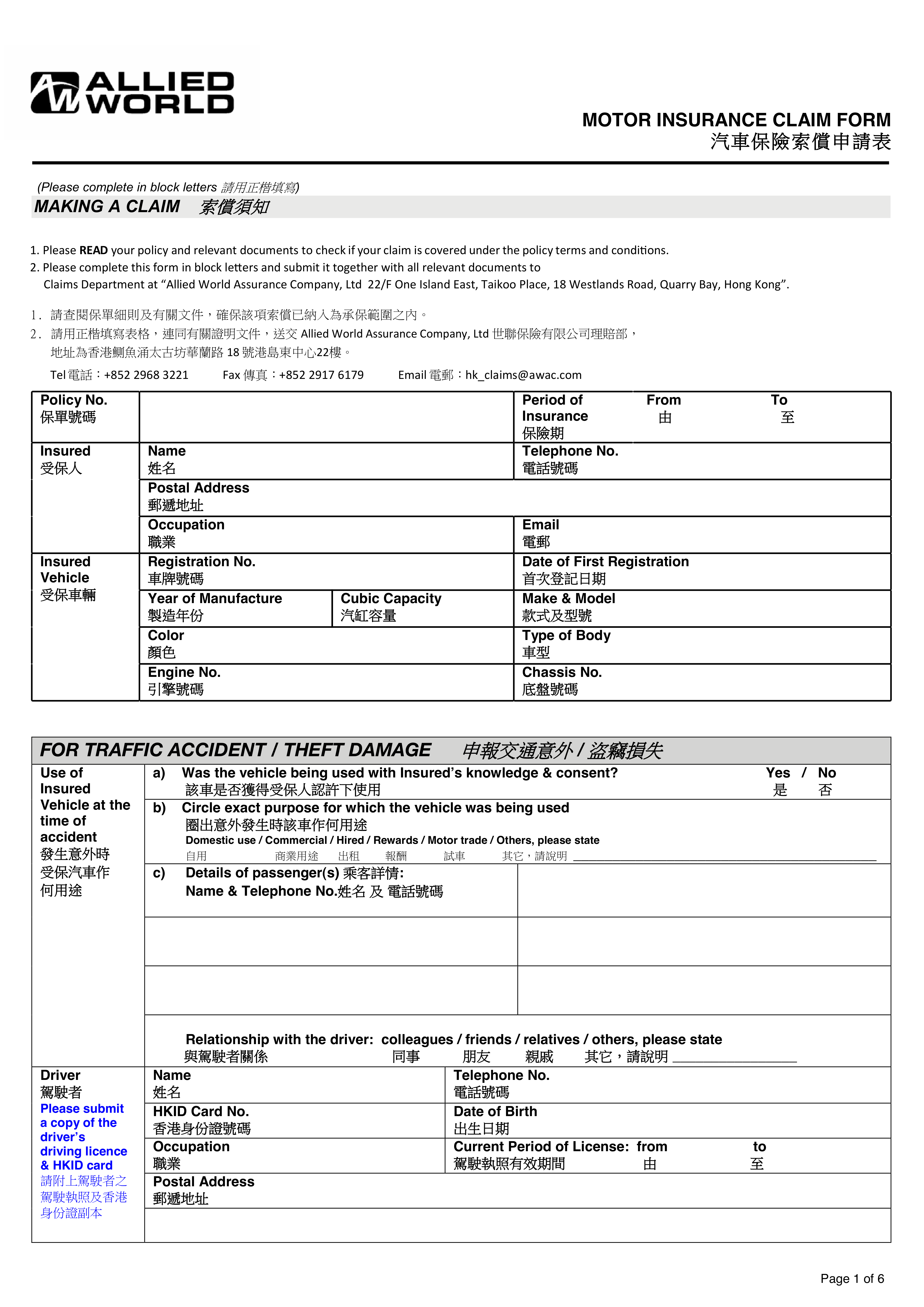
Insurance claim form with several fixed-layout sections that need recurring data entry.
Carrier and servicing workflows usually span more than one document family, which is why insurance teams need a template library rather than one isolated form setup.
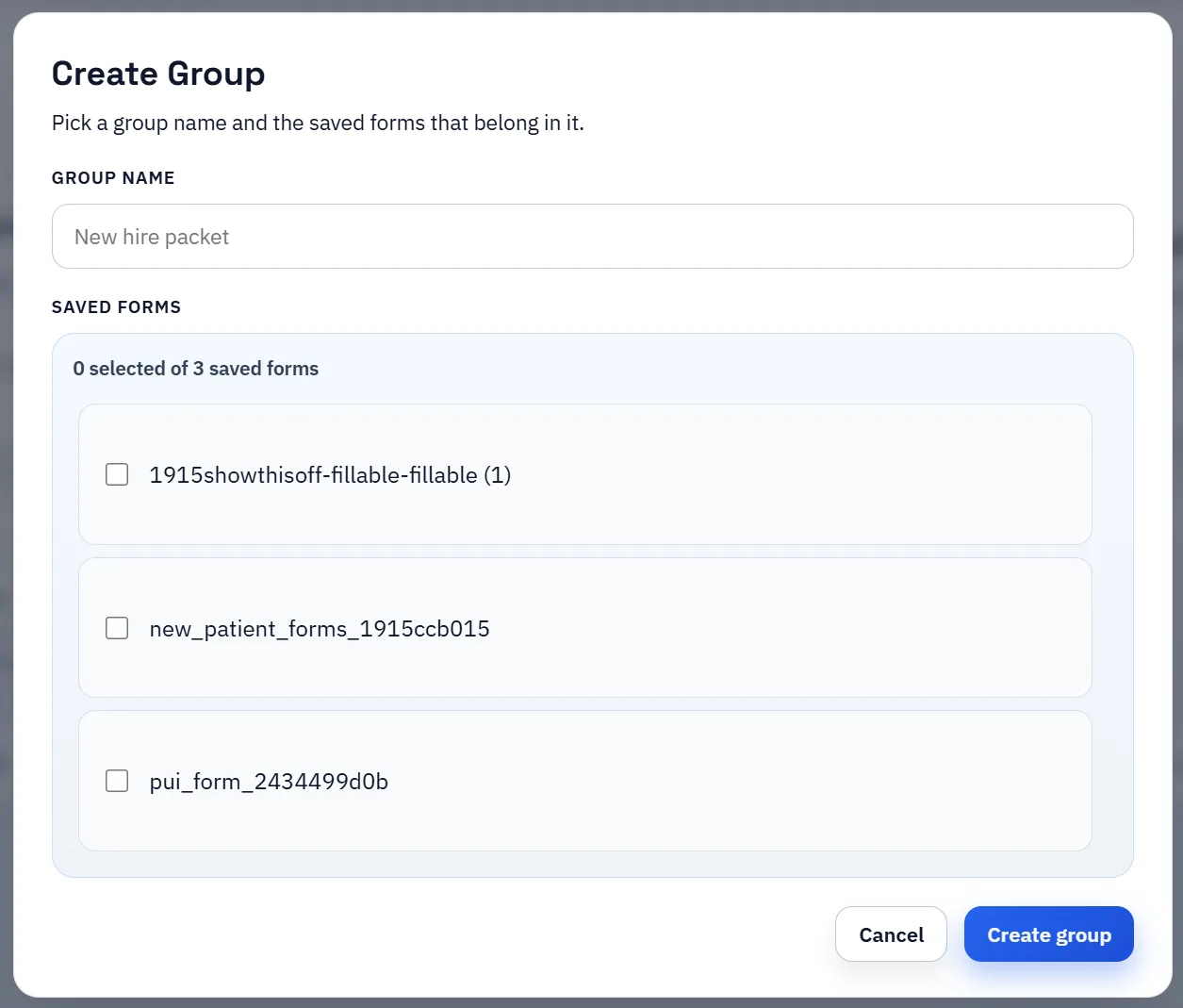
Saved-template group manager for organizing several recurring PDFs together.
A wider insurance workflow becomes easier to operate when recurring supplements, renewals, and servicing forms are treated as named reusable templates.

Insurance PDF automation goes beyond one ACORD form

Insurance teams rarely work with a single perfect template. They handle certificate requests, carrier supplements, renewal packets, policy summaries, loss-run support documents, and other recurring PDFs that still arrive as fixed forms. Even when ACORD is the core workflow, the surrounding paperwork often introduces multiple variants that all require structured filling.

That is why insurance PDF automation needs more than a single-page ACORD pitch. Teams need a repeatable process for turning recurring insurance documents into mapped templates that can be filled from operational data without retyping the same insured and policy details every cycle.

Where mapped templates save time for certificates, renewals, and supplements

Mapped templates help most where the same insured, producer, policy, and coverage data has to be pushed into multiple documents. Certificate requests are the obvious example, but renewal prep and carrier-specific supplement workflows often benefit just as much because they repeat the same values under slightly different layouts.

Once the field names and mappings are stable, teams can work from AMS exports or broker data, search the right record, and fill the document with much less manual translation work. The savings come from repeatability and error reduction, not just from raw speed.

How to roll out insurance template automation safely

Start with the documents that are both frequent and painful. Build one certificate or supplement template, validate it with real records, and document which fields must be checked every time before output leaves the team. Only after that first workflow is trusted should you expand to adjacent forms.

That phased approach keeps the template library clean. Instead of dozens of half-reviewed insurance forms, you get a smaller set of well-understood templates that teams can actually rely on during high-volume servicing work.

How this page differs from the ACORD-specific route

Use this page when the agency problem is broader than ACORD itself. Carrier supplements, renewal packets, claims-intake forms, policy summaries, and endorsement paperwork often repeat just as much as ACORD certificates, but they are not always standardized under the same layout families. That is the gap this route is meant to cover.

If the dominant workload is ACORD 25, ACORD 24/27/28, or other ACORD-first certificate workflows, the ACORD page is the better primary landing page. This route is the wider library page for insurance teams that need a template strategy across both ACORD and non-ACORD recurring PDFs.

A carrier supplement library needs stronger template governance than one-off form filling

Carrier-specific supplements tend to multiply quietly over time. A different endorsement packet, a renewal supplement, a claims-intake form, or a policy-summary layout can each become a separate PDF process unless the agency treats them as reusable templates with clear ownership and naming conventions.

That is why insurance automation needs a template-library strategy, not just one successful demo. Define which carrier documents are truly recurring, keep one canonical template for each, and make small, versioned corrections instead of spawning near-duplicates whenever the layout shifts slightly.

Renewal packets and claims-intake workflows are not the same operational job

Renewal work is usually about reusing known insured, producer, and policy data across periodic documents. Claims-intake work often starts from partially complete data, new event details, or respondent-supplied information that still needs review. Those are different workflow shapes even when both end in PDFs.

This page should therefore answer a broader insurance question than the ACORD route. It should help teams decide how to organize recurring carrier and servicing forms across several workflow types instead of assuming every insurance PDF behaves like a certificate request.

How to avoid naming drift across multiple carrier templates

Naming drift is one of the fastest ways to make an insurance template library hard to maintain. If each carrier supplement invents a different label for the same insured or policy concept, the mappings become harder to trust and much harder to update later.

The strongest approach is to normalize shared field names across the whole library, keep carrier-specific differences explicit where they matter, and test a representative record before treating a new supplement as production-ready. That makes the broader insurance route distinct from the ACORD route while still keeping the same template discipline underneath.

Why teams use Insurance PDF Automation

  • Build reusable templates for ACORD packets and carrier-specific insurance forms.
  • Map insured, producer, policy, and coverage fields to AMS or broker export columns.
  • Standardize field naming across renewal cycles and form revisions.

Implementation signals for Insurance PDF Automation

  • Works with CSV, XLSX, and JSON exports from insurance operations systems.
  • Supports checkbox, date, and text cleanup for carrier-specific PDF variants.
  • Saved templates accelerate recurring certificate and renewal workflows.

Need deeper technical details about insurance pdf automation? Use the Rename + Mapping docs and Search & Fill docs to validate exact behavior.

Frequently asked questions about Insurance PDF Automation

Can DullyPDF automate insurance PDFs beyond ACORD 25?

Yes. Teams use it for ACORD 24/27/28/126/140 and carrier-specific insurance PDFs that require repeat filling.

Can insurance teams map form fields to agency management exports?

Yes. Map once to your export schema, then run repeat fills from structured records in Search & Fill.

Is this useful for certificate of insurance turnaround speed?

Yes. Reusable mapped templates reduce manual retyping and help teams produce certificates faster with fewer entry errors.

Guides for Insurance PDF Automation

These walkthroughs and comparison posts cover the same workflow cluster from an operator point of view, which helps you move from a route summary into a more specific implementation path.

Docs for Insurance PDF Automation

Use these docs pages to verify the exact DullyPDF behavior behind insurance pdf automation before you ship it as a repeat workflow.

Related routes for Insurance PDF Automation

These adjacent routes cover neighboring document workflows and team use cases that usually get evaluated alongside insurance pdf automation.