Commercial workflow page

Add QR Code Fields to Fillable PDFs

Add QR code fields to fillable PDF templates for verification links, portals, payment pages, record lookup, and status pages. Encode manual text or source-field values.

Workflow examples for Add QR Code Field to PDF

A DullyPDF PDF template preview showing a record URL source field generating a QR Code field.
QR Code fields are strongest when a completed PDF needs to connect a printed record to a verification URL, portal, payment page, or status lookup.
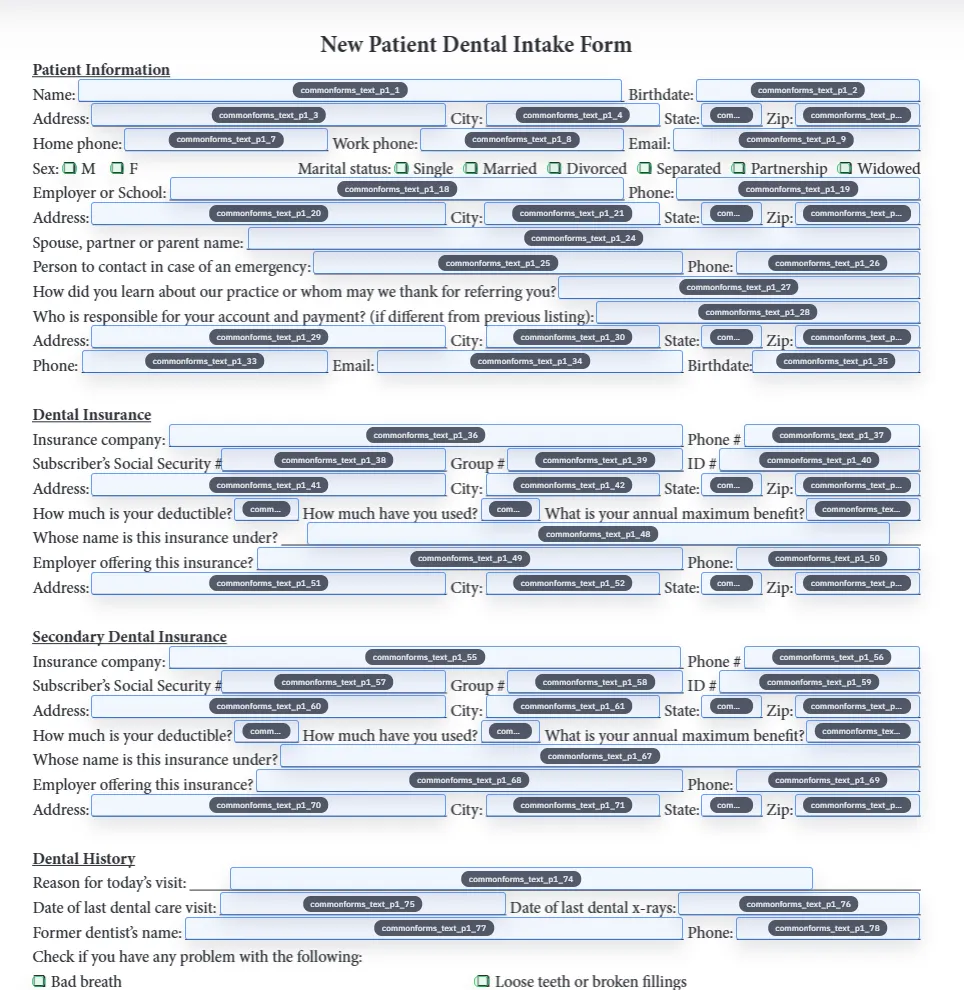
Detected fields overlaid on a source PDF inside DullyPDF before QR helper fields are added.
QR Code is one helper-field option. Use PDF417 for denser structured payloads and 1D barcode for short internal identifiers.
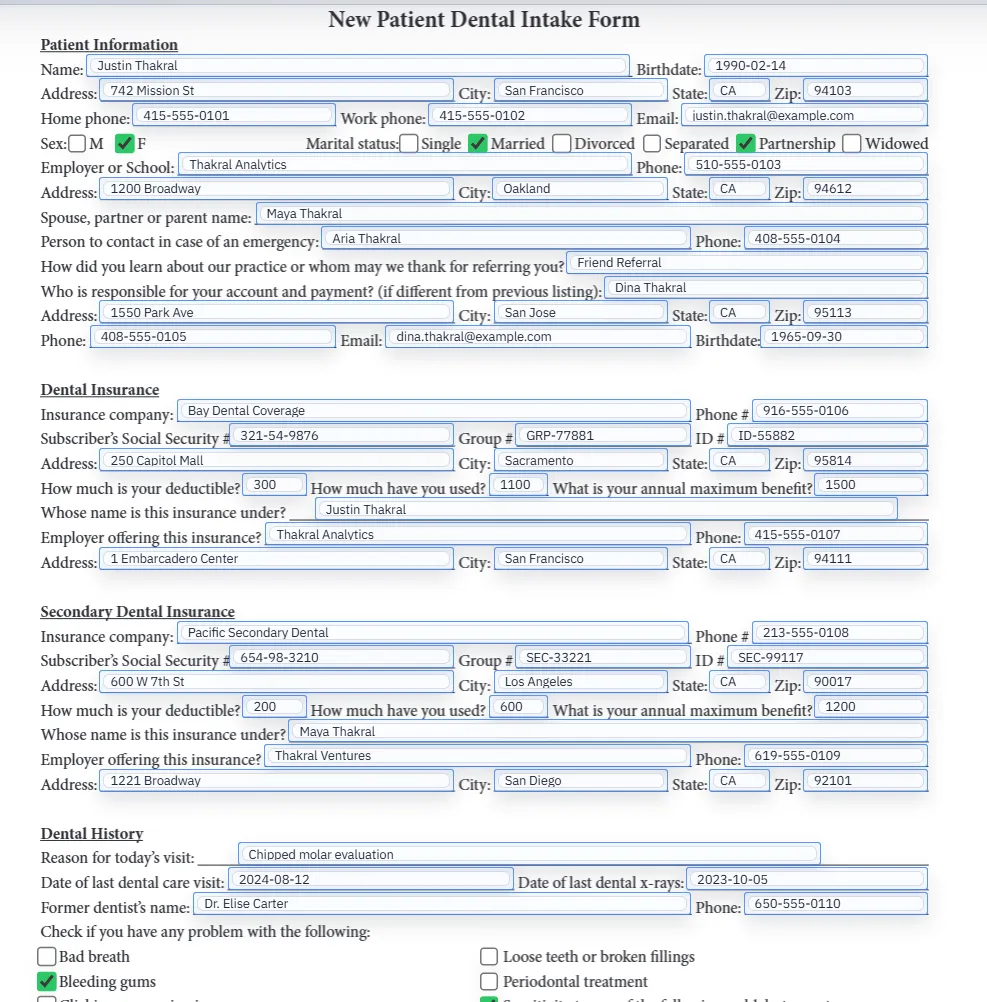
Filled PDF preview representing a final output after template values have been applied.
The QR setup is only reliable after the generated PDF scans correctly at the final size users will print, email, or archive.

Why a QR code field is different from a QR image generator

A generic QR generator creates an image. That is useful when you need a standalone code for a poster, label, or web page. A QR code field inside a PDF template solves a different problem: the QR code must sit in the right place on the document and change predictably when the underlying record changes.

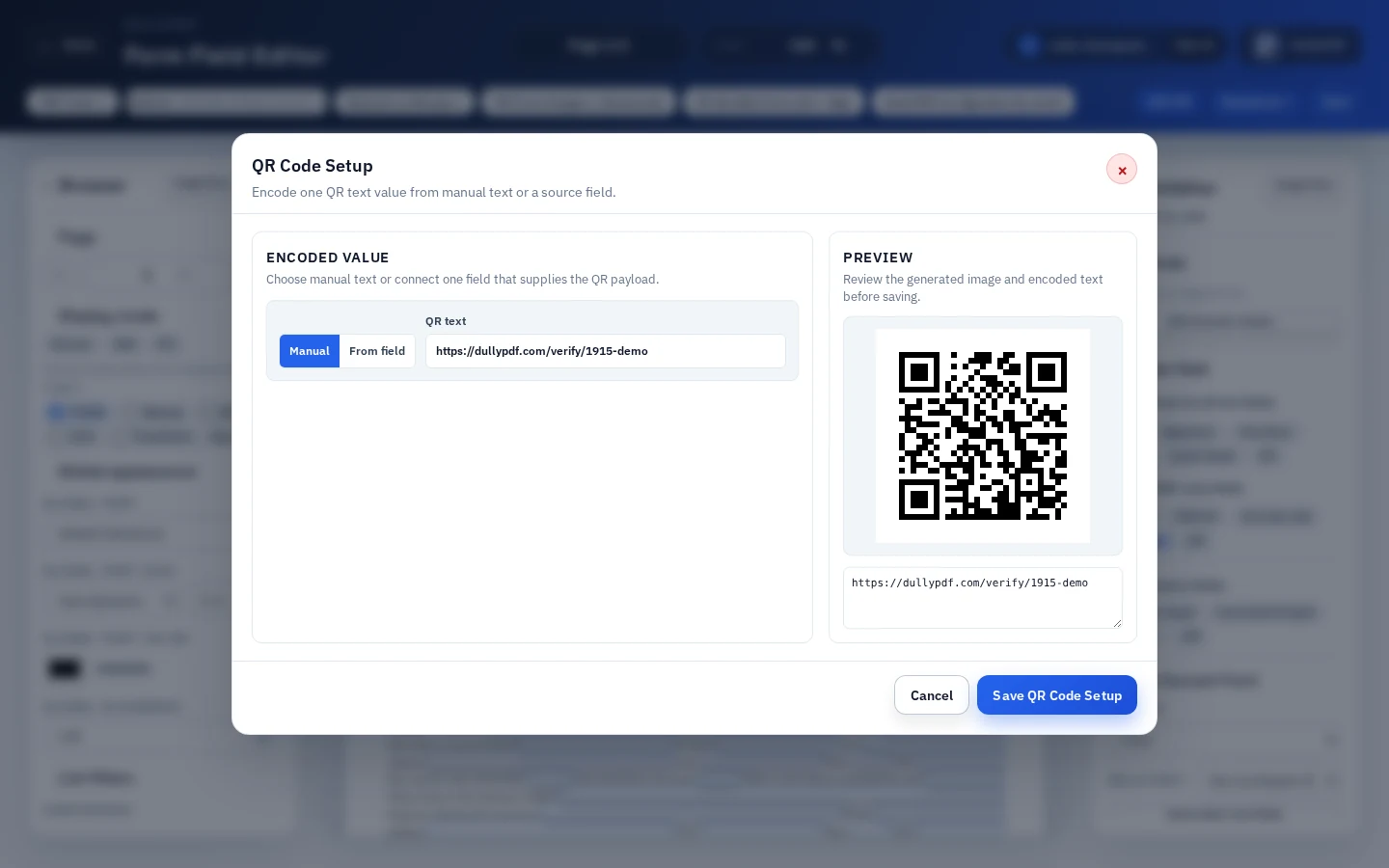
DullyPDF is built for the reusable-template version of that workflow. You draw the QR helper field where the code belongs, decide whether the payload is manual text or another field value, preview the generated code, and export a PDF where the code is stamped into the page content.

  • Best fit: recurring PDFs where each completed record needs a different URL, lookup key, or verification code.
  • Less ideal: one-off QR image downloads, retail packaging standards, or Acrobat JavaScript barcode fields that must stay interactive inside Acrobat.

Where QR code fields make sense in PDF workflows

QR Code is strongest when a printed or archived PDF needs to point back to a digital destination. Common examples include verification pages, payment links, customer portals, appointment pages, delivery status, warranty lookup, audit receipts, work order lookup, and internal record search.

DENSO WAVE describes QR Code as a two-dimensional code with error correction, which is part of why QR codes are practical for real-world scanning when a printed document might be handled, copied, or lightly damaged.1 GS1 also describes QR Code as a 2D barcode often used to link users to web information through a mobile scan.2

How DullyPDF QR code fields work

QR Code fields are DullyPDF-only helper fields. They are not standard text, checkbox, radio, or signature AcroForm fields. The helper stores placement and payload metadata so DullyPDF can generate the QR image during preview and materialization.

In the QR setup dialog, the template creator chooses one payload. That payload can be manual text or a source field on the form. The source-field pattern is useful when a normal field already contains the URL, tracking number, or record identifier that should be encoded into the QR code.

Manual QR values versus source-field QR values

Manual values are best for fixed destinations: a support page, a public instructions page, a generic portal URL, or a static payment page. Source-field values are better when each completed PDF should encode a record-specific value such as a verification URL, invoice URL, claim ID, shipment ID, or member lookup link.

That distinction keeps templates cleaner. If the QR value changes per record, store the changing value in a normal field and point the QR helper at that field. If the QR value is the same every time, a manual QR value is simpler.

Static QR code payloads and dynamic destinations

A generated QR code encodes the text value available at export time. If that value is a direct URL, the QR code itself is static because the encoded characters are fixed in the PDF. If the URL points to a redirect or resolver that your system controls, the destination behind that URL can change later, but the QR payload in the PDF does not rewrite itself.

That is an important operational distinction. Use stable URLs when the completed PDF will be printed or archived. If you need later routing changes, encode a stable redirect URL that your own system can resolve instead of encoding a temporary destination directly. GS1 Digital Link is one standards-backed example of using web technology to make barcode scanning connect to richer online information.4

QR Code versus PDF417 and 1D barcode in a PDF

Adobe barcode field documentation lists QR Code, PDF417, and Data Matrix as selectable symbologies for Acrobat barcode fields.3a In DullyPDF, QR Code, PDF417, and 1D barcode are helper fields with different practical strengths.

Use QR Code for URLs or compact text that people may scan with phones. Use PDF417 when a single code needs to carry a denser structured payload. Use 1D barcode when the code should represent a short internal identifier such as an asset tag, member ID, or tracking reference.

QR code size, contrast, and scan testing

A QR code that renders on screen can still fail in the real workflow if the code is too small, compressed, low contrast, or placed where the document will be folded, stamped, or clipped. The safest check is to generate a final PDF, view it outside DullyPDF, print or zoom to the expected size, and scan it with the same phones or scanners the team will use.

Test the longest realistic URL, not only a short demo string. Longer QR payloads create denser patterns, and dense codes need more physical space. If the scan is slow or unreliable, shorten the URL, use a redirect, increase the field size, or move the code to a cleaner area of the page.

Privacy and security review for QR links

A QR code can expose sensitive context faster than plain text because anyone with a scanner can open the encoded destination. Avoid encoding private data directly into the QR value unless the workflow truly requires it. In many cases, a short record URL or opaque lookup token is safer than embedding personal information in the QR code itself.

If the QR code opens a payment page, verification page, medical portal, or legal record, the destination system still needs its own authentication, expiration, logging, and access-control review. The QR field places a scannable value in the PDF; it does not secure the destination behind that value.

When Acrobat or a specialist QR tool is the better choice

Use Acrobat when you specifically need a native Acrobat barcode field that recalculates from selected form fields using Acrobat barcode properties and JavaScript. That is a different workflow from DullyPDF stamping a generated helper image into final output.3b

Use a specialist QR or label system when the QR code must comply with retail, packaging, ticketing, or regulated label standards. Use DullyPDF when the QR code belongs inside a reusable PDF template alongside field detection, cleanup, saved geometry, Search & Fill, Fill By Link, or API Fill workflows.

Why teams use Add QR Code Field to PDF

  • Place QR Code helper fields inside existing PDF layouts instead of pasting one-off QR images into each file.
  • Encode manual text or connect the QR payload to a standard source field such as a record URL, portal link, or tracking value.
  • Render the generated QR code into final PDF page content so printed, emailed, and archived files remain scannable.

Implementation signals for Add QR Code Field to PDF

  • DullyPDF QR helpers encode one configured value from manual text or a source field.
  • QR text is normalized and capped for reliable preview generation in the editor.
  • DullyPDF-only helper metadata lets editable round-trip exports restore QR field placement when reopened in DullyPDF.
  • Final exports and generated fills stamp the QR image into PDF page content instead of depending on a live Acrobat barcode widget.

Need deeper technical details about add qr code field to pdf? Use the Rename + Mapping docs and Search & Fill docs to validate exact behavior.

Frequently asked questions about Add QR Code Field to PDF

Can I add a QR code field to a PDF form?

Yes. DullyPDF lets you draw QR Code helper fields on an existing PDF template and encode either manual text or one source-field value.

Can a QR code field use data from another PDF field?

Yes. QR helper fields can connect to a standard source field, such as a field containing a record URL, tracking value, or lookup token.

Is the QR code field a native Acrobat barcode field?

No. DullyPDF QR fields are helper fields. Editable round-trip exports keep metadata for DullyPDF to restore them, while final exports stamp the generated QR image into PDF page content.

Should I use QR Code or PDF417 in a PDF?

Use QR Code for URLs and compact text that people may scan with phones. Use PDF417 when the code needs to carry denser structured data inside the document.

Can I make a dynamic QR code in a PDF?

The PDF contains the QR payload generated at export time. To make the destination changeable later, encode a stable redirect or resolver URL that your system controls.

Legal footnotes and sources for Add QR Code Field to PDF

  1. 1.DENSO WAVE | What is a QR Code?
  2. 2.GS1 US | Barcode types and QR Code barcode guidance
  3. 3.Adobe Acrobat | PDF barcode form fields with QR Code symbology

Related setup docs

Use these DullyPDF docs when you are ready to create QR helper fields inside a real template and test the generated output against mapped records or published workflows.

Docs for Add QR Code Field to PDF

Use these docs pages to verify the exact DullyPDF behavior behind add qr code field to pdf before you ship it as a repeat workflow.

Related routes for Add QR Code Field to PDF

These adjacent workflow pages cover nearby search intents teams compare while evaluating add qr code field to pdf.