Commercial workflow page

PDF Image, QR Code, PDF417 & 1D Barcode Fields

Add image, QR code, PDF417, and 1D barcode helper fields to fillable PDF templates, then populate them from form data or mapped records.

Workflow examples for Image, QR, PDF417 & 1D Barcode Fields

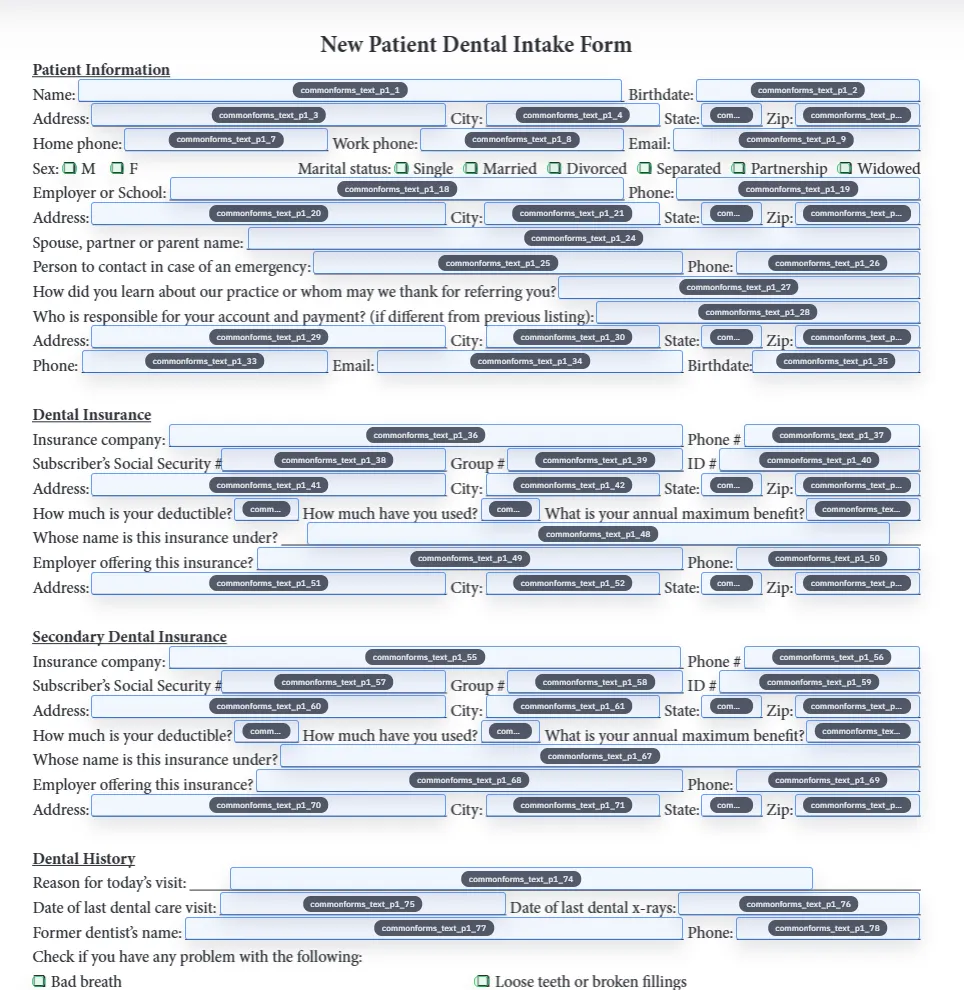
A DullyPDF PDF template preview showing image, QR Code, PDF417, and 1D barcode field regions.
Advanced helper fields are useful when a recurring PDF needs scannable or visual output, not only typed AcroForm values.
Detected fields overlaid on a source PDF inside DullyPDF before helper fields are added.
Start by cleaning the ordinary field set, then add image and barcode helpers where the final rendered output belongs.
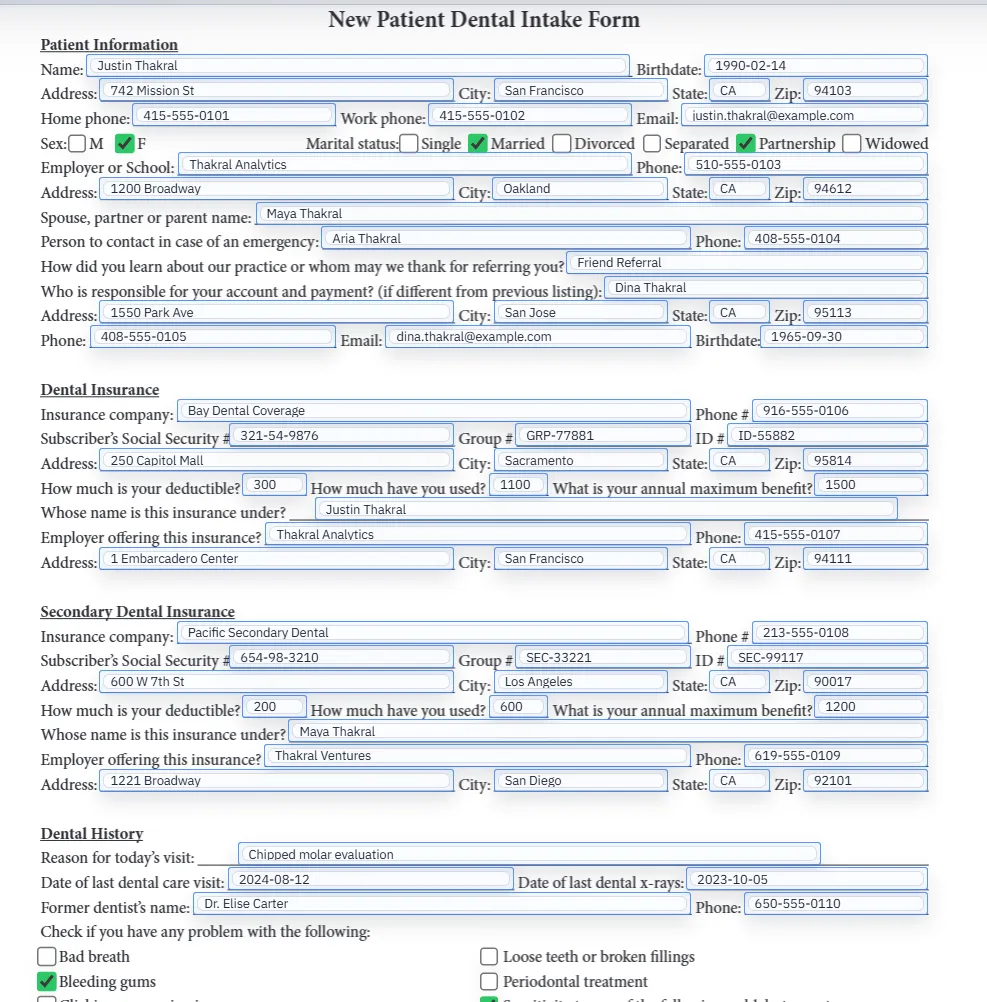
Filled PDF preview representing a final document generated from a saved template.
The value of these helpers appears after the template can render a repeatable final PDF from data, responses, or API input.

Why this page is different from a generic barcode generator

Most search results for QR codes or barcodes solve a narrow task: generate an image that you can download and paste somewhere. That is useful for one-off labels, but it does not solve a recurring PDF form workflow. A team still has to place the code on the right page, keep it aligned with the rest of the PDF, and regenerate it whenever the underlying record changes.

DullyPDF is strongest when the image or barcode belongs inside a reusable PDF template. The operator can detect and clean the ordinary fields first, add helper regions for image, QR Code, PDF417, or 1D barcode output, then connect those helpers to manual values or source fields. The goal is not just a barcode image. The goal is a repeatable PDF workflow where the scannable output stays tied to the same data that fills the document.

  • Best fit: recurring PDFs that need photos, logos, verification QR codes, dense PDF417 data, or internal barcode IDs placed in a stable layout.
  • Poor fit: retail barcode licensing, product packaging labels, or native Acrobat JavaScript barcode fields that must stay interactive inside Acrobat.

Image fields are for variable visual content, not static decoration

An image field is useful when a PDF needs visual content that changes by record: a profile photo, ID scan, company logo, receipt image, inspection photo, or supporting document thumbnail. That is different from putting a permanent logo in the PDF design. The field exists because the final value changes from one completed PDF to the next.

Adobe lists Image Field as a form component in Acrobat, which matches the search intent behind “add image field to PDF” and “PDF image upload field.”1 In DullyPDF, image fields are template helpers. The image is selected or supplied through the workflow and then rendered into the output where the template says it belongs.

QR code fields work best for URLs, lookup pages, and verification links

QR Code is the best choice when the PDF needs to connect a printed document to a digital destination. Common examples include verification pages, customer portals, payment pages, intake links, shipment status pages, audit receipts, or an internal record lookup URL. GS1 also describes QR Code as a 2D barcode commonly used to link users to web information through a mobile scan.2a

That makes QR useful on PDF forms because the code can carry a URL or compact text value while the rest of the PDF remains readable as a normal document. GS1 Digital Link is one standards-backed example of using a web-compatible URI inside a 2D barcode.4 In DullyPDF, QR helpers encode one configured value from manual text or a source field, so the same template can generate different QR codes for different records.

PDF417 is for dense structured data on the page

PDF417 is usually a better fit when the document needs more structured data in one scannable block. It appears in workflows such as IDs, transport documents, government forms, shipping records, event credentials, access badges, and other paper processes where a scanner needs more than a short URL or single numeric ID.

Adobe barcode field documentation specifically lists PDF417 as a selectable barcode symbology for Acrobat barcode fields.3a DullyPDF uses the same practical distinction in its own helper model: PDF417 helpers can combine multiple labeled classes into one scan text payload, so a single code can represent a compact set of record facts.

1D barcode fields are best for short identifiers

A 1D barcode is the familiar linear barcode made of vertical bars. GS1 describes UPC-A, EAN-13, GS1-128, UPC-E, and EAN-8 as linear or 1D barcode examples, with use cases ranging from retail point of sale to logistics and distribution.2b In PDF form workflows, the practical 1D use case is usually shorter: encode an internal ID, asset tag, member number, work order, or tracking reference.

DullyPDF currently generates Code 128 style output for the 1D barcode helper from a 9 digit value. That is intentionally narrow. It works well for internal IDs and controlled template workflows. It should not be presented as a replacement for GS1 licensing, product packaging standards, or point-of-sale barcode validation.

How DullyPDF stores and exports these helper fields

Image, PDF417, 1D barcode, and QR Code are DullyPDF-only helper fields, not universal native AcroForm field types. Standard text, checkbox, radio, and signature fields are the fields a normal PDF viewer understands directly. The helper fields are different because DullyPDF needs to generate visual output from template metadata before the final PDF is delivered.

That distinction is important for accuracy. Editable exports keep these helper regions tagged so DullyPDF can recognize and restore them when the file is reopened. Final downloads, Fill By Link generation, and API Fill materialization render the image, barcode, or QR output into PDF page content, which is the behavior users expect when they print, share, or archive the completed document.

A high-quality setup order for advanced fields

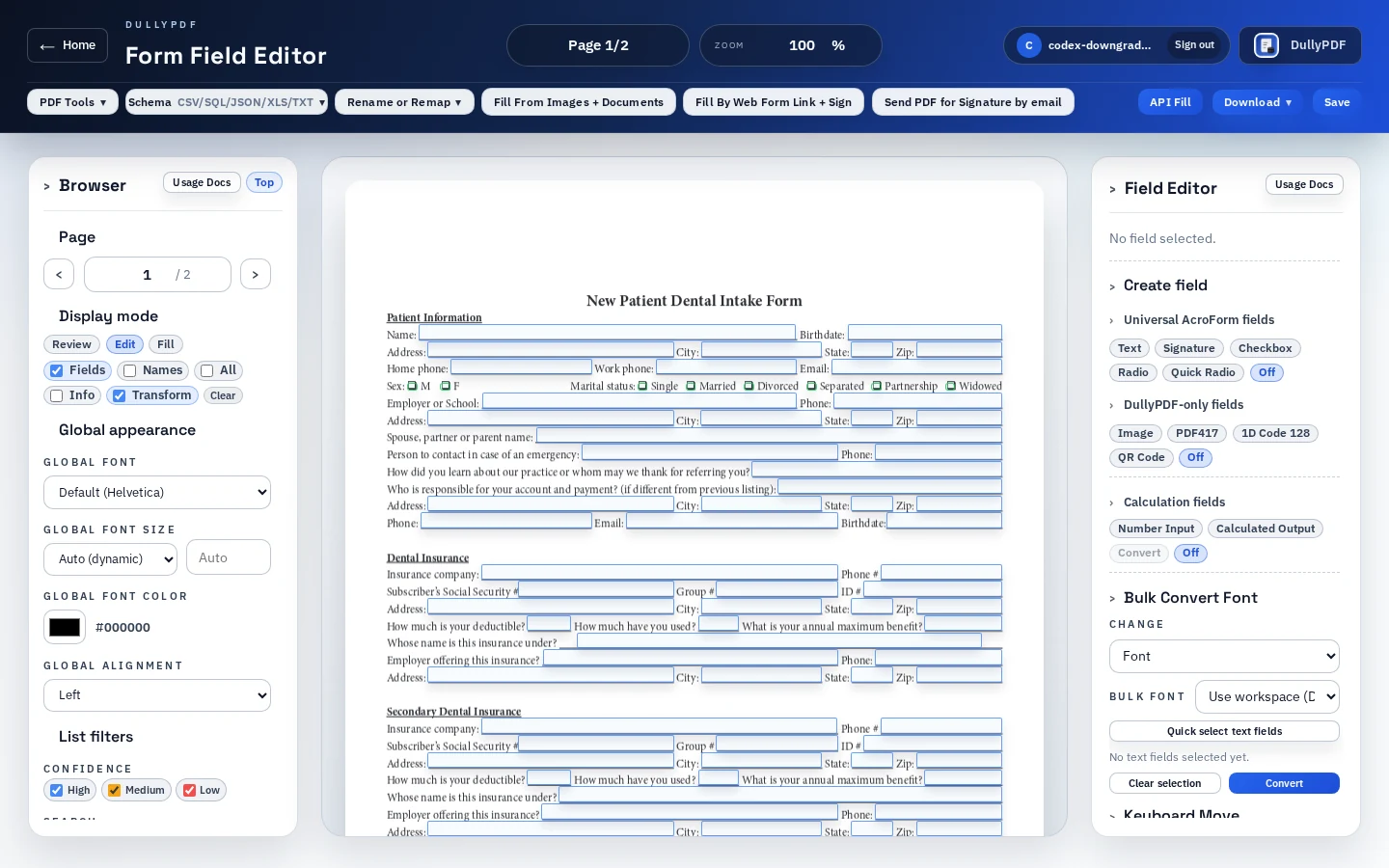
Do not start by drawing the barcode. Start by making the base template reliable. Detect ordinary fields, clean the geometry, normalize names, and confirm the text and checkbox values fill correctly. Then add image and barcode helpers where the final visual output belongs. That order keeps the template from becoming a pile of visual widgets on top of an untrusted field set.

After the helper is placed, configure the encoded content. For QR and 1D barcode helpers, choose the one value that should scan. For PDF417, define each labeled class in the order it should appear in the scan text. For image fields, test a realistic image aspect ratio so the output does not crop awkwardly or look stretched on the final document.

  • Clean the ordinary field set first.
  • Add helper field regions only where the final output belongs.
  • Connect helper values to stable source fields when possible.
  • Export one representative record and scan the result before publishing the template.

Scannable PDF output needs a real QA pass

A code that looks good on screen can still fail when printed, resized, compressed, or scanned under poor lighting. The safest QA loop is to generate a completed PDF, open it outside DullyPDF, print or zoom it at the expected size, and scan it with the same device or scanner the workflow will use in production.

That review should include negative cases too. Test a blank source value, a long QR value, a PDF417 payload with several classes, and a 1D barcode with an invalid ID length. The template is ready only when the operator can predict what happens when source data is missing or malformed.

When Acrobat or a specialist barcode tool is the better choice

There are cases where DullyPDF is not the right primary tool. If your requirement is a native Acrobat barcode field that recalculates from selected form fields using Acrobat JavaScript, Acrobat is the more direct match because Adobe exposes that workflow inside Barcode Field Properties.3b If your requirement is a standards-certified retail barcode, logistics label, or packaging workflow, use the right GS1 and label-generation process instead of treating a PDF helper as the source of truth.

For DullyPDF, the strong use case is operational PDF templates: forms that already exist, need a stable page layout, and benefit from visual helper outputs tied to record data. That is the intent this page should rank for.

Why teams use Image, QR, PDF417 & 1D Barcode Fields

  • Use one saved PDF template for ordinary text fields plus visual helper outputs such as photos, logos, QR links, PDF417 payloads, and 1D IDs.
  • Connect barcode and QR helper fields to manual values or source fields so scannable output follows the same data used by the rest of the PDF.
  • Keep the document layout fixed while DullyPDF renders images and codes into the final PDF page content.

Implementation signals for Image, QR, PDF417 & 1D Barcode Fields

  • DullyPDF supports image, PDF417, 1D barcode, and QR Code as template helper field types in the editor.
  • PDF417 fields can combine multiple labeled classes into one scan text payload; QR and 1D barcode helpers encode one configured value.
  • The current 1D barcode helper generates Code 128 from a 9 digit value, which fits internal IDs better than retail UPC/EAN labeling workflows.
  • Editable exports keep these helpers tagged for DullyPDF reopen; final exports and generated fills render the image or code into page content.

Need deeper technical details about image, qr, pdf417 & 1d barcode fields? Use the Rename + Mapping docs and Search & Fill docs to validate exact behavior.

Frequently asked questions about Image, QR, PDF417 & 1D Barcode Fields

Can I add an image field to a fillable PDF online?

Yes. DullyPDF supports image helper fields for variable visual content such as photos, IDs, receipts, or logos that should be rendered into the final PDF output.

Can DullyPDF add QR codes and barcodes to PDF forms?

Yes. DullyPDF supports QR Code, PDF417, and 1D barcode helper fields that can encode manual values or source-field values from the template.

Are these native PDF barcode form fields?

No. Image, PDF417, 1D barcode, and QR Code are DullyPDF template helpers. DullyPDF restores them when reopening tagged editable exports and renders the final image or code into PDF page content during generated output.

Should I use QR Code, PDF417, or a 1D barcode?

Use QR Code for URLs or compact text, PDF417 for denser structured payloads, and 1D barcode for short identifiers such as internal IDs, asset tags, or tracking references.

Can advanced field output be generated from CSV, Fill By Link, or API Fill data?

Yes. Once the saved template is configured, helper fields can use values connected to the same record data that drives Search & Fill, respondent-generated PDFs, or API-generated PDFs.

Legal footnotes and sources for Image, QR, PDF417 & 1D Barcode Fields

  1. 1.Adobe Acrobat | Create forms and supported form components
  2. 2.GS1 US | Barcode types, 1D barcodes, QR Code, UPC, EAN, and GS1-128
  3. 3.Adobe Acrobat | Add and test barcode fields, including PDF417 and QR Code symbologies

Related setup docs

Use these DullyPDF docs when you are moving from search intent into the actual editor sequence. The page above explains field-type strategy; the docs explain the operator steps around field cleanup, mapping, generated output, and publishing.

Docs for Image, QR, PDF417 & 1D Barcode Fields

Use these docs pages to verify the exact DullyPDF behavior behind image, qr, pdf417 & 1d barcode fields before you ship it as a repeat workflow.

Related routes for Image, QR, PDF417 & 1D Barcode Fields

These adjacent workflow pages cover nearby search intents teams compare while evaluating image, qr, pdf417 & 1d barcode fields.