
How to Turn a Homework PDF Into a Fillable Student Worksheet
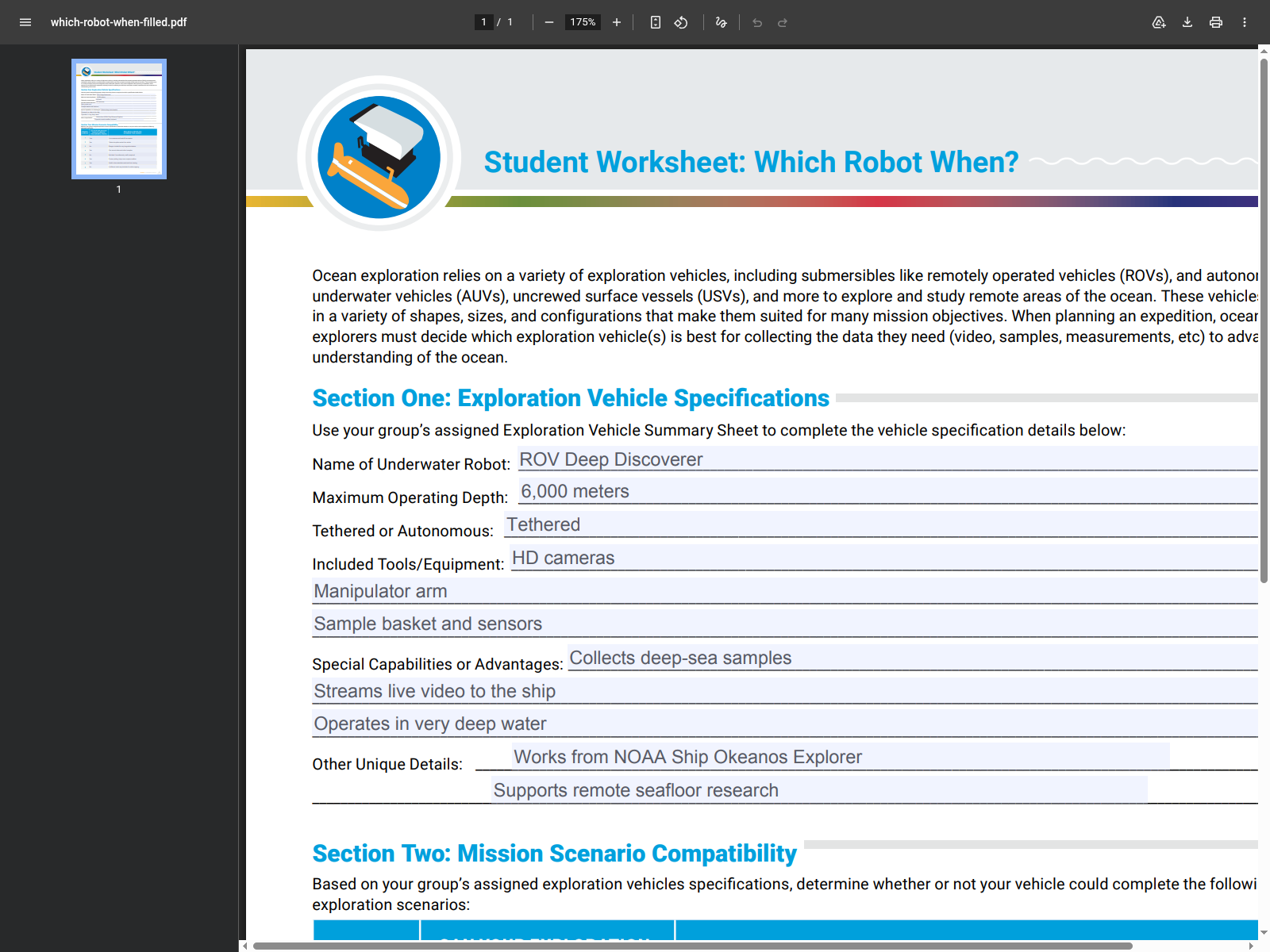
The useful homework demo is a three-step one: the raw worksheet, the same page after DullyPDF field detection, and the same page again after mock answers are typed into the resulting fillable PDF in a normal browser viewer at 175 percent zoom.
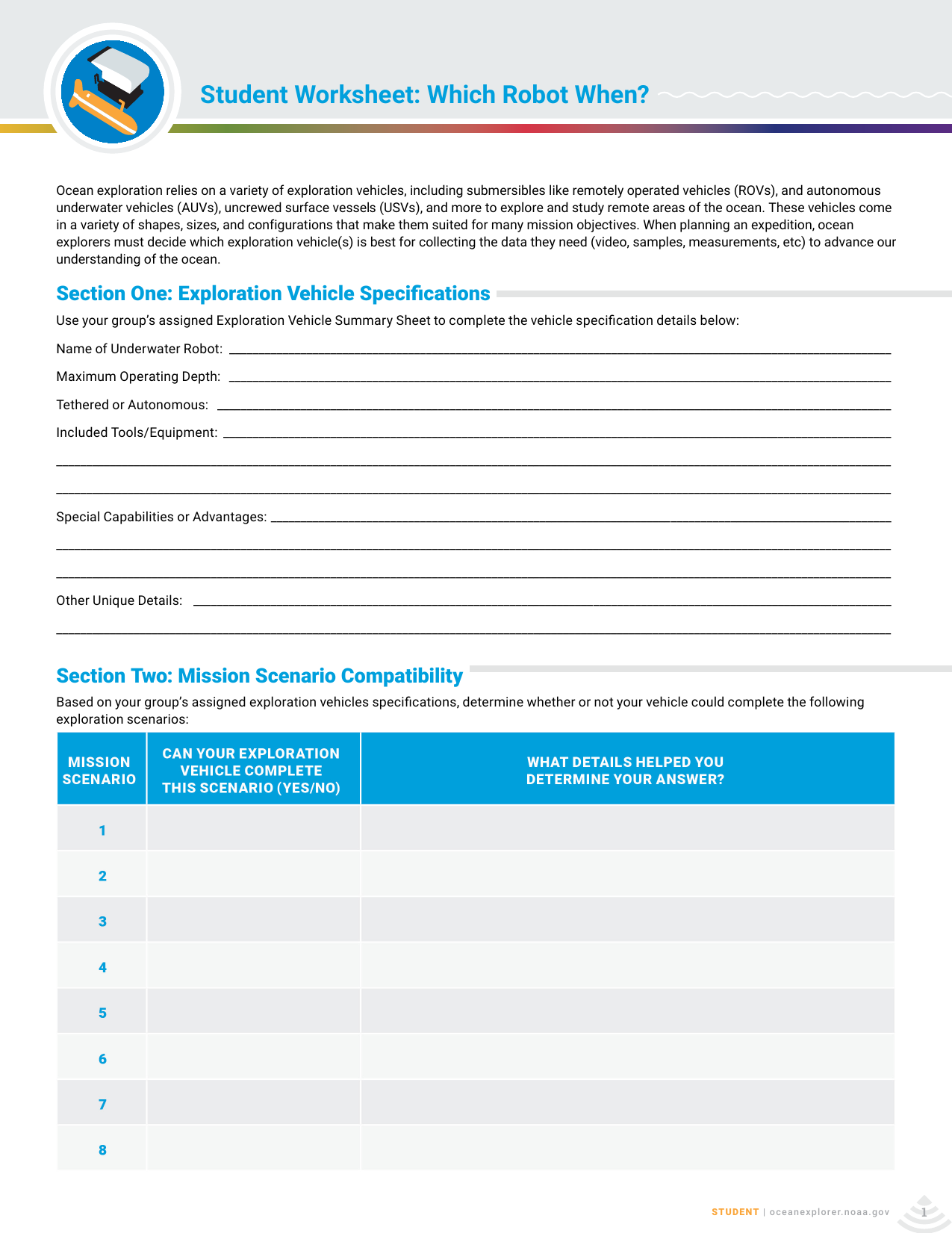
The clearest proof is a three-step view of the exact same worksheet
A lot of classroom PDFs still behave like paper handouts. They have printed answer lines, blank table cells, and just enough structure to look obvious to a human while still being useless to a keyboard. The most convincing way to explain the DullyPDF value is to hold the worksheet still and show three moments in sequence: the raw source, the detected field layer, and the answered worksheet after those fields are actually used.
That is why this post now leads with a strict before-and-after progression instead of only one proof image. The first image shows the flat worksheet exactly as a teacher or school staff member would find it online. The second shows DullyPDF turning those lines into fields. The third shows the resulting fillable PDF opened in a regular browser viewer at 175 percent zoom so the reader can see that the answers live inside the document instead of floating between printed guides.
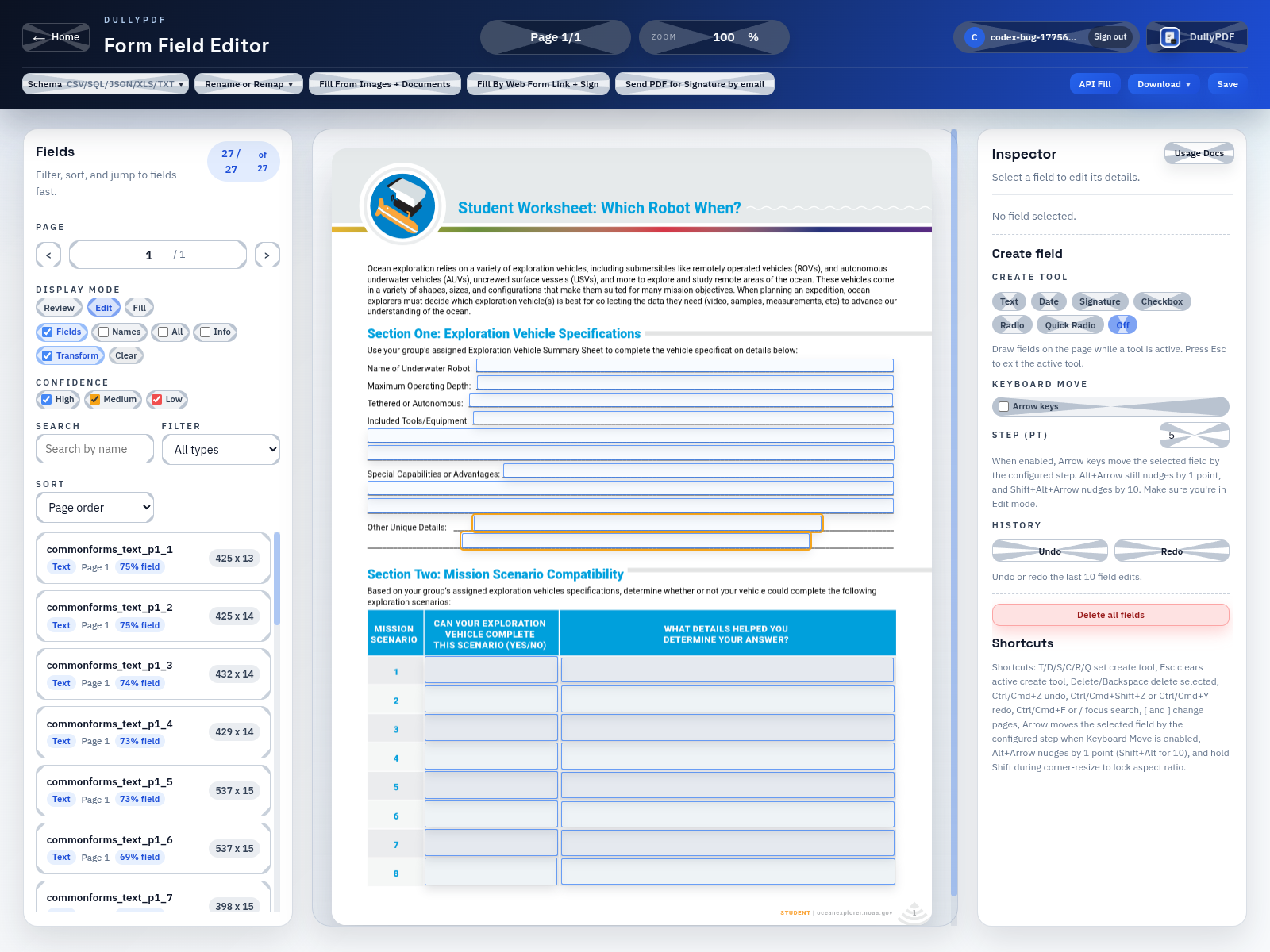
The middle step is what makes the conversion believable
The second image does the heavy lifting because it explains where the writable worksheet came from. DullyPDF is not replacing the worksheet with a new layout or a detached web form. It is reading the existing page, finding the answer regions, and placing a field layer on top of those regions so the original lesson sheet keeps its structure while the digital behavior changes.
For this example, the worksheet was uploaded through the live DullyPDF workspace and processed through the normal CommonForms detection path. The overlay screenshot is from that actual run. That matters because a reader can see the detected rectangles on the real answer lines before any mock values are entered, which makes the third screenshot feel like a direct continuation instead of a separate marketing mockup.
Once the fields exist, students type inside the worksheet instead of around it
The change sounds small, but it fixes the exact failure mode that makes digital homework feel sloppy. Instead of trying to line up text boxes with underlines, the student clicks into a field and types where the worksheet already expects the answer to live. The table rows behave like cells, the long prompts behave like text inputs, and the page stays readable when the assignment is submitted back to the teacher.
DullyPDF is not required for that typing step. Its job is to detect and create the field layer in the original worksheet PDF. After that, the student can open the fillable PDF in many normal browser PDF viewers or in Adobe Acrobat or Reader and type into the fields there. DullyPDF solves the conversion problem first so the finished file behaves correctly later in the tools people already use.
Teachers keep the worksheet they already use instead of rebuilding the assignment
That practical detail matters for schools because the worksheet itself is usually already approved by the teacher, aligned to the lesson, and familiar to the students. The fastest win is not rebuilding the assignment somewhere else. It is preserving the same PDF and making it usable on a laptop, which lets one worksheet serve print use, digital homework, and later template reuse without splitting the class across different formats.
It also gives staff a cleaner maintenance path. If the teacher revises a prompt later, the team can reopen the worksheet, review the fields that changed, and keep using the same digital pattern. That is a better classroom workflow than reauthoring each assignment from scratch or asking students to keep improvising around a document that was never made to accept typed answers in the first place.