Industry workflow page

Nonprofit and Human Services PDF Form Automation

Automate grant, volunteer, intake, and funding-compliance PDFs with reusable templates mapped to your structured nonprofit program data.

Workflow examples for Nonprofit PDF Form Automation

Volunteer application form representing nonprofit intake information collected once and reused later.
Nonprofit teams often save time when volunteer or client information is collected once and then reused across recurring packet documents.
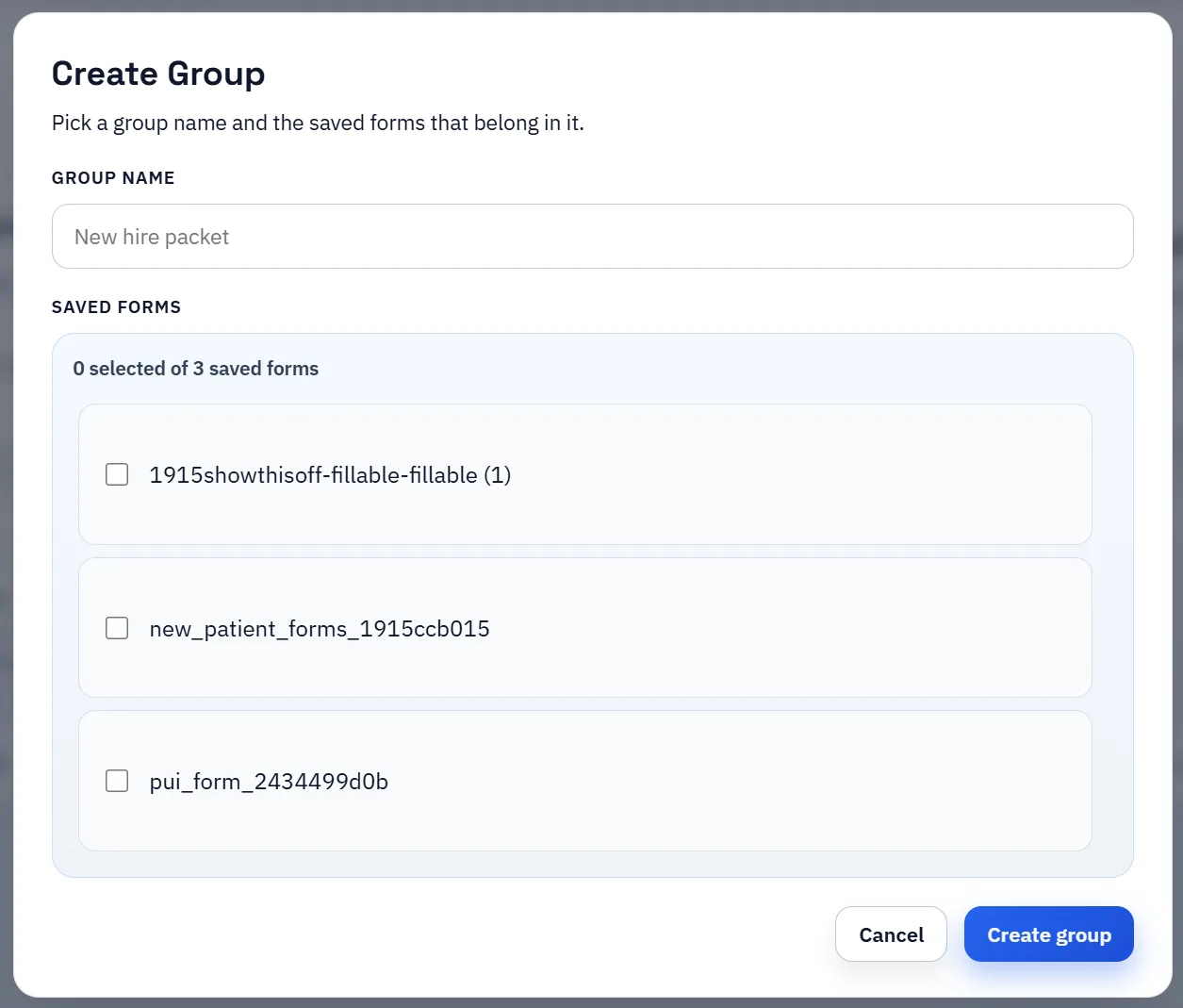
Saved-form group manager showing how several recurring templates can be organized together.
A smaller reusable packet library is usually more valuable to lean nonprofit teams than a larger set of templates nobody feels confident maintaining.

Featured nonprofit filing PDFs from the DullyPDF catalog

These are real exempt-organization returns and schedules from the IRS subset in the DullyPDF catalog. Open a blank filing packet in the editor, map your reporting fields, and then drive repeat output from structured finance data or intake responses.

10 specific forms to automate on this route

How to open these PDFs in DullyPDF and automate them

Open a blank nonprofit filing PDFs PDF in DullyPDF

Use any "Open in DullyPDF" button below to move from the public form page into the workspace with the blank official PDF already selected.

Open 990 in DullyPDF

Map fields once for CSV, XLSX, JSON, or schema-only SQL imports

Rename weak field labels, align them to schema headers, and use SQL only when you need the schema without row data yet.

Rename + Mapping docs

Run Search & Fill from structured records

Load CSV, XLSX, or JSON rows, search for the right record, and fill the saved template without retyping the PDF.

Search & Fill docs

Publish API Fill for server-side JSON-to-PDF workflows

When another system should call the template directly, publish a template-scoped API Fill endpoint and send JSON instead of using the browser workflow.

API Fill docs

Collect answers through native DullyPDF web forms

Use Fill By Link when the row data does not exist yet and a respondent should submit web-form answers before the PDF is generated.

Fill By Link docs

Freeze the completed packet and route it into signature

Once the final filled record is correct, move it into the signature workflow so the immutable PDF, signer ceremony, and audit artifacts all stay attached to one retained document.

Signature workflow docs

Why nonprofit teams benefit from template reuse quickly

Nonprofit and human-services teams often work under tighter staffing and budget constraints than the number of recurring forms would suggest. Grant paperwork, volunteer onboarding, client intake packets, and compliance documents all compete for the same staff time, which makes repetitive PDF entry especially expensive.

That is why template reuse can create visible gains quickly in nonprofit operations. Even modest reductions in retyping and form cleanup free up time for the actual program work.

How mapped templates fit grants, volunteer, and intake workflows

A mapped template gives the team a repeatable way to connect shared program, client, or volunteer data to the PDF layouts they keep using. That is helpful for internal program intake, volunteer processes, and recurring grant-related documents where many fields repeat across submissions.

Once the template is established, staff can fill the document from structured records instead of rebuilding the same information by hand every time.

How smaller teams should phase rollout

The best rollout for a smaller team is to start with the form that recurs most often or causes the most avoidable rework. Build one dependable template, validate it with real records, and only then expand to adjacent forms. That keeps the effort proportional and avoids overwhelming the team with too many half-finished templates.

Over time, a small but trusted library usually performs better than a larger library that nobody feels confident using.

Volunteer and client intake usually work best when the data is collected once and reused everywhere

Many nonprofit teams are juggling the same names, addresses, program details, and acknowledgments across several documents. That is why intake discipline matters as much as the template itself. If the organization can collect the data once, review it, and then reuse it across volunteer packets, grant forms, or human-services intake PDFs, the workflow becomes much easier to scale without adding staff burden.

That reuse is especially important for teams operating under grant and staffing constraints. The real win is not only faster form completion. It is reducing how many times someone has to touch the same information before the program work can actually move forward.

Why teams use Nonprofit PDF Form Automation

  • Support grant packets, volunteer onboarding, and program intake forms.
  • Reduce repetitive manual entry in resource-constrained operations teams.
  • Map recurring fields to shared data columns for repeat submissions.

Implementation signals for Nonprofit PDF Form Automation

  • Saved templates keep frequent submission workflows consistent.
  • Search & Fill supports quick record lookup before form output.
  • Docs provide practical troubleshooting for mapping and fill issues.

Need deeper technical details about nonprofit pdf form automation? Use the Rename + Mapping docs and Search & Fill docs to validate exact behavior.

Frequently asked questions about Nonprofit PDF Form Automation

Can DullyPDF automate grant and volunteer PDF workflows?

Yes. Nonprofit teams can map recurring forms and populate them from structured records.

Is this useful for human services intake packets?

Yes. Intake-style packet templates can be standardized and reused across programs.

Can smaller teams benefit from template reuse?

Yes. Template reuse reduces repetitive manual entry and improves consistency.

Docs for Nonprofit PDF Form Automation

Use these docs pages to verify the exact DullyPDF behavior behind nonprofit pdf form automation before you ship it as a repeat workflow.

Related routes for Nonprofit PDF Form Automation

These adjacent routes cover neighboring document workflows and team use cases that usually get evaluated alongside nonprofit pdf form automation.