Commercial workflow page

OpenAI PDF Data Boundaries in DullyPDF Workflows

Understand which DullyPDF actions can send PDF or schema context to OpenAI, which values stay out of rename/map requests, and how to choose the right workflow.

Workflow examples for OpenAI Data Boundaries

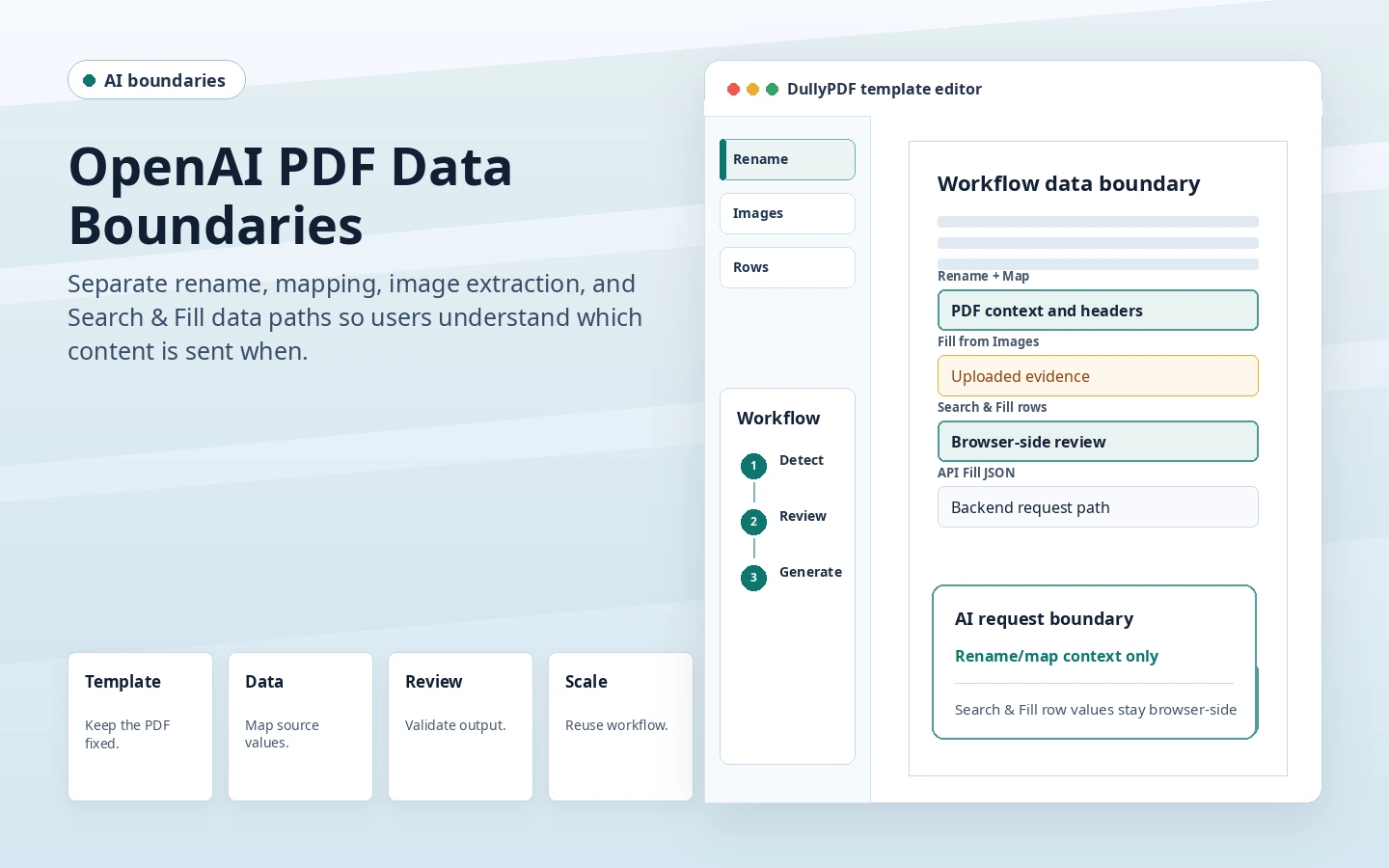
DullyPDF OpenAI data boundary preview showing which PDF workflow context is sent for rename, images, rows, and API fill.
Rename and mapping use PDF and schema context, while Search & Fill row values stay out of those OpenAI requests.
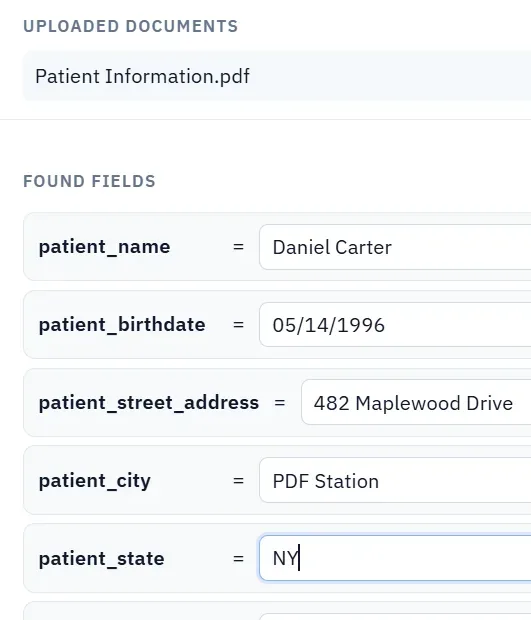
DullyPDF Fill from Images workflow where uploaded source documents are intentionally used as AI input.
Fill from Images has a different data path because the uploaded source image or document is what the model needs to read.

Different DullyPDF workflows have different data paths

A privacy page is useful only if it is specific. DullyPDF has several workflows, and they do not all send the same data to the same place. AI rename, schema mapping, Fill from Images, Search & Fill, Fill By Link, and API Fill each have different boundaries.

That means the right question is not simply whether DullyPDF uses AI. The better question is which action you are running and what that action needs to complete its job.

Rename and map use PDF and schema context

Rename and mapping can send PDF page imagery, field overlay tags, field names, nearby label context, and schema headers so the model can suggest names or align fields to columns. Those actions are optional and warn users before the AI request.

Selected Search & Fill row values and current field input values are not included in rename/map requests. That is an important distinction for teams that want AI help during setup without sending the actual record row used later for filling.

Fill from Images intentionally sends source documents

Fill from Images and Documents is different because the uploaded source image or document is the evidence the model must read. The feature cannot extract values from an ID photo, invoice, or scan without using that source as AI input.

Teams should choose this workflow only when the source is visual or scanned and the benefit is worth the data path. If the same information already exists in CSV, Excel, JSON, or a system record, use Search & Fill or API Fill instead.

Search & Fill and API Fill have different boundaries

Search & Fill keeps selected row data in the browser while the operator reviews the active workspace. API Fill is intentionally a hosted backend workflow: callers send JSON record data to the template endpoint, and the backend materializes the PDF under server-side limits and activity tracking.

Those are both valid workflows, but they answer different operational needs. Browser review is useful for operator-controlled filling. API Fill is useful when another system must generate PDFs programmatically.

Validate the openai data boundaries workflow with one real record

A useful openai data boundaries test starts with one document your team already recognizes, not a perfect demo PDF. Open the existing file, review detection, rename ambiguous fields, confirm checkbox and radio behavior, and save the template only after the field list matches the way the document is used in practice.

Then fill one representative record end to end. Include long names, blank optional values, dates, yes/no choices, and any calculated or scannable fields the page depends on. That single controlled run exposes most template issues before they become repeated output problems.

Choose data and output paths for openai data boundaries

Search & Fill is the right first path when an operator should pick a record and inspect the result before export. It works with row data from CSV, XLSX, JSON, or stored respondent records. SQL and TXT files should be treated as schema-only mapping inputs; database-backed production workflows should query the database elsewhere and send JSON through API Fill.

Output mode matters too. Editable PDFs are useful when someone will continue working in live fields. Flat PDFs are safer when the completed record goes to customers, employees, agencies, signers, or archive systems because the visible values are baked into the page instead of depending on the recipient PDF viewer.

Production checklist for openai data boundaries

The openai data boundaries workflow is ready to reuse when a teammate can clear the document, rerun the same source record, and produce the same visible PDF without remembering hidden cleanup steps. If the result depends on one person knowing which field to fix manually, the template still needs review before it belongs in a repeat workflow.

  • The saved template uses stable field names and reviewed field types.
  • Source headers or API keys match the template schema without ambiguous duplicates.
  • Checkbox, radio, calculated, image, barcode, and signature fields have been tested if the workflow uses them.
  • At least one flat output and one editable output have been opened in the PDF viewers recipients are likely to use.

Why teams use OpenAI Data Boundaries

  • Separate optional AI setup actions from local row selection and review workflows.
  • Know that Rename and Map can send PDF/schema context, but not selected Search & Fill row values.
  • Treat Fill from Images differently because uploaded source images or documents are the AI input for that feature.

Implementation signals for OpenAI Data Boundaries

  • Rename and mapping dialogs warn before sending PDF/schema content to OpenAI.
  • Row data and field input values are not included in OpenAI rename/map requests.
  • Search & Fill selected row data stays in the browser, while API Fill sends JSON record data to the backend by design.

Need deeper technical details about openai data boundaries? Use the Rename + Mapping docs and Search & Fill docs to validate exact behavior.

Frequently asked questions about OpenAI Data Boundaries

Does DullyPDF send Search & Fill row values to OpenAI for rename or mapping?

No. Rename and mapping do not include selected row values or current field input values.

What can AI rename and mapping send?

They can send PDF page context, field overlay metadata, field names, label context, and schema headers so the model can suggest names and mappings.

Does Fill from Images send uploaded images to AI?

Yes. That feature uses the uploaded source image or document as the input needed to extract values.

Is API Fill browser-local?

No. API Fill is a backend endpoint workflow where JSON record data is sent to the server to materialize PDFs.

Docs for OpenAI Data Boundaries

Use these docs pages to verify the exact DullyPDF behavior behind openai data boundaries before you ship it as a repeat workflow.

Related routes for OpenAI Data Boundaries

These adjacent workflow pages cover nearby search intents teams compare while evaluating openai data boundaries.