Commercial workflow page

Fill PDF Forms From Images and Scanned Documents

Upload photos, IDs, invoices, or scanned documents and use AI vision to extract matching values into a reviewed PDF template.

Workflow examples for Fill PDF From Image

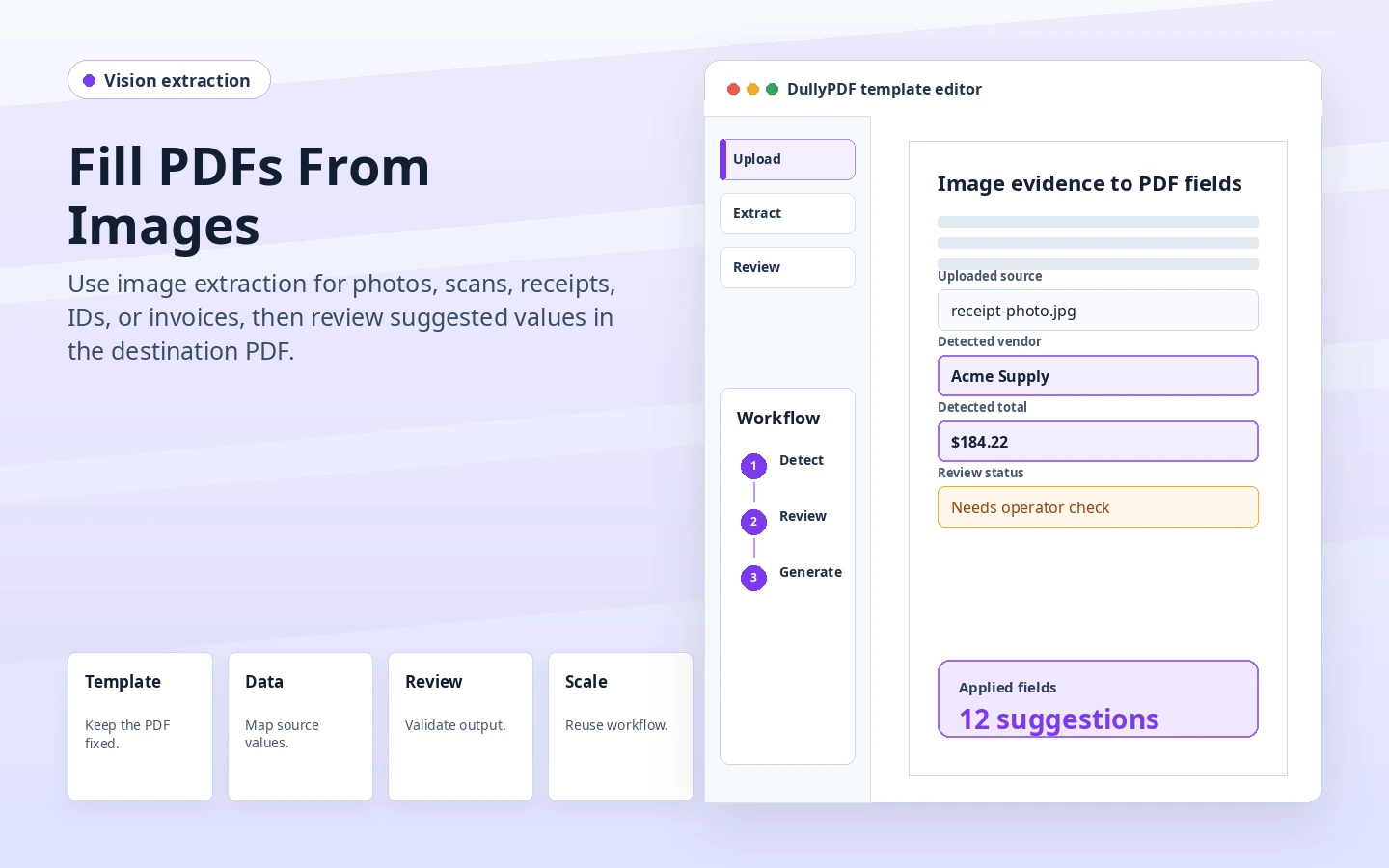
DullyPDF Fill from Images preview showing uploaded source evidence converted into reviewed PDF field suggestions.
Image-based fill is strongest when the source evidence is a photo, scan, invoice, ID, or supporting document rather than clean row data.
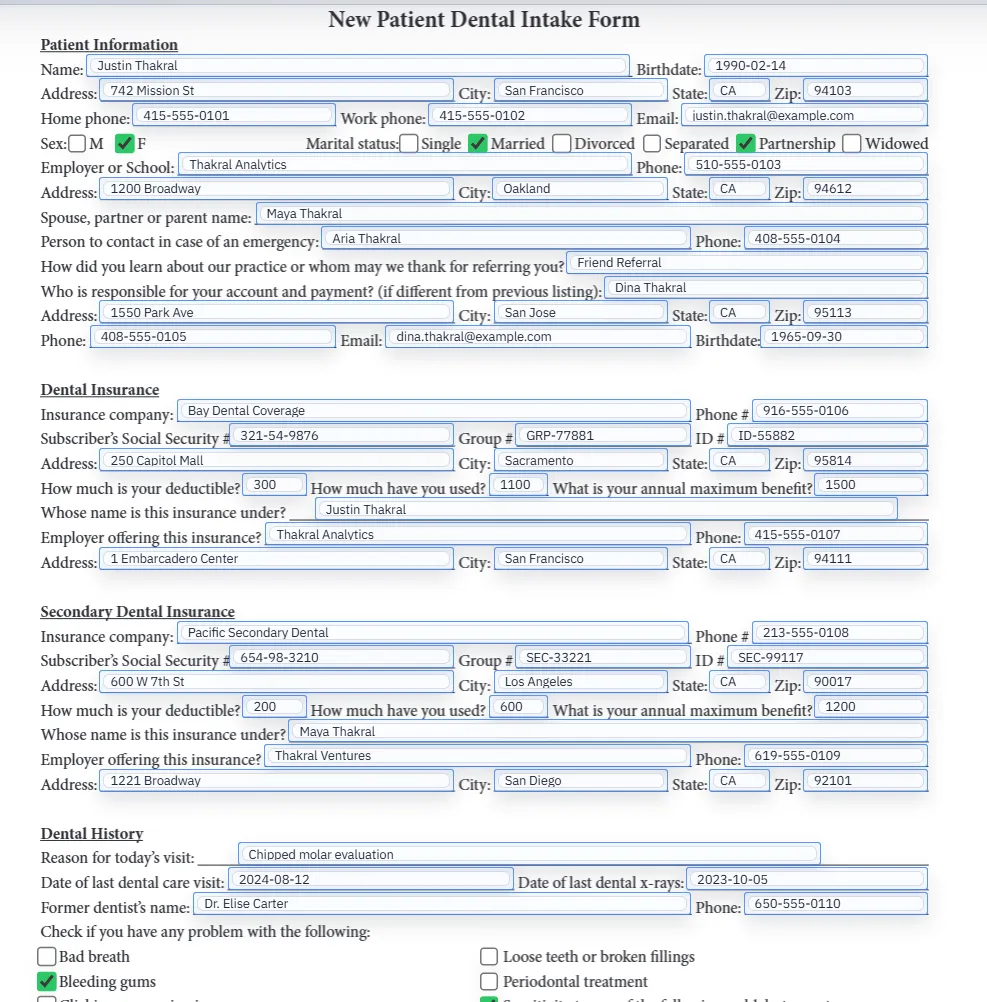
Filled PDF preview after extracted values have been applied to a reviewed template.
The extracted values still need operator review inside the final PDF output before download, save, signature, or archive.

When image-based filling is the right workflow

Some PDF workflows do not start with CSV rows. A staff member may have a photo of an ID, a scanned invoice, a receipt, an insurance card, a pay stub, or a supporting document that contains the values needed for the template. Manually reading that source and typing each field is slow and error-prone.

Fill from Images and Documents is for that gap. The template provides the target field schema, the uploaded image provides source evidence, and the operator reviews the extracted values before the PDF becomes a final output.

This is extraction into a template, not generic OCR

Generic OCR turns a page into text. DullyPDF has a narrower job: match information from the source image to the fields in the active PDF template. That makes clean field names and nearby label context important because they tell the AI what the final document needs.

The best results usually come after the template has already been detected, renamed, and reviewed. A messy template gives the extraction step weaker targets.

Source image quality controls output quality

Image-based filling is sensitive to blur, glare, partial cropping, low contrast, and screenshots that compress the text. Teams should test realistic images, not only perfect examples, before they rely on the workflow.

A good review pass checks both the extracted value and the source. If the document is unreadable to a human, the operator should not treat the AI output as authoritative just because a value appeared in a field.

Use structured sources when you already have them

If the same data already exists as CSV, Excel, JSON, or a system record, use Search & Fill or API Fill instead. Image extraction is strongest when the source truly is visual or scanned.

That boundary keeps the workflow practical. Use the cleanest source available, then choose the DullyPDF fill path that preserves review and output quality.

Validate the fill pdf from image workflow with one real record

A useful fill pdf from image test starts with one document your team already recognizes, not a perfect demo PDF. Open the existing file, review detection, rename ambiguous fields, confirm checkbox and radio behavior, and save the template only after the field list matches the way the document is used in practice.

Then fill one representative record end to end. Include long names, blank optional values, dates, yes/no choices, and any calculated or scannable fields the page depends on. That single controlled run exposes most template issues before they become repeated output problems.

Choose data and output paths for fill pdf from image

Search & Fill is the right first path when an operator should pick a record and inspect the result before export. It works with row data from CSV, XLSX, JSON, or stored respondent records. SQL and TXT files should be treated as schema-only mapping inputs; database-backed production workflows should query the database elsewhere and send JSON through API Fill.

Output mode matters too. Editable PDFs are useful when someone will continue working in live fields. Flat PDFs are safer when the completed record goes to customers, employees, agencies, signers, or archive systems because the visible values are baked into the page instead of depending on the recipient PDF viewer.

Production checklist for fill pdf from image

The fill pdf from image workflow is ready to reuse when a teammate can clear the document, rerun the same source record, and produce the same visible PDF without remembering hidden cleanup steps. If the result depends on one person knowing which field to fix manually, the template still needs review before it belongs in a repeat workflow.

  • The saved template uses stable field names and reviewed field types.
  • Source headers or API keys match the template schema without ambiguous duplicates.
  • Checkbox, radio, calculated, image, barcode, and signature fields have been tested if the workflow uses them.
  • At least one flat output and one editable output have been opened in the PDF viewers recipients are likely to use.

Why teams use Fill PDF From Image

  • Use unstructured source images when the data does not start in a clean spreadsheet.
  • Extract values into the active template field schema for operator review.
  • Pay attention to confidence and source quality before downloading or saving final output.

Implementation signals for Fill PDF From Image

  • Fill from Images and Documents accepts browser-supported image formats and PDF documents.
  • Each image costs 1 credit; PDF documents cost 1 credit per 5 pages.
  • The AI receives uploaded images/documents plus template field schema and label context, not row data from Search & Fill.

Need deeper technical details about fill pdf from image? Use the Rename + Mapping docs and Search & Fill docs to validate exact behavior.

Frequently asked questions about Fill PDF From Image

Can DullyPDF fill a PDF from a photo or scan?

Yes. Fill from Images and Documents can extract values from uploaded images or documents into the active template field schema.

Is this the same as OCR?

No. OCR extracts text. DullyPDF uses the template field schema and label context to place extracted values into matching PDF fields.

What should I review after image extraction?

Review every extracted value, confidence, source readability, and final PDF output before saving or sending the document.

Docs for Fill PDF From Image

Use these docs pages to verify the exact DullyPDF behavior behind fill pdf from image before you ship it as a repeat workflow.

Related routes for Fill PDF From Image

These adjacent workflow pages cover nearby search intents teams compare while evaluating fill pdf from image.