Commercial workflow page

AI PDF Field Renaming and Schema Mapping

Use AI to turn messy PDF field labels into clean template names, align fields to schema headers, and review confidence before filling records.

Workflow examples for AI Field Renaming

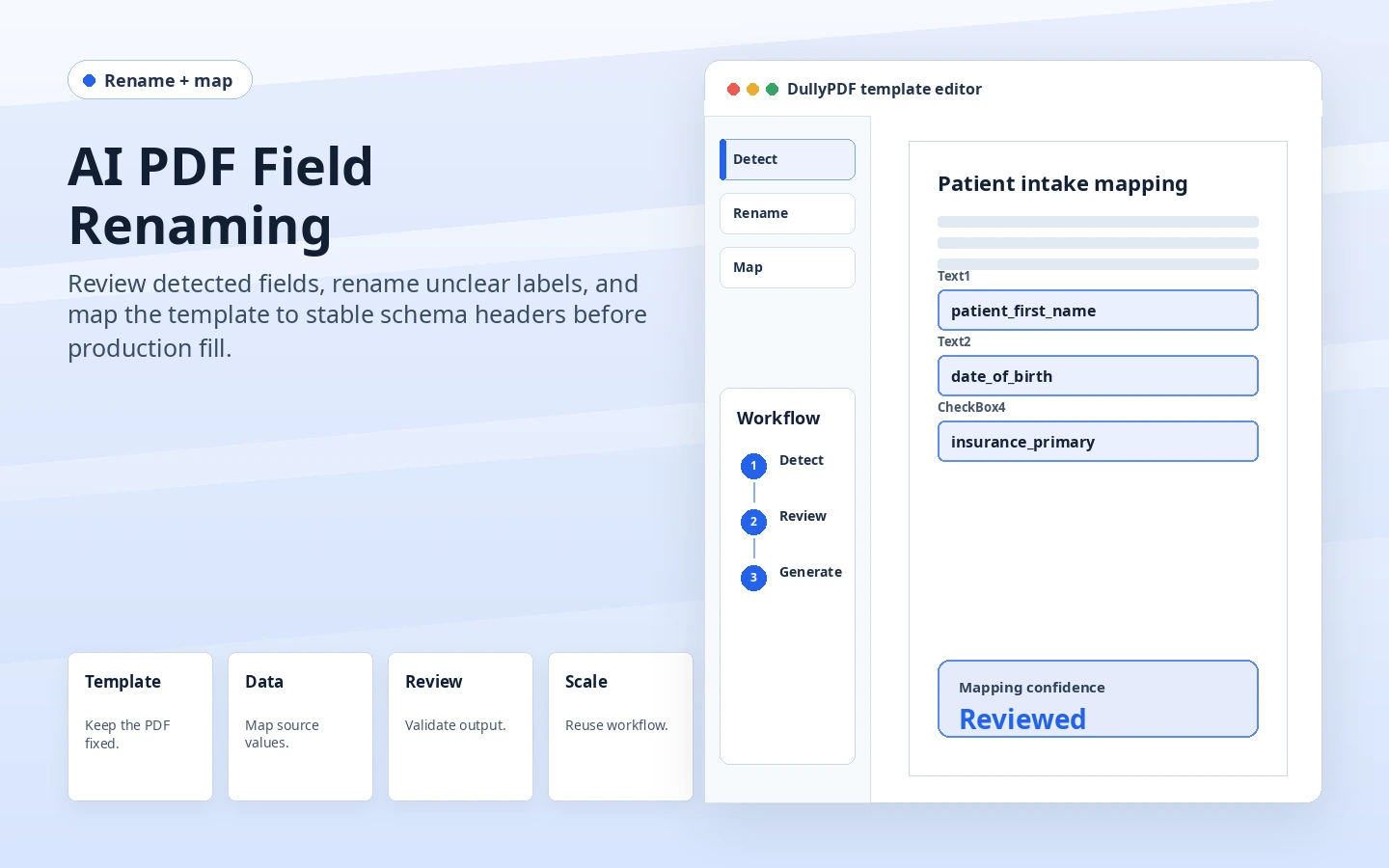
DullyPDF AI field renaming preview showing unclear PDF widget labels converted into stable field names.
AI rename is most useful after field geometry is reviewed and before the template depends on stable names.
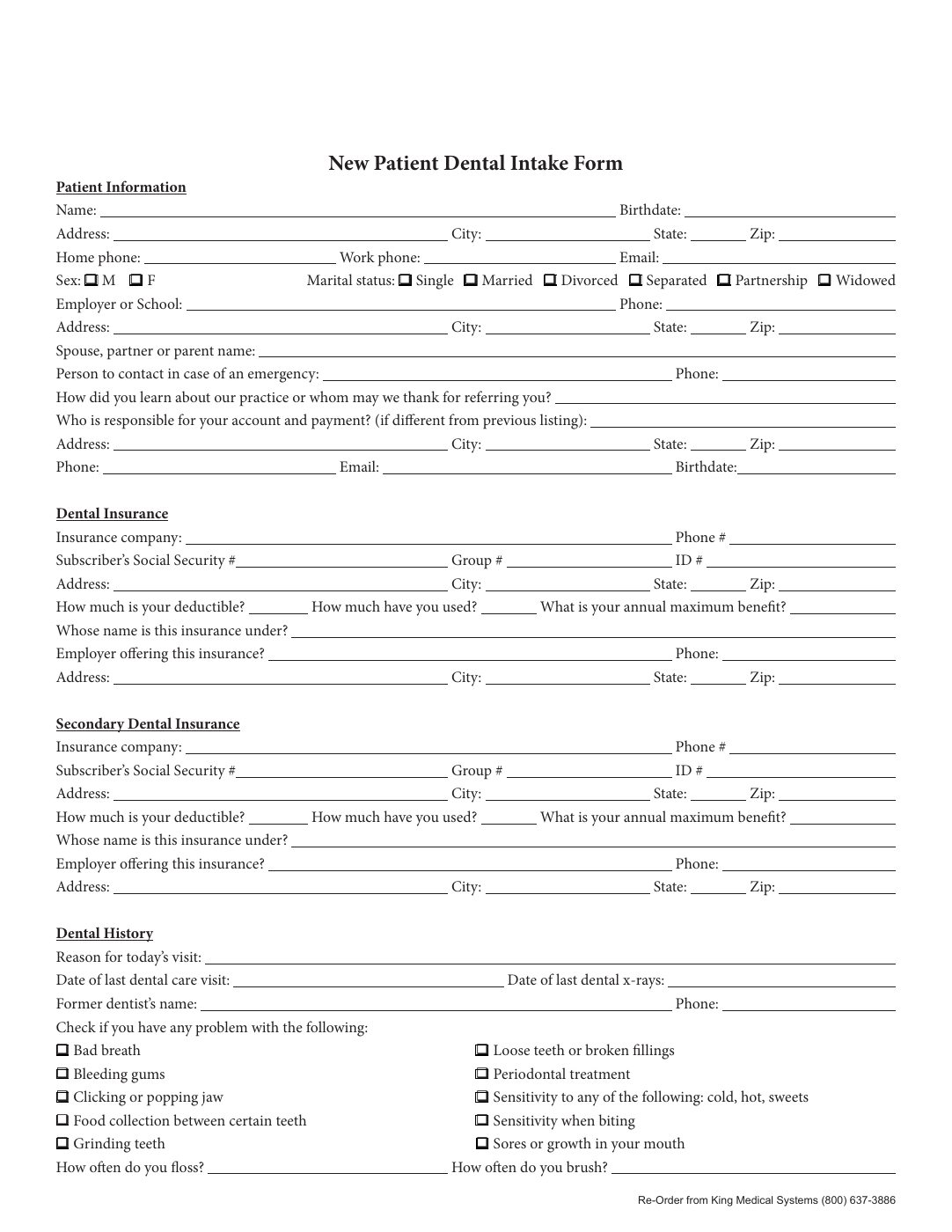
DullyPDF mapping workflow aligning renamed PDF fields to schema headers.
Mapping connects the reviewed template to the data headers that will drive Search & Fill, API Fill, and respondent records.

Why field names matter more than they look

A PDF can look fillable while still being operationally fragile. Generic widget names, duplicate labels, and old authoring-tool identifiers make it difficult to know which record value should fill each field. That problem gets worse in packets because the same label can appear across several documents with slightly different meaning.

AI field renaming is useful because it gives the operator a cleaner first draft of the template model. The goal is not blind automation. The goal is to move from unreadable field names into a reviewable set of names that can be mapped, tested, and saved.

Rename first, map second when the PDF is messy

Mapping works best when the current field names already resemble the schema headers. Many PDFs do not start that way. Running rename first can turn weak labels into names such as applicant_first_name, policy_number, vendor_tax_id, or signer_email, which gives the mapping pass a stronger target.

DullyPDF also supports a combined Rename + Map action when the template is ready for both passes. That is useful after field geometry and types have been reviewed, but before Search & Fill, Fill By Link, group filling, or API publication depends on the template.

Checkbox and radio fields need structured review

Text fields are usually direct mappings. Checkbox and radio groups need more care because the source value might behave like a boolean, an enum, a presence signal, or a list. If those rules are wrong, a filled PDF can look almost right while one selected option is wrong.

DullyPDF keeps group keys, option keys, mapping confidence, and radio-group suggestions visible for review. That is why this workflow belongs between detection cleanup and production fill, not after documents have already been sent out.

What AI mapping should not decide by itself

AI can accelerate naming and alignment, but it should not replace the operator review pass. Teams still need to validate field geometry, source headers, checkbox semantics, required fields, and one representative output before trusting a reusable template.

This is especially important for official, financial, healthcare, legal, HR, or signature-bound PDFs. The mapping layer helps with document mechanics. It does not decide business rules, eligibility, filing requirements, or legal meaning.

Validate the ai field renaming workflow with one real record

A useful ai field renaming test starts with one document your team already recognizes, not a perfect demo PDF. Open the existing file, review detection, rename ambiguous fields, confirm checkbox and radio behavior, and save the template only after the field list matches the way the document is used in practice.

Then fill one representative record end to end. Include long names, blank optional values, dates, yes/no choices, and any calculated or scannable fields the page depends on. That single controlled run exposes most template issues before they become repeated output problems.

Choose data and output paths for ai field renaming

Search & Fill is the right first path when an operator should pick a record and inspect the result before export. It works with row data from CSV, XLSX, JSON, or stored respondent records. SQL and TXT files should be treated as schema-only mapping inputs; database-backed production workflows should query the database elsewhere and send JSON through API Fill.

Output mode matters too. Editable PDFs are useful when someone will continue working in live fields. Flat PDFs are safer when the completed record goes to customers, employees, agencies, signers, or archive systems because the visible values are baked into the page instead of depending on the recipient PDF viewer.

Production checklist for ai field renaming

The ai field renaming workflow is ready to reuse when a teammate can clear the document, rerun the same source record, and produce the same visible PDF without remembering hidden cleanup steps. If the result depends on one person knowing which field to fix manually, the template still needs review before it belongs in a repeat workflow.

  • The saved template uses stable field names and reviewed field types.
  • Source headers or API keys match the template schema without ambiguous duplicates.
  • Checkbox, radio, calculated, image, barcode, and signature fields have been tested if the workflow uses them.
  • At least one flat output and one editable output have been opened in the PDF viewers recipients are likely to use.

Why teams use AI Field Renaming

  • Convert vague or duplicated PDF widget names into reviewable template names.
  • Map fields to schema headers so Search & Fill, API Fill, and stored responses target the right places.
  • Review confidence and checkbox/radio behavior before a template becomes reusable.

Implementation signals for AI Field Renaming

  • DullyPDF supports Rename, Map Schema, Rename + Map, and Rename + Map Group actions.
  • Schema sources include CSV, XLSX, JSON, SQL, and TXT headers for mapping workflows.
  • OpenAI actions warn before sending PDF/schema context, and row values are not included in rename/map payloads.

Need deeper technical details about ai field renaming? Use the Rename + Mapping docs and Search & Fill docs to validate exact behavior.

Frequently asked questions about AI Field Renaming

Can AI rename PDF form fields in DullyPDF?

Yes. DullyPDF can run AI rename to suggest cleaner field names, then lets the operator review and save the template.

Can fields be mapped to CSV or database headers?

Yes. DullyPDF can map PDF fields to schema headers from CSV, XLSX, JSON, SQL, or TXT sources.

Are row values sent to OpenAI for rename and map?

No. Rename and mapping use PDF/schema context, not the selected row values or current field input values.

Should I run AI mapping before reviewing detection?

No. Review obvious field geometry, type, checkbox, and radio issues first so the AI pass works from a cleaner template.

Docs for AI Field Renaming

Use these docs pages to verify the exact DullyPDF behavior behind ai field renaming before you ship it as a repeat workflow.

Related routes for AI Field Renaming

These adjacent workflow pages cover nearby search intents teams compare while evaluating ai field renaming.