Commercial workflow page

Create PDF Calculation Fields Without JavaScript

Create number inputs and calculated outputs in reusable PDF templates. DullyPDF stores safe formulas and precomputes final values for every output.

Workflow examples for PDF Calculation Fields

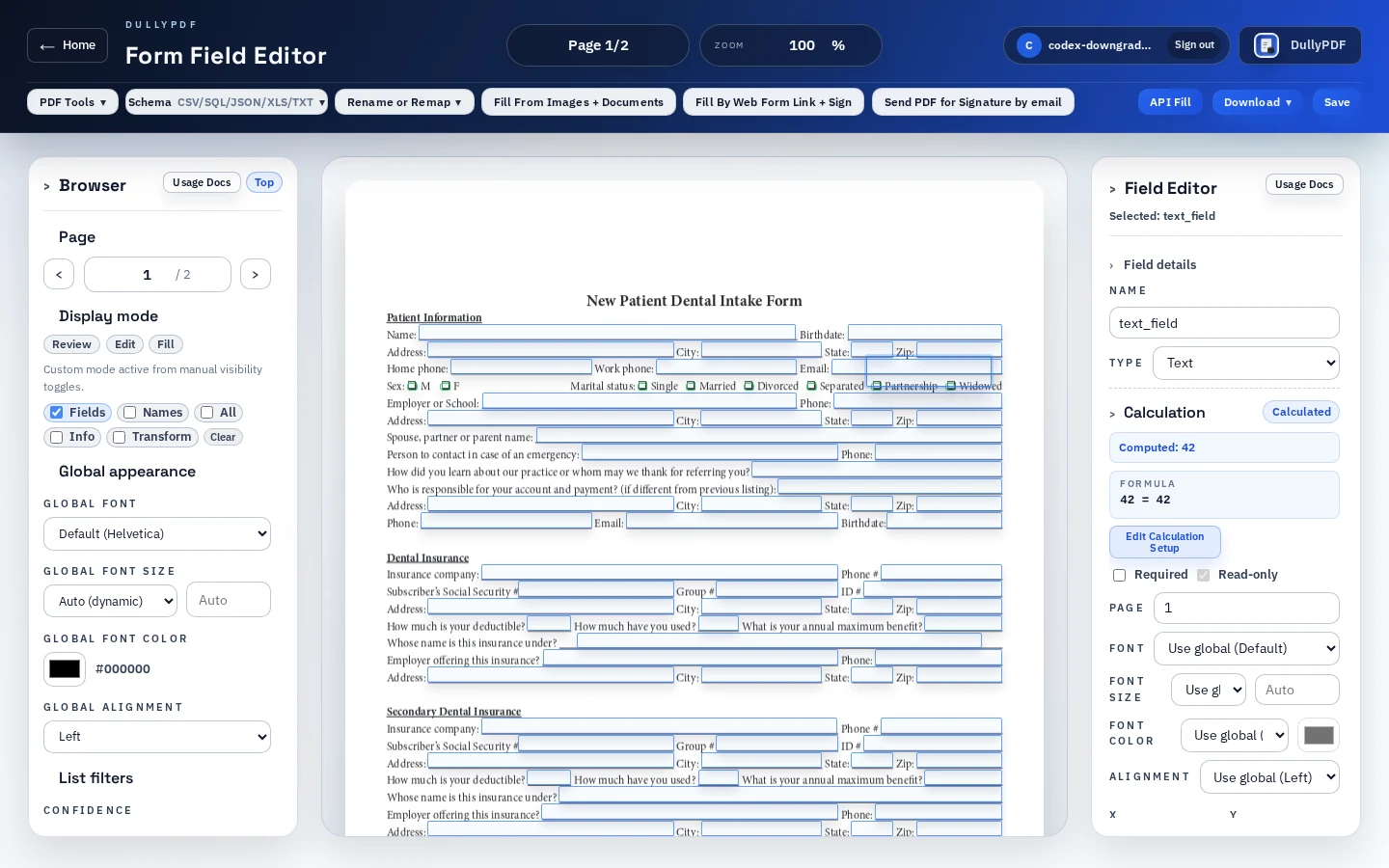
DullyPDF field editor showing calculation field creation controls for number inputs and calculated outputs.
Calculation setup starts in the same editor used for the rest of the template, so numeric inputs and computed outputs stay tied to the PDF field model.
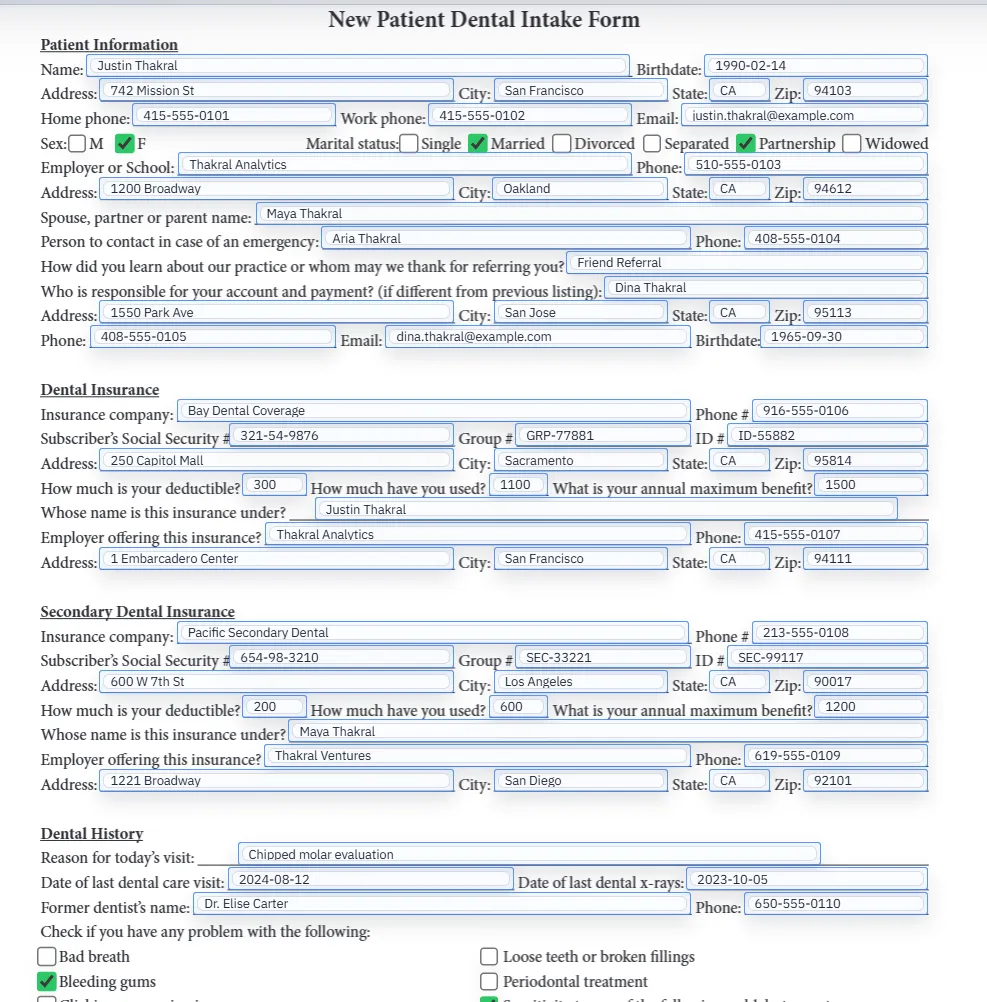
A filled PDF preview after template values have been applied.
DullyPDF precomputes visible values before materializing output, so final records do not depend on the recipient viewer running live JavaScript.
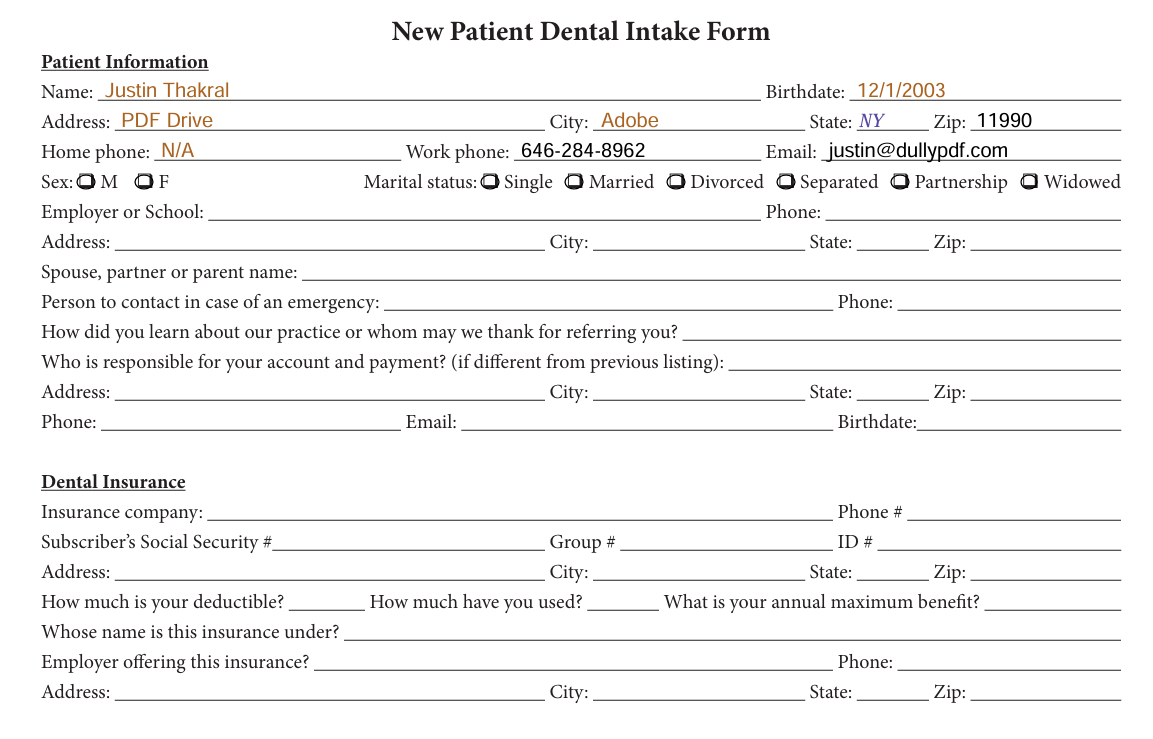
Flat PDF export with values baked into the page content.
Flat output is the safer final-record mode when recipients only need the completed values, not live editable widgets.

Why calculation fields belong in the template, not in ad hoc PDF edits

Most PDF calculation-field work is not about one clever total box. It is about recurring forms that need the same numeric relationships every time: subtotals, fees, balances, deductibles, order totals, estimate totals, or derived values that should not be typed by hand. If those rules live only in a one-off export, the next fill starts over from an unreliable baseline.

DullyPDF treats calculations as template metadata. Number inputs, calculated outputs, formula dependencies, and output rules stay with the saved template so the same PDF can be filled from a spreadsheet row, a respondent web form, or an API request without rebuilding the formula logic each time.

Safe formulas instead of arbitrary Acrobat JavaScript

Traditional PDF calculations often rely on Acrobat JavaScript. That model is powerful, but it also creates a hard product boundary: arbitrary scripts are difficult to inspect safely, difficult to preserve across viewers, and easy to break when field names or calculation order drift. Adobe documents calculation fields and calculation order because dependent fields need a predictable sequence to produce correct results.1

DullyPDF takes a narrower path. The editor stores a safe formula model built from numeric field references, constants, unary minus, and +, -, *, and /. Generated Acrobat JavaScript can be written into editable exports for Adobe compatibility, but that generated script is not the source of truth. The saved DullyPDF formula is.

Number inputs and calculated outputs have different jobs

A number input is still an editable text-style field. Users, Search & Fill records, Fill By Link respondents, or API callers can provide its value. A calculated output is different: it is read-only and receives its value from the formula. That distinction prevents callers or respondents from overwriting a value that should be derived from the source inputs.

Reusable calculated intermediates can also support chained formulas when one derived value should feed another. The important rule is that the dependency graph must stay valid. DullyPDF blocks missing dependencies and cycles before the formula is saved so the template does not silently export stale or impossible values.

Precomputed values are the reliable cross-viewer baseline

Editable PDF live recalculation is still Adobe-first. Acrobat and Reader are the practical targets for live calculated widgets after download. Browser viewers, mobile viewers, and email previews can vary in how much AcroForm JavaScript they run, especially for chained calculations or custom behaviors.

That is why DullyPDF precomputes visible calculated values before materializing every output. Editable PDFs get the current value in the field and can include generated calculation actions for compatible viewers. Flat PDFs bake the computed value into page content, which is the safer output for final records, respondent receipts, signed packets, and external recipients who do not need live editing.

How calculations behave across DullyPDF workflows

Search & Fill fills source number inputs from the selected record, then DullyPDF recomputes calculated outputs during PDF materialization. Fill By Link publishes number inputs as questions while keeping calculated outputs out of the respondent form. API Fill exposes number inputs in the schema and omits calculated outputs from required caller input by default.

The result is one calculation rule across several entry points. Whether the source values come from a CSV row, a web-form response, or JSON sent to an endpoint, the final PDF should compute the same derived values from the same inputs.

A practical setup order for reliable calculation fields

Start by cleaning the ordinary field set. Rename source fields clearly, confirm the numeric inputs are placed correctly, and test one representative record before adding too much formula logic. Then add calculated outputs where the final value belongs on the PDF, build formulas from named inputs, and inspect the computed preview.

Before rollout, export both an editable PDF and a flat PDF. Use editable output when the next person must keep working inside live fields, and use flat output when the completed record should be viewer-stable. That check is especially important before publishing a Fill By Link, API Fill endpoint, or signing workflow that depends on computed values.

Why teams use PDF Calculation Fields

  • Create editable number inputs and read-only calculated outputs inside the template editor.
  • Build formulas from numeric field references, constants, unary minus, and basic arithmetic.
  • Validate missing dependencies, invalid operators, divide-by-zero behavior, and calculation cycles before export.
  • Precompute calculated values for Search & Fill, Fill By Link, API Fill, editable downloads, flat downloads, and signing source freezes.

Implementation signals for PDF Calculation Fields

  • DullyPDF stores a safe formula model instead of exposing arbitrary user-authored Acrobat JavaScript.
  • Editable PDF exports can include generated Acrobat calculation actions and calculation order for Adobe compatibility.
  • Flat PDF outputs bake computed values into page content so final records do not depend on live viewer recalculation.
  • API Fill and Fill By Link omit calculated outputs from required caller/respondent inputs because DullyPDF computes them from source values.

Need deeper technical details about pdf calculation fields? Use the Rename + Mapping docs and Search & Fill docs to validate exact behavior.

Frequently asked questions about PDF Calculation Fields

Can DullyPDF create calculated fields in a PDF?

Yes. DullyPDF can create number inputs and read-only calculated outputs in reusable templates, with formulas stored as safe DullyPDF metadata.

Do PDF calculation fields work in every viewer?

No. Editable live recalculation is Adobe-first. DullyPDF precomputes values before export, and flat PDFs are the safer final-record output for recipients who do not need live fields.

Does DullyPDF let users write arbitrary Acrobat JavaScript?

No. DullyPDF stores a safe formula model and can generate Acrobat-compatible calculation actions for editable exports without making arbitrary user-authored JavaScript editable.

Can API Fill compute calculated PDF fields?

Yes. API callers provide source number inputs, and DullyPDF computes calculated outputs during backend materialization instead of requiring callers to send derived values.

Legal footnotes and sources for PDF Calculation Fields

  1. 1.Adobe Acrobat Help | Configure form fields for calculations and set calculation order

Docs for PDF Calculation Fields

Use these docs pages to verify the exact DullyPDF behavior behind pdf calculation fields before you ship it as a repeat workflow.

Related routes for PDF Calculation Fields

These adjacent workflow pages cover nearby search intents teams compare while evaluating pdf calculation fields.