Commercial workflow page

PDF Form Calculations Not Working in Chrome, Preview, or Mobile?

Troubleshoot calculated PDF fields that work in one viewer but fail in another. DullyPDF precomputes values and recommends flat output for final records.

Workflow examples for PDF Calculations Not Working

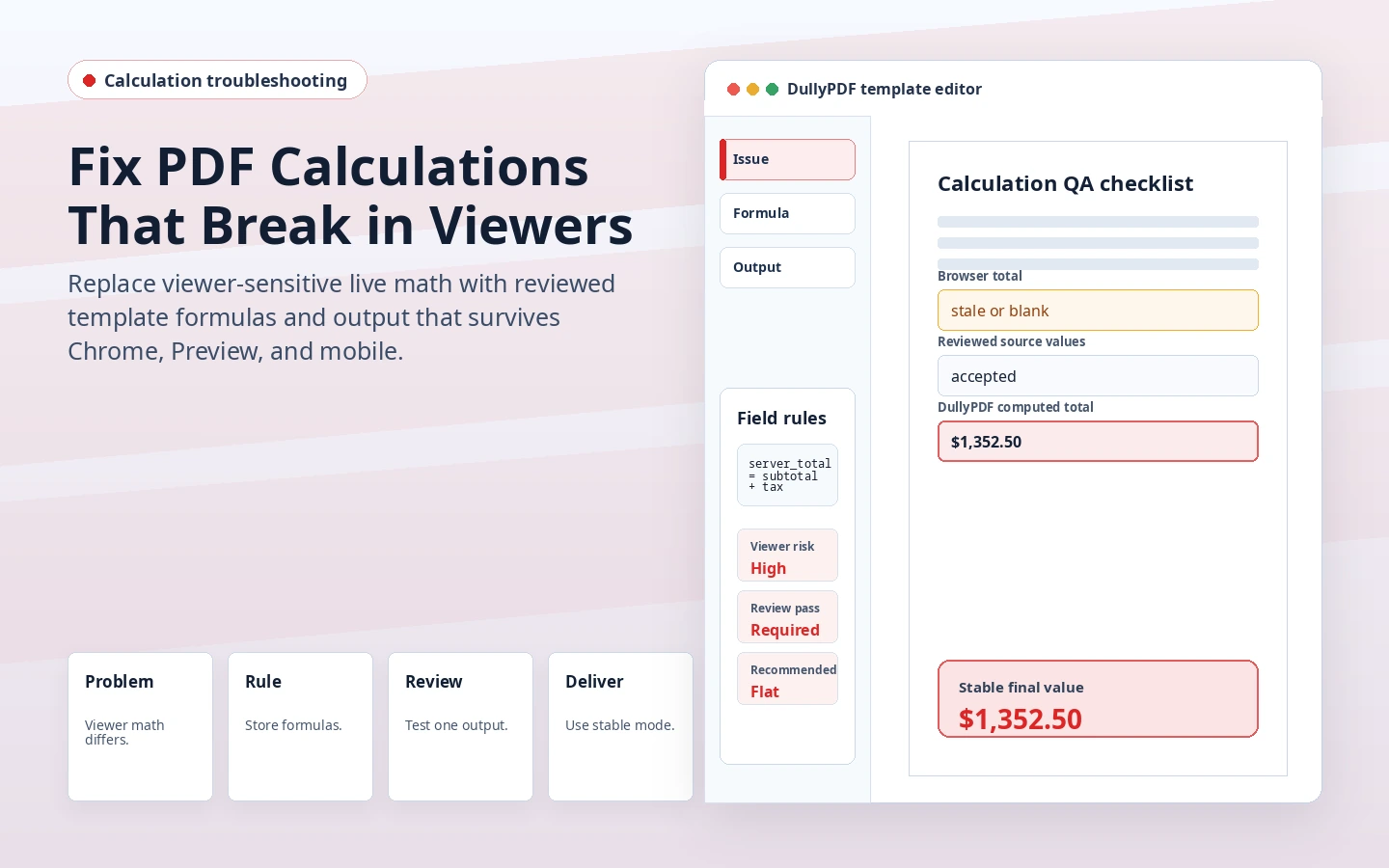
DullyPDF calculation troubleshooting preview showing viewer-sensitive totals replaced by a reviewed computed PDF value.
When a calculated PDF behaves differently across viewers, first verify the template fields and formula logic, then choose the right output mode.
Flat PDF output with completed values baked into the page content.
Flat PDF output is the safer final-record path because completed values no longer depend on live viewer recalculation.

First decide whether the formula is wrong or the viewer is wrong

When a PDF total does not update, the failure can come from two different places. The formula may be invalid, the source field may be blank, the dependency order may be wrong, or the value may contain a number format the calculation does not expect. But it can also be a viewer problem: the same file may behave differently in Acrobat, a browser PDF viewer, a mobile preview, or an email attachment preview.

That distinction matters because the fix is different. Formula and data problems should be fixed in the template. Viewer problems should change the output strategy. If the document is a final record, the most reliable answer is usually a flat PDF that already contains the computed value.

Why browser and mobile PDF viewers are risky for live calculations

PDF calculation fields often depend on AcroForm JavaScript and calculation order. Adobe documents both the calculation setup and the order controls because dependent fields need a predictable sequence.1 Browser and mobile viewers may display the PDF correctly while supporting only part of that live form behavior.

That is why DullyPDF does not treat live viewer recalculation as the final source of truth. Editable exports can include generated Acrobat-compatible actions, but DullyPDF also writes the precomputed current value into the output so the document opens with the expected result even when the viewer does not rerun every calculation.

A practical diagnosis checklist

Start with the source inputs. Confirm the number fields contain valid numeric values, not labels, currency text, commas, or blanks that the formula model does not expect. Then check whether the calculated output is actually read-only and whether all dependencies are still present after rename, mapping, or template edits.

Next, test the same PDF in Acrobat Reader and in the viewer where the problem appeared. If Acrobat updates the field but the browser does not, the formula is likely viable and the output strategy should change. If Acrobat fails too, the template calculation needs to be rebuilt or the dependency order needs review.

  • Check source number inputs first.
  • Check formula dependencies and missing fields.
  • Check calculation order for chained totals.
  • Compare Acrobat Reader against the target browser or mobile viewer.
  • Export flat when the recipient does not need to keep editing live fields.

Why DullyPDF precomputes values before every output

DullyPDF computes calculated outputs during materialization. That means the value is produced before editable download, flat download, Fill By Link response download, API Fill output, and signing source freeze. The PDF viewer can still provide live recalculation in compatible editable workflows, but the generated document does not start from an empty or stale calculated field.

This approach is especially important for external recipients. A customer, patient, applicant, signer, or accounting contact may open the PDF in whatever viewer their device chooses. A flat PDF keeps the completed value stable because the value is part of the page content rather than a script-dependent widget.

When to rebuild the calculation in DullyPDF

If the PDF came from a third-party tool with custom calculation JavaScript, DullyPDF does not trust or expose that script as editable source. The safer path is to rebuild the calculation through the DullyPDF formula model. That gives the template a known dependency graph, known source fields, and known output behavior.

Rebuilding is worth it when the form will be reused. It is not just a one-time repair. It turns a fragile viewer-specific calculation into a template rule that can be reused by Search & Fill, Fill By Link, API Fill, and signing workflows.

Why teams use PDF Calculations Not Working

  • Separate source-input problems from viewer compatibility problems.
  • Understand why editable live recalculation is primarily an Adobe Acrobat/Reader workflow.
  • Use DullyPDF precomputed values and flat PDFs when the recipient only needs the final record.

Implementation signals for PDF Calculations Not Working

  • DullyPDF stores the current computed value before editable and flat PDF generation.
  • Search & Fill, Fill By Link, API Fill, and signing all materialize calculated values server-side.
  • Flat PDF output removes live-widget dependency by baking the computed value into the page content.

Need deeper technical details about pdf calculations not working? Use the Rename + Mapping docs and Search & Fill docs to validate exact behavior.

Frequently asked questions about PDF Calculations Not Working

Why do PDF calculations work in Acrobat but not Chrome?

The file may rely on AcroForm JavaScript or calculation-order behavior that Acrobat supports more completely than the browser viewer. Use Acrobat for live editing or export a flat PDF for final records.

Why does my calculated total not update after filling a PDF?

Check the source numeric fields, formula dependencies, calculation order, and viewer. If the PDF is being opened in a browser or mobile preview, live recalculation may be limited.

How does DullyPDF avoid stale calculated values?

DullyPDF computes calculated fields before materializing outputs and writes the visible result into editable and flat PDF outputs.

Should I send an editable or flat PDF when calculations matter?

Use editable output when the recipient must keep filling live fields in a compatible viewer. Use flat output when the recipient only needs the completed final record.

Legal footnotes and sources for PDF Calculations Not Working

  1. 1.Adobe Acrobat Help | Configure form fields for calculations and set calculation order

Docs for PDF Calculations Not Working

Use these docs pages to verify the exact DullyPDF behavior behind pdf calculations not working before you ship it as a repeat workflow.

Related routes for PDF Calculations Not Working

These adjacent workflow pages cover nearby search intents teams compare while evaluating pdf calculations not working.