Industry workflow page

Real Estate and Mortgage PDF Form Automation

Automate rental applications, lease packets, mortgage forms, and inspection PDFs by converting them into mapped, reusable fillable templates.

Workflow examples for Real Estate PDF Automation

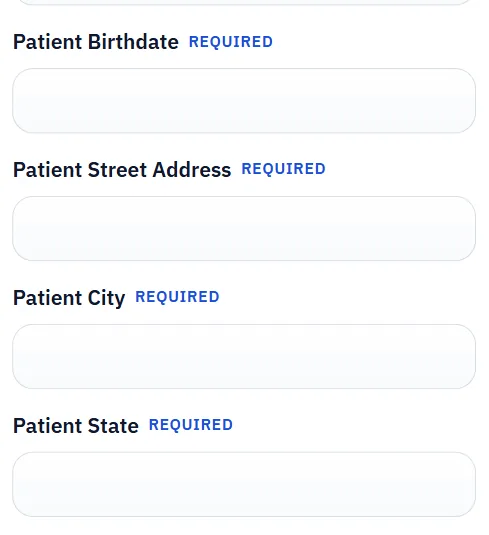
Hosted DullyPDF form for collecting applicant or resident information before PDF creation.
Leasing teams often save the most time when applicants submit structured information first and the office turns that into the final rental packet afterward.
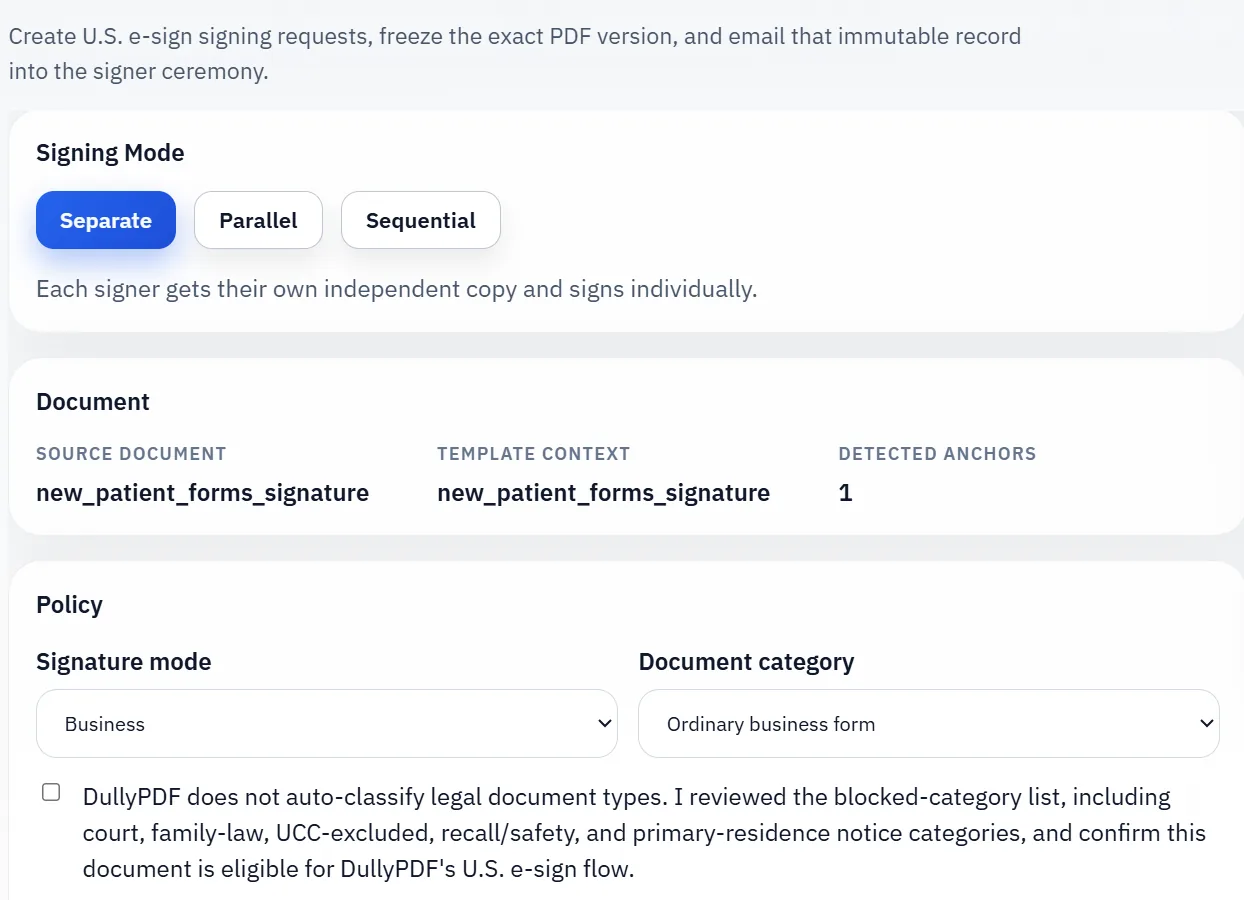
Signature workflow used after the final lease or addendum PDF has been reviewed.
Lease signing becomes cleaner once the office freezes one final record instead of emailing around editable drafts.

Real estate teams still run on recurring PDF packets

Real estate and mortgage operations often revolve around packets rather than single forms. Rental applications, lease addenda, borrower disclosures, inspection forms, and transaction-specific worksheets all move through the same office while many of the underlying names, addresses, and dates repeat across them.

That makes real estate paperwork a strong template candidate. The challenge is not usually missing data. The challenge is that the final step still involves fixed PDFs that staff keep filling again and again.

How mapped templates help with tenant, buyer, and borrower workflows

A mapped template lets teams connect common property, tenant, borrower, and transaction fields to the document once instead of retyping them every time. Once the setup is done, staff can select the right record, fill the form, inspect the output, and move on without rebuilding the field relationships.

That is useful for property management, leasing, and mortgage workflows because the same office often touches similar data under different document layouts. Template reuse turns those layouts into assets instead of recurring interruptions.

How to manage form variation across properties and transactions

The practical challenge in real estate is variation. Different owners, lenders, associations, or jurisdictions may use slightly different forms. The best answer is usually not to create dozens of barely-different templates without discipline. It is to define which form types are canonical, keep naming conventions stable, and update only the templates that truly need to diverge.

That approach keeps the library maintainable and reduces the risk that staff pick the wrong version of a document when deadlines are tight.

Where applicant intake and signature fit into the packet lifecycle

Leasing workflows usually get cleaner when the team separates intake from final record creation. Applicants or residents can submit structured information first, the office can review that data, and the final rental application, lease, or addendum PDF can be generated only after the record is ready. That is a much healthier pattern than typing information by hand into every packet component or passing unfinished drafts around by email.

The same principle applies to signatures. Sign the final lease record after it has been reviewed, not a version that is still drifting through edits. When the intake, packet assembly, and signing steps are kept in that order, the workflow becomes easier to reuse across units and properties instead of turning into a one-off exception every time.

Validate the real estate pdf automation rollout with one real record

A useful real estate pdf automation test starts with one document your team already recognizes, not a perfect demo PDF. Open the existing file, review detection, rename ambiguous fields, confirm checkbox and radio behavior, and save the template only after the field list matches the way the document is used in practice.

Then fill one representative record end to end. Include long names, blank optional values, dates, yes/no choices, and any calculated or scannable fields the page depends on. That single controlled run exposes most template issues before they become repeated output problems.

Choose data and output paths for real estate pdf automation

Search & Fill is the right first path when an operator should pick a record and inspect the result before export. It works with row data from CSV, XLSX, JSON, or stored respondent records. SQL and TXT files should be treated as schema-only mapping inputs; database-backed production workflows should query the database elsewhere and send JSON through API Fill.

Output mode matters too. Editable PDFs are useful when someone will continue working in live fields. Flat PDFs are safer when the completed record goes to customers, employees, agencies, signers, or archive systems because the visible values are baked into the page instead of depending on the recipient PDF viewer.

Production checklist for real estate pdf automation

The real estate pdf automation rollout is ready to reuse when a teammate can clear the document, rerun the same source record, and produce the same visible PDF without remembering hidden cleanup steps. If the result depends on one person knowing which field to fix manually, the template still needs review before it belongs in a repeat workflow.

  • The saved template uses stable field names and reviewed field types.
  • Source headers or API keys match the template schema without ambiguous duplicates.
  • Checkbox, radio, calculated, image, barcode, and signature fields have been tested if the workflow uses them.
  • At least one flat output and one editable output have been opened in the PDF viewers recipients are likely to use.

Why teams use Real Estate PDF Automation

  • Support rental intake packets, mortgage documents, and lease workflows.
  • Map tenant and borrower fields to shared CRM or operational schemas.
  • Reuse templates across properties, units, and recurring transaction packets.

Implementation signals for Real Estate PDF Automation

  • Search & Fill supports row-based record selection for fast form completion.
  • Editor tools help resolve geometry mismatch in legacy property forms.
  • Template reuse reduces repetitive office data entry across teams.

Need deeper technical details about real estate pdf automation? Use the Rename + Mapping docs and Search & Fill docs to validate exact behavior.

Frequently asked questions about Real Estate PDF Automation

Can DullyPDF automate rental application PDF workflows?

Yes. Rental application and lease-style forms can be mapped and filled from structured tenant data.

Does it work for mortgage-related PDF forms?

Yes. Mortgage and lending packets can be converted into reusable mapped templates.

Can real estate teams reuse templates across properties?

Yes. Saved templates can be reloaded and reused for recurring packet types.

Guides for Real Estate PDF Automation

These walkthroughs and comparison posts cover the same workflow cluster from an operator point of view, which helps you move from a route summary into a more specific implementation path.

Docs for Real Estate PDF Automation

Use these docs pages to verify the exact DullyPDF behavior behind real estate pdf automation before you ship it as a repeat workflow.

Related routes for Real Estate PDF Automation

These adjacent routes cover neighboring document workflows and team use cases that usually get evaluated alongside real estate pdf automation.