Commercial workflow page

Search and Fill PDF Records With a Review Loop

Search CSV, Excel, JSON, or stored respondent records, fill one reviewed PDF, catch mapping issues, and only then download, save, sign, or scale the workflow.

Workflow examples for Search & Fill Review

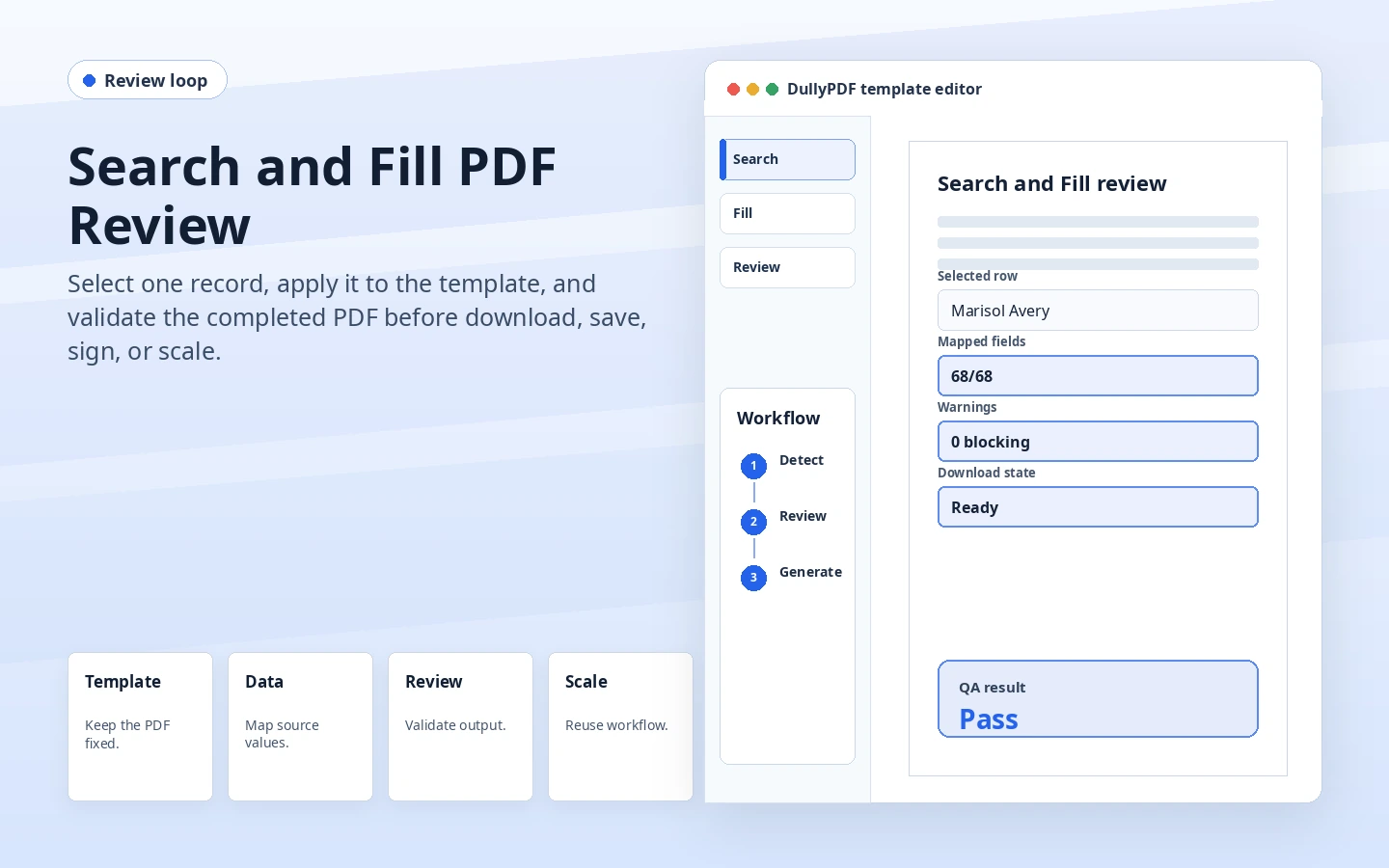
DullyPDF Search and Fill review preview showing a selected row mapped into a PDF with pass/fail output checks.
Search & Fill should start from a selected record, not a blind export of every row.
Spreadsheet row source data prepared for Search and Fill PDF review.
The review step catches mapping and output issues before the document is downloaded, signed, or reused.

Review is the difference between filling and automation

Blind batch filling sounds efficient until a mapping mistake repeats across dozens of PDFs. A review loop is slower on the first record and much safer for the workflow. It lets the operator inspect whether the selected data actually landed in the right places.

DullyPDF Search & Fill is built around that operator-controlled step: search, choose a row or respondent, fill the template, inspect the output, clear or adjust, then download or move into the next workflow.

Search matters when spreadsheets are not clean

Operational spreadsheets often have repeated names, partial identifiers, missing values, and columns that do not match the PDF labels perfectly. Search helps the operator find the right record before fill instead of generating the wrong document from a neighboring row.

The search step also makes stored Fill By Link submissions useful. A respondent submission becomes another structured record that can be selected and materialized into the saved template when the owner is ready.

The failure mode should be loud

A dangerous PDF workflow silently produces an unchanged or partially filled document. That can make the operator think the process succeeded when no meaningful field match happened.

DullyPDF now fails closed when the selected record does not align with any PDF field names. The dialog stays open and warns the user instead of quietly saving a bad output.

What to inspect before scaling

Check the obvious text fields first, then dates, checkbox groups, radio groups, split/join transforms, calculation outputs, and final flat or editable appearance. The best first test record is one that exercises edge cases rather than a perfect sample.

After one representative record works, the saved template can support repeat Search & Fill, Fill By Link respondent review, group packet filling, or API publication with more confidence.

Validate the search & fill review workflow with one real record

A useful search & fill review test starts with one document your team already recognizes, not a perfect demo PDF. Open the existing file, review detection, rename ambiguous fields, confirm checkbox and radio behavior, and save the template only after the field list matches the way the document is used in practice.

Then fill one representative record end to end. Include long names, blank optional values, dates, yes/no choices, and any calculated or scannable fields the page depends on. That single controlled run exposes most template issues before they become repeated output problems.

Choose data and output paths for search & fill review

Search & Fill is the right first path when an operator should pick a record and inspect the result before export. It works with row data from CSV, XLSX, JSON, or stored respondent records. SQL and TXT files should be treated as schema-only mapping inputs; database-backed production workflows should query the database elsewhere and send JSON through API Fill.

Output mode matters too. Editable PDFs are useful when someone will continue working in live fields. Flat PDFs are safer when the completed record goes to customers, employees, agencies, signers, or archive systems because the visible values are baked into the page instead of depending on the recipient PDF viewer.

Production checklist for search & fill review

The search & fill review workflow is ready to reuse when a teammate can clear the document, rerun the same source record, and produce the same visible PDF without remembering hidden cleanup steps. If the result depends on one person knowing which field to fix manually, the template still needs review before it belongs in a repeat workflow.

  • The saved template uses stable field names and reviewed field types.
  • Source headers or API keys match the template schema without ambiguous duplicates.
  • Checkbox, radio, calculated, image, barcode, and signature fields have been tested if the workflow uses them.
  • At least one flat output and one editable output have been opened in the PDF viewers recipients are likely to use.

Why teams use Search & Fill Review

  • Search records instead of blindly generating files from every row.
  • Use clear and refill loops to catch mapping, checkbox, date, and text-transform problems.
  • Fail closed when a selected record does not line up with any PDF field names.

Implementation signals for Search & Fill Review

  • Search & Fill supports CSV, XLSX, JSON rows and stored Fill By Link respondent records.
  • DullyPDF warns when selected record data does not line up with mapped PDF fields instead of silently saving an unchanged document.
  • Mapped fill rules and text transforms persist with saved templates for repeat use.

Need deeper technical details about search & fill review? Use the Rename + Mapping docs and Search & Fill docs to validate exact behavior.

Frequently asked questions about Search & Fill Review

Can I review a filled PDF before downloading it?

Yes. Search & Fill fills the active workspace so the operator can inspect the output before downloading, saving, signing, or refilling.

Can stored Fill By Link responses be used in Search & Fill?

Yes. Stored respondent submissions can be selected and materialized into the active template or group.

What happens if no record fields match the PDF?

DullyPDF warns and keeps the Search & Fill dialog open instead of silently saving an unchanged document.

Docs for Search & Fill Review

Use these docs pages to verify the exact DullyPDF behavior behind search & fill review before you ship it as a repeat workflow.

Related routes for Search & Fill Review

These adjacent workflow pages cover nearby search intents teams compare while evaluating search & fill review.