Commercial workflow page

PDF Radio Button Editor — Single-Select Groups

Create, inspect, and map PDF radio fields with explicit group keys so single-select forms stay predictable during fill and publishing.

Workflow examples for PDF Radio Button Editor

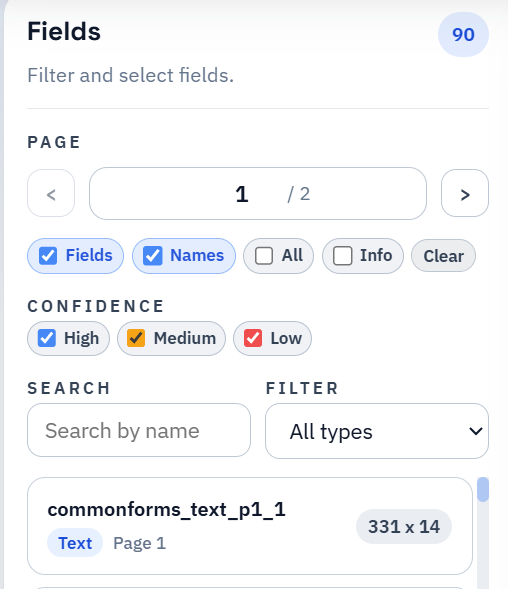
DullyPDF field list used to review named fields and groups inside a PDF template.
Radio button cleanup starts by seeing each choice as part of one named group instead of a pile of unrelated widgets.
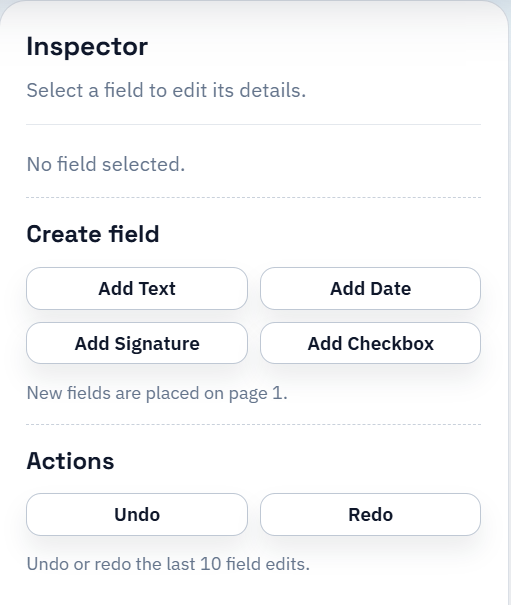
DullyPDF field inspector used to review one field at a time and adjust its metadata.
The review pass matters because single-select behavior has to be explicit before the template is safe to reuse or publish.

Why radio buttons should not be modeled like checkboxes

A checkbox and a radio button may both look like small click targets on a PDF page, but they behave very differently. Checkboxes can represent booleans or multi-select choices. Radio buttons represent one selected option inside a mutually exclusive group. If a system treats both field types the same way, the single-select behavior starts to break down as soon as real data touches the form.

That is why DullyPDF now treats radio fields as their own first-class template metadata instead of relying on checkbox hints. The template needs to know which options belong together, which option key each widget represents, and how one selected value should be resolved later.

How radio groups stay stable across fill workflows

Once the radio group is explicit, the same metadata can drive multiple workflows cleanly. Search & Fill can choose one option key from a row value. API Fill can expose the same expectation in the published schema. Fill By Web Form Link can translate the single-select choice into the right downstream PDF behavior without inventing a second model for respondent questions.

That consistency matters because radio fields often represent business-critical selections: employment status, coverage class, marital status, application type, or other mutually exclusive answers. Those fields need a stronger contract than a visual checkbox guess.

How to QA radio-heavy templates

The best QA loop is to test one option from each radio group, then retest the same template with a different option from the same group. That confirms the group is actually single-select and that no old option stays active after refill. If a template passes that check across the important groups, the radio behavior is usually production-safe.

Radio QA also becomes easier once the inspector shows the group key and option key directly. You are validating explicit metadata instead of trying to infer what the PDF author meant later.

Validate the pdf radio button editor workflow with one real record

A useful pdf radio button editor test starts with one document your team already recognizes, not a perfect demo PDF. Open the existing file, review detection, rename ambiguous fields, confirm checkbox and radio behavior, and save the template only after the field list matches the way the document is used in practice.

Then fill one representative record end to end. Include long names, blank optional values, dates, yes/no choices, and any calculated or scannable fields the page depends on. That single controlled run exposes most template issues before they become repeated output problems.

Choose data and output paths for pdf radio button editor

Search & Fill is the right first path when an operator should pick a record and inspect the result before export. It works with row data from CSV, XLSX, JSON, or stored respondent records. SQL and TXT files should be treated as schema-only mapping inputs; database-backed production workflows should query the database elsewhere and send JSON through API Fill.

Output mode matters too. Editable PDFs are useful when someone will continue working in live fields. Flat PDFs are safer when the completed record goes to customers, employees, agencies, signers, or archive systems because the visible values are baked into the page instead of depending on the recipient PDF viewer.

Production checklist for pdf radio button editor

The pdf radio button editor workflow is ready to reuse when a teammate can clear the document, rerun the same source record, and produce the same visible PDF without remembering hidden cleanup steps. If the result depends on one person knowing which field to fix manually, the template still needs review before it belongs in a repeat workflow.

  • The saved template uses stable field names and reviewed field types.
  • Source headers or API keys match the template schema without ambiguous duplicates.
  • Checkbox, radio, calculated, image, barcode, and signature fields have been tested if the workflow uses them.
  • At least one flat output and one editable output have been opened in the PDF viewers recipients are likely to use.

Why teams use PDF Radio Button Editor

  • Create and inspect radio fields directly in the editor instead of treating them like generic checkboxes.
  • Keep single-select groups explicit through group keys, option keys, and quick-radio helpers.
  • Reuse the same radio metadata across Search & Fill, API Fill, and Fill By Web Form Link publishing.

Implementation signals for PDF Radio Button Editor

  • Runtime fill logic now depends on deterministic radio group metadata instead of legacy checkbox hints.
  • PDF import preserves radio widgets as radio fields so saved templates keep the correct single-select behavior.
  • Template snapshots and public schemas include radio group expectations for later fill and API workflows.

Need deeper technical details about pdf radio button editor? Use the Rename + Mapping docs and Search & Fill docs to validate exact behavior.

Frequently asked questions about PDF Radio Button Editor

Can DullyPDF edit radio button groups in existing PDFs?

Yes. The editor supports radio fields with explicit group keys and option keys so single-select behavior is preserved in saved templates.

How are radio buttons different from checkboxes in DullyPDF?

Radio fields are single-select groups. DullyPDF keeps them separate from checkbox rules so only one option is chosen per group during fill workflows.

Do radio groups work in API Fill and Fill By Web Form Link too?

Yes. Radio group metadata is preserved in template snapshots and can drive Search & Fill, API Fill, and respondent-facing web-form publishing.

Docs for PDF Radio Button Editor

Use these docs pages to verify the exact DullyPDF behavior behind pdf radio button editor before you ship it as a repeat workflow.

Related routes for PDF Radio Button Editor

These adjacent workflow pages cover nearby search intents teams compare while evaluating pdf radio button editor.