
Why teams use PDF Checkbox Automation
- Support four checkbox rule types: yes_no, presence, enum, and list.
- Map checkbox groups and option keys to structured data columns.
- Handle multi-select checkbox fields with list-based splitting.
Commercial workflow page
DullyPDF handles complex checkbox scenarios including yes/no pairs, enum selections, multi-select lists, and presence-based toggles with configurable rule logic.
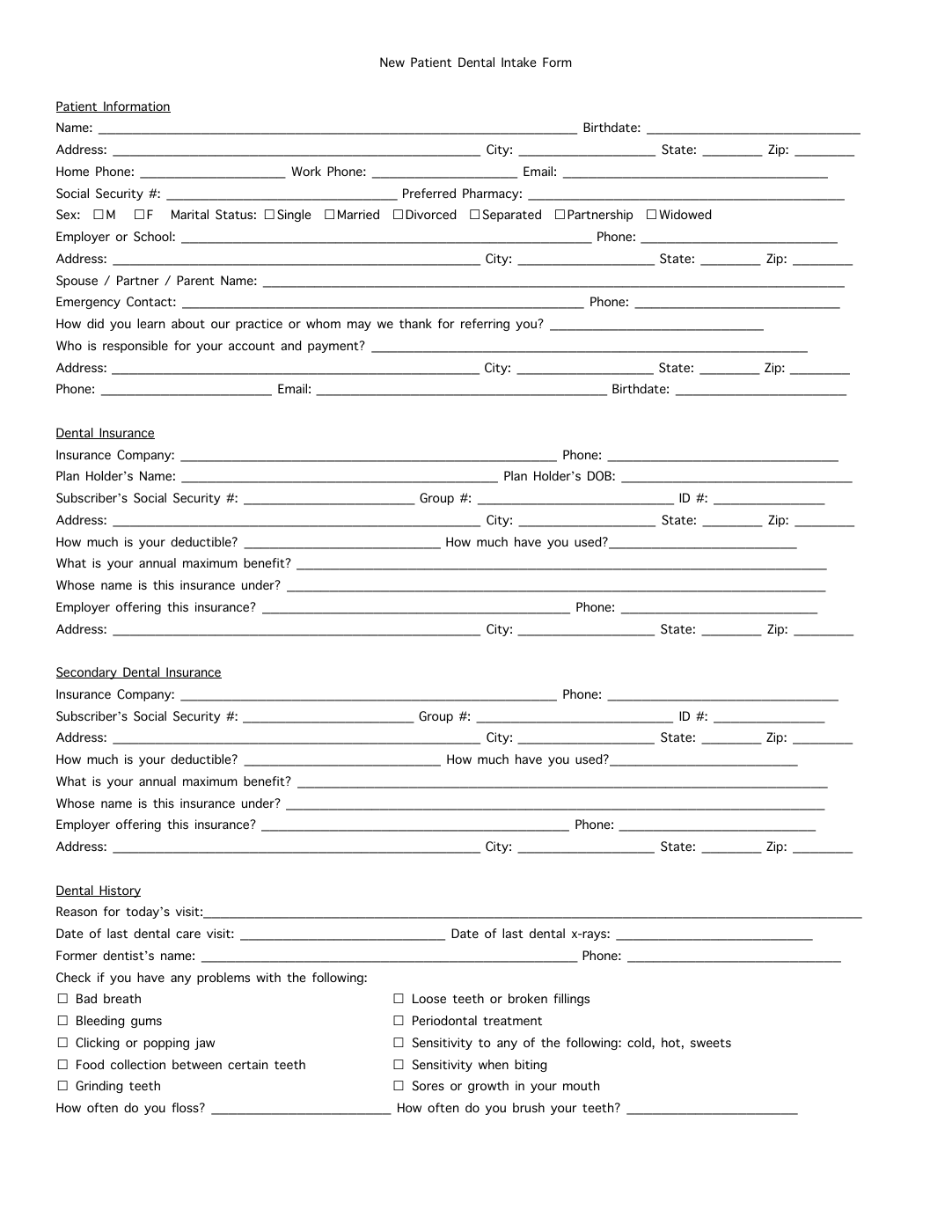
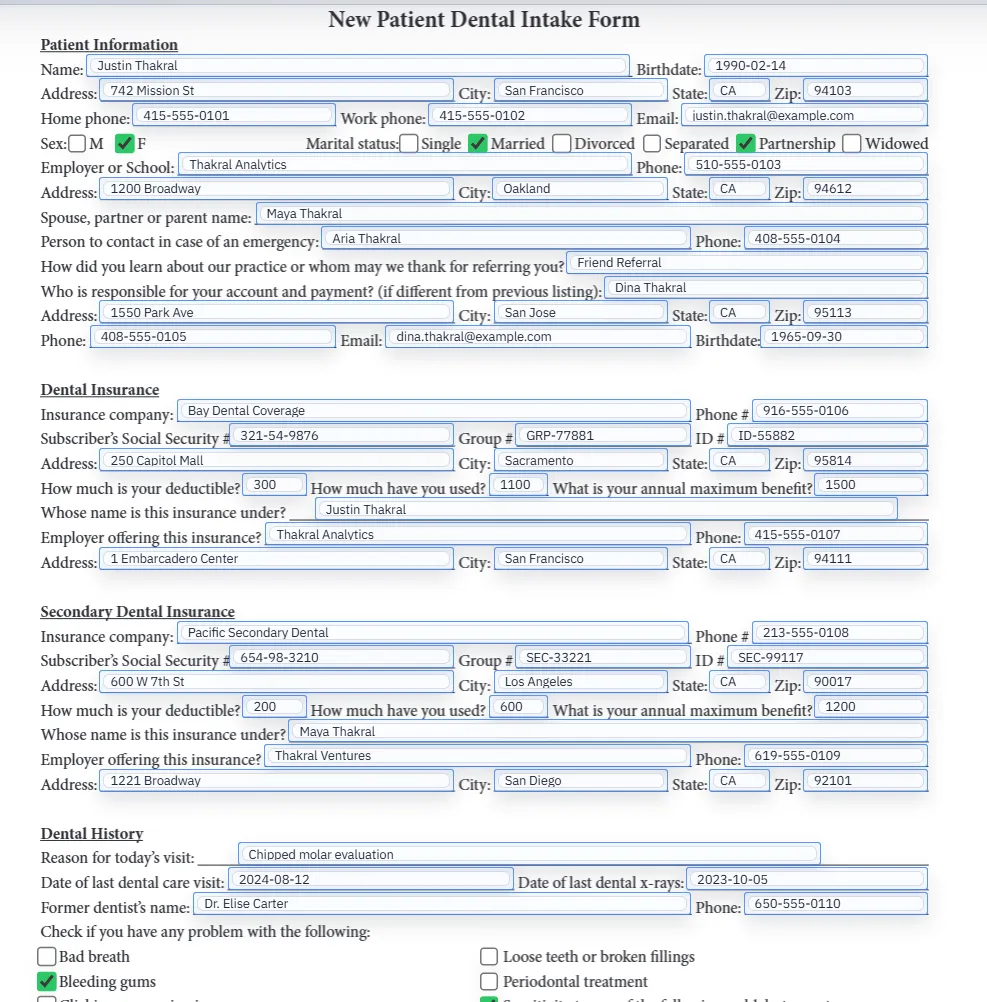
Checkboxes look simple on the page, but they are usually the part of a PDF workflow that breaks first. A text field can often accept a value directly. A checkbox field needs the system to understand what the source value means, which box it belongs to, and whether the form expects a boolean, an option selection, or a list-style interpretation.
That is why checkbox-heavy forms often feel unreliable in generic fill workflows. The hard part is not ticking a box. It is modeling the decision logic behind that box correctly.
DullyPDF handles checkboxes through group keys, option keys, and explicit rule types such as yes_no, presence, enum, and list. That gives the template a way to interpret the incoming value rather than guessing from the visual layout alone.
Once the checkbox metadata is configured, the same logic can be reused across recurring fills. That is especially important in medical, HR, and intake workflows where checkboxes often carry real operational meaning.
The best QA process is to test the template with records that exercise different checkbox states, not just a single happy-path row. Use records that trigger yes and no cases, multiple options, and empty states so you can see how the template behaves before it is shared widely.
If the checkbox logic is correct under those conditions, the rest of the document usually becomes much easier to trust.
A useful pdf checkbox automation test starts with one document your team already recognizes, not a perfect demo PDF. Open the existing file, review detection, rename ambiguous fields, confirm checkbox and radio behavior, and save the template only after the field list matches the way the document is used in practice.
Then fill one representative record end to end. Include long names, blank optional values, dates, yes/no choices, and any calculated or scannable fields the page depends on. That single controlled run exposes most template issues before they become repeated output problems.
Search & Fill is the right first path when an operator should pick a record and inspect the result before export. It works with row data from CSV, XLSX, JSON, or stored respondent records. SQL and TXT files should be treated as schema-only mapping inputs; database-backed production workflows should query the database elsewhere and send JSON through API Fill.
Output mode matters too. Editable PDFs are useful when someone will continue working in live fields. Flat PDFs are safer when the completed record goes to customers, employees, agencies, signers, or archive systems because the visible values are baked into the page instead of depending on the recipient PDF viewer.
The pdf checkbox automation workflow is ready to reuse when a teammate can clear the document, rerun the same source record, and produce the same visible PDF without remembering hidden cleanup steps. If the result depends on one person knowing which field to fix manually, the template still needs review before it belongs in a repeat workflow.
Need deeper technical details about pdf checkbox automation? Use the Rename + Mapping docs and Search & Fill docs to validate exact behavior.
Yes. DullyPDF supports rule-based checkbox automation with yes/no, presence, enum, and list modes.
Each checkbox has a groupKey and optionKey. Map the group to a data column, and DullyPDF selects the correct option based on the cell value and rule type.
Yes. Checkbox-heavy forms like medical intake and benefits enrollment are common use cases for rule-based automation.
Use these docs pages to verify the exact DullyPDF behavior behind pdf checkbox automation before you ship it as a repeat workflow.
These adjacent workflow pages cover nearby search intents teams compare while evaluating pdf checkbox automation.