
Why teams use Mileage Reimbursement Calculation
- Calculate miles times reimbursement rate plus tolls, parking, or adjustments.
- Collect mileage source values by link or fill them from spreadsheet rows.
- Use flat PDFs for final reimbursement records.
Commercial workflow page
Create mileage reimbursement PDF templates with miles, rate, tolls, parking, advances, adjustments, and reimbursement totals.
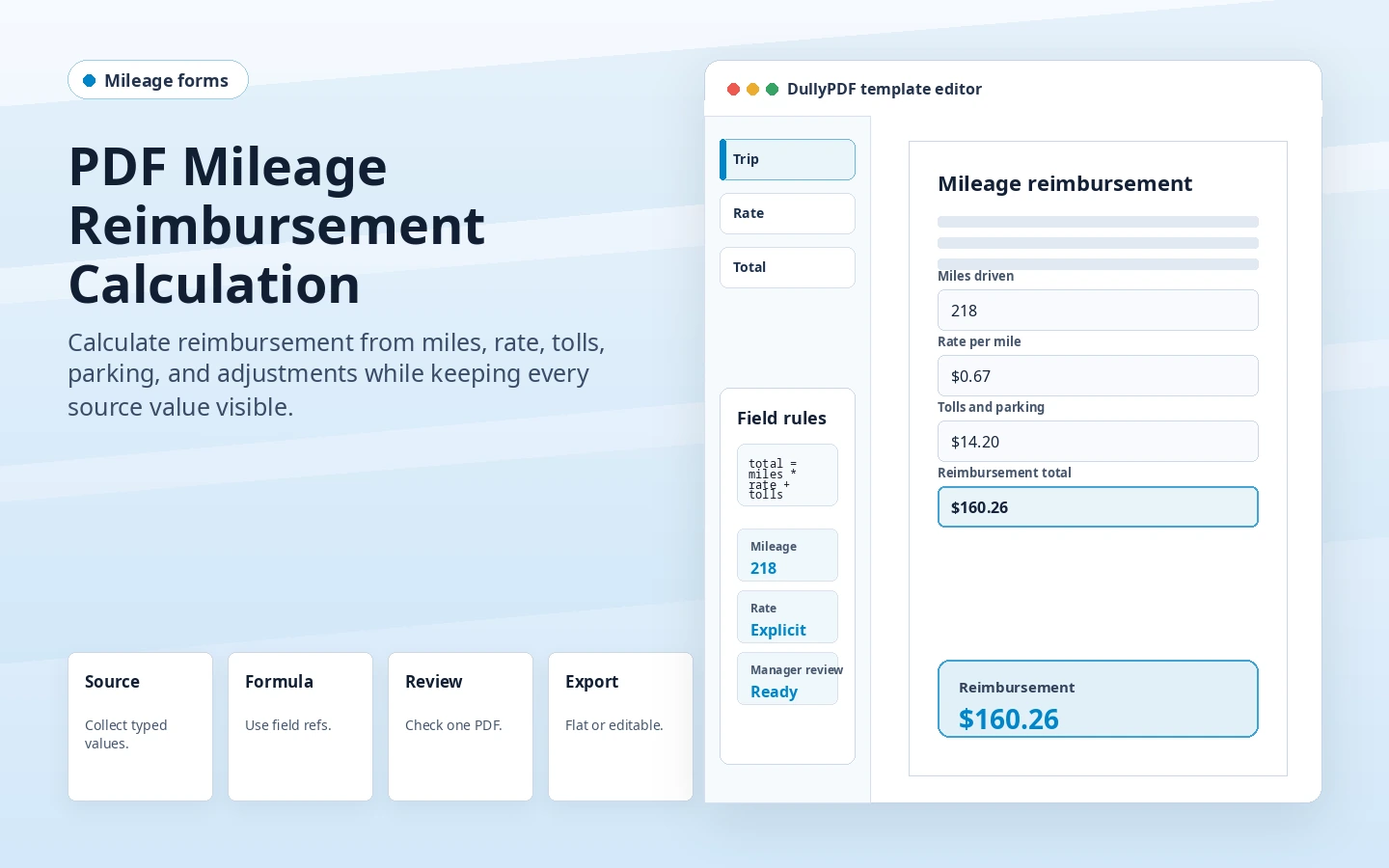
Mileage reimbursement is usually a simple calculation, but it still benefits from explicit source fields. Miles, rate, tolls, parking, advances, and adjustments should be visible as inputs. The reimbursement total should be read-only and derived from those fields.
That makes the final record easier to review. If the rate changes, the template or source value can be updated intentionally instead of overwriting a total manually.
The business still owns reimbursement policy, rate selection, approvals, and tax handling. DullyPDF can apply the numeric formula inside the PDF template after the source values are chosen.
That boundary keeps the public claim accurate: this is a PDF workflow page, not reimbursement advice.
Useful fields include employee_name, trip_date, purpose, miles, mileage_rate, tolls, parking, advance_paid, adjustment, and reimbursement_total. Source fields can come from a spreadsheet, a respondent web form, or an internal system.
For final records, flat PDF output is usually the right delivery mode because the reimbursement amount is baked into the page.
A useful mileage reimbursement calculation test starts with one document your team already recognizes, not a perfect demo PDF. Open the existing file, review detection, rename ambiguous fields, confirm checkbox and radio behavior, and save the template only after the field list matches the way the document is used in practice.
Then fill one representative record end to end. Include long names, blank optional values, dates, yes/no choices, and any calculated or scannable fields the page depends on. That single controlled run exposes most template issues before they become repeated output problems.
Search & Fill is the right first path when an operator should pick a record and inspect the result before export. It works with row data from CSV, XLSX, JSON, or stored respondent records. SQL and TXT files should be treated as schema-only mapping inputs; database-backed production workflows should query the database elsewhere and send JSON through API Fill.
Output mode matters too. Editable PDFs are useful when someone will continue working in live fields. Flat PDFs are safer when the completed record goes to customers, employees, agencies, signers, or archive systems because the visible values are baked into the page instead of depending on the recipient PDF viewer.
The mileage reimbursement calculation workflow is ready to reuse when a teammate can clear the document, rerun the same source record, and produce the same visible PDF without remembering hidden cleanup steps. If the result depends on one person knowing which field to fix manually, the template still needs review before it belongs in a repeat workflow.
Need deeper technical details about mileage reimbursement calculation? Use the Rename + Mapping docs and Search & Fill docs to validate exact behavior.
Yes. Numeric miles and rate inputs can feed a read-only calculated reimbursement total.
No. Your business or source system chooses the rate. DullyPDF applies the numeric formula in the PDF.
Yes. Fill By Link can collect source values, and DullyPDF can generate the calculated PDF afterward.
Use these docs pages to verify the exact DullyPDF behavior behind mileage reimbursement calculation before you ship it as a repeat workflow.
These adjacent workflow pages cover nearby search intents teams compare while evaluating mileage reimbursement calculation.