Commercial workflow page

PDF Order Form Calculations for Quantity, Price, Shipping, and Total

Build reusable order-form PDF templates with quantity, unit price, line total, shipping, tax, discount, and grand-total calculations.

Workflow examples for PDF Order Form Calculations

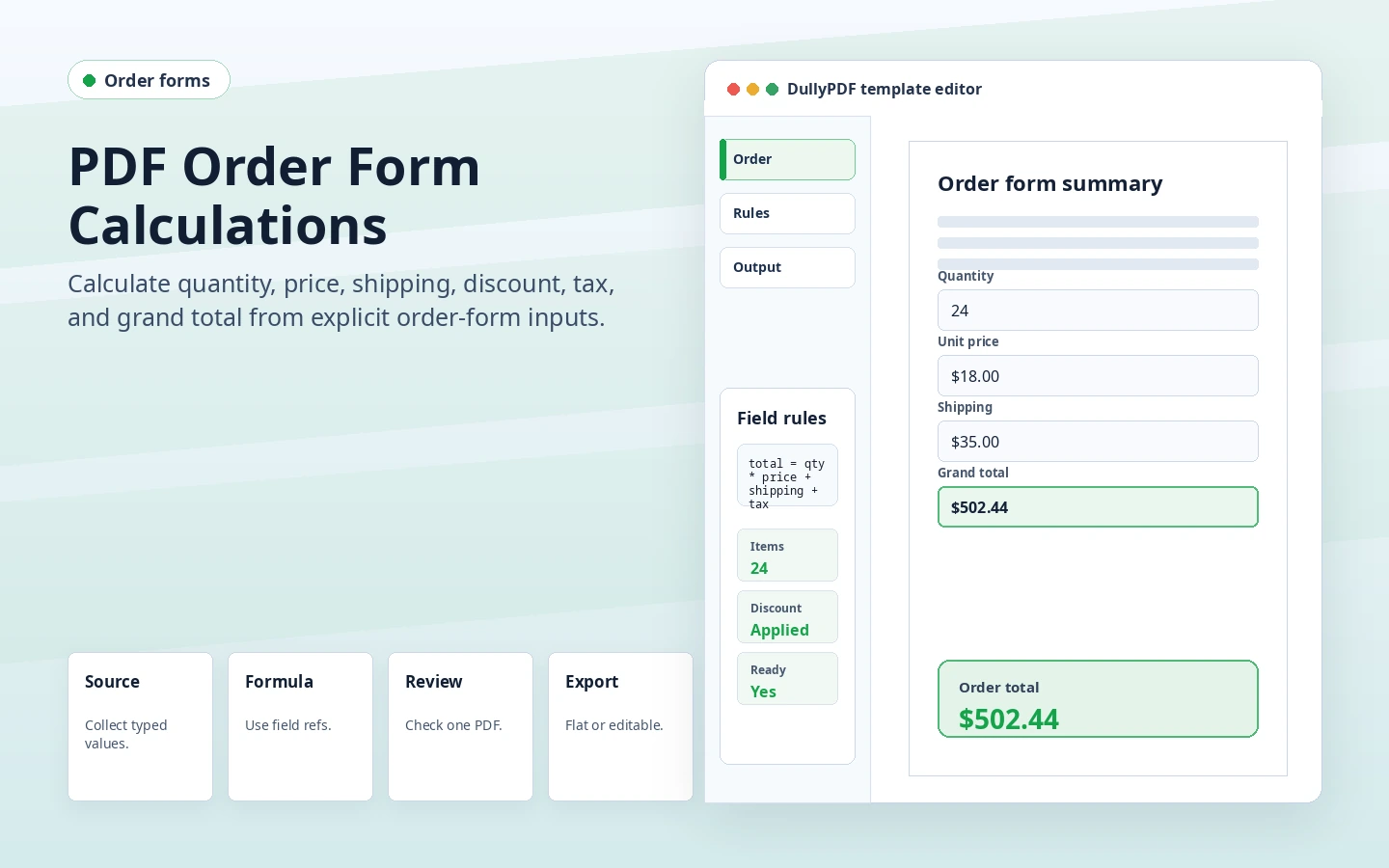
DullyPDF order form calculation preview showing quantity, price, shipping, and grand total fields.
Order forms should ask for source values and let the template compute read-only totals.
Respondent-facing web form generated from a saved PDF template.
Fill By Link can collect source order details before DullyPDF generates the completed order PDF.

Order forms need calculation rules because customers change inputs

A reusable order form usually combines customer-entered or staff-entered values with derived totals. Quantity, unit price, shipping, discount, tax, and deposit can all affect the amount due. Manual totals are easy to mistype when orders repeat.

DullyPDF lets the order form keep the fixed PDF layout while the template stores calculation rules. That makes the form useful across web-form collection, spreadsheet filling, and API generation without asking each workflow to recalculate totals separately.

Choose the right source for order data

Fill By Link is useful when customers or field staff need to enter the order details themselves. The public web form should ask for the source values, such as quantity and selected options, while calculated outputs stay hidden from direct entry. DullyPDF computes the totals when the PDF is generated.

Search & Fill is better when orders already exist in a spreadsheet or export. API Fill is better when an internal ordering system should generate the PDF directly from JSON.

Fixed PDF layouts are not unlimited carts

A PDF order form usually has a fixed number of rows. If every order fits that layout, a reusable calculated template can work well. If an order can contain one item or fifty items, a dynamic page-generation workflow may be more appropriate than a fixed source PDF.

This is a good constraint to state clearly on the public page. DullyPDF is strongest when the layout is stable and the automation job is repeated field filling with known calculation rules.

Final order copies should be viewer-stable

Customers usually need a confirmation, receipt, or work order that preserves the final numbers. A flat PDF is often the safer output because the values are drawn into the page. Editable PDFs are better when an internal team still needs to adjust live fields before finalization.

That output choice should happen after one realistic test order has been filled and reviewed end to end.

Validate the pdf order form calculations workflow with one real record

A useful pdf order form calculations test starts with one document your team already recognizes, not a perfect demo PDF. Open the existing file, review detection, rename ambiguous fields, confirm checkbox and radio behavior, and save the template only after the field list matches the way the document is used in practice.

Then fill one representative record end to end. Include long names, blank optional values, dates, yes/no choices, and any calculated or scannable fields the page depends on. That single controlled run exposes most template issues before they become repeated output problems.

Choose data and output paths for pdf order form calculations

Search & Fill is the right first path when an operator should pick a record and inspect the result before export. It works with row data from CSV, XLSX, JSON, or stored respondent records. SQL and TXT files should be treated as schema-only mapping inputs; database-backed production workflows should query the database elsewhere and send JSON through API Fill.

Output mode matters too. Editable PDFs are useful when someone will continue working in live fields. Flat PDFs are safer when the completed record goes to customers, employees, agencies, signers, or archive systems because the visible values are baked into the page instead of depending on the recipient PDF viewer.

Production checklist for pdf order form calculations

The pdf order form calculations workflow is ready to reuse when a teammate can clear the document, rerun the same source record, and produce the same visible PDF without remembering hidden cleanup steps. If the result depends on one person knowing which field to fix manually, the template still needs review before it belongs in a repeat workflow.

  • The saved template uses stable field names and reviewed field types.
  • Source headers or API keys match the template schema without ambiguous duplicates.
  • Checkbox, radio, calculated, image, barcode, and signature fields have been tested if the workflow uses them.
  • At least one flat output and one editable output have been opened in the PDF viewers recipients are likely to use.

Why teams use PDF Order Form Calculations

  • Calculate line totals, shipping, tax, discounts, and grand totals from source order inputs.
  • Collect customer order details through Fill By Link or fill staff-generated orders from internal data.
  • Use flat PDFs for final order confirmations and editable PDFs for internal drafts.

Implementation signals for PDF Order Form Calculations

  • Fill By Link can expose number inputs as web-form questions while DullyPDF computes read-only totals.
  • Search & Fill can populate order forms from structured rows and leave computed fields to materialization.
  • API Fill can generate fixed-layout order PDFs from JSON source values.

Need deeper technical details about pdf order form calculations? Use the Rename + Mapping docs and Search & Fill docs to validate exact behavior.

Frequently asked questions about PDF Order Form Calculations

Can a Fill By Link order form include totals?

Yes. Respondents fill the source questions, and DullyPDF computes read-only totals when the PDF is generated.

Can order forms be filled from spreadsheets?

Yes. Search & Fill can populate source order fields from CSV, Excel, or JSON rows. SQL and TXT imports are schema-only mapping aids.

What if my order has variable line-item counts?

Fixed PDF templates work best when the number of rows is stable. Highly variable carts may need dynamic document generation.

Can the grand total be read-only?

Yes. Calculated outputs are read-only so the grand total remains derived from source inputs.

Docs for PDF Order Form Calculations

Use these docs pages to verify the exact DullyPDF behavior behind pdf order form calculations before you ship it as a repeat workflow.

Related routes for PDF Order Form Calculations

These adjacent workflow pages cover nearby search intents teams compare while evaluating pdf order form calculations.