Industry workflow page

Warehouse Inventory PDF Automation for Counts, Barcodes, and Variance Forms

Build warehouse and inventory PDF templates with SKU barcodes, bin locations, cycle count fields, quantity variance calculations, receiving forms, and supervisor review.

Workflow examples for Warehouse Inventory PDF Automation

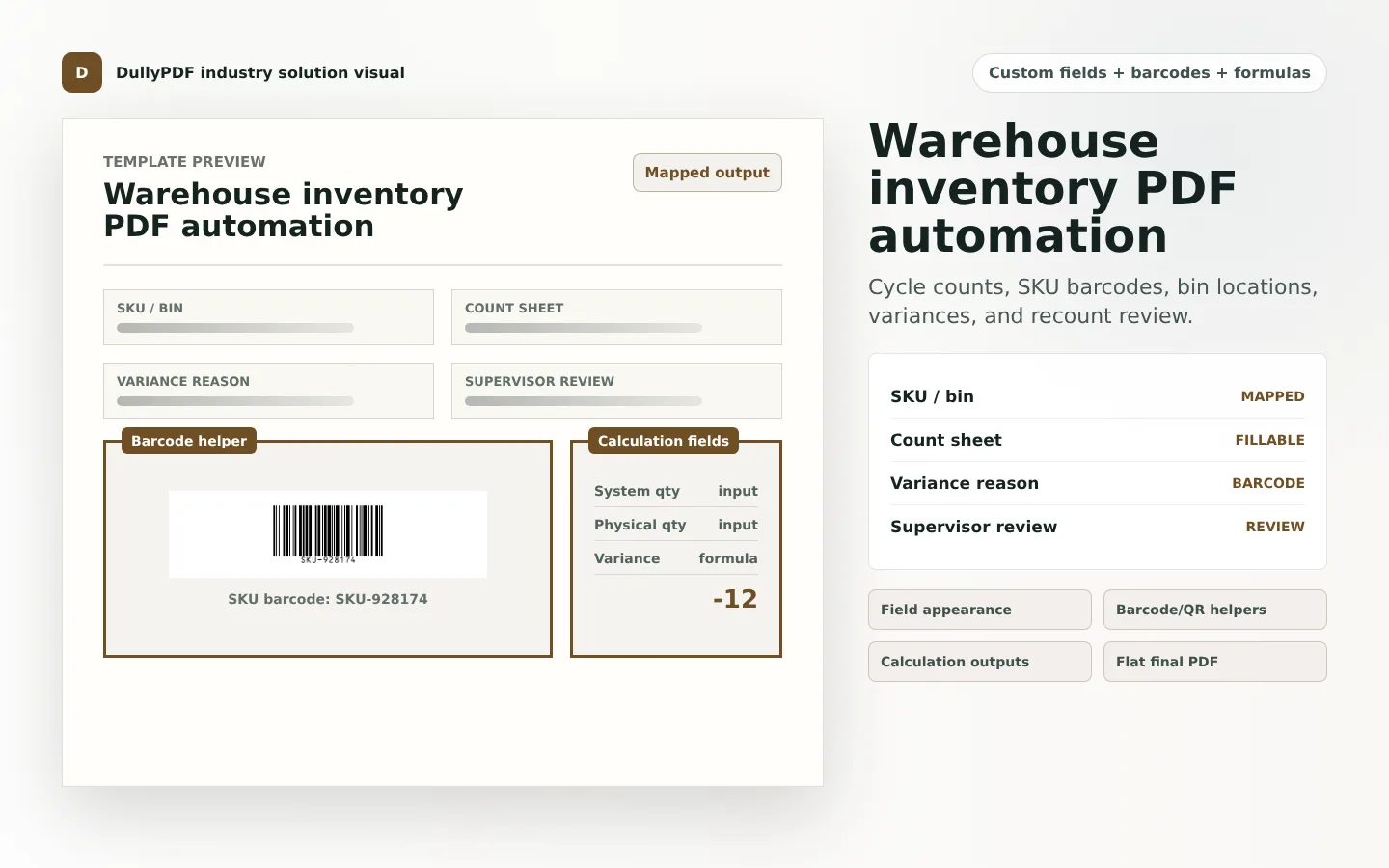
A warehouse inventory PDF template preview showing SKU barcode, count fields, and variance calculation.
Warehouse PDFs often combine SKU or bin barcodes with count sheets, receiving forms, variance calculations, and supervisor review.
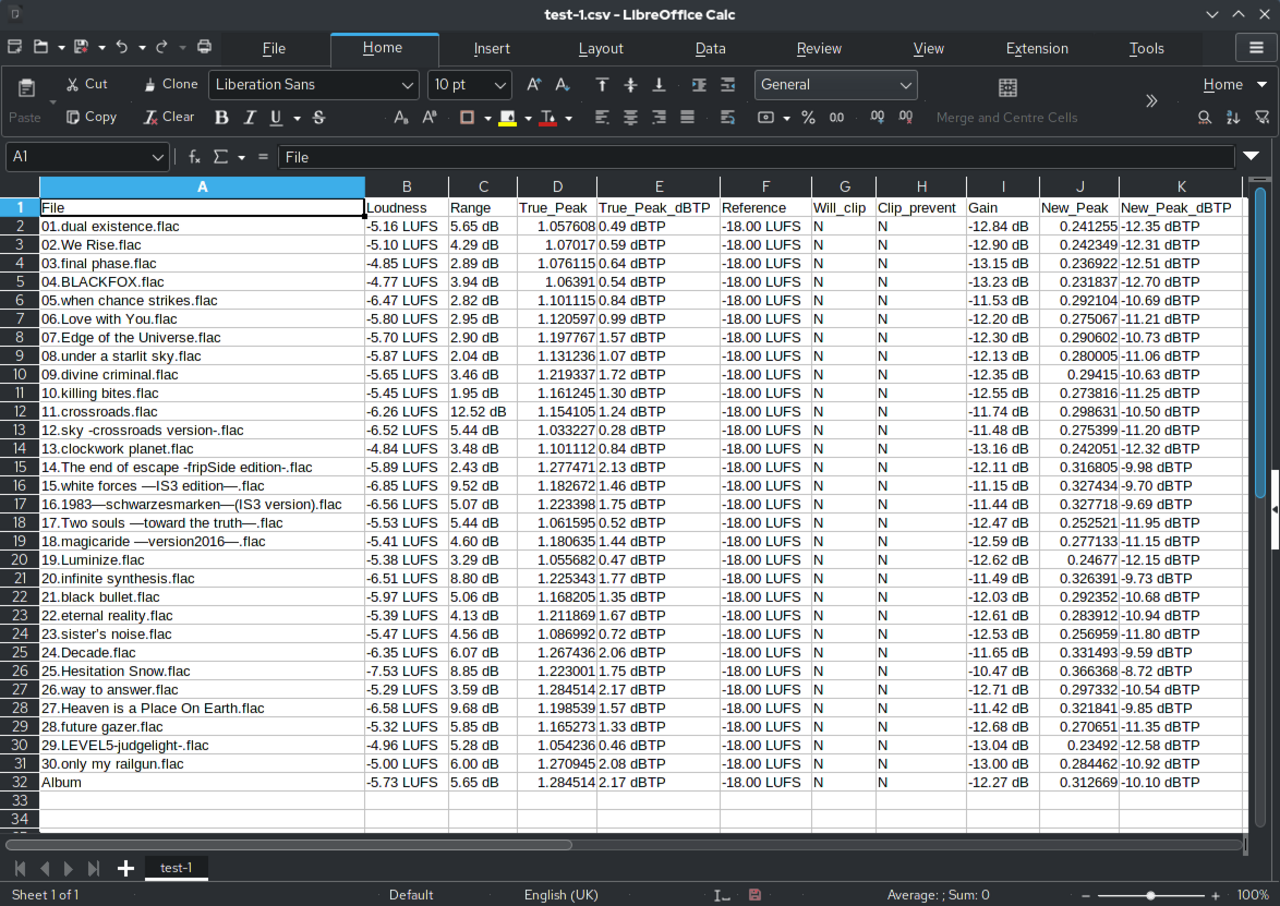
Spreadsheet source rows representing warehouse inventory values before barcode and quantity outputs are generated.
Inventory templates are strongest when barcode fields and quantities come from the same mapped row data.

Warehouse forms are usually fixed, but the record data changes constantly

Warehouse teams still use recurring documents for cycle counts, receiving, transfers, pick/pack exceptions, inspection checklists, and inventory variance review. The layouts may stay consistent while SKU, bin, lot, quantity, and supervisor data change every day.

That makes warehouse paperwork a strong fit for reusable PDF templates. DullyPDF can keep the fixed document layout while generating barcode fields and calculated values from mapped data.

SKU and bin barcodes inside PDF workflows

A warehouse PDF may need SKU barcodes, bin location codes, pallet IDs, receiving references, or transfer numbers. A 1D barcode works well for short identifiers. A QR code works better when the scan should open a WMS page, shipment page, or inventory record URL.

The best template keeps the scannable code near a human-readable fallback field. If the barcode scan fails, the operator still needs to identify the SKU, bin, or transfer quickly.

Quantity and variance calculations

Inventory count sheets often need system quantity, physical count, variance, recount result, and adjustment reason. The variance itself should not be typed manually when the template can calculate it from source inputs.

DullyPDF calculation fields can handle that fixed-form math. The final PDF can show the computed variance while preserving the source quantities used to reach it.

How to roll out inventory PDF templates

Start with one count or receiving form that repeats frequently. Map SKU, bin, and quantity fields first. Add barcode helpers only after the human-readable fields are reliable. Then test a normal count, a zero count, a negative variance, and a missing source value.

That QA sequence catches the problems that usually appear only after a warehouse team starts using the template across many locations.

Validate the warehouse inventory pdf automation rollout with one real record

A useful warehouse inventory pdf automation test starts with one document your team already recognizes, not a perfect demo PDF. Open the existing file, review detection, rename ambiguous fields, confirm checkbox and radio behavior, and save the template only after the field list matches the way the document is used in practice.

Then fill one representative record end to end. Include long names, blank optional values, dates, yes/no choices, and any calculated or scannable fields the page depends on. That single controlled run exposes most template issues before they become repeated output problems.

Choose data and output paths for warehouse inventory pdf automation

Search & Fill is the right first path when an operator should pick a record and inspect the result before export. It works with row data from CSV, XLSX, JSON, or stored respondent records. SQL and TXT files should be treated as schema-only mapping inputs; database-backed production workflows should query the database elsewhere and send JSON through API Fill.

Output mode matters too. Editable PDFs are useful when someone will continue working in live fields. Flat PDFs are safer when the completed record goes to customers, employees, agencies, signers, or archive systems because the visible values are baked into the page instead of depending on the recipient PDF viewer.

Production checklist for warehouse inventory pdf automation

The warehouse inventory pdf automation rollout is ready to reuse when a teammate can clear the document, rerun the same source record, and produce the same visible PDF without remembering hidden cleanup steps. If the result depends on one person knowing which field to fix manually, the template still needs review before it belongs in a repeat workflow.

  • The saved template uses stable field names and reviewed field types.
  • Source headers or API keys match the template schema without ambiguous duplicates.
  • Checkbox, radio, calculated, image, barcode, and signature fields have been tested if the workflow uses them.
  • At least one flat output and one editable output have been opened in the PDF viewers recipients are likely to use.

Why teams use Warehouse Inventory PDF Automation

  • Create reusable templates for cycle counts, receiving, pick/pack review, transfers, and warehouse inspection forms.
  • Render SKU, bin, location, transfer, or receipt barcodes from mapped source values.
  • Calculate variance, recount differences, totals, and inventory review fields before export.

Implementation signals for Warehouse Inventory PDF Automation

  • CRS warehouse guidance lists common warehouse forms such as tally sheets, warehouse inspection checklists, and physical inventory forms.
  • DullyPDF barcode helpers are useful for SKU, bin, location, and receiving identifiers in fixed PDF layouts.
  • Calculation fields can compute inventory variance from system quantity and physical count inputs.

Need deeper technical details about warehouse inventory pdf automation? Use the Rename + Mapping docs and Search & Fill docs to validate exact behavior.

Frequently asked questions about Warehouse Inventory PDF Automation

Can DullyPDF automate warehouse inventory count PDFs?

Yes. Warehouse teams can build reusable count and receiving templates with SKU fields, barcode helpers, variance calculations, and supervisor review fields.

Can inventory PDFs include SKU or bin barcodes?

Yes. DullyPDF can render 1D barcode or QR helper fields from mapped SKU, bin, location, transfer, or receiving values.

Can DullyPDF calculate inventory variance?

Yes. Calculation fields can compute variance from system quantity and physical count inputs.

Legal footnotes and sources for Warehouse Inventory PDF Automation

  1. 1.CRS Emergency Field Operations Manual | Warehouse forms

Docs for Warehouse Inventory PDF Automation

Use these docs pages to verify the exact DullyPDF behavior behind warehouse inventory pdf automation before you ship it as a repeat workflow.

Related routes for Warehouse Inventory PDF Automation

These adjacent routes cover neighboring document workflows and team use cases that usually get evaluated alongside warehouse inventory pdf automation.