Commercial workflow page

Generate PDF Barcodes From CSV or Database Fields

Generate QR Code, PDF417, and 1D barcode output in PDFs from mapped CSV rows, database columns, Fill By Link responses, or API Fill JSON records.

Workflow examples for Generate PDF Barcodes From CSV

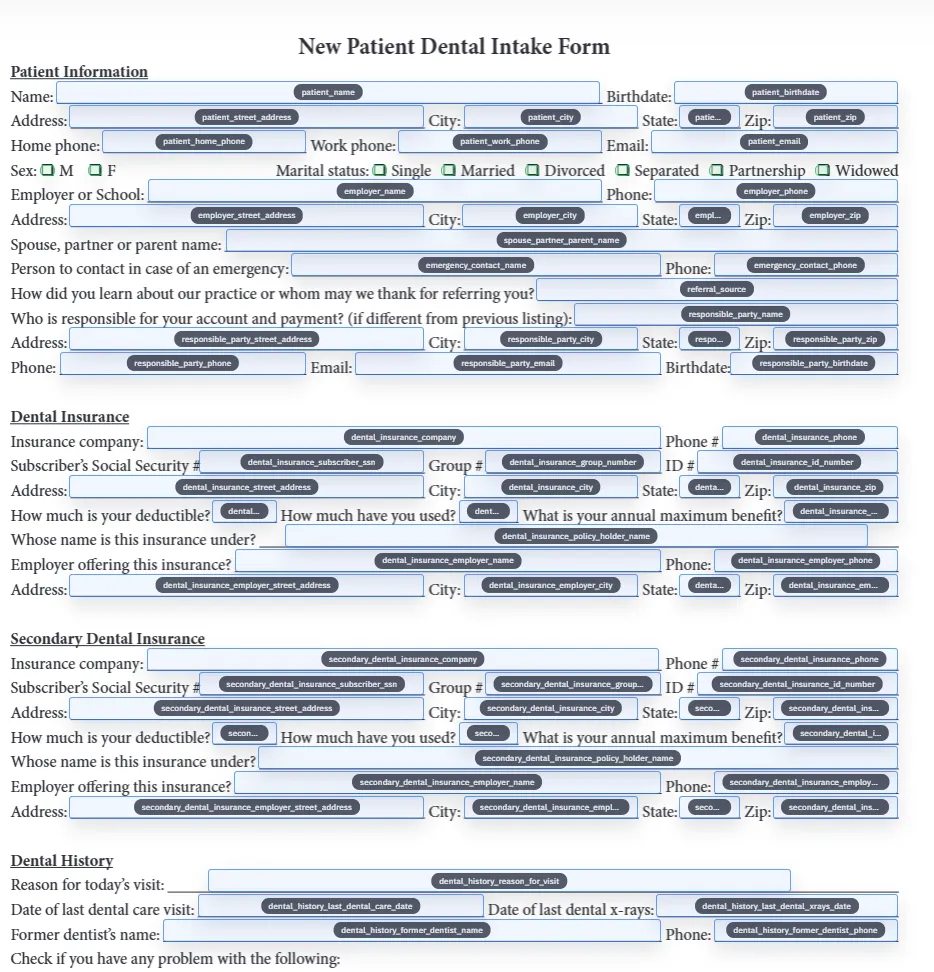
A DullyPDF PDF template preview showing CSV or database values feeding barcode helper fields.
Barcode output is most useful when it comes from the same mapped row data that fills the rest of the template.
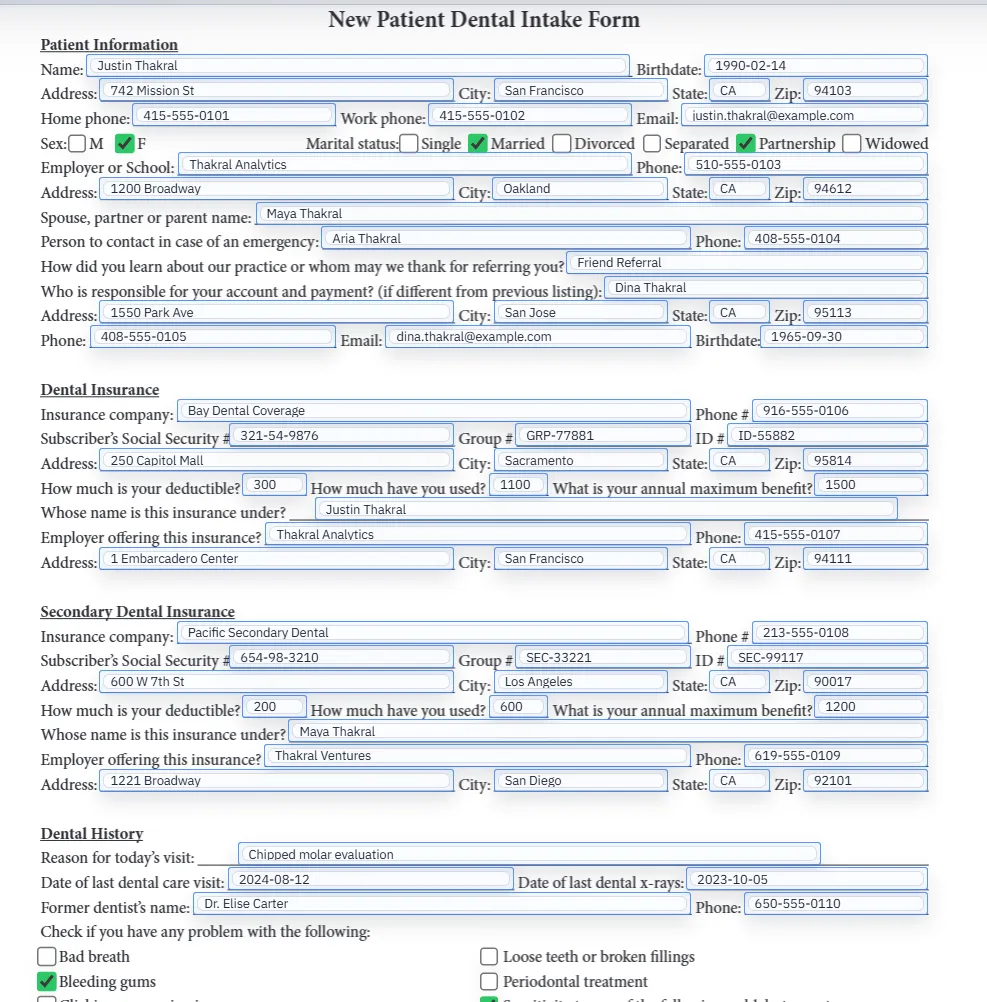
Rename and schema mapping view for a saved PDF template.
Data-driven barcode workflows depend on stable field names and schema mapping before batch generation starts.
Filled PDF preview representing a final output after template values have been applied.
Validate one representative row end to end before using a barcode-enabled template across a batch.

Why CSV-to-PDF barcode workflows are different

A barcode generator turns one value into one image. A CSV-to-PDF barcode workflow turns many records into completed documents where each barcode matches the row that filled the PDF. That requires mapping, validation, and repeatable output, not only image generation.

DullyPDF is built around the template-and-data version of the problem. The source PDF stays fixed, the field names are cleaned and mapped, and barcode helpers render from the same record values that populate the rest of the document.

Map the source value before drawing the barcode

The reliable order is field cleanup first, schema mapping second, barcode helper setup third. If the source value is not stable, the generated barcode will not be stable either. Start by making sure the PDF field names match the CSV headers, database columns, or JSON keys that will drive the workflow.

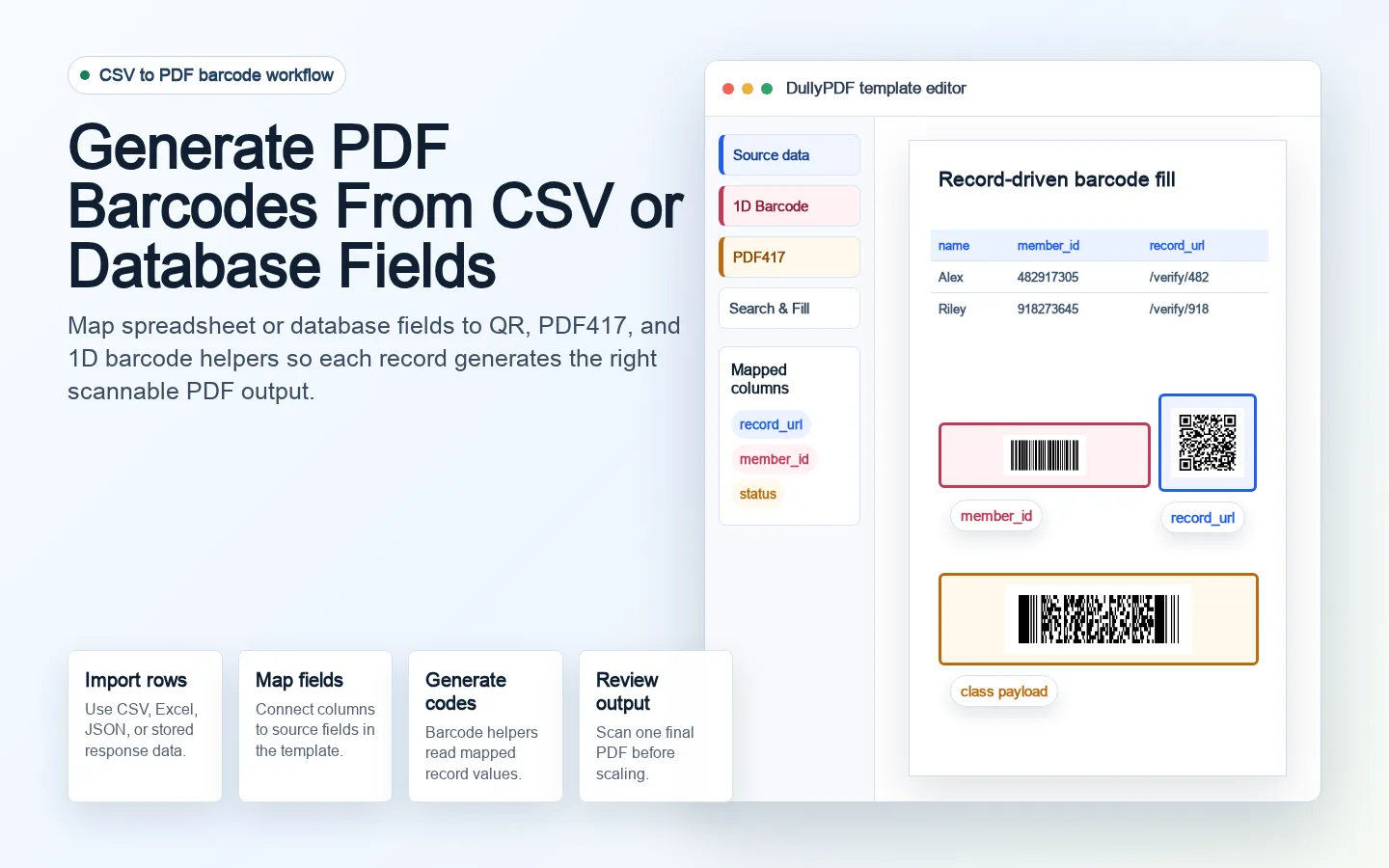
For QR and 1D barcode helpers, choose one mapped value. For PDF417, configure the labeled classes that should be included in the scan text. Keep class names consistent with the downstream scanner or import process so the code output is predictable.

Barcode examples by data source

CSV and spreadsheet rows are a good fit when an operator is filling a batch of documents from exported business data. A QR code might encode a portal URL column, a 1D barcode might encode a nine-digit asset ID column, and a PDF417 field might combine several columns into one scan text payload.

API Fill is a better fit when barcode-enabled PDFs should be generated from an application, job queue, or backend workflow. The same template still matters: the API should send values into a reviewed field contract rather than trying to draw barcodes directly on each PDF.

How Acrobat barcode field behavior differs

Acrobat barcode field tools can encode selected fields or custom JavaScript inside a native Acrobat barcode field.1 That is useful when the PDF itself must contain Acrobat-managed barcode logic.

DullyPDF approaches the problem at generation time. The template stores helper metadata, the data source supplies values, and DullyPDF stamps the generated barcode into the final PDF. That works well for batch output, hosted response workflows, and server-side JSON-to-PDF generation.

Batch QA before generating many PDFs

Barcode mistakes scale quickly. Before using a template across a whole CSV or database export, generate one representative PDF for each important edge case: missing values, longest URLs, invalid 1D barcode values, and dense PDF417 payloads.

Scan the outputs outside DullyPDF. Confirm the scanned value matches the row data, the human-readable field on the PDF, and the downstream system expectation. Only then should the template be used for a large batch.

  • Validate field names and schema headers before barcode setup.
  • Keep source columns dedicated and predictable.
  • Scan representative generated PDFs, not only editor previews.
  • Use API Fill when barcode PDFs should be generated from a backend system.

Why teams use Generate PDF Barcodes From CSV

  • Tie barcode output to mapped record data instead of manually creating barcode images for each PDF.
  • Use QR Code for record URLs, PDF417 for structured payloads, and 1D barcode for short internal IDs.
  • Generate final PDFs through Search & Fill, Fill By Link, or API Fill with scannable helper output rendered on the page.

Implementation signals for Generate PDF Barcodes From CSV

  • DullyPDF templates can map PDF fields to CSV, spreadsheet, JSON, or API schema headers.
  • QR and 1D barcode helpers encode one configured value from the template data layer.
  • PDF417 helpers can combine multiple labeled classes into one generated payload.
  • Generated output stamps barcode helper images into PDF page content so recipients can scan outside DullyPDF.

Need deeper technical details about generate pdf barcodes from csv? Use the Rename + Mapping docs and Search & Fill docs to validate exact behavior.

Frequently asked questions about Generate PDF Barcodes From CSV

Can I generate PDF barcodes from a CSV file?

Yes. In DullyPDF, map CSV or spreadsheet data to a saved template, configure barcode helper fields, and generate completed PDFs where each barcode uses the mapped row value.

Can barcode fields use database or API values?

Yes. API Fill can send JSON record values to a published template, and barcode helpers can render from the configured template values.

Can PDF417 include multiple CSV columns?

Yes. DullyPDF PDF417 helpers can combine multiple labeled classes into one scan text payload.

Can QR codes be generated from a URL column?

Yes. QR helpers can encode one source value, such as a URL, record lookup token, payment link, or portal link.

What should I test before batch generation?

Generate and scan representative final PDFs for missing values, long values, invalid barcode values, and the exact print or email conditions the batch will use.

Legal footnotes and sources for Generate PDF Barcodes From CSV

  1. 1.Adobe Acrobat | Add barcode fields and encode selected form fields

Related setup docs

Use these docs to map row data, test Search & Fill, or publish barcode-enabled templates through API Fill.

Docs for Generate PDF Barcodes From CSV

Use these docs pages to verify the exact DullyPDF behavior behind generate pdf barcodes from csv before you ship it as a repeat workflow.

Related routes for Generate PDF Barcodes From CSV

These adjacent workflow pages cover nearby search intents teams compare while evaluating generate pdf barcodes from csv.