Commercial workflow page

Add 1D Barcode Fields to Fillable PDFs

Add 1D barcode helper fields to reusable PDF templates for short internal IDs, asset tags, work orders, member numbers, and tracking references.

Workflow examples for Add 1D Barcode Field to PDF

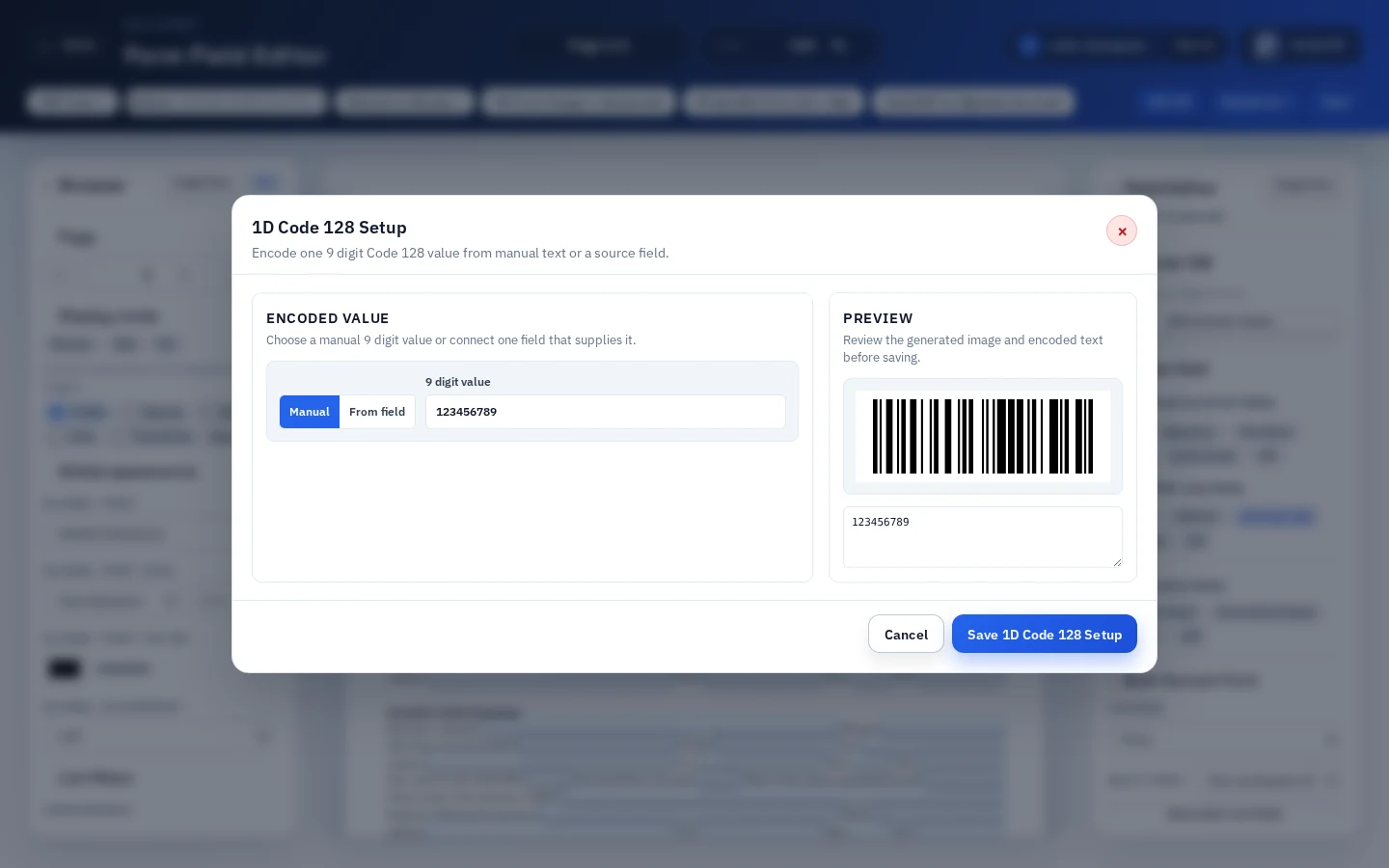
A DullyPDF PDF template preview showing a 1D barcode field generated from a short numeric source value.
1D barcode helper fields fit short internal identifiers such as asset tags, work orders, member IDs, and tracking references.
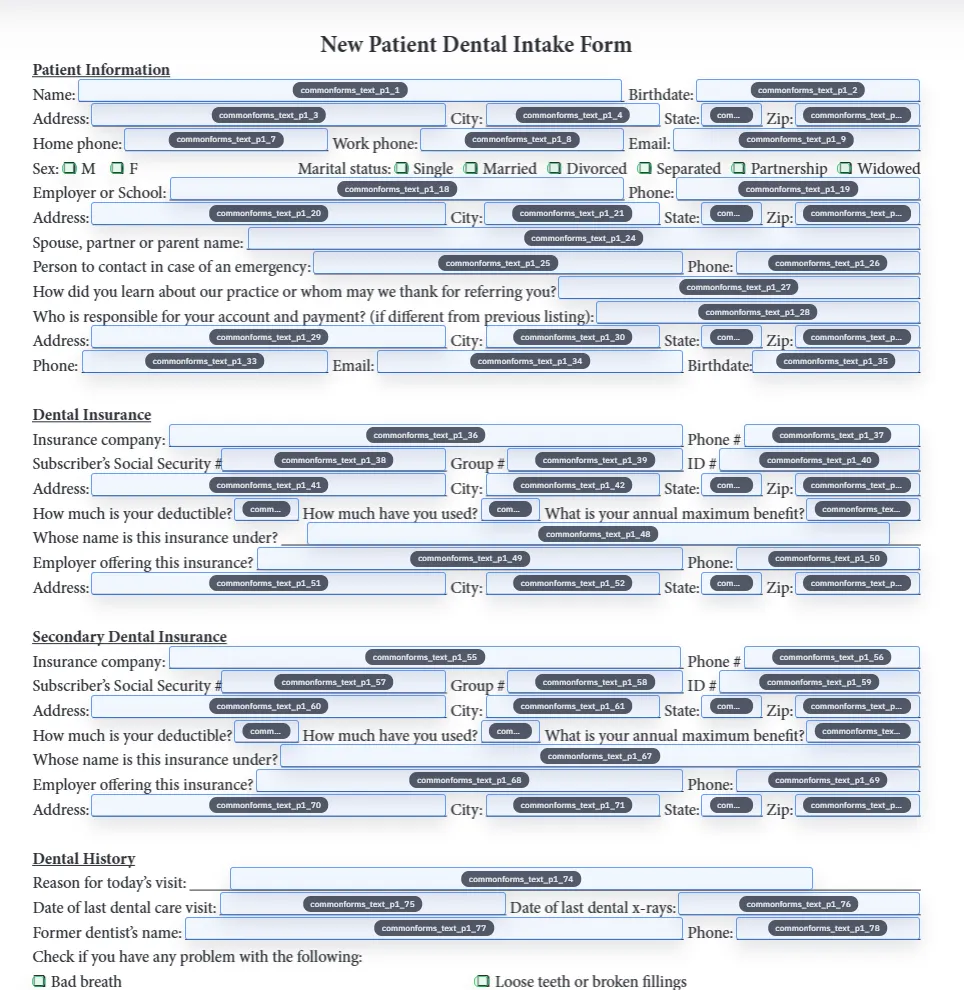
Detected fields overlaid on a source PDF inside DullyPDF before 1D barcode helpers are added.
Choose 1D barcode for a compact ID, PDF417 for denser structured data, and QR Code for URLs or mobile-friendly scanning.
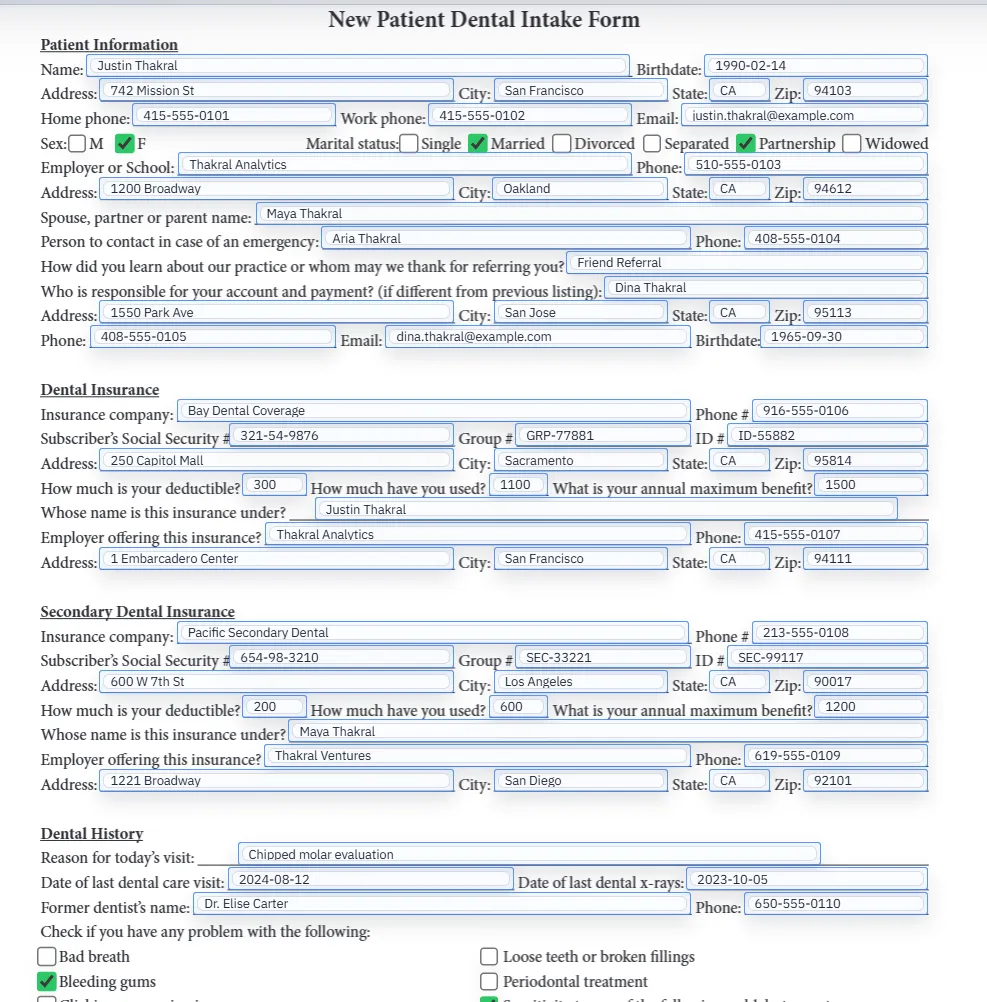
Filled PDF preview representing a final output after template values have been applied.
Scan testing should happen on the final generated PDF, not only inside the editor preview.

What a 1D barcode field is best for

A 1D barcode is the familiar linear barcode made of vertical bars. GS1 describes UPC, EAN, and GS1-128 as examples of linear or 1D barcodes used across retail and distribution workflows.1 In PDF form automation, the most practical 1D job is narrower: place a scannable short identifier on a completed document.

Use a 1D barcode field when the PDF needs an asset tag, work order number, member ID, ticket number, internal tracking code, or controlled record identifier. If the code needs to carry a URL, QR Code is usually better. If it needs to carry several structured facts, PDF417 is usually better.

DullyPDF scope for 1D barcode helpers

DullyPDF currently keeps the 1D helper intentionally narrow. It generates Code 128 style output from a 9 digit value. That makes the workflow easier to validate for internal identifiers because the allowed value shape is predictable.

This is not a replacement for GS1 company prefixes, UPC/EAN product assignment, retail packaging labels, or point-of-sale barcode validation. If the barcode will be scanned by a retail or logistics network with formal standards, use the appropriate GS1 and label-generation process first, then use the PDF only where that process allows it.

Why not just paste a barcode image into the PDF

Pasting a barcode image works for one file. It breaks down when a team needs the same PDF layout filled for many records. Somebody has to create the image, paste it, align it, and remember to replace it when the ID changes.

A DullyPDF 1D barcode helper keeps the placement inside the template and generates from the configured value at output time. That is the difference between a static PDF edit and a repeatable PDF form workflow.

How to set up a 1D barcode field cleanly

Start with the human-readable ID field. Name it clearly, map it to your schema if you are using row data, and test that normal filling works. Then add the 1D barcode helper where the scannable ID should appear and connect it to the source value.

Keep the printed text near the barcode when possible. Scanners fail, labels get damaged, and support teams still need a readable fallback. The barcode should accelerate lookup, not be the only way to understand the document.

  • Use short, stable identifiers.
  • Keep a readable text version of the same ID nearby.
  • Test valid and invalid ID lengths before publishing the template.

1D barcode versus QR Code and PDF417

A 1D barcode is strongest when the scanned value is short and scanner workflows expect a linear code. QR Code is stronger for URLs, mobile phone scanning, verification pages, payment links, and portal handoff. PDF417 is stronger when a scanner needs multiple structured values from the document.

The right choice should come from the receiving workflow. If a warehouse scanner expects a short numeric ID, 1D barcode may be the cleanest output. If a customer or field worker will scan with a phone, QR Code is usually more recognizable. If the recipient needs a compact data block, PDF417 may be a better fit.

Final-output scan testing

A 1D barcode can look crisp on screen and still fail after it is printed small, compressed in email, or placed over a busy background. Export the completed PDF, view it outside DullyPDF, and scan it at the final size.

Do not only test the perfect example. Test missing values, invalid lengths, and the longest expected identifier. A barcode-enabled template is ready when operators understand what happens when the source ID is wrong or absent.

Why teams use Add 1D Barcode Field to PDF

  • Place a linear barcode helper on an existing PDF form where a short identifier needs to scan.
  • Connect the 1D barcode helper to one configured value instead of pasting a static barcode image into each file.
  • Render barcode output into final PDFs while keeping editable exports restorable inside DullyPDF.

Implementation signals for Add 1D Barcode Field to PDF

  • DullyPDF 1D barcode helpers encode one configured source value.
  • The current DullyPDF 1D helper generates Code 128 style output from exactly 9 digits, which fits controlled internal ID workflows.
  • The helper is not a retail UPC/EAN issuance, licensing, packaging, or point-of-sale validation system.
  • Final generated PDFs stamp the barcode image into page content so the delivered file remains scannable outside the editor.

Need deeper technical details about add 1d barcode field to pdf? Use the Rename + Mapping docs and Search & Fill docs to validate exact behavior.

Frequently asked questions about Add 1D Barcode Field to PDF

Can I add a 1D barcode field to a PDF form?

Yes. DullyPDF lets you place a 1D barcode helper field on a PDF template and generate barcode output from one configured value.

What 1D barcode values work in DullyPDF?

The current DullyPDF 1D helper is designed for exactly 9 digits and generates Code 128 style output.

Can I use DullyPDF to create UPC or EAN retail barcodes?

No. DullyPDF 1D helpers are for controlled PDF template workflows, not retail barcode issuance, UPC/EAN licensing, or packaging compliance.

Should I use 1D barcode or QR Code?

Use 1D barcode for short internal identifiers. Use QR Code when the scanned value should be a URL, portal link, payment link, or mobile-friendly lookup.

Does the final PDF depend on a live barcode widget?

No. Final exports and generated fills stamp the barcode image into the PDF page content.

Legal footnotes and sources for Add 1D Barcode Field to PDF

  1. 1.GS1 US | Barcode types, including linear 1D barcode examples

Related setup docs

Use these DullyPDF docs when the barcode value should come from cleaned fields, mapped rows, or generated PDF workflows.

Docs for Add 1D Barcode Field to PDF

Use these docs pages to verify the exact DullyPDF behavior behind add 1d barcode field to pdf before you ship it as a repeat workflow.

Related routes for Add 1D Barcode Field to PDF

These adjacent workflow pages cover nearby search intents teams compare while evaluating add 1d barcode field to pdf.