Commercial workflow page

Add a Barcode to a PDF Form Online

Add QR Code, PDF417, or 1D barcode helper fields to reusable PDF forms, then generate scannable output from manual values, source fields, or mapped record data.

Workflow examples for Add Barcode to PDF Form

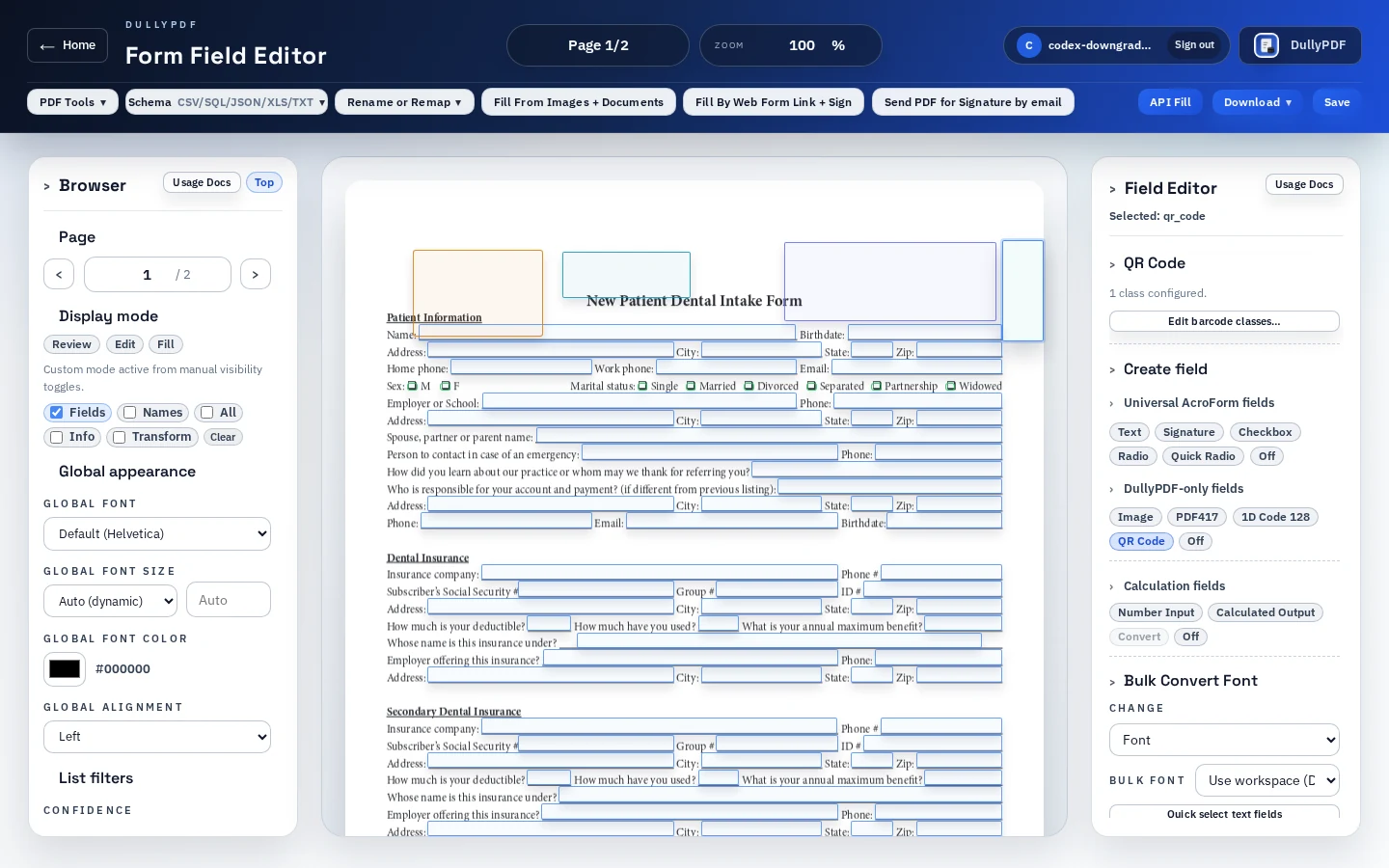
A DullyPDF PDF template preview showing barcode helper fields placed into a reusable PDF form.
Barcode fields should be placed as part of the reusable template, then generated from the same record data that fills the PDF.
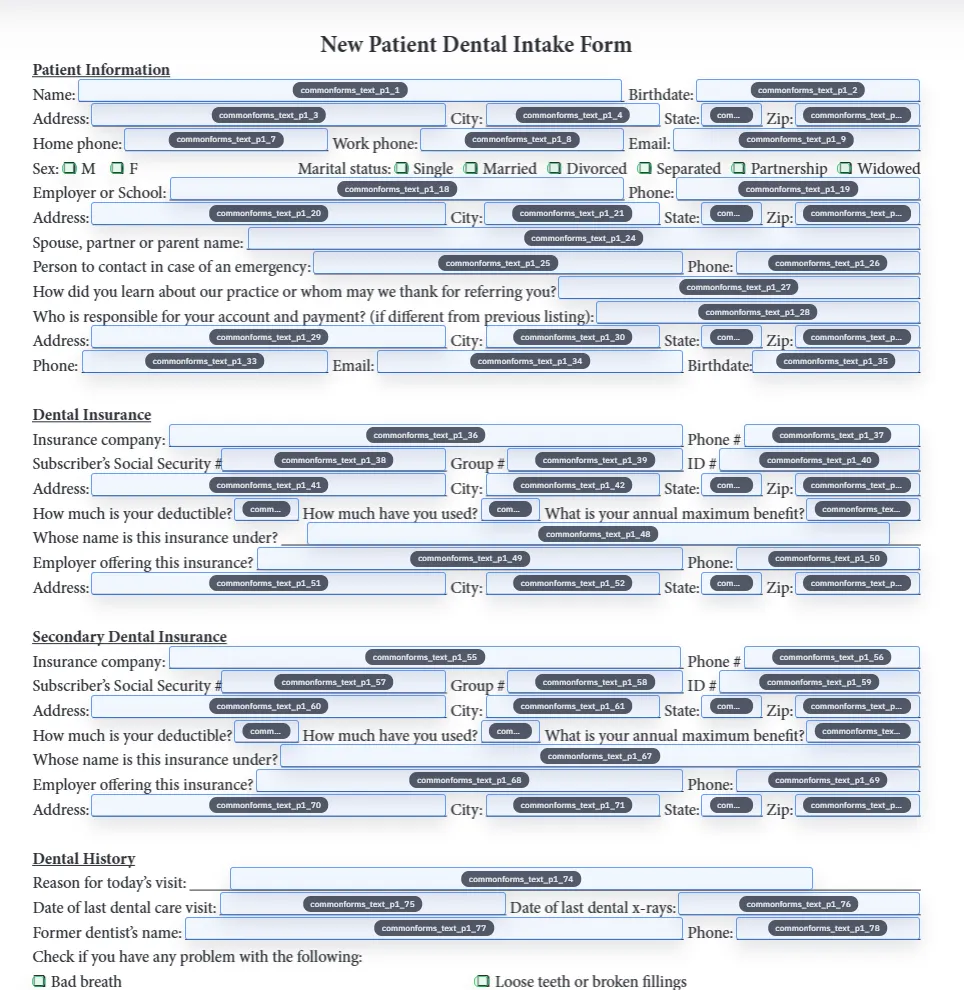
Detected fields overlaid on a source PDF before scannable helper regions are added.
QR Code handles link and lookup intent; PDF417 and 1D barcode cover denser payloads and shorter identifiers.
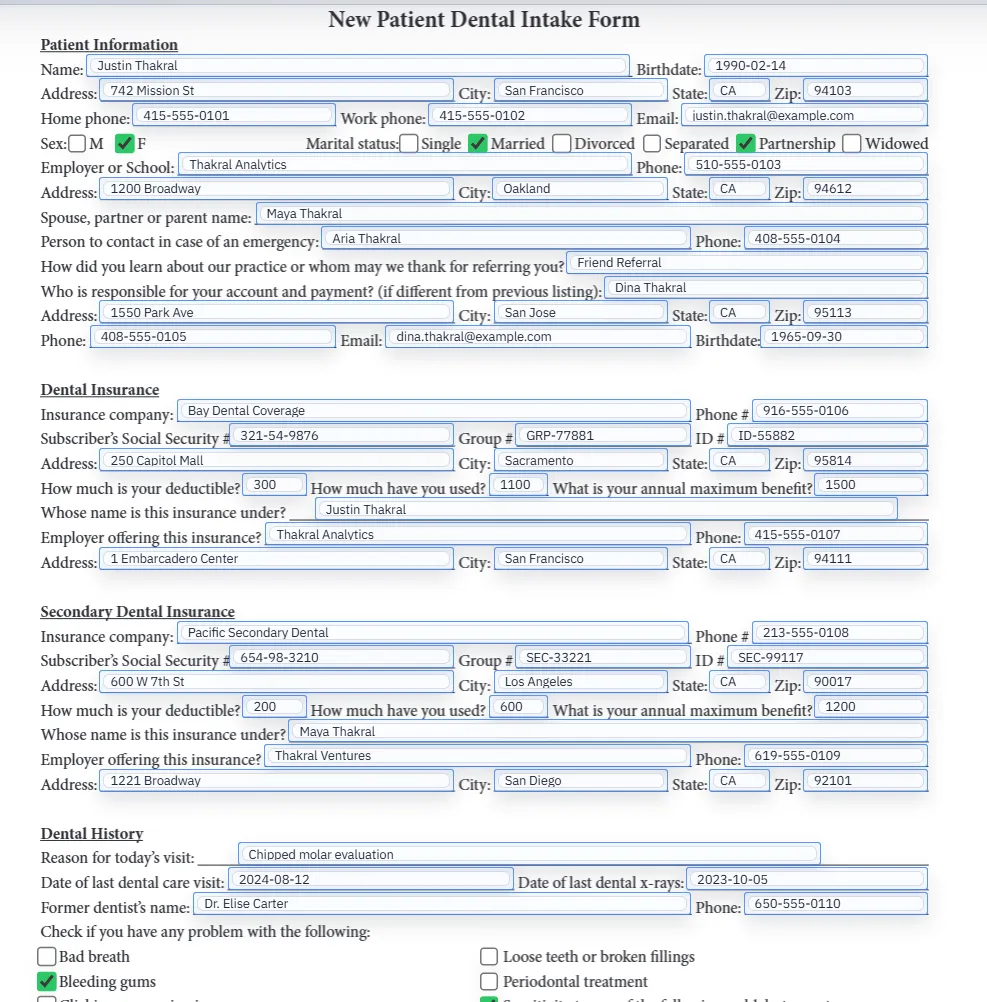
Filled PDF preview representing a final barcode-enabled output after template values have been applied.
A broad barcode page should still explain which barcode type matches the user workflow.

Start with the barcode job, not the barcode shape

The broad search query “add barcode to PDF form” hides several different jobs. Some users need a QR code that opens a verification URL. Some need a PDF417 block that carries structured document data. Some need a linear 1D barcode for a short internal ID. Treating those as one generic barcode task leads to the wrong tool and the wrong output.

DullyPDF handles the reusable-template version of this problem. The barcode field sits inside the PDF layout, the payload comes from manual configuration or form data, and the final output is a completed PDF with scannable page content.

Barcode field choices in DullyPDF

Use QR Code when the PDF should bridge to a web destination, such as a portal, verification page, payment page, status lookup, or record URL. GS1 describes QR Code as a 2D barcode used to connect users to web information through a mobile scan.1

Use PDF417 when the code should carry multiple structured values inside one scannable block. Use 1D barcode when a short internal identifier should scan quickly in a workflow that expects a linear code.

How this differs from Acrobat barcode fields

Adobe Acrobat supports barcode fields and lets authors choose symbologies such as PDF417 and QR Code in Barcode Field Properties.2 That is a native Acrobat form-authoring workflow, often with field selection or JavaScript inside the PDF.

DullyPDF helper fields are different. They are designed for saved templates that DullyPDF fills and materializes. Editable exports keep metadata so DullyPDF can reopen the helpers; final exports and generated fills stamp the generated QR or barcode into page content.

Static barcode images versus data-driven barcode fields

A static barcode image belongs on a one-off PDF or a fixed label. A data-driven barcode field belongs on a recurring PDF template where the scanned value changes by record. The difference matters because a static image can silently become wrong when the document data changes.

With a template helper, the operator reviews the placement once and then supplies the payload from the same workflow that fills the rest of the PDF. That can be manual input, Search & Fill row data, Fill By Link responses, or API Fill JSON depending on how the template is used.

Quality checklist before publishing a barcode PDF form

Barcode QA needs to happen on the generated PDF, not only in the editor. Export a representative completed document, open it outside DullyPDF, print or zoom it at the expected size, and scan with the same device or scanner used in production.

Test blank values, invalid values, and the longest realistic payload. If a QR code becomes too dense, shorten the URL or encode a stable redirect. If PDF417 is unreliable, reduce the class set or increase the field size. If a 1D barcode is invalid, correct the source ID shape before publishing.

  • Confirm the barcode type matches the receiving scanner workflow.
  • Keep enough quiet space around the code.
  • Keep a readable text fallback near the barcode when the identifier matters to humans.
  • Do not use a PDF helper as the source of truth for regulated labels or retail barcode issuance.

Why teams use Add Barcode to PDF Form

  • Choose QR Code, PDF417, or 1D barcode based on the scan job instead of treating every barcode as the same output.
  • Keep barcode placement inside the saved PDF template so repeated fills use reviewed geometry.
  • Generate final PDFs where the barcode image is stamped into the page content for print, email, and archive workflows.

Implementation signals for Add Barcode to PDF Form

  • DullyPDF supports QR Code, PDF417, and 1D barcode helper fields in the PDF editor.
  • QR and 1D helpers encode one configured value; PDF417 helpers can combine multiple labeled values.
  • Helper fields are DullyPDF template metadata, not native Acrobat barcode fields.
  • Generated final PDFs render the scannable output into page content so recipients do not need DullyPDF to scan the result.

Need deeper technical details about add barcode to pdf form? Use the Rename + Mapping docs and Search & Fill docs to validate exact behavior.

Frequently asked questions about Add Barcode to PDF Form

Can I add a barcode to a PDF form online?

Yes. DullyPDF lets you add QR Code, PDF417, and 1D barcode helper fields to existing PDF templates and render the generated code into final PDFs.

Which barcode type should I use in a PDF form?

Use QR Code for URLs and mobile scans, PDF417 for denser structured data, and 1D barcode for short internal identifiers.

Can barcode fields use data from other PDF fields?

Yes. QR and 1D barcode helpers can encode one configured source value, and PDF417 helpers can combine multiple labeled source values.

Are DullyPDF barcode fields native Acrobat fields?

No. They are DullyPDF helper fields that render into final page content. Use Acrobat when you specifically need native Acrobat barcode field behavior.

Can I use these barcode fields for retail product labels?

Not as the source of truth. Retail, logistics, and packaging barcode standards should be handled through the appropriate GS1 or label-generation process.

Legal footnotes and sources for Add Barcode to PDF Form

  1. 1.GS1 US | Barcode types, 1D barcodes, QR Code, UPC, EAN, and GS1-128
  2. 2.Adobe Acrobat | Add barcode fields and select symbology

Related setup docs

Use these docs after you decide which barcode type belongs in the template and need to connect it to real PDF output workflows.

Docs for Add Barcode to PDF Form

Use these docs pages to verify the exact DullyPDF behavior behind add barcode to pdf form before you ship it as a repeat workflow.

Related routes for Add Barcode to PDF Form

These adjacent workflow pages cover nearby search intents teams compare while evaluating add barcode to pdf form.