Commercial workflow page

PDF417 vs QR Code for PDF Forms

Compare PDF417 and QR Code for fillable PDF workflows so each template uses the right scannable output for dense data, URLs, verification, and mobile scanning.

Workflow examples for PDF417 vs QR Code for PDF Forms

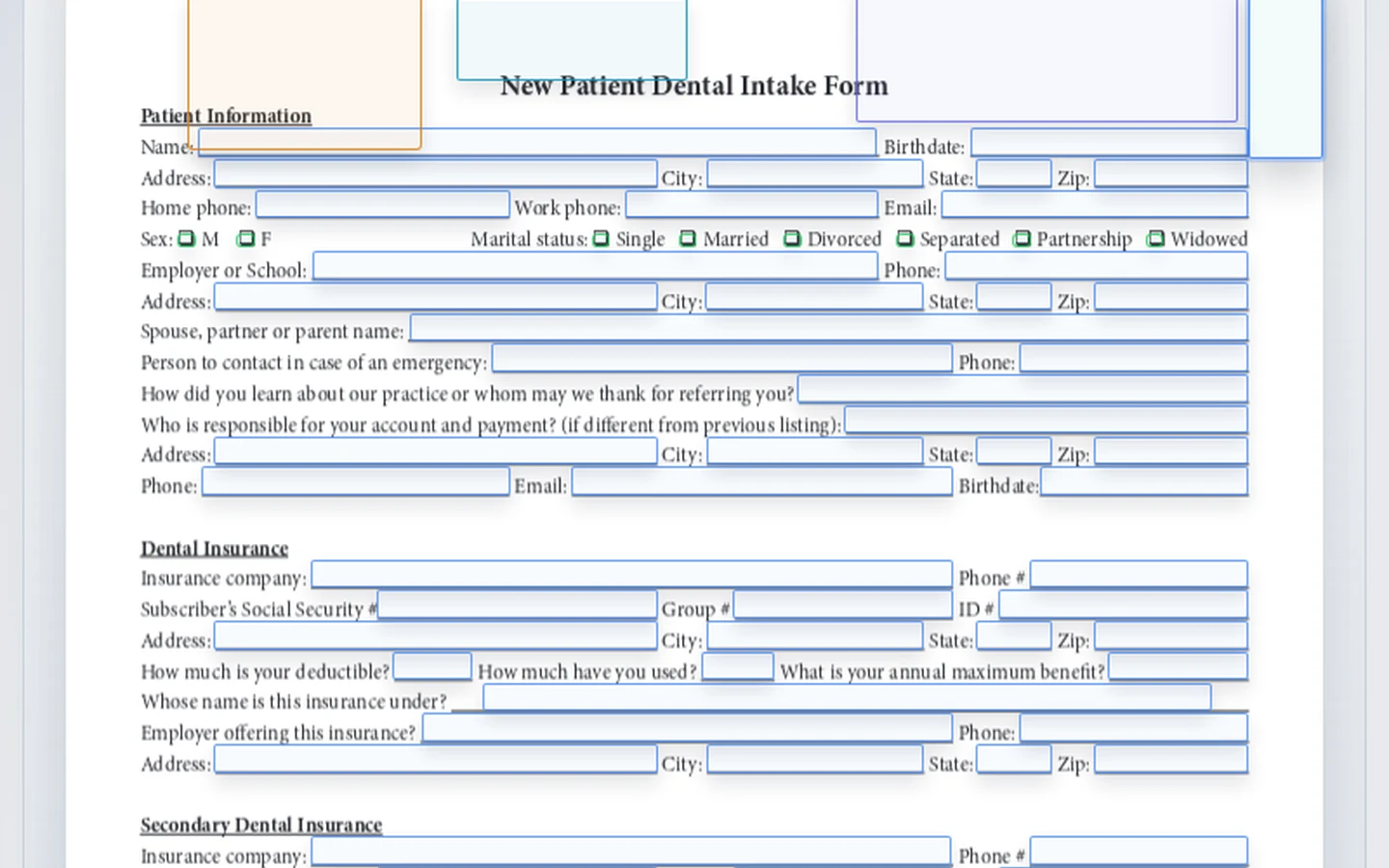
A DullyPDF PDF template comparison showing PDF417 for structured data and QR Code for a verification URL.
PDF417 and QR Code can both live in PDFs, but they answer different scanning jobs.
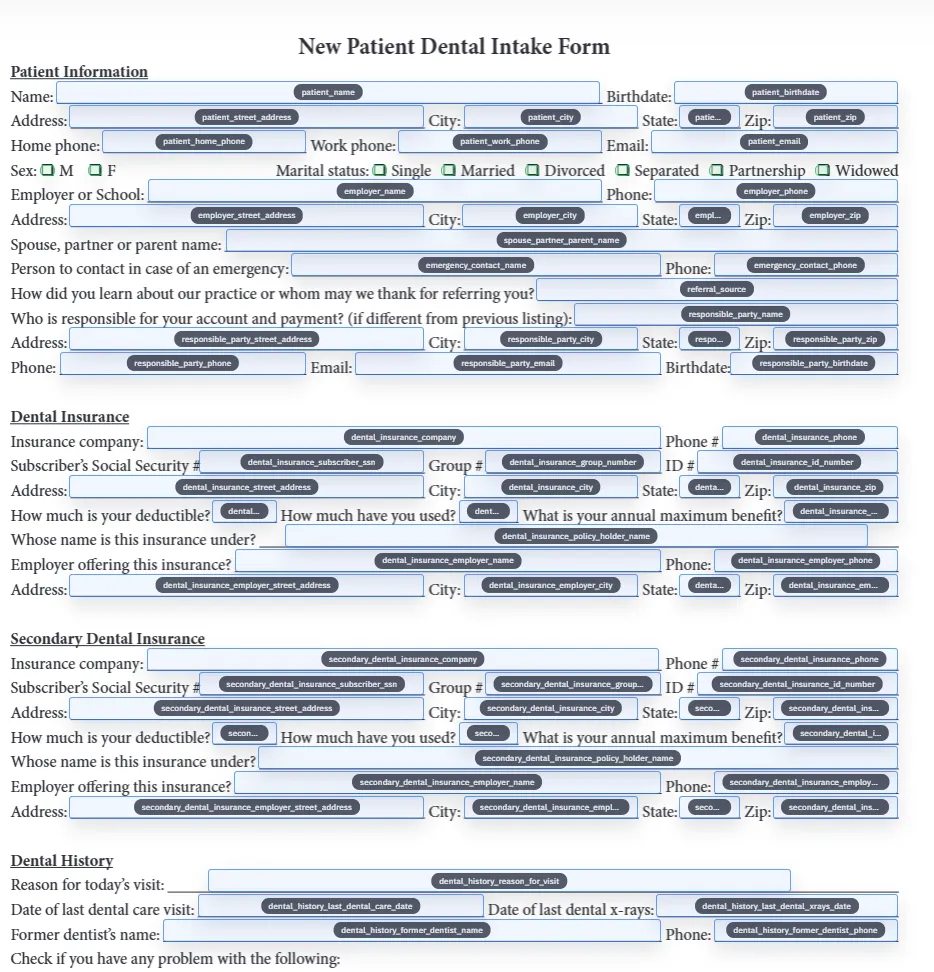
Rename and schema mapping view for a saved PDF template before barcode helper output is generated.
PDF417 is better when the scan text should include several labeled values from the document record.
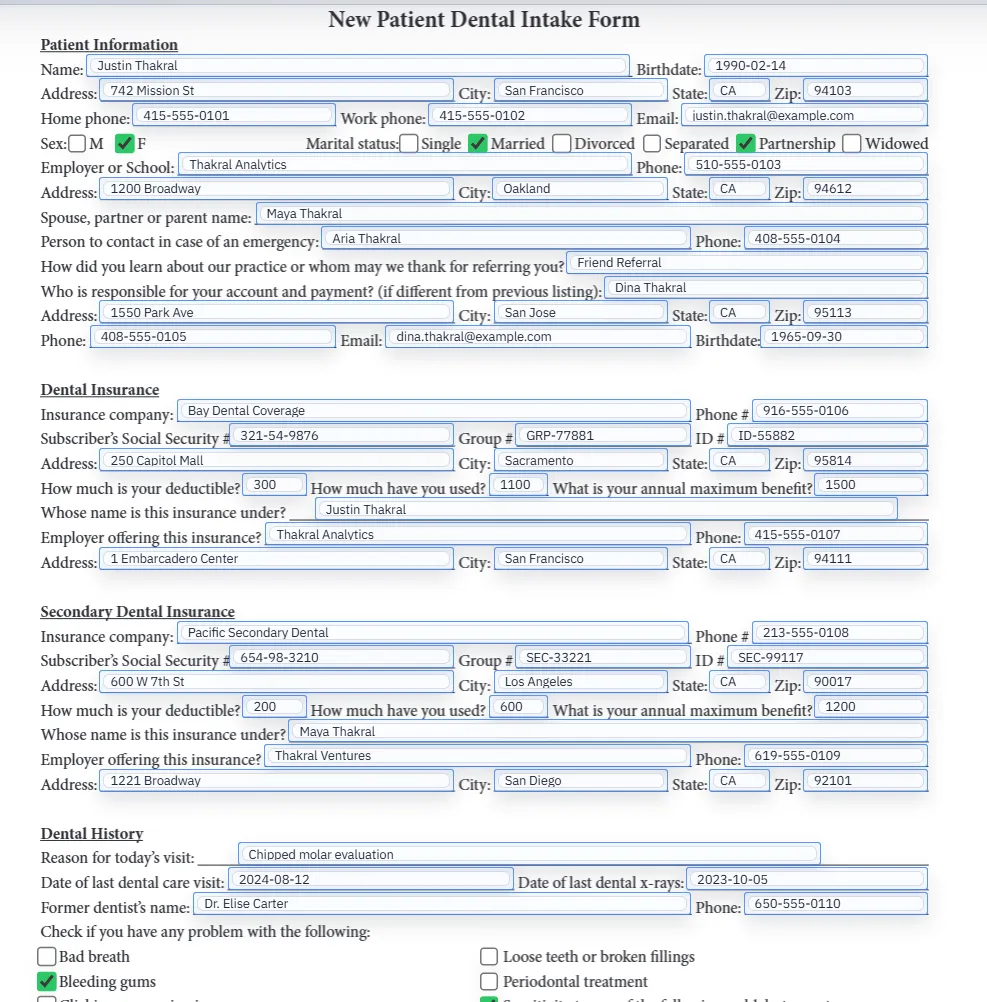
Filled PDF preview representing a final output after barcode or QR values have been applied.
QR Code is usually stronger for URLs, mobile scanning, and printed-to-digital handoff.

Short answer: PDF417 is data-heavy, QR Code is link-friendly

Use PDF417 when the scan should carry structured document facts directly in the code. Use QR Code when the scan should send someone to a URL or compact lookup value. Both can appear inside PDF forms, but they are not interchangeable for every workflow.

This distinction is important because many barcode tools sell every option as another downloadable image. A PDF form workflow needs a choice that matches the recipient scanner, the payload length, the printed size, and whether the document should work offline or point back online.

When PDF417 is the better fit

PDF417 is a strong fit when the document needs to carry several values in one scannable block: ID records, credential packets, transport paperwork, shipping records, government forms, ticketing documents, or other workflows where a scanner reads more than a short link.

DullyPDF PDF417 helpers can combine multiple labeled classes into one scan text payload. That makes PDF417 a practical choice when the generated code should reflect several fields already reviewed in the PDF template.

When QR Code is the better fit

QR Code is usually better for URLs, mobile scans, verification pages, portals, payment links, status pages, and public lookup flows. DENSO WAVE describes QR Code as a two-dimensional code with error correction, which helps explain why it is widely used for real-world scans.1

GS1 also frames QR Code as a 2D barcode that can connect users to web information by scan.2 If the PDF needs to move a person from paper to a web destination, QR Code is usually the clearer choice.

Payload design matters more than barcode preference

Do not choose based only on which code looks more familiar. Start with the payload. If the payload is a stable record URL, QR Code is direct and recognizable. If the payload is a set of labeled facts that need to be read by a scanner without opening a web page, PDF417 is more defensible.

If you are tempted to put private personal data directly inside either code, pause. A scannable code can expose data quickly to anyone with a scanner. For sensitive workflows, encode an opaque lookup token or authenticated URL instead of raw protected details when the process allows it.

How Acrobat and DullyPDF handle the choice

Adobe Acrobat barcode-field tools let authors select barcode symbologies such as PDF417 and QR Code.3 That is useful when the requirement is a native Acrobat form field configured inside Acrobat.

DullyPDF focuses on template-driven final output. QR Code and PDF417 are helper fields, and the generated code is stamped into the completed PDF during export or generated fill. That model fits Search & Fill, Fill By Link, and API Fill workflows where the final PDF is the record users print, email, or archive.

Decision checklist for PDF templates

Choose the code after answering four questions: who scans it, what device scans it, what data must be recovered, and whether the document needs to work without a web lookup. Those answers usually decide the field type more clearly than a generic barcode comparison.

Then test the final PDF. QR codes with long URLs become dense. PDF417 payloads can become too large for the space available on the form. Generate a representative record and scan the result under the same print, email, or archive conditions the workflow will use.

  • Choose QR Code for URLs, lookup pages, portals, and phone scanning.
  • Choose PDF417 for denser structured payloads that should scan directly from the page.
  • Use a stable redirect URL when a QR destination may need to change later.
  • Reduce payload length or increase field size when scans are slow or unreliable.

Why teams use PDF417 vs QR Code for PDF Forms

  • Use PDF417 when one code needs to carry multiple structured values directly inside the completed PDF.
  • Use QR Code when the PDF should connect to a URL, verification page, portal, payment page, or mobile-friendly lookup.
  • Keep both options as template helpers so DullyPDF can render the selected code into generated PDF output.

Implementation signals for PDF417 vs QR Code for PDF Forms

  • Adobe Acrobat lists PDF417 and QR Code as available barcode symbologies for Acrobat barcode fields.
  • DullyPDF QR helpers encode one configured value; PDF417 helpers can combine multiple labeled classes.
  • GS1 describes QR Code as a 2D barcode used for web information and mobile scanning.
  • DullyPDF final outputs stamp generated helper images into page content instead of requiring a live barcode widget.

Need deeper technical details about pdf417 vs qr code for pdf forms? Use the Rename + Mapping docs and Search & Fill docs to validate exact behavior.

Frequently asked questions about PDF417 vs QR Code for PDF Forms

Is PDF417 better than QR Code for PDF forms?

Neither is universally better. PDF417 is better for denser structured data, while QR Code is better for URLs, verification links, portals, and mobile scanning.

Can DullyPDF add both PDF417 and QR Code fields?

Yes. DullyPDF supports both PDF417 and QR Code helper fields, and each can be placed where the final PDF needs scannable output.

Which barcode should I use for a verification link?

Use QR Code for verification links because it is widely recognized by phone cameras and works well for URL payloads.

Which barcode should I use for several fields of data?

Use PDF417 when one code needs to carry multiple structured values from the document record.

Do PDF417 and QR Code fields stay editable in any PDF viewer?

No. In DullyPDF they are helper fields. Final exports stamp the generated code into the page, while editable round-trip exports preserve metadata for DullyPDF reopen.

Legal footnotes and sources for PDF417 vs QR Code for PDF Forms

  1. 1.DENSO WAVE | What is a QR Code?
  2. 2.GS1 US | Barcode types and QR Code barcode guidance
  3. 3.Adobe Acrobat | Add barcode fields and choose barcode symbology

Related setup docs

Use these docs once the barcode choice is clear and you need to configure the template, map record values, or generate final PDFs.

Docs for PDF417 vs QR Code for PDF Forms

Use these docs pages to verify the exact DullyPDF behavior behind pdf417 vs qr code for pdf forms before you ship it as a repeat workflow.

Related routes for PDF417 vs QR Code for PDF Forms

These adjacent workflow pages cover nearby search intents teams compare while evaluating pdf417 vs qr code for pdf forms.