
Contractor Tax Onboarding Packet: W-9, 1099, W-8, and EIN Forms
Contractor onboarding is usually a repeated data problem: legal name, taxpayer identification, address, classification, backup withholding, payer details, and year-end reporting data move through several fixed tax PDFs. A high-quality workflow collects the record once, maps it carefully, and keeps IRS source rules outside the PDF automation layer.

Contractor onboarding repeats tax identity data before and after payment
A contractor or vendor workflow often begins with a W-9, but the same record can later drive 1099-NEC, 1099-MISC, 1096, W-8BEN, W-8BEN-E, SS-4, reporting-agent, or internal payer documents. The layout of each PDF is different, but the operating data is familiar: payee legal name, business name, tax classification, TIN, mailing address, payer details, account number, and withholding status.
DullyPDF fits the workflow layer, not the tax-decision layer. It can turn the recurring PDFs into reviewed templates, collect contractor details through Fill By Link, and fill the official-layout documents from the same structured record. It should not decide whether a worker is a contractor, whether a payment is reportable, or which IRS copy must be filed.
Start with the forms that define contractor identity, recipient reporting, and foreign-status review
The practical first packet is not every IRS form. It is the set that actually recurs in your onboarding and year-end process. For U.S. payees, W-9 is the intake anchor and 1099-NEC is often the year-end reporting output. 1099-MISC and 1096 may appear for other information-return or paper-transmittal workflows.
For foreign-status workflows, W-8BEN and W-8BEN-E need stricter role and entity handling. SS-4 is useful when an entity still needs EIN application data organized before the accounting team stores the contractor record. These forms should be linked by a stable schema, not by copy-paste from one PDF to the next.

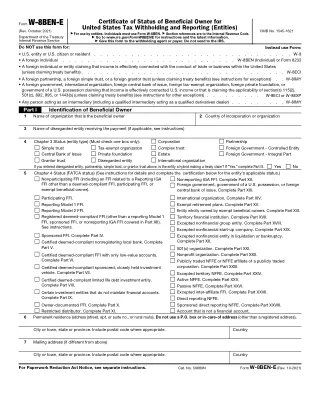
- W-9 - Request for Taxpayer Identification Number, 6 pages in the current catalog entry.
- 1099-NEC - Nonemployee Compensation, 6 pages in the current catalog entry.
- 1099-MISC - Miscellaneous Information, 6 pages in the current catalog entry.
- 1096 - Annual Summary and Transmittal of U.S. Information Returns, 3 pages in the current catalog entry.
- W-8BEN - Certificate of Foreign Status for individuals, 1 page in the current catalog entry.
- W-8BEN-E - Certificate of Foreign Status for entities, 8 pages in the current catalog entry.
- SS-4 - Application for Employer Identification Number, 2 pages in the current catalog entry.
Use a payee-centered schema that keeps payer, recipient, and withholding fields separate
A contractor packet should not be named around PDF coordinates. Names such as vendor_legal_name, vendor_business_name, vendor_tin, vendor_tax_classification, payer_name, payer_tin, reportable_amount, and backup_withholding_amount are easier to reuse across intake, review, and reporting outputs.
The schema also needs foreign-status separation. A U.S. contractor W-9 workflow and a W-8BEN-E entity workflow may share address and contact fields, but entity classification, chapter 3 status, chapter 4 status, treaty claim, and signer capacity should not be collapsed into generic checkbox names.
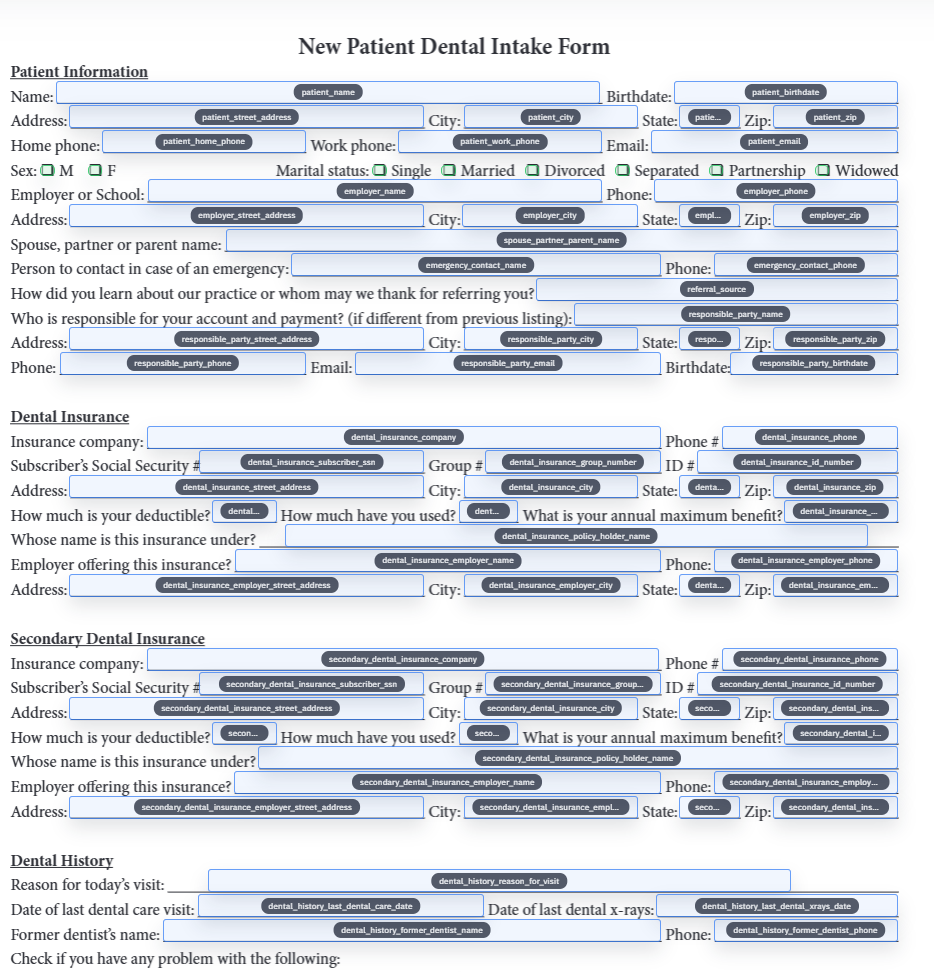
- Payee identity fields: `vendor_legal_name`, `vendor_business_name`, `vendor_tin`, `tax_classification`, `exempt_payee_code`.
- Payer fields: `payer_name`, `payer_tin`, `payer_address`, `account_number`, `reporting_year`.
- 1099 fields: `nonemployee_compensation`, `misc_rents`, `federal_tax_withheld`, `state_tax_withheld`, `recipient_account_number`.
- Foreign-status fields: `beneficial_owner_name`, `country_of_incorporation`, `chapter_3_status`, `chapter_4_status`, `treaty_country`, `signer_capacity`.
Collect contractor details first, then generate the PDFs after review
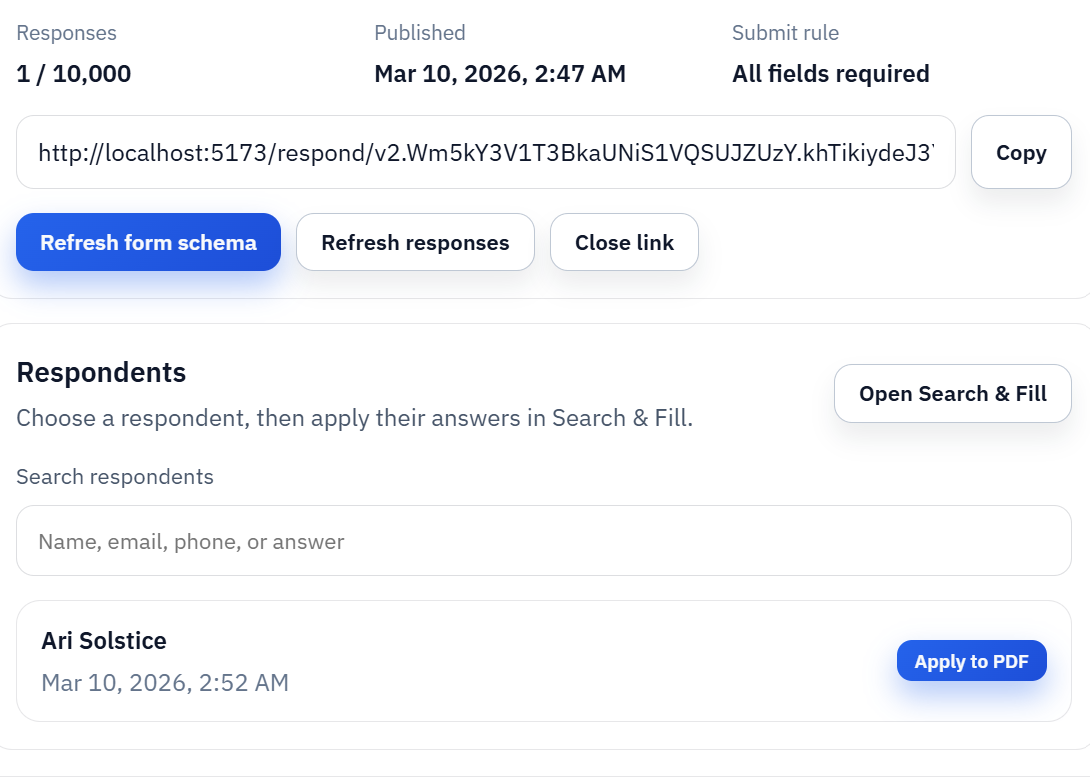
Many contractor packets fail because onboarding and year-end reporting are treated as separate manual events. The stronger pattern is to collect the contractor or vendor record through Fill By Link, review the submitted details, save the clean template mapping, and later reuse the same record when a 1099 output or internal packet is needed.
For spreadsheet-driven teams, Search and Fill can use a vendor export as the source of truth. The operator searches the row, fills W-9 review copies or year-end forms, and validates the output before download. That keeps a human review loop around tax-sensitive data while still eliminating repeated typing.
Keep IRS source rules, Copy A handling, and filing choices outside the automation claim
Tax forms have rules that a PDF filler should not blur. DullyPDF can help prepare templates, collect values, and fill official-layout PDFs for review. It does not determine reportability, substitute-form acceptability, withholding obligations, filing deadlines, e-file requirements, or whether an IRS copy can be printed from a downloaded PDF.
Before using any completed form outside the workspace, verify the current IRS form page, revision date, instructions, Copy A rules, payer and recipient copy rules, and any e-file or paper-submission requirements. If the decision is about tax treatment rather than PDF workflow, it belongs with IRS guidance or a qualified tax professional.