
Medical and Dental Intake Template Library: Turn Repeated Patient Forms Into Fillable PDFs
Medical and dental intake work is full of recurring PDFs: registration, history, consent, release, telehealth, checklists, insurance verification, and service recovery forms. The best workflow does not rebuild every clinic document from scratch. It turns stable source PDFs into reviewed templates, collects patient answers in a simpler flow, and generates the PDF packet for staff review.

Patient intake is a template-library problem, not a single-form problem
A clinic rarely has one intake form. A new patient packet may include demographic registration, medical or dental history, financial responsibility, consent to treat, records release, telehealth consent, insurance verification, treatment-specific questionnaires, and internal staff checklists. The patient data repeats, but each PDF has its own layout and review purpose.
DullyPDF is useful when the clinic wants to keep the existing PDF designs while reducing manual entry. The system can detect fields, rename and map them, collect answers through Fill By Link, and generate completed PDFs for staff review. It should not decide clinical content, treatment consent language, billing policy, or privacy compliance procedure.
Build a small intake library around the forms staff actually touch every day
The practice intake catalog is useful because it shows first-party healthcare-style templates, not only government forms. A clinic can start with a registration form, medical history questionnaire, consent to treat, records release, telehealth consent, new-patient checklist, insurance verification, and patient-service follow-up form.
That set is broad enough to prove the workflow without turning the first rollout into a huge template project. Each form should be validated independently, then grouped into a new-patient or specialty packet only after the field names and output behavior are clean.


- DPT 104 - Dental New Patient Registration Form, 1 page in the current catalog entry.
- DPT 102 - Adult Medical History Questionnaire, 2 pages in the current catalog entry.
- DPT 108 - Consent to Treat and Financial Responsibility Form, 1 page in the current catalog entry.
- DPT 110 - Authorization to Release Medical or Dental Records, 1 page in the current catalog entry.
- DPT 123 - Telehealth Registration and Consent Form, 1 page in the current catalog entry.
- DPT 340 - New Patient Packet Checklist, 2 pages in the current catalog entry.
- DPT 344 - Insurance Verification and Benefits Review Form, 2 pages in the current catalog entry.
- DPT 346 - Patient Complaint and Service Recovery Form, 2 pages in the current catalog entry.
Use a patient-centered schema that separates patient, guarantor, insurance, clinical history, and consent data
A patient packet should not use vague field names copied from each PDF. Names should describe the intake record and role: patient_full_name, date_of_birth, guardian_name, responsible_party_phone, primary_insurance_member_id, allergy_list, medication_list, consent_signature_date, and release_recipient_name.
Role separation is especially important in healthcare intake. The patient, parent, guardian, guarantor, subscriber, emergency contact, referring provider, records recipient, and staff reviewer may all be different people. Clear schema names reduce the chance that the right value lands in the wrong person block.
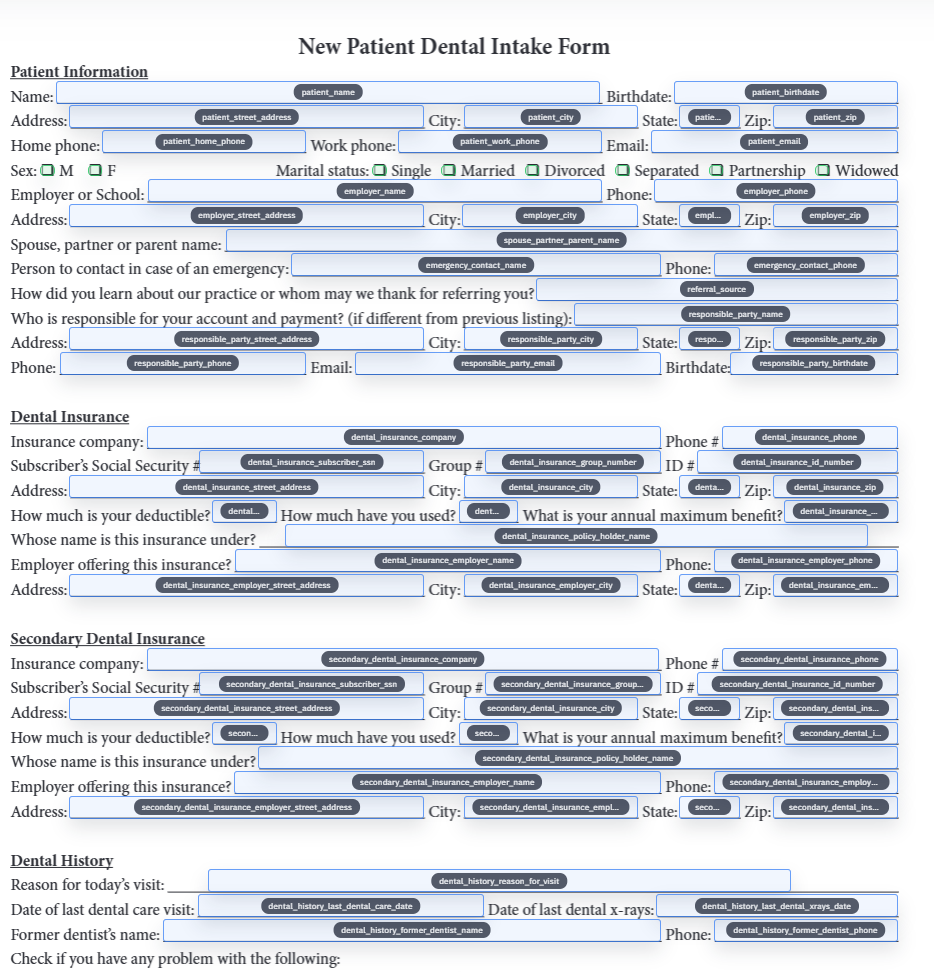
- Patient fields: `patient_full_name`, `date_of_birth`, `preferred_name`, `phone`, `email`, `address`.
- Responsible-party fields: `guardian_name`, `guarantor_name`, `relationship_to_patient`, `responsible_party_phone`.
- Insurance fields: `primary_payer_name`, `member_id`, `group_number`, `subscriber_name`, `subscriber_date_of_birth`.
- Clinical-history fields: `allergy_list`, `medication_list`, `condition_diabetes`, `condition_heart_disease`, `primary_care_provider`.
- Consent fields: `consent_to_treat`, `financial_responsibility_acknowledged`, `release_recipient_name`, `signature_date`.
Use Fill By Link for patient answers, then generate the PDF packet for staff review
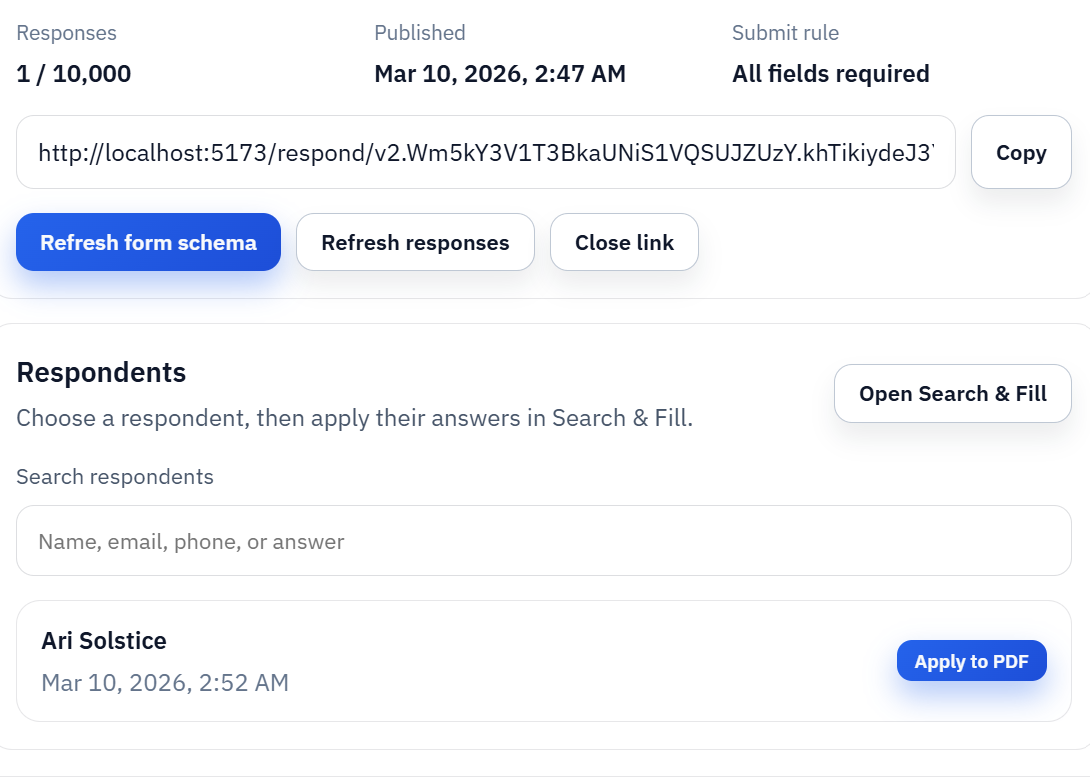
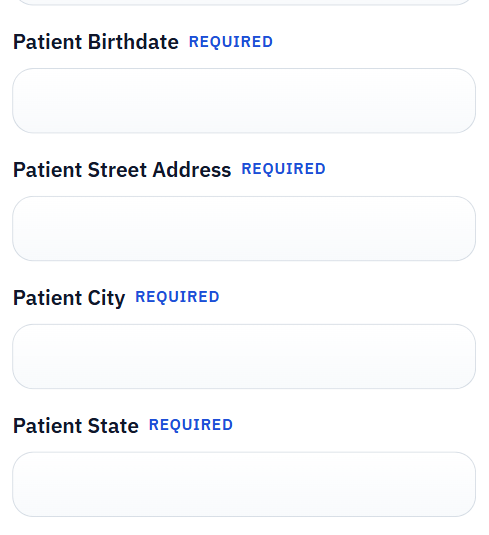
Patients should not have to edit a dense PDF directly on a phone. Fill By Link can collect answers through a respondent-facing web form, while the clinic keeps control over how those answers map into its official intake PDFs. Staff can review the generated packet, correct the template if needed, and export a final record.
For internal repeat work, Search and Fill can use a roster, insurance verification list, or appointment export. The same saved templates can support both patient-submitted answers and staff-driven fills as long as the schema is stable.
Treat healthcare intake as a privacy and review workflow, not just a convenience workflow
Medical and dental forms can contain protected health information, insurance identifiers, signatures, and sensitive history. DullyPDF can help with form detection, mapping, respondent intake, and PDF generation, but each clinic still needs its own compliance process for access, storage, disclosure, retention, and patient communications.
Search and Fill row data stays in the browser, which is useful for some local review workflows. Saved respondent workflows, exports, and any downstream storage should still follow the clinic policy and applicable privacy requirements. If the question is about HIPAA, consent language, clinical appropriateness, or records policy, it belongs with the clinic compliance team or qualified counsel.