Industry workflow page

HR Onboarding and Employee PDF Form Automation

Automate job application, onboarding, benefits, and tax-document PDFs by mapping recurring HR forms to structured employee records.

Workflow examples for HR PDF Automation

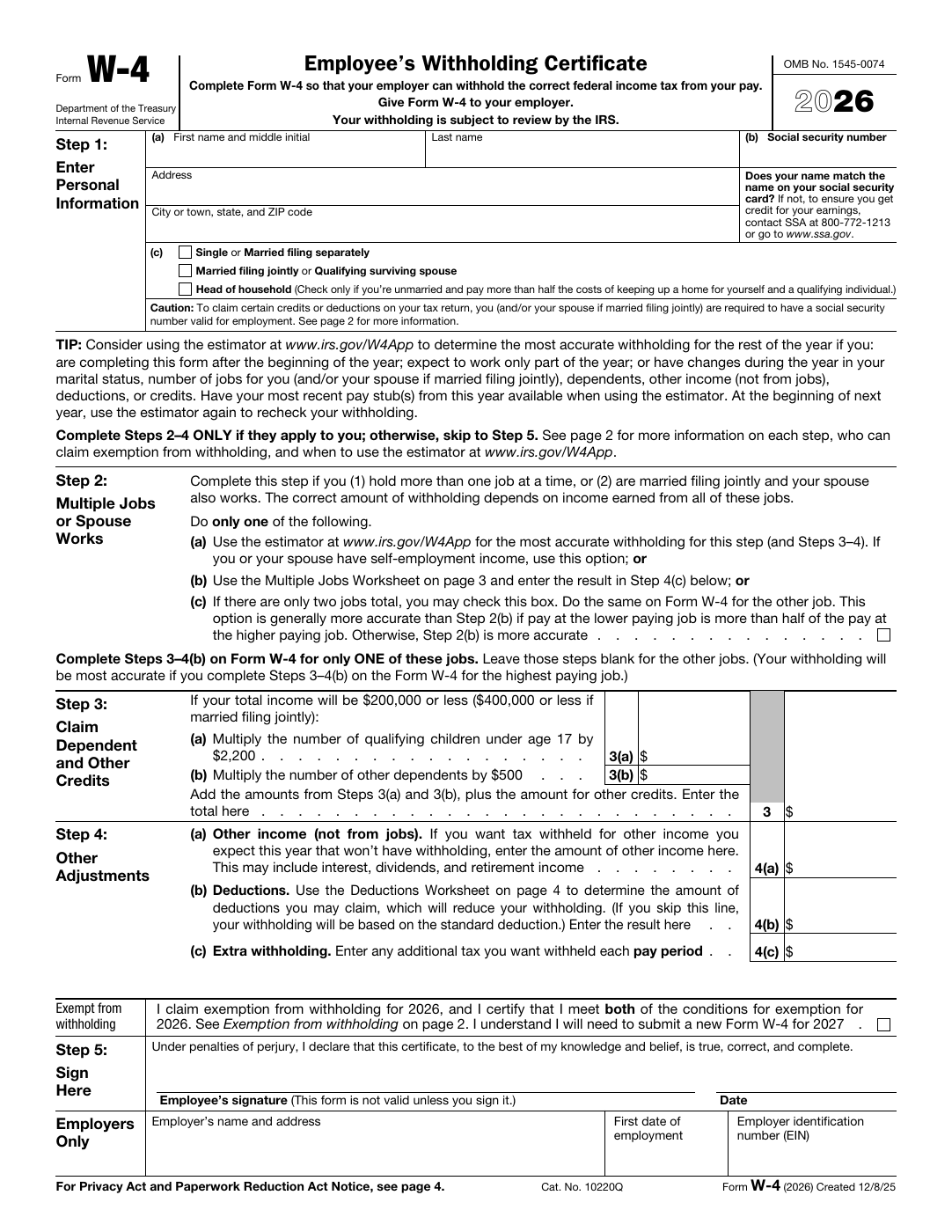
IRS W-4 form page commonly included in onboarding packets.
HR packet work often starts from fixed tax and acknowledgment forms that still need structured employee data applied accurately.
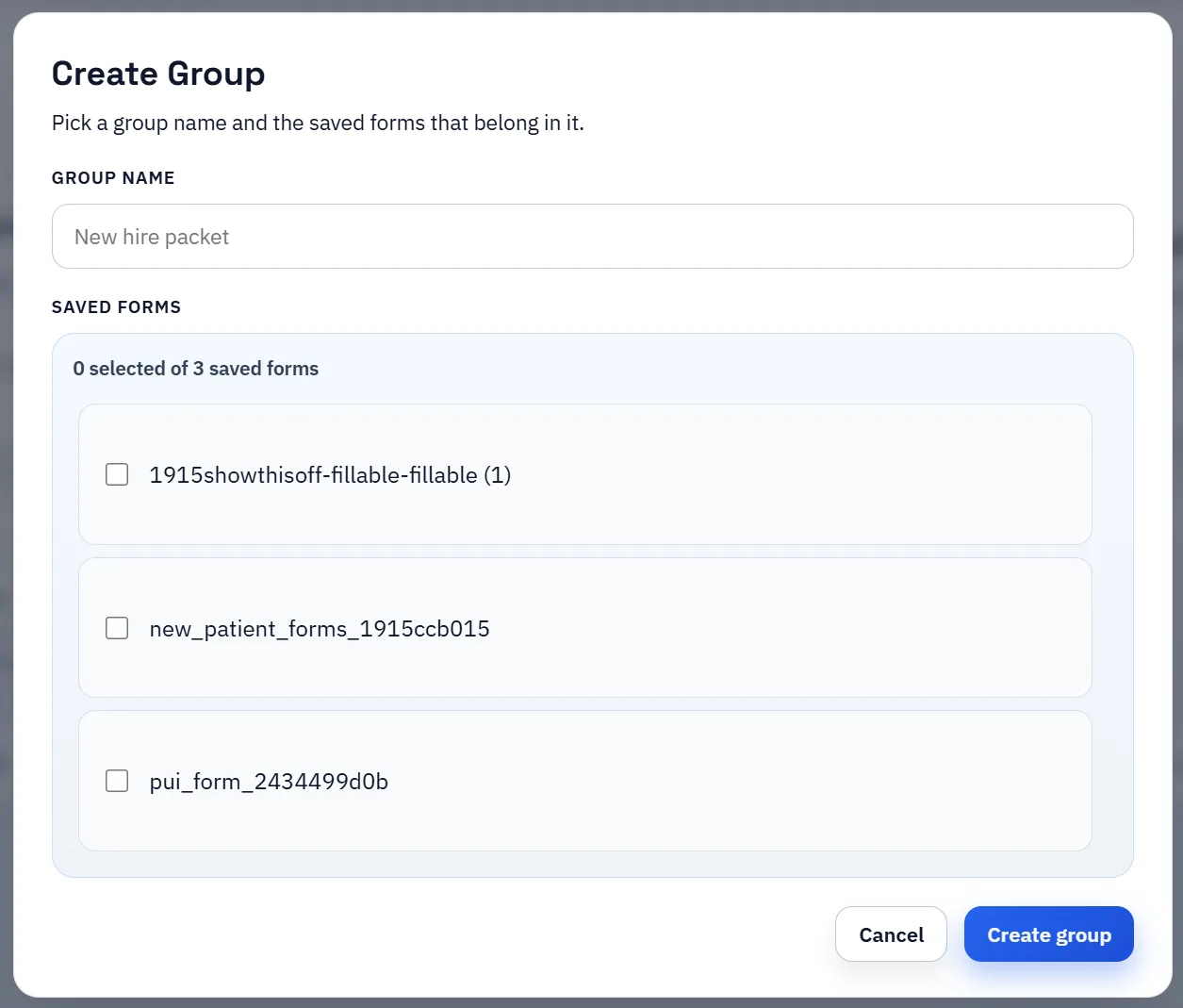
Saved-template group manager used to organize several forms into one repeat packet workflow.
Grouped packet workflows help HR teams keep one canonical template per form while still assembling role- or location-specific onboarding sets.

Featured HR, onboarding, and payroll PDFs from the DullyPDF catalog

These examples show the mix of hiring, withholding, contractor, and payroll forms teams can open directly in DullyPDF. Start from the blank official PDF, map it once, then fill it from employee records, APIs, or respondent data.

I-9 fillable PDF — first page preview of Employment Eligibility Verification

HR & Onboarding

I-9 — Employment Eligibility Verification

Verification and certificate forms are good fits when teams need the official wording to stay fixed while the submitted record changes. It is a practical HR template because the hiring packet repeats while the employee record is what should change from run to run.

4 pages • Blank official PDF

W-4 fillable PDF — first page preview of Employee's Withholding Certificate

HR & Onboarding

W-4 — Employee's Withholding Certificate

Verification and certificate forms are good fits when teams need the official wording to stay fixed while the submitted record changes. It is a practical HR template because the hiring packet repeats while the employee record is what should change from run to run.

5 pages • Blank official PDF

2553 fillable PDF — first page preview of Election by a Small Business Corporation

Tax — Business

2553 — Election by a Small Business Corporation

Election forms are worthwhile because entity setup details, ownership data, and effective dates usually come from a controlled intake workflow. It is a strong accounting-side template when entity, owner, and reporting data already lives in a ledger, tax workbook, or practice-management system.

4 pages • Blank official PDF

10 specific forms to automate on this route

8832 — Entity Classification Election

Election forms are worthwhile because entity setup details, ownership data, and effective dates usually come from a controlled intake workflow. It is a strong accounting-side template when entity, owner, and reporting data already lives in a ledger, tax workbook, or practice-management system.

Tax — Business • 8 pagesOfficial source

W-2 — Wage and Tax Statement

Statement-style forms are useful when the reporting layout is fixed but the values change every filing cycle. It is worthwhile when payroll and finance teams need the official filing layout to stay fixed while quarter-by-quarter values come from structured exports.

Tax — Payroll • 11 pagesOfficial source

How to open these PDFs in DullyPDF and automate them

Open a blank HR, onboarding, and payroll PDFs PDF in DullyPDF

Use any "Open in DullyPDF" button below to move from the public form page into the workspace with the blank official PDF already selected.

Open I-9 in DullyPDF

Map fields once for CSV, XLSX, JSON, or schema-only SQL imports

Rename weak field labels, align them to schema headers, and use SQL only when you need the schema without row data yet.

Rename + Mapping docs

Run Search & Fill from structured records

Load CSV, XLSX, or JSON rows, search for the right record, and fill the saved template without retyping the PDF.

Search & Fill docs

Publish API Fill for server-side JSON-to-PDF workflows

When another system should call the template directly, publish a template-scoped API Fill endpoint and send JSON instead of using the browser workflow.

API Fill docs

Collect answers through native DullyPDF web forms

Use Fill By Link when the row data does not exist yet and a respondent should submit web-form answers before the PDF is generated.

Fill By Link docs

Freeze the completed packet and route it into signature

Once the final filled record is correct, move it into the signature workflow so the immutable PDF, signer ceremony, and audit artifacts all stay attached to one retained document.

Signature workflow docs

Why onboarding packets create repetitive HR data entry

HR teams often repeat the same employee information across multiple forms during onboarding. Names, addresses, dates, job details, tax information, and benefit selections get pushed into several documents even though the underlying employee record already exists elsewhere.

That is why onboarding packets are such a common PDF automation target. The problem is not collecting the data. The problem is repeatedly transferring it into fixed forms under time pressure.

How one employee record can drive multiple forms

A mapped template workflow lets the HR team use structured employee data as the source for recurring paperwork instead of retyping it. Once each form type is configured, the same employee record can drive multiple onboarding documents through repeat fills.

This is especially useful when several forms share overlapping fields but still need to remain distinct documents. The template layer keeps that overlap manageable.

Where HR teams should focus their first rollout

The strongest starting point is usually the form that is both high-volume and repetitive, not necessarily the longest form. Build one dependable onboarding or benefits template, validate it with a handful of real employee records, and then extend the same field-naming and mapping conventions across the rest of the packet.

That phased rollout makes it easier to keep templates clean and helps new recruiters or coordinators trust the workflow quickly.

How to handle role-based packets and department variation

Many HR teams do not just have one onboarding packet. Different departments, states, job classes, and benefits options create packet variation even when the employee record is mostly the same. The safe pattern is to keep one canonical template per recurring document type, then group those templates into packet variants that reflect role or department differences without breaking the underlying naming conventions.

That approach matches the early Search Console demand this page is already seeing around dynamic document generation by employee attributes. The route should answer that question directly: use shared employee data, but keep the packet logic organized around reusable templates and grouped document sets rather than one giant shape-shifting PDF.

Where HRIS and recruiting-platform exports fit into the workflow

The operational win comes from starting with the system that already holds the employee data. HRIS exports, recruiting-platform exports, and onboarding spreadsheets all work as structured sources once the template names match the schema. That lets the HR team fill W-4s, acknowledgments, benefits forms, and department-specific paperwork from one record instead of retyping the same details across the packet.

This page should therefore speak to more than generic onboarding. It should answer the actual HR question: how do we take employee attributes from our current system and use them to drive several PDFs cleanly? The answer is template discipline first, grouped packet logic second, and controlled Search & Fill validation before broader rollout.

State-specific tax and benefits forms should be template variants, not exceptions

HR packets often vary because state tax forms, local notices, and benefits paperwork differ by employee location or employment class. That is normal, but it should not force the team back into ad hoc manual entry. The stronger pattern is to keep one canonical template for each recurring state-specific form, then assemble packet variants around those known building blocks.

That keeps the employee record stable even when the packet changes. The source data can stay consistent while the grouped document set changes by jurisdiction, department, or employment type.

A role and department packet matrix makes template reuse realistic

Most HR teams are not dealing with one universal packet. They are dealing with combinations of documents driven by role, location, benefit eligibility, or contractor-versus-employee status. Thinking in terms of a packet matrix makes the template library more realistic: one template per recurring form, then one group definition per packet variation that staff actually use.

That approach also makes onboarding SEO more specific. The real query is often not just how to fill one onboarding PDF. It is how to use one employee record to drive several packet variants without rebuilding the mapping every time.

Why ATS and HRIS export cleanup matters before the first fill

The faster the team wants the packet to run, the more important it is to clean the source schema first. Export headers for department, location, start date, benefits choices, and tax attributes need to be stable enough that the mapped templates can trust them. Otherwise the packet logic becomes a second place where staff are forced to interpret messy source data.

A dependable HR automation rollout therefore starts with source cleanup, then template mapping, then grouped packet QA with a few real employee records. That order makes it much easier to expand confidently across departments later.

Why teams use HR PDF Automation

  • Use one mapped template set for common onboarding packet forms.
  • Fill employee details from structured HR records instead of retyping.
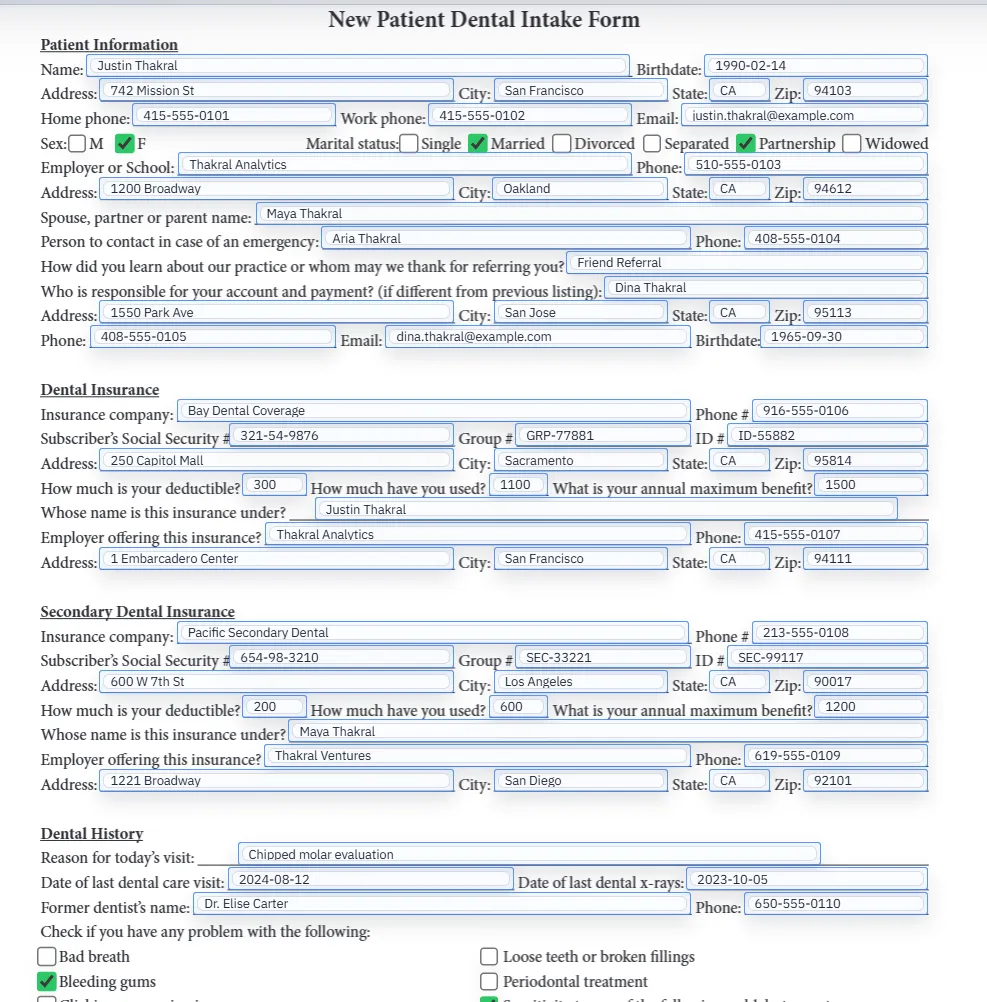
  • Support checkbox and text-field heavy benefits documents.

Implementation signals for HR PDF Automation

  • Repeat-fill workflows reduce turnaround time for HR operations teams.
  • Mapped templates improve consistency across locations and recruiters.
  • Template save/reload supports recurring hiring cycles.

Need deeper technical details about hr pdf automation? Use the Rename + Mapping docs and Search & Fill docs to validate exact behavior.

Frequently asked questions about HR PDF Automation

Can DullyPDF automate onboarding PDF packets?

Yes. HR teams can map onboarding templates once and fill forms from structured employee records.

Does it support employee tax and benefits forms?

Yes. HR-focused PDF templates can include tax and benefits form workflows.

Can HR teams reuse templates for every new hire?

Yes. Saved templates support repeat onboarding runs with minimal setup.

Docs for HR PDF Automation

Use these docs pages to verify the exact DullyPDF behavior behind hr pdf automation before you ship it as a repeat workflow.

Related routes for HR PDF Automation

These adjacent routes cover neighboring document workflows and team use cases that usually get evaluated alongside hr pdf automation.