
FMLA Leave Certification Packet Automation for WH-380, WH-381, WH-382, WH-384, and WH-385
FMLA administration can involve employee medical certification, family-member certification, eligibility notices, designation notices, and military-family leave forms. DullyPDF can help HR teams prepare reusable PDF templates and collect structured answers while DOL rules and employer policy control leave decisions.

FMLA packets repeat employee, leave, provider, family, and notice data
An FMLA workflow may begin with an employee request, then require certification, eligibility notice, rights and responsibilities notice, designation notice, and sometimes military-family leave documentation. The same employee identity, employer contact, job, leave dates, provider contact, family relationship, and case reference can repeat across the forms.
DullyPDF should not approve or deny leave, decide whether FMLA applies, interpret medical certification sufficiency, or replace employer notice obligations. It can help prepare, fill, and review the PDF packet so HR staff spend less time retyping repeated values.
Start with the DOL optional-use certification and notice forms your HR process actually uses
The DOL FMLA forms cluster splits into certification forms and notice forms. WH-380-E and WH-380-F cover employee and family-member serious health conditions. WH-384, WH-385, and WH-385-V cover qualifying exigency and military caregiver leave. WH-381 and WH-382 support eligibility, rights, responsibilities, and designation notices.
Because medical and leave data is sensitive, each template should be reviewed with realistic but non-production test data before it is used in an employee workflow. Staff should also keep the current DOL forms page as the authority for optional-use form status and employer obligations.


- WH-380-E - Certification for employee serious health condition, 4 pages in the current catalog entry.
- WH-380-F - Certification for family member serious health condition, 4 pages in the current catalog entry.
- WH-381 - Notice of Eligibility and Rights and Responsibilities, 4 pages in the current catalog entry.
- WH-382 - Designation Notice, 2 pages in the current catalog entry.
- WH-384 - Certification of Qualifying Exigency for Military Family Leave, 4 pages in the current catalog entry.
- WH-385 - Certification for Serious Injury or Illness of Covered Servicemember, 4 pages in the current catalog entry.
- WH-385-V - Certification for Serious Injury or Illness of a Veteran, 5 pages in the current catalog entry.
Use a leave-case schema that separates employee, provider, family member, employer, and decision fields
FMLA packets need role separation. The employee, family member, health care provider, HR contact, military member, servicemember, veteran, and employer signer may all be different people. Field names should reflect those roles rather than generic name and date labels.
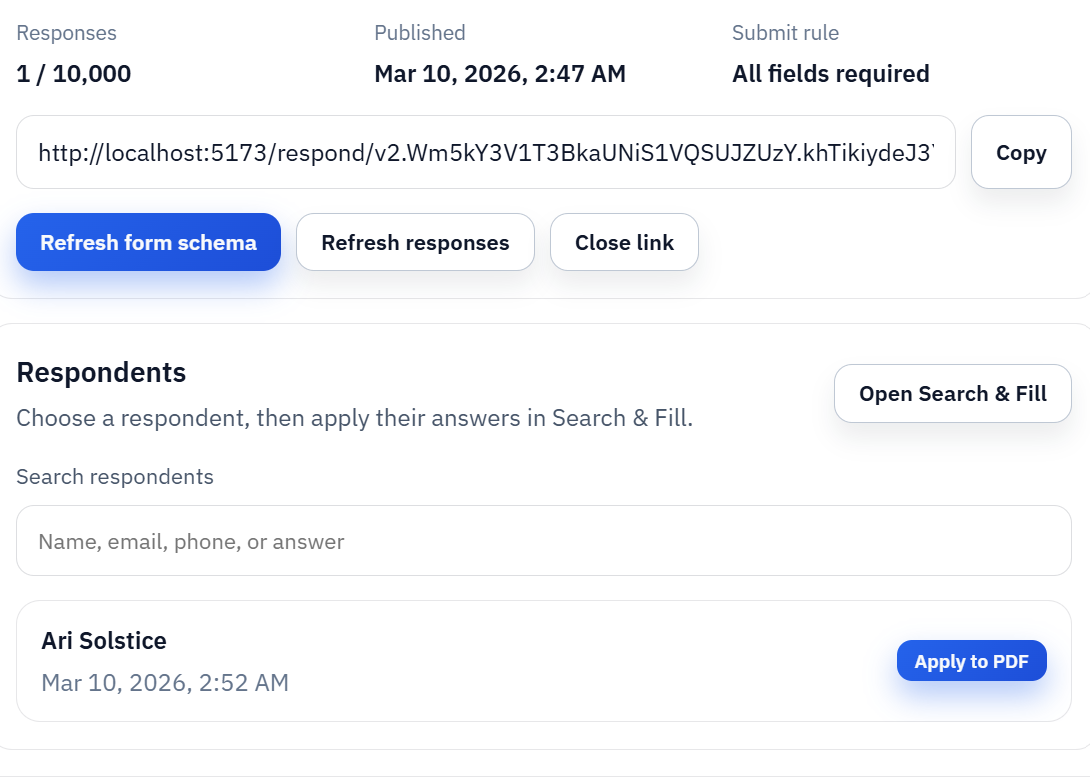
Fill By Link can collect employee or provider-supplied information, but HR should review the final PDF before it is used in an employment decision. Search and Fill can also work from an HRIS or leave-management export when case data already exists internally.
- Employee fields: `employee_full_name`, `employee_id`, `job_title`, `worksite`, `leave_request_date`.
- Leave fields: `leave_start_date`, `leave_end_date`, `intermittent_leave_expected`, `reduced_schedule_description`, `case_reference`.
- Provider fields: `provider_name`, `provider_type`, `provider_phone`, `certification_date`, `estimated_duration`.
- Family fields: `family_member_name`, `relationship_to_employee`, `care_needed_description`, `military_member_status`.
- Notice fields: `eligibility_status`, `required_documents_due_date`, `designation_decision`, `fmla_hours_counted`.
DOL rules and employer policy control FMLA decisions
DullyPDF can prepare templates, collect structured answers, fill fields, and export review copies. It does not decide eligibility, certify medical facts, approve or deny leave, interpret FMLA regulations, or replace required employer notices.
Before using a completed packet, verify the current DOL FMLA forms page, employer policy, notice requirements, privacy process, and any legal review needed for leave decisions.