
Social Security Disability PDF Packet Automation
Social Security disability paperwork is often a packet problem, not a single-form problem. Claimant identity, medical sources, work history, representative data, authorization signatures, and appeal details can repeat across several fixed SSA PDFs. DullyPDF helps with the document workflow: template setup, field naming, mapping, review, and reusable packet output.

SSA disability packets combine claimant data, medical-source data, and authorization forms
A Social Security disability workflow can involve an adult disability report, an application for disability insurance benefits, an authorization to disclose information, representative appointment paperwork, request-for-reconsideration forms, and appeal reports. Those forms are not interchangeable, but the same claimant and supporting-party details often need to move through more than one PDF.
That makes the operational challenge similar to other government packet workflows. The PDF layout should remain intact, but the data behind the layout should be collected and mapped once. DullyPDF is useful when a team wants to make those PDFs reusable without turning the process into generic form-builder content or changing the official SSA layout.
Start with the SSA forms that define the packet stage
The Social Security category in the catalog includes identity, benefit, representative, appeal, and disability-report forms. A practical first workflow should focus on the forms that recur for the same type of case, then validate those templates with realistic data before expanding the packet.
For an adult disability packet, the strongest starting set is SSA-3368-BK for the adult disability report, SSA-827 for authorization to disclose information to SSA, SSA-16 for disability insurance benefits, SSA-1696 for appointment of representative, SSA-561 for reconsideration requests, and SSA-3441-BK for disability-report appeal updates. Child disability workflows can add SSA-3820-BK, and function-report workflows may add SSA-3373-BK.
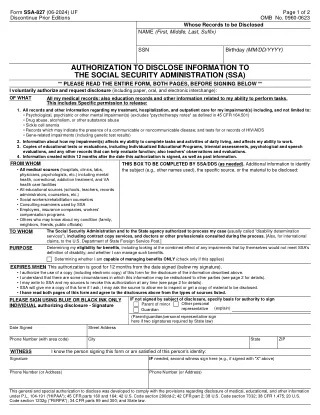
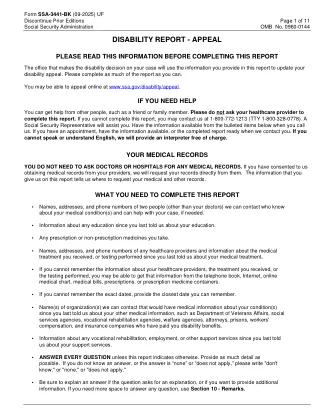
- SSA-3368-BK - Disability Report - Adult, 15 pages in the current catalog entry.
- SSA-827 - Authorization to Disclose Information to the Social Security Administration, 2 pages in the current catalog entry.
- SSA-16 - Application for Disability Insurance Benefits, 7 pages in the current catalog entry.
- SSA-1696 - Claimant Appointment of Representative, 6 pages in the current catalog entry.
- SSA-561 - Request for Reconsideration, 3 pages in the current catalog entry.
- SSA-3441-BK - Disability Report - Appeal, 11 pages in the current catalog entry.
The schema should separate claimant, representative, source, and appeal roles
SSA forms make role separation important. The claimant, number holder, representative, medical source, employer, contact person, witness, parent, guardian, or other signer may be different people. A template that only has generic name and phone fields can fill technically while still making the packet risky to review.
A better schema names the record by role. The same claimant_full_name can repeat across several forms, while provider_1_name, employer_1_name, representative_rep_id, witness_phone, and appeal_decision_date describe the specific part of the packet each value belongs to.
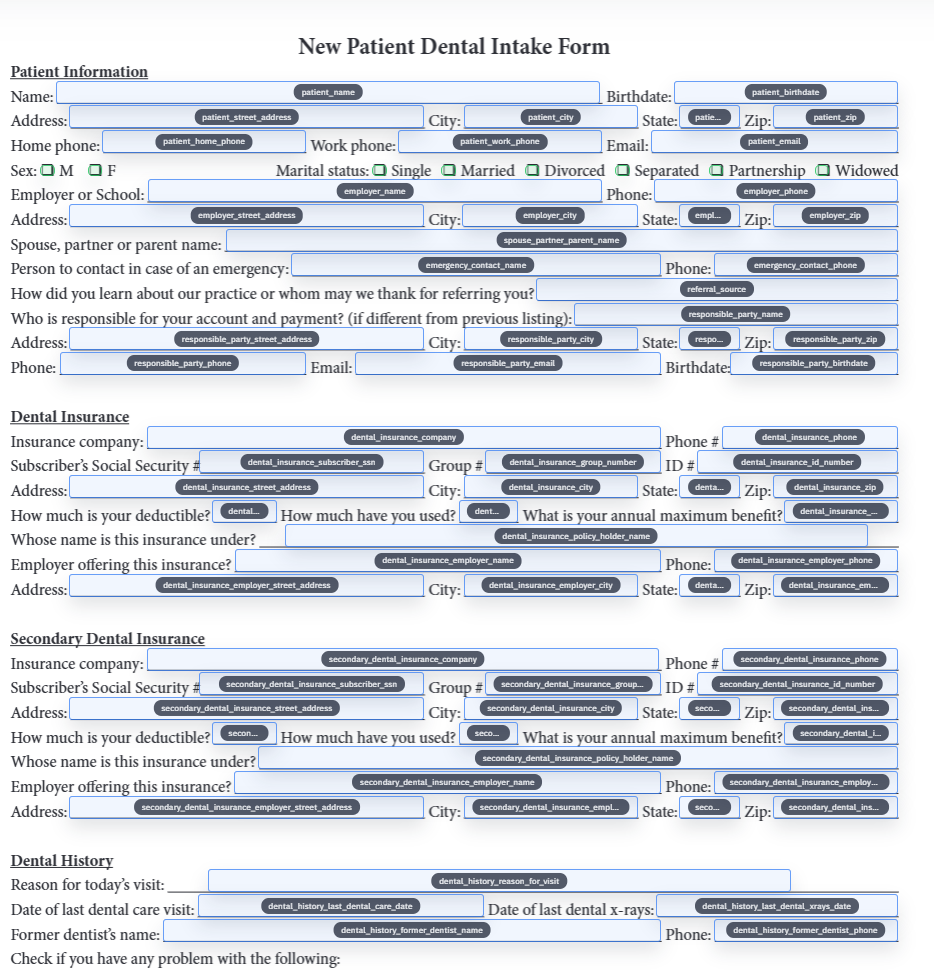
- Claimant fields: `claimant_full_name`, `claimant_ssn_last4`, `date_of_birth`, `mailing_address`, `daytime_phone`, `preferred_language`.
- Medical-source fields: `provider_1_name`, `provider_1_address`, `treatment_start_date`, `treatment_end_date`, `condition_treated`.
- Work-history fields: `employer_1_name`, `job_title`, `work_start_date`, `work_end_date`, `hours_per_day`, `duties_description`.
- Representative fields: `representative_name`, `representative_rep_id`, `representative_phone`, `representative_email`.
- Appeal fields: `decision_date`, `issue_being_appealed`, `reconsideration_reason`, `new_or_changed_condition`, `new_treatment_source`.
Authorization forms need extra review before they enter a repeat workflow
SSA-827 deserves special handling because it controls disclosure of medical, educational, and other information for the disability determination process. The PDF workflow should make signer identity, signature date, address, phone, witness, and representative fields easy to review. It should not hide those details behind an automatic fill that nobody checks.
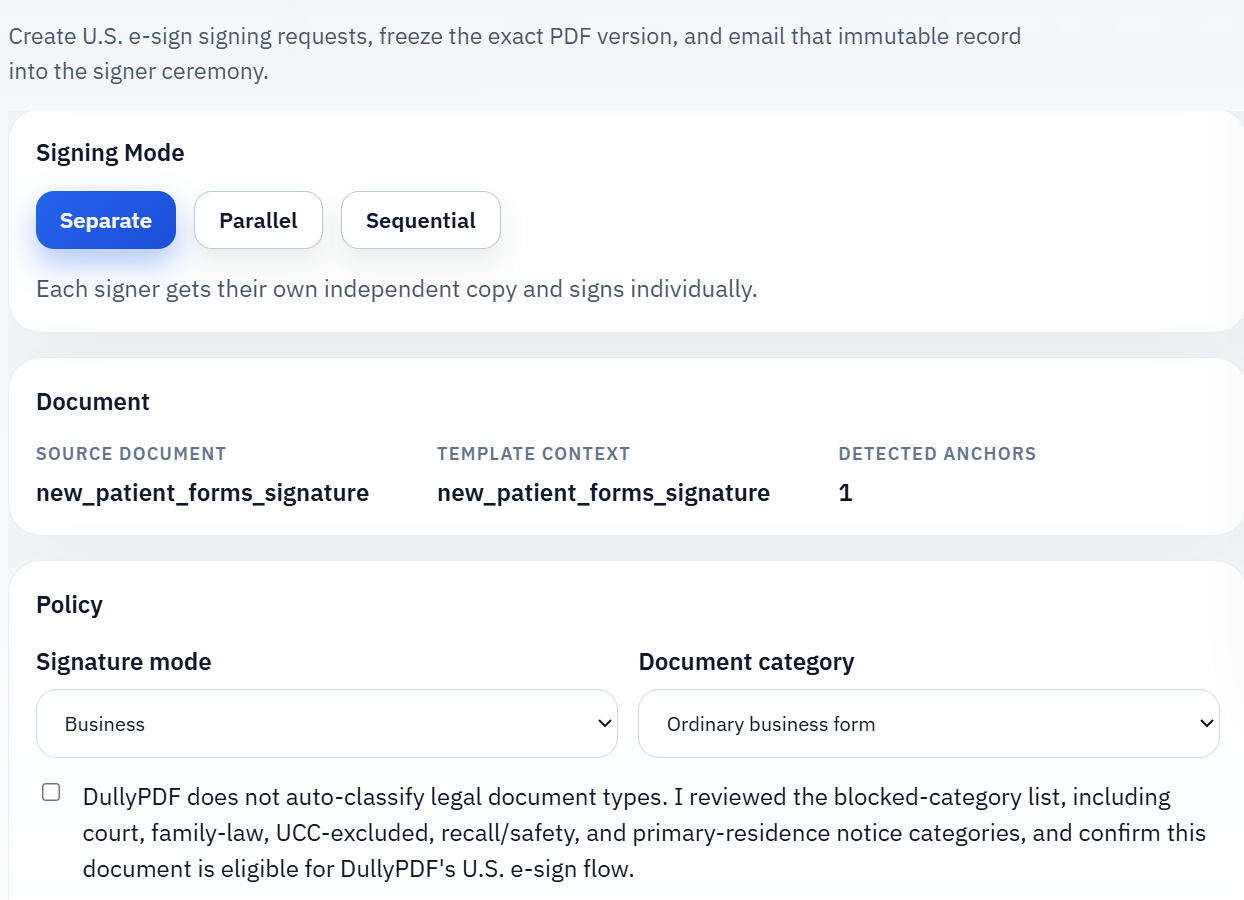
For respondent workflows, collect the structured data first and then generate the authorization PDF for review. If the final packet needs a signature workflow, freeze the reviewed PDF before sending it out. That keeps the authorization artifact tied to the exact values the signer saw rather than to an editable draft that can drift after the fact.
Use intake first when claimant details are still incomplete
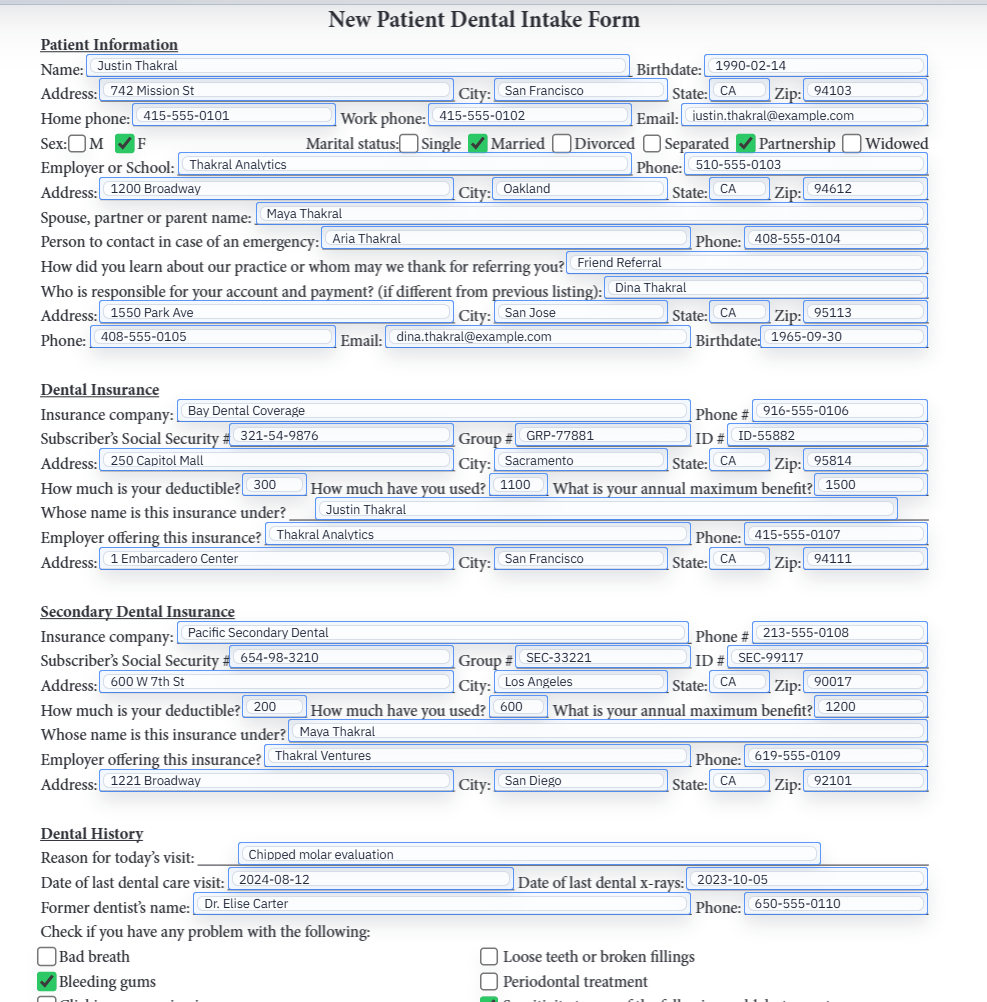
Disability packets often start with incomplete information. A claimant, family member, representative, employer, or medical office may need to provide details before the PDF packet can be filled cleanly. Asking someone to edit a long disability PDF directly is usually a poor intake experience.
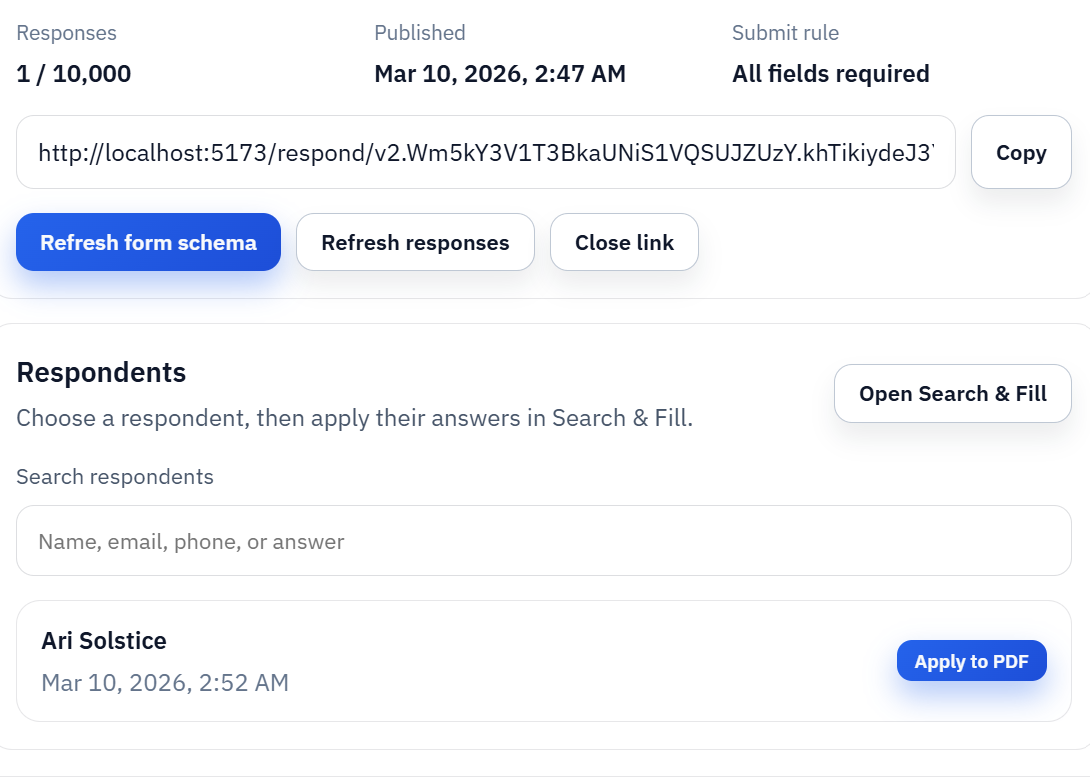
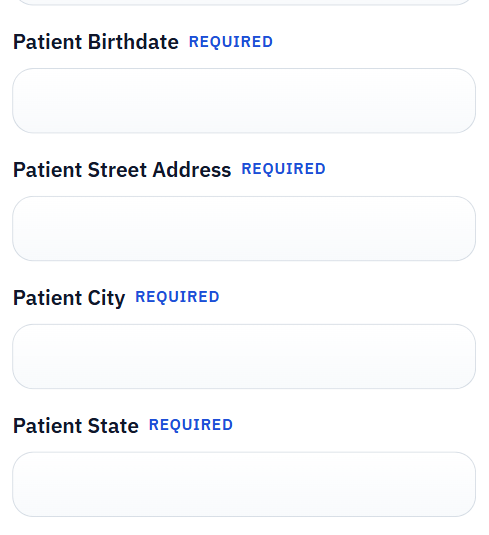
A better flow is to collect answers through Fill By Link or import a reviewed spreadsheet row, map those values into the saved SSA templates, and inspect the completed PDFs before export. That keeps the respondent-facing step simpler while preserving the fixed SSA PDF outputs required for paper or review workflows.
Run a field-level review before the packet becomes reusable
SSA disability PDFs are sensitive enough that blind fill automation is the wrong goal. The useful target is a reviewed workflow that reduces repeated typing while keeping the operator in control. Every template should be tested with realistic data and checked for role mistakes, missing date fields, medical-source row alignment, authorization signer fields, and appeal-stage details.
A practical validation loop is to open each blank catalog PDF, run field detection, rename and map the fields, fill one representative claimant record, export a flat review copy, and inspect the result against the blank source. After that, the team can save the templates, group related forms, and reuse the workflow with more confidence.
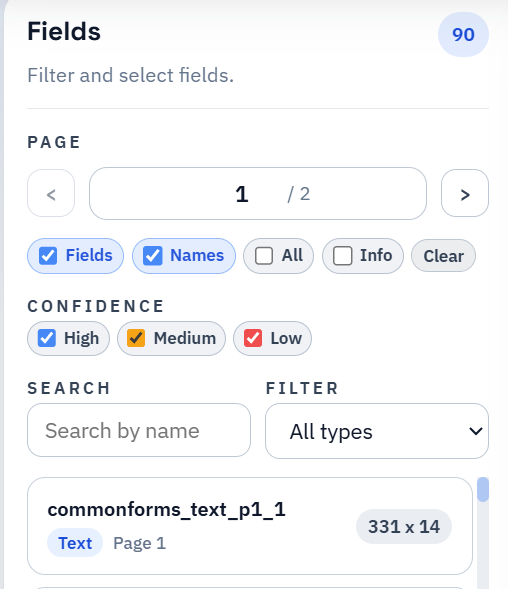
- Review low-confidence detections around dense medical-source sections, work-history tables, checkboxes, and signature areas.
- Validate that claimant, representative, provider, employer, witness, and signer values do not cross roles.
- Use flat output for final review copies when recipients do not need live editable fields.
- Keep SSA.gov as the authority for current form editions, submission options, appeal deadlines, signature rules, and eligibility instructions.
DullyPDF prepares the PDF workflow; it does not decide Social Security benefits
This page is about PDF workflow mechanics, not disability benefits advice. DullyPDF can help prepare reusable templates, collect structured answers, fill repeated fields, export review copies, and support packet-style workflows. It does not submit SSA applications, determine eligibility, decide appeal strategy, calculate deadlines, or replace SSA instructions.
Before using a completed packet outside the workspace, verify the current SSA form page or PDF, revision date, submission path, signature requirements, evidence instructions, and any appeal or reconsideration deadlines. If the question is about eligibility, evidence, deadlines, or representation strategy, it belongs with SSA guidance or a qualified representative.