Industry workflow page

Automate Medical Intake and Healthcare PDF Form Workflows

Convert medical and dental intake, registration, history, consent, and HIPAA release PDFs into reusable templates that map directly to structured data columns.

Workflow examples for Healthcare PDF Automation

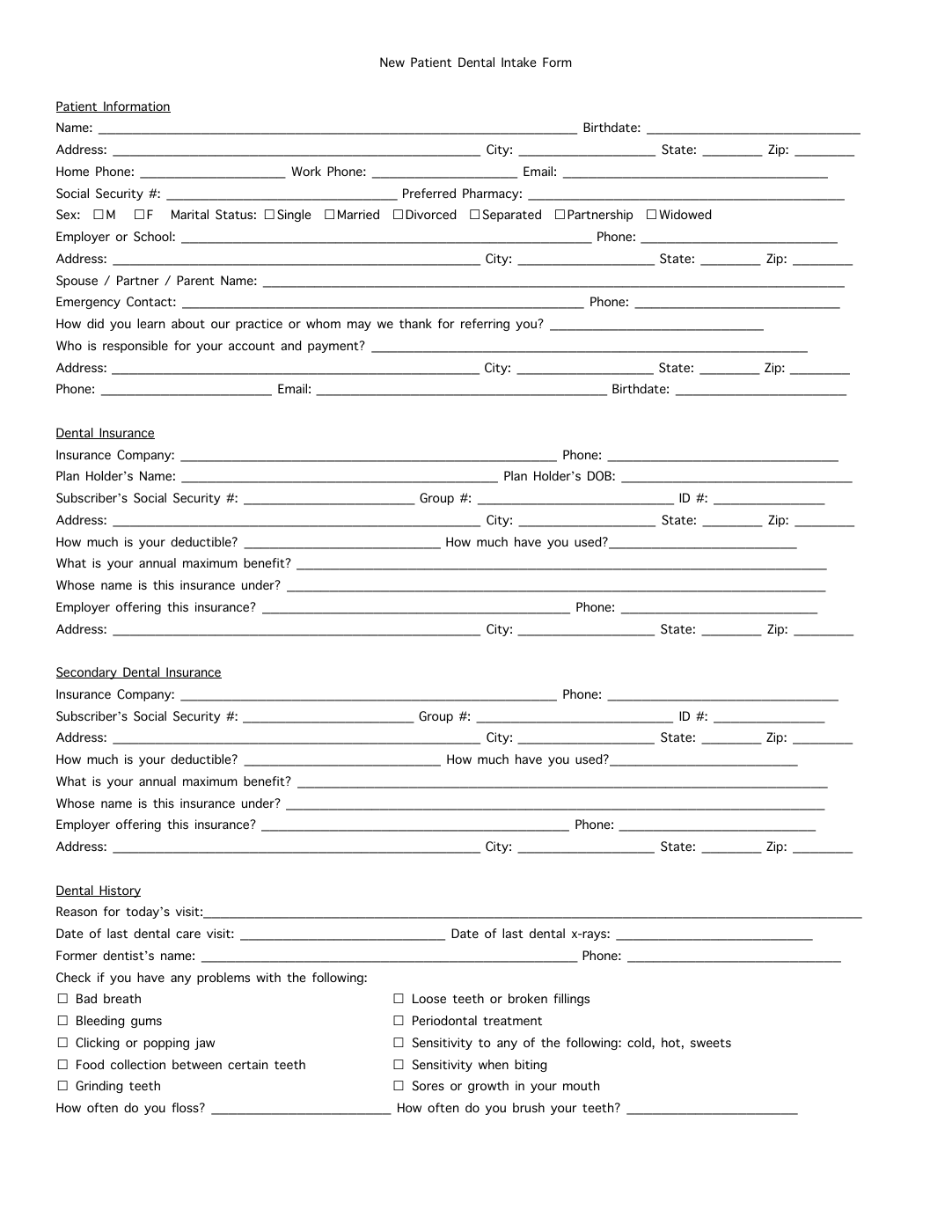
Dental intake form with multiple patient, insurance, and checkbox-heavy history sections.
Healthcare packet work usually starts from dense intake PDFs that still need structured data applied accurately.
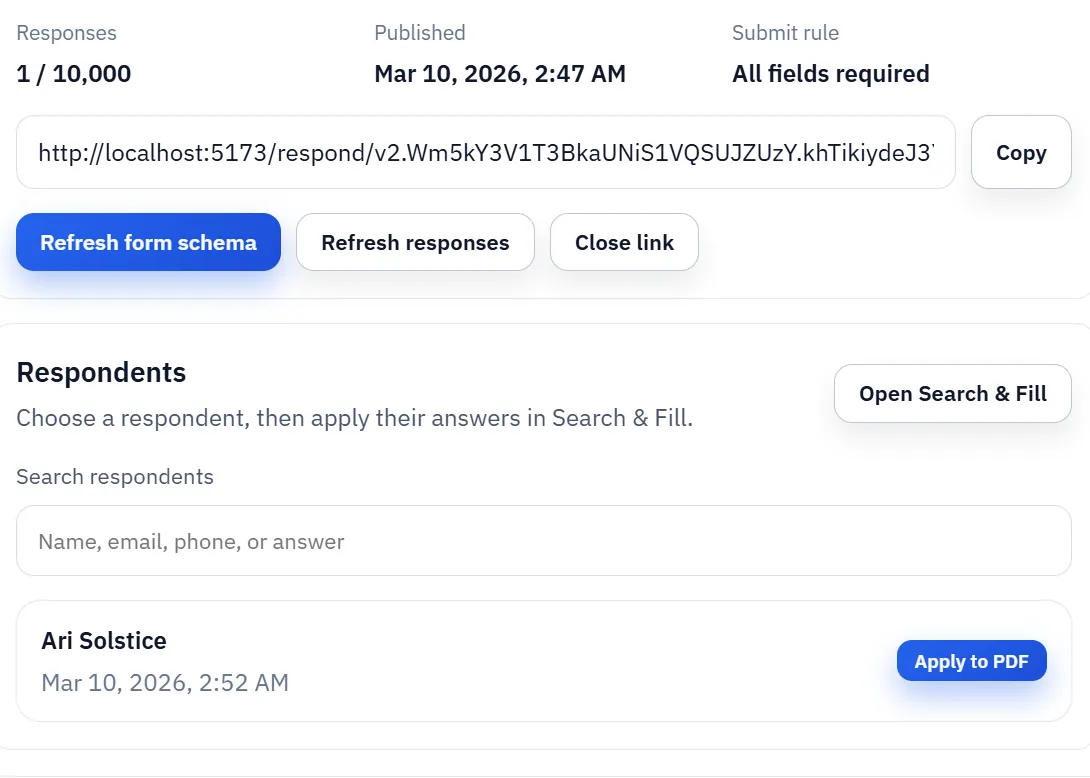
Published DullyPDF intake link used to collect respondent information before generating the final PDF.
When clinics want patient-submitted intake first, the response flow can still feed the same saved PDF template after staff review.

Featured healthcare and medical PDFs from the DullyPDF catalog

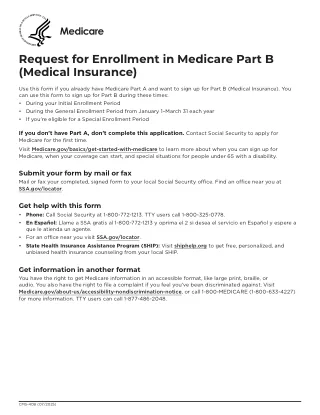
These are real CMS, Medicare, and patient-health PDFs already mirrored inside the DullyPDF catalog. Open any blank form in the editor, map it once, then reuse it for Search & Fill, API Fill, Fill By Link, or signature workflows.

10 specific forms to automate on this route

How to open these PDFs in DullyPDF and automate them

Open a blank healthcare and medical PDFs PDF in DullyPDF

Use any "Open in DullyPDF" button below to move from the public form page into the workspace with the blank official PDF already selected.

Open CMS-855I in DullyPDF

Map fields once for CSV, XLSX, JSON, or schema-only SQL imports

Rename weak field labels, align them to schema headers, and use SQL only when you need the schema without row data yet.

Rename + Mapping docs

Run Search & Fill from structured records

Load CSV, XLSX, or JSON rows, search for the right record, and fill the saved template without retyping the PDF.

Search & Fill docs

Publish API Fill for server-side JSON-to-PDF workflows

When another system should call the template directly, publish a template-scoped API Fill endpoint and send JSON instead of using the browser workflow.

API Fill docs

Collect answers through native DullyPDF web forms

Use Fill By Link when the row data does not exist yet and a respondent should submit web-form answers before the PDF is generated.

Fill By Link docs

Freeze the completed packet and route it into signature

Once the final filled record is correct, move it into the signature workflow so the immutable PDF, signer ceremony, and audit artifacts all stay attached to one retained document.

Signature workflow docs

Why healthcare PDF automation remains a front-desk bottleneck

Healthcare teams still operate around recurring PDFs: intake packets, registration forms, health history documents, HIPAA releases, consent forms, insurance worksheets, and specialty-specific questionnaires. The same patient demographics and appointment context often need to appear across several documents, but many clinics still retype that information form by form because the PDFs are fixed and the workflow around them is manual.

That is exactly the kind of problem DullyPDF is designed to reduce. The goal is not to replace clinical systems. The goal is to convert recurring healthcare PDFs into reusable templates that map cleanly to structured patient data so staff stop re-entering the same information on every visit or every packet revision.

A practical clinic workflow: map once, fill repeatedly

The practical rollout starts with one high-volume document, usually a registration or history form. Upload the PDF, detect the fields, clean the layout, rename unclear fields, and map them to patient-data headers. Once the template is stable, front-desk staff can search a patient record and fill the document instead of typing each field manually.

From there, the same pattern can expand across a packet. Once teams trust one template, it becomes much easier to standardize the rest of the intake flow. That is usually a better rollout than attempting a full packet conversion in one pass without any QA checkpoints.

  • Start with one frequently used intake or registration form.
  • Validate the template with several real patient records.
  • Expand the same mapping conventions across the rest of the packet.

Why healthcare forms need strong checkbox and consent handling

Healthcare documents are rarely simple text-only forms. Symptom checklists, allergy disclosures, release acknowledgments, medication questions, tobacco or alcohol history, and consent selections all introduce checkbox logic that has to behave consistently. If checkbox metadata is weak, the filled packet becomes unreliable even when the basic demographics look correct.

That is why checkbox rules matter so much in healthcare template setup. DullyPDF supports yes-no, presence, enum, and list-style checkbox behavior so the template can mirror the way real intake data is represented. The result is a more realistic automation workflow for actual clinic packets rather than a narrow demo built only around text boxes.

Where Fill By Link fits for patient-facing intake collection

Some clinics want staff-driven filling from internal records. Others want the patient to submit information first. DullyPDF supports both patterns. Teams can publish a mobile-friendly Fill By Link from a saved template, collect respondent data in a structured form, and then generate the final PDF from the response list later in the workspace after review.

That separation is useful operationally. Patients do not need to edit a PDF directly on their phone, and staff still keep control over the final document generation step. The template remains the canonical document setup regardless of whether the source data came from an export or a respondent submission.

Why teams use Healthcare PDF Automation

  • Build reusable templates for medical and dental intake, registration, history, and consent packets.
  • Normalize field names so front-desk teams can map once and reuse consistently.
  • Support checkbox-heavy workflows for symptoms, disclosures, and releases.

Implementation signals for Healthcare PDF Automation

  • CSV/XLSX/JSON rows are searchable in-browser for controlled patient record lookup.
  • Native Fill By Link supports phone-friendly respondent intake before front-desk review.
  • Detection plus editor cleanup helps handle scanned and native healthcare PDFs.
  • Templates can be saved and reused for recurring appointment workflows.

Need deeper technical details about healthcare pdf automation? Use the Rename + Mapping docs and Search & Fill docs to validate exact behavior.

Frequently asked questions about Healthcare PDF Automation

Can DullyPDF automate patient and dental intake PDFs and registration forms?

Yes. You can detect fields, refine them in the editor, map to schema headers, and then fill medical or dental intake forms from structured data.

Does DullyPDF work for HIPAA release and consent forms?

Yes. Checkbox and text field mapping supports release and consent-style healthcare forms.

Can healthcare teams reuse the same mapped template daily?

Yes. Saved templates retain PDF bytes, field metadata, and mapping context for repeat usage.

Can clinics send patients a link instead of filling the PDF directly?

Yes. Teams can publish a DullyPDF Fill By Link, collect patient responses through a mobile-friendly form, and then generate the final PDF from the response list later.

Guides for Healthcare PDF Automation

These walkthroughs and comparison posts cover the same workflow cluster from an operator point of view, which helps you move from a route summary into a more specific implementation path.

Docs for Healthcare PDF Automation

Use these docs pages to verify the exact DullyPDF behavior behind healthcare pdf automation before you ship it as a repeat workflow.

Related routes for Healthcare PDF Automation

These adjacent routes cover neighboring document workflows and team use cases that usually get evaluated alongside healthcare pdf automation.