
IRS Collection and Offer in Compromise Packet Automation
IRS collection and resolution packets are document-heavy: financial statements, offer forms, installment agreements, refund or abatement claims, and taxpayer advocate requests all reuse identity, tax-period, income, expense, asset, liability, and representative data. DullyPDF can help prepare and review the PDFs, but collection strategy and eligibility decisions remain outside the tool.

Collection packets repeat taxpayer, financial, and tax-period data across several IRS PDFs
A tax resolution workflow may include Form 433-A or 433-F for individual financial information, Form 433-B for business collection information, Form 656 or the 656-B booklet for offer in compromise workflows, Form 433-D for installment agreement setup, Form 843 for refund or abatement claims, and Form 911 for Taxpayer Advocate Service assistance.
Those forms are sensitive and should not be blindly automated. The useful DullyPDF workflow is narrower: prepare reviewed templates, map the repeated fields, fill from a structured case record, and export a review packet. DullyPDF does not decide eligibility, settlement amount, ability to pay, appeals strategy, or communication with the IRS.
Start with the financial statement and request forms that match the case type
Individual and business cases need different templates. A wage earner, self-employed taxpayer, and business taxpayer can share identity fields, but the income, asset, liability, and operating detail sections differ enough that they should be mapped separately.
A practical packet set starts with Form 433-A, 433-B, 433-F, 433-D, 656, 656-B, 843, and 911. Add other IRS collection forms only after the core financial-statement and request templates have been validated with realistic data and supporting-document review.
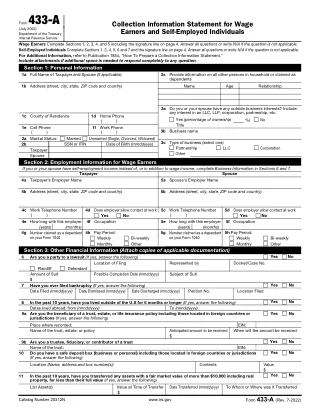
- Form 433-A - Collection Information Statement for Wage Earners, 6 pages in the current catalog entry.
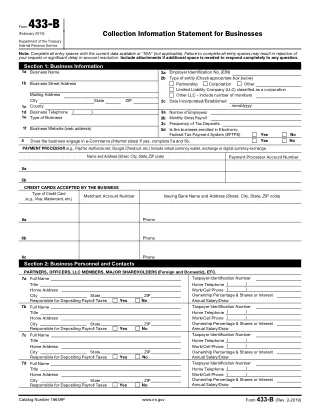
- Form 433-B - Collection Information Statement for Businesses, 6 pages in the current catalog entry.
- Form 433-F - Collection Information Statement, 4 pages in the current catalog entry.
- Form 433-D - Installment Agreement, 4 pages in the current catalog entry.
- Form 656 - Offer in Compromise, 8 pages in the current catalog entry.
- Form 656-B - Offer in Compromise Booklet, 32 pages in the current catalog entry.
- Form 843 - Claim for Refund and Request for Abatement, 2 pages in the current catalog entry.
- Form 911 - Request for Taxpayer Advocate Service Assistance, 4 pages in the current catalog entry.
Use a case schema that separates taxpayer, business, assets, debts, tax periods, and requested action
Collection forms need clear schema boundaries. The taxpayer, spouse, business, authorized representative, employer, bank account, vehicle, real estate, secured creditor, tax period, and requested IRS action should not be represented by generic name and amount fields.
Quality control should be stricter than ordinary data-entry automation. Fill one representative case, inspect every asset and liability row, verify signer and representative blocks, and compare the output with the current IRS source instructions before using the template again.
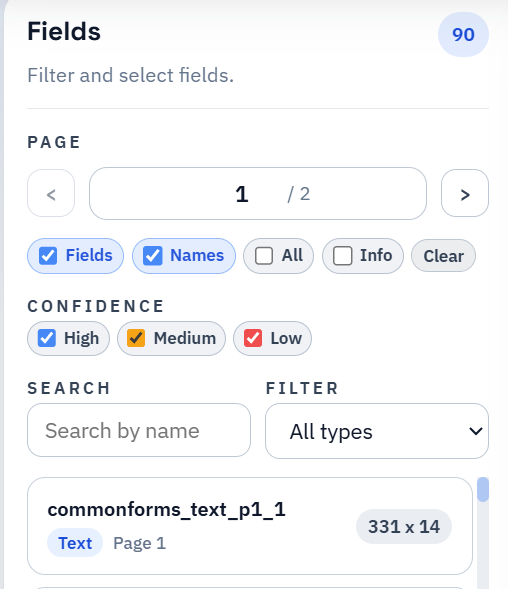
- Taxpayer fields: `taxpayer_full_name`, `spouse_full_name`, `tin_last4`, `mailing_address`, `tax_periods_at_issue`.
- Financial fields: `monthly_income_total`, `monthly_expenses_total`, `cash_on_hand`, `bank_account_balance`, `vehicle_value`.
- Business fields: `business_legal_name`, `business_ein`, `gross_monthly_receipts`, `accounts_receivable`, `payroll_tax_deposits_current`.
- Resolution fields: `requested_action`, `offer_amount`, `payment_option`, `installment_amount`, `abatement_reason`, `tas_hardship_summary`.
IRS collection guidance and qualified tax judgment remain the source of truth
DullyPDF can prepare templates, fill repeated fields, organize packets, and export review copies. It does not determine whether an offer should be filed, whether the taxpayer qualifies, what amount to offer, whether to request abatement, or how to communicate with the IRS.
Before using a completed packet, verify the current IRS form pages, Offer in Compromise instructions, fees, payment rules, eligibility requirements, mailing or online submission options, and representative review process.