
SBA Loan Application Packet Automation
SBA loan packets often repeat borrower, owner, lender, debt, asset, liability, transcript, and disclosure data across several fixed PDFs. A good automation workflow keeps each SBA source document intact while building a reviewed data map that can drive the packet from a CRM row, spreadsheet export, or intake response.

SBA packets are borrower-data workflows spread across several fixed PDFs
An SBA workflow may involve a borrower information form, personal financial statement, tax transcript authorization, schedule of liabilities, statement of personal history, or disaster loan application. Those documents support different programs and stages, but the same borrower identity, business profile, ownership, contact, debt, asset, and lender details often repeat.
DullyPDF should stay focused on the document-preparation layer. It can build reusable templates from the official PDFs, map the fields to a stable loan record, and generate reviewed outputs. It should not decide eligibility, program fit, collateral treatment, creditworthiness, or required SBA submission contents.
Start with the SBA forms that recur in your loan or disaster workflow
A lender, packager, or consultant should not automate every SBA PDF at once. Start with the documents that appear repeatedly for the same program, validate each template with realistic data, and only then group them into a saved packet. That keeps review focused and prevents one weak form map from hiding inside a broad automation claim.
For 7(a)-style borrower workflows, SBA Form 1919 and SBA Form 413 are often the core pair. Disaster workflows may add Form 5, Form 4506-C, and Schedule of Liabilities. Form 912 can appear when personal-history details need to be collected and reviewed in a fixed SBA layout.

- SBA Form 1919 - Borrower Information Form, 7 pages in the current catalog entry.
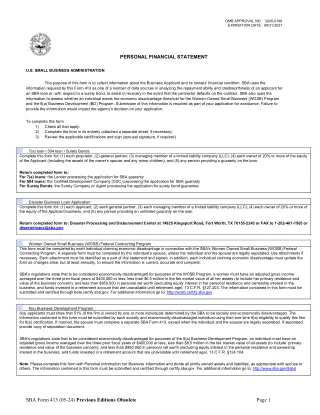
- SBA Form 413 - Personal Financial Statement, 6 pages in the current catalog entry.
- SBA Form 4506-C - IRS Form 4506-C for SBA disaster loan workflows, 1 page in the current catalog entry.
- SBA Form 2202 - Schedule of Liabilities, 1 page in the current catalog entry.
- SBA Form 912 - Statement of Personal History, 2 pages in the current catalog entry.
- SBA Form 5 - Disaster Business Loan Application, 22 pages in the current catalog entry.
Use a schema that separates business, owner, financial, debt, and transcript data
The schema should reflect the loan record, not the page coordinates. Borrower legal name, DBA, EIN, NAICS, ownership percentage, owner SSN last four, lender contact, requested amount, existing debt, real estate, cash, securities, and contingent liabilities all need clear names before a packet can be reused.
SBA packets also need careful role handling. The applicant business, affiliate, principal, guarantor, spouse, lender, tax-transcript signer, and preparer may be different parties. If those roles collapse into generic name and address fields, the workflow can fill while still producing a packet that is hard to trust.
- Business fields: `business_legal_name`, `business_dba`, `business_ein`, `business_address`, `naics_code`, `loan_purpose`.
- Owner fields: `owner_1_full_name`, `owner_1_percent_owned`, `owner_1_address`, `owner_1_title`, `guarantor_required`.
- Financial fields: `cash_on_hand`, `accounts_receivable`, `real_estate_value`, `notes_payable`, `contingent_liabilities`.
- Debt fields: `creditor_name`, `original_amount`, `current_balance`, `monthly_payment`, `maturity_date`, `collateral_description`.
- Transcript fields: `taxpayer_name`, `taxpayer_id`, `tax_year_1`, `tax_year_2`, `signature_date`, `authorized_representative`.
Use Search and Fill for operator review, then API Fill only after the packet is stable
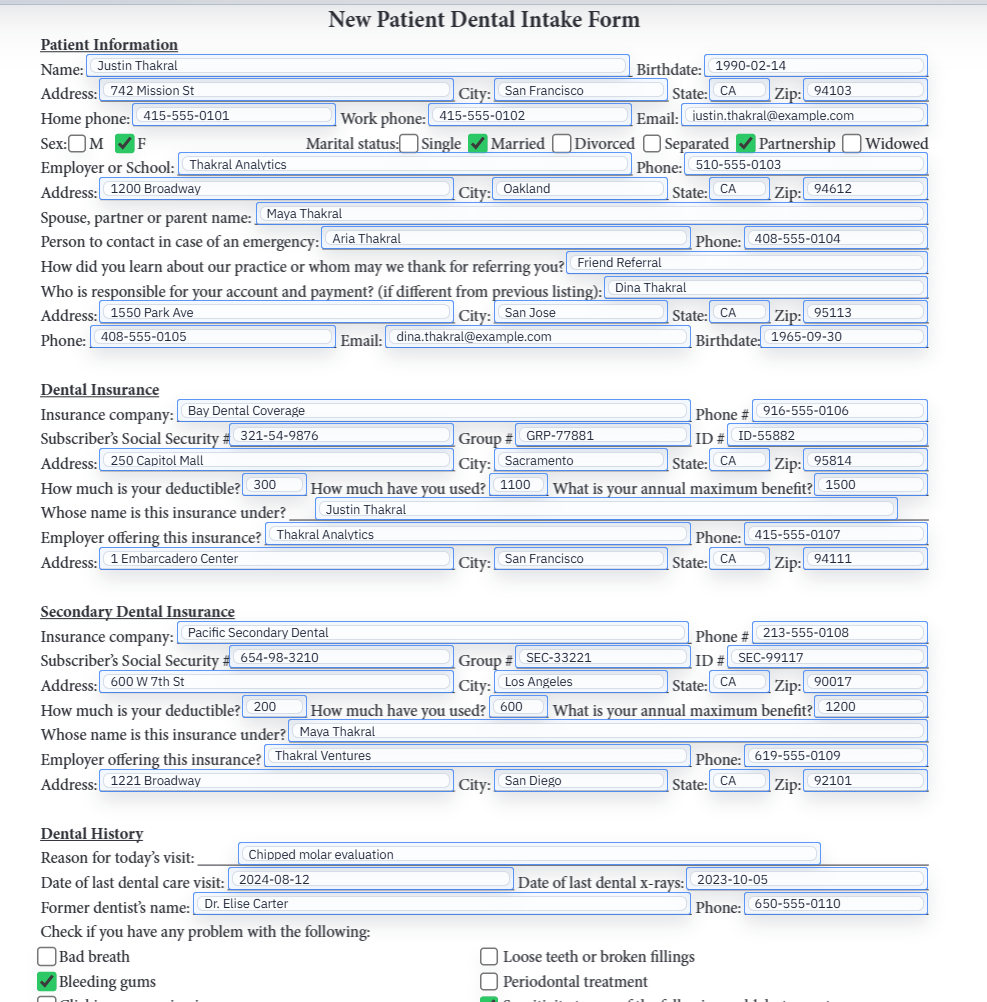
For lenders and packagers, Search and Fill is usually the first useful workflow. Import or connect a reviewed borrower export, search the applicant record, fill one document at a time or the saved packet, and inspect the output before export. That review loop catches naming and role mistakes before the packet becomes a repeated process.
API Fill becomes more attractive after the packet is stable. If a lender portal or internal CRM already has the borrower record and the template map has been tested, a template-scoped endpoint can generate the PDFs without rekeying. The API should be published only after the schema and output have been validated with realistic loan data.
SBA and lender requirements remain the source of truth
SBA forms change by program and date, and lenders can require their own supporting documents. DullyPDF can help build templates, collect values, fill official-layout PDFs, export flat review copies, and support packet workflows. It does not determine eligibility, required program forms, credit decisions, collateral sufficiency, or submission strategy.
Before a completed packet leaves the workspace, verify the current SBA document page, effective date, program guidance, lender instructions, signatures, attachments, and any disaster-specific requirements. If the question is about program eligibility or lending judgment, it belongs with SBA guidance, the participating lender, or a qualified advisor.