
USCIS Immigration Packet Automation: Fill Repeated Forms From One Intake Record
Immigration packets are difficult because the same applicant, sponsor, preparer, attorney, and address details often appear across several fixed USCIS PDFs. The useful automation pattern is not changing the forms; it is collecting the record once, mapping it carefully, and generating the official-looking PDFs from a reviewed template set.
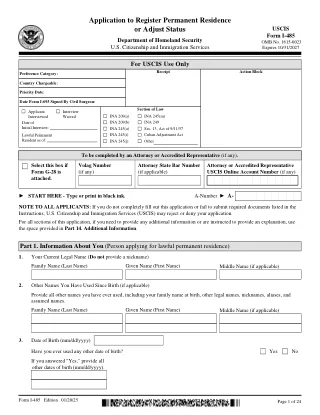
USCIS packet work is really repeated data work across fixed PDFs
A common USCIS workflow rarely stops at one PDF. A team may need an application, petition, work authorization form, travel document form, affidavit of support, attorney appearance notice, or receipt notification sheet. Each PDF has its own layout, but the underlying record is often the same person, household, sponsor, preparer, address history, and contact data repeated in slightly different places.
That is the exact type of workflow where a reusable PDF template system helps. DullyPDF should not decide eligibility, filing strategy, or supporting evidence. Its job is narrower: keep the blank PDF layout intact, detect and clean the fillable fields, map those fields to stable data names, and make repeated packet generation less manual.
Start with a small packet set before you try to automate every immigration PDF
The DullyPDF catalog currently mirrors a broad set of USCIS forms, but the first pass should be practical. Pick the forms that appear repeatedly in your actual workflow, validate the field layer on each one, then connect them through shared schema names. A narrow, reviewed packet is more useful than a large library of half-cleaned templates.
A strong first set is I-485 for adjustment of status, I-765 for employment authorization, I-130 for family petitions, I-131 for travel documents, I-864 for affidavits of support, I-90 for permanent resident card replacement, G-28 for attorney or accredited representative appearance, and G-1145 for application or petition acceptance notification. Those forms cover different use cases, but they expose the same operational problem: the PDF structure is fixed while record data repeats.


- I-485 - Application to Register Permanent Residence, 24 pages in the current catalog entry.
- I-765 - Application for Employment Authorization, 7 pages in the current catalog entry.
- I-130 - Petition for Alien Relative, 12 pages in the current catalog entry.
- I-131 - Application for Travel Document, 14 pages in the current catalog entry.
- I-864 - Affidavit of Support Under Section 213A, 12 pages in the current catalog entry.
- I-90 - Application to Replace Permanent Resident Card, 7 pages in the current catalog entry.
- G-28 - Notice of Entry of Appearance as Attorney, 4 pages in the current catalog entry.
- G-1145 - E-Notification of Application/Petition Acceptance, 1 page in the current catalog entry.
The schema should name the record, not the PDF coordinates
The most important setup choice is how the fields are named. A field named Text42 may technically fill, but it is not a reusable packet field. A field named applicant_family_name or sponsor_mailing_city gives the operator and any later API caller a stable idea of what value belongs there.
For USCIS-style packets, the schema should group data by person and role. Applicant, petitioner, beneficiary, sponsor, household member, preparer, attorney, and interpreter data should not blur together. That role-based naming makes Search and Fill easier to review, and it reduces the chance that one person address or date is mapped into the wrong section of a later PDF.
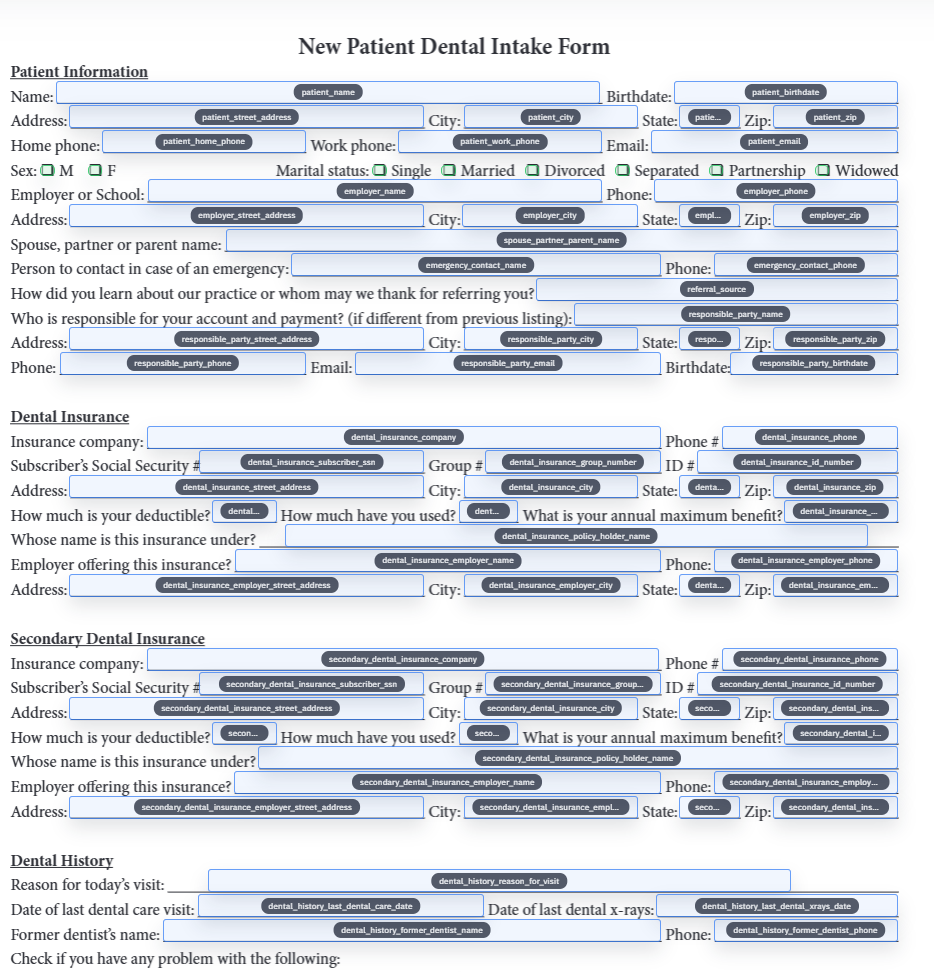
- Identity fields: `applicant_family_name`, `applicant_given_name`, `a_number`, `uscis_online_account_number`.
- Contact fields: `mailing_street`, `mailing_city`, `mailing_state`, `mailing_postal_code`, `daytime_phone`, `email`.
- Role fields: `petitioner_full_name`, `beneficiary_full_name`, `sponsor_full_name`, `attorney_full_name`, `preparer_full_name`.
- Packet controls: `form_language`, `signature_date`, `prepared_by`, `review_status`, `source_record_id`.
Use Fill By Link when the applicant or sponsor still needs to provide the data
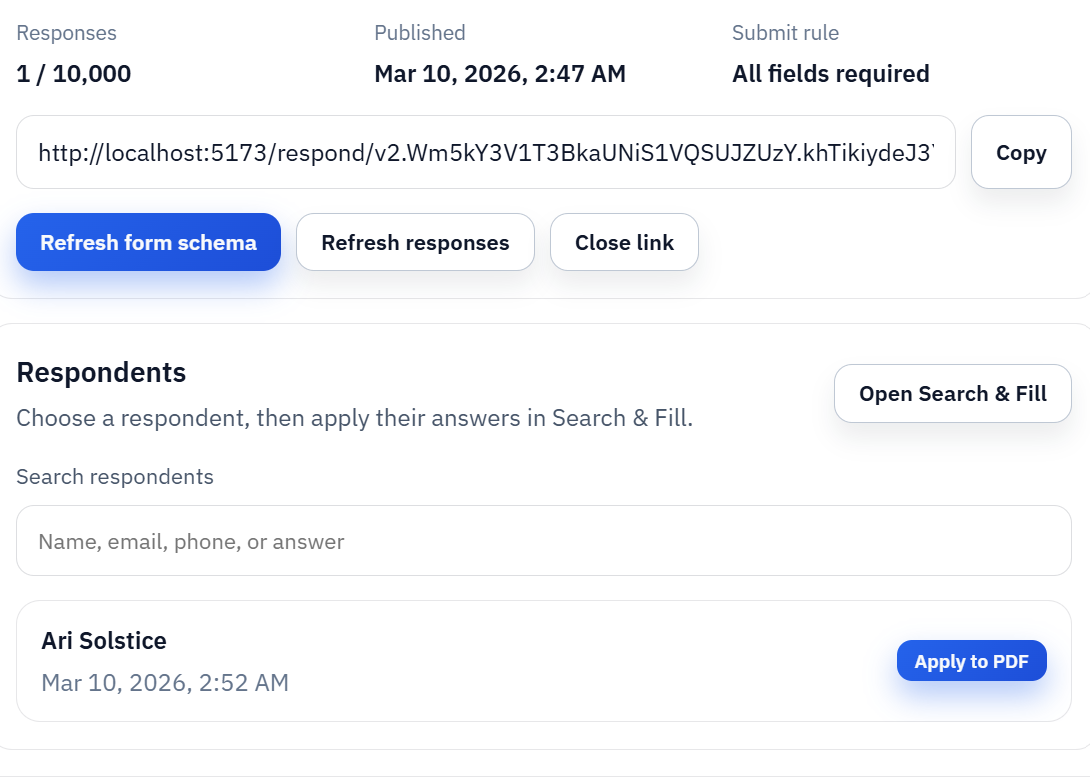
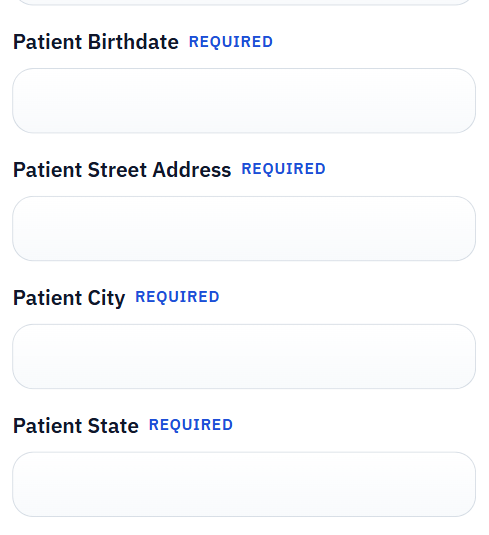
Many packet workflows start before the data is clean enough to fill. The applicant, sponsor, or representative may still need to provide identity details, contact information, address history, employment facts, or consent responses. In that situation, asking someone to edit the PDF directly is usually the wrong first step.
The better flow is to collect the record through a respondent-facing web form, review it inside the workspace, then generate the USCIS PDFs from the stored response. That keeps the respondent experience simpler while preserving the official PDF output the team needs for review, printing, signing, or filing according to the relevant USCIS instructions.
Quality control matters more than speed when the form family is sensitive
Immigration PDFs are a bad place for blind automation. Every template should be tested with representative data, reviewed at the field level, and checked for obvious role mistakes before it is trusted. That includes text fields, dates, checkboxes, radio groups, signature-adjacent fields, and any repeated-name sections where two people in the same packet can be confused.
A good validation loop is simple: open the blank catalog PDF, run detection, rename and map fields, fill a realistic test record, export a flat review copy, and inspect the result against the blank source. Only after that should the template become part of a saved packet, Fill By Link flow, or API Fill endpoint.
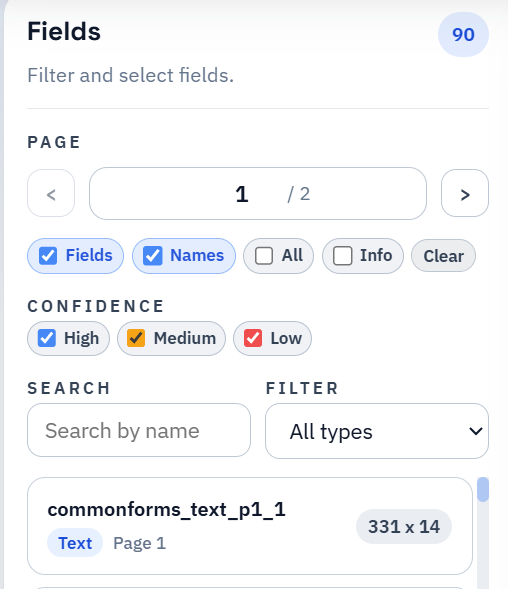
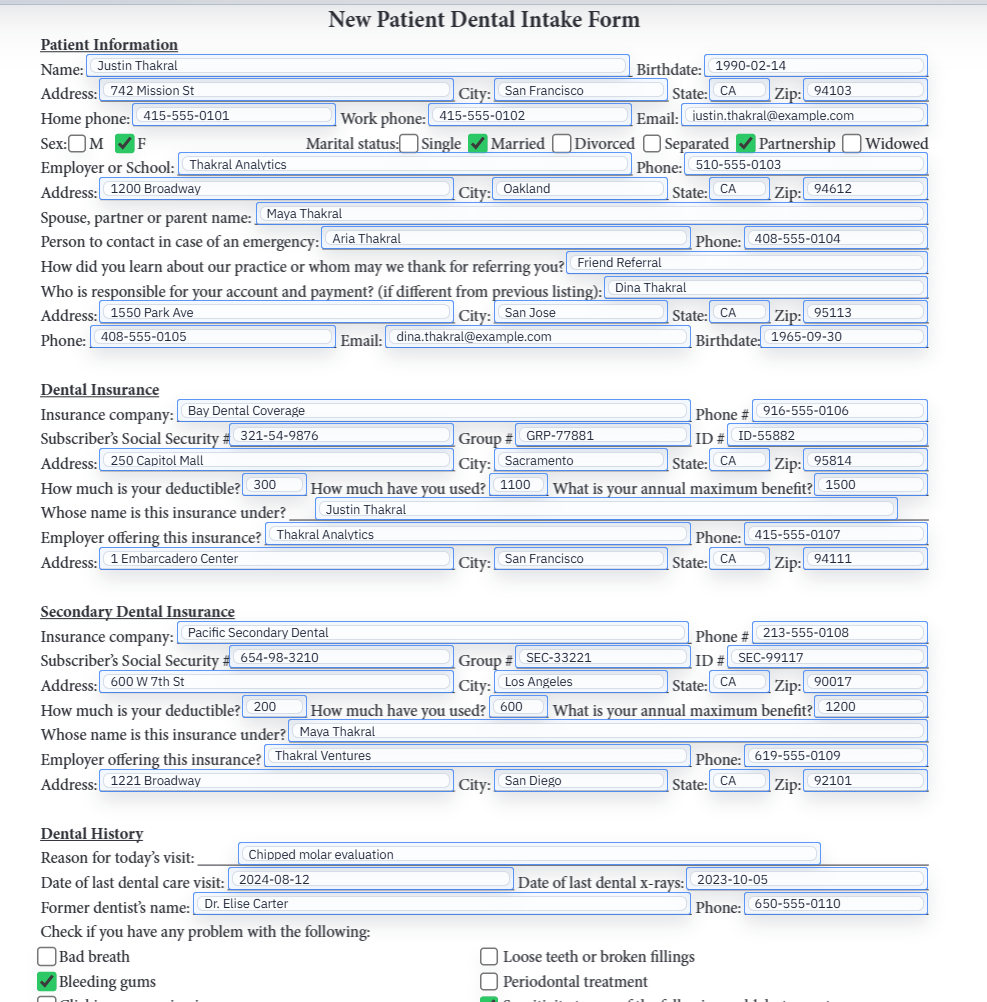
- Review low-confidence detections first, especially around checkbox groups and dense address blocks.
- Validate repeated identity fields across every form in the packet.
- Use flat output for external review copies when editable PDF viewer behavior could cause confusion.
- Keep the official USCIS source page as the authority for the latest edition, fee, filing address, and instruction requirements.
DullyPDF prepares the PDF workflow; it does not make immigration decisions
This distinction should stay explicit. DullyPDF can help turn official-source PDFs into reusable templates, collect structured answers, fill repeated fields, and produce downloadable outputs. It does not submit forms to USCIS, choose which immigration benefit applies, decide who qualifies, calculate legal consequences, or replace the official instructions.
Before any real filing, the team should verify the current USCIS form page, edition date, filing address, fee rules, signature requirements, and supporting-evidence instructions. If the choice is legal or strategic rather than operational, it belongs with USCIS guidance or a qualified immigration professional, not with a PDF automation tool.